

Ru
Руководство пользователя
Вспышка с автофокусировкой Speedlight
Данная лицензия не предназначена для продажи этого Руководства и Вы не становитесь владельцем этого Руководства после приобретения любого продукта, загрузки и/или использования. Nikon сохраняет за собой право владения данным Руководством и, следовательно, всеми копиями и все соответствующие права, относящиеся к интеллектуальной собственности, и сохраняет за собой все права, которые явно не предоставлены Вам в рамках данного Соглашения. Данное Соглашение представляет собой полное и эксклюзивное соглашение, устное и письменное, между Вами и Nikon.
1. РУКОВОДСТВО
Руководство предназначено для клиентов, которые приобрели наши продукты. Мы можем не иметь возможности ответить на запрос физических лиц, которые не приобрели наши продукты. Пожалуйста, имейте в виду, что данное руководство и контактная информация, указанные здесь, могут быть изменены без уведомления.
Данное Руководство защищено Законом об авторском праве Японии и международными законами об авторском праве и международными договорами. Вам необходимо воспроизвести на каждой копии уведомление об авторском праве Nikon и любую другую информацию о праве собственности, которые присутствовали на оригинале.
2. ОГРАНИЧЕНИЯ
Кроме случаев, когда в данном Соглашении указано иное, нельзя делать или передавать копии данного Руководства другим или передавать в электронной форме Руководство с одного компьютера на другой по сети. НЕЛЬЗЯ ИЗМЕНЯТЬ ИЛИ УДАЛЯТЬ ЛЮБЫЕ УВЕДОМЛЕНИЯ ОБ АВТОРСКОМ ПРАВЕ, ТОРГОВОЙ МАРКЕ ИЛИ ДРУГИЕ ЗАЩИТНЫЕ УВЕДОМЛЕНИЯ, СОДЕРЖАЩИЕСЯ В ДАННОМ РУКОВОДСТВЕ. НЕЛЬЗЯ ПРИСВАИВАТЬ ИЛИ ИНЫМ ОБРАЗОМ ИЗБАВЛЯТЬСЯ, МОДИФИЦИРОВАТЬ, НАСТРАИВАТЬ, ПЕРЕВОДИТЬ, АРЕНДОВАТЬ, БРАТЬ В НАЕМ, ЗАНИМАТЬ, ПЕРЕПРОДАВАТЬ, РАСПРОСТРАНЯТЬ, ПЕРЕДАВАТЬ ПО СЕТИ ИЛИ СОЗДАВАТЬ ИЛИ ИМЕТЬ СОЗДАННЫЕ ПРОИЗВОДСТВЕННЫЕ РАБОТЫ, ОСНОВАННЫЕ НА ДАННОМ РУКОВОДСТВЕ ИЛИ ЛЮБОЙ ЧАСТИ ТАКОВОГО.
3. ОГРАНИЧЕННАЯ ГАРАНТИЯ И ОТКАЗ
В НАИБОЛЬШЕЙ СТЕПЕНИ, РАЗРЕШЕННОЙ В СИЛУ ДЕЙСТВУЮЩЕГО ЗАКОНОДАТЕЛЬСТВА, ДАННОЕ РУКОВОДСТВО ПРЕДОСТАВЛЕНО НА ОСНОВЕ ПРИНЦИПА «КАК ЕСТЬ», БЕЗ ГАРАНТИИ В ЛЮБОЙ ФОРМЕ, И КОМПАНИЯ NIKON, ЕЕ СОТРУДНИКИ, РАСПРОСТРАНИТЕЛИ, ДИЛЕРЫ И АГЕНТЫ ПРЯМО НЕ ПРИЗНАЮТ ЛЮБУЮ ГАРАНТИЮ В ЛЮБОЙ ФОРМЕ, ВЫРАЖЕННУЮ ИЛИ ПОДРАЗУМЕВАЕМУЮ, ВКЛЮЧАЯ, НО НЕ ОГРАНИЧИВАЯСЬ, ЛЮБОЙ ПОДРАЗУМЕВАЕМОЙ ГАРАНТИЕЙ ПРИГОДНОСТИ ДЛЯ ТОРГОВЛИ, ПРИГОДНОСТИ ДЛЯ ОПРЕДЕЛЕННОГО НАЗНАЧЕНИЯ ИЛИ ОТСУТСТВИЯ НАРУШЕНИЙ. В НАИБОЛЬШЕЙ СТЕПЕНИ, РАЗРЕШЕННОЙ В СИЛУ ДЕЙСТВУЮЩЕГО ЗАКОНОДАТЕЛЬСТВА, КОМПАНИЯ NIKON, ЕЕ СОТРУДНИКИ, РАСПРОСТРАНИТЕЛИ, ДИЛЕРЫ И АГЕНТЫ НЕ ГАРАНТИРУЮТ ИСПОЛНЕНИЕ ИЛИ РЕЗУЛЬТАТЫ, КОТОРЫЕ ВЫ МОЖЕТЕ ПОЛУЧИТЬ ИЗ ДАННОГО РУКОВОДСТВА, ИЛИ ЧТО ДАННОЕ РУКОВОДСТВО БУДЕТ СООТВЕТСТВОВАТЬ ВАШИМ ТРЕБОВАНИЯМ ИЛИ ЧТО РАБОТА РУКОВОДСТВА БУДЕТ БЕСПЕРЕБОЙНОЙ, БЕЗОШИБОЧНОЙ ИЛИ НЕ БУДЕТ СОДЕРЖАТЬ ВИРУСОВ. В НАИБОЛЬШЕЙ СТЕПЕНИ, РАЗРЕШЕННОЙ В СИЛУ ДЕЙСТВУЮЩЕГО ЗАКОНОДАТЕЛЬСТВА, НИ КОМПАНИЯ NIKON, НИ ЕЕ СОТРУДНИКИ, РАСПРОСТРАНИТЕЛИ, ДИЛЕРЫ И АГЕНТЫ НЕ ДОЛЖНЫ НЕСТИ ПЕРЕД ВАМИ ОТВЕТСТВЕННОСТЬ ЗА ЛЮБЫЕ КОСВЕННЫЕ, ПОСЛЕДУЮЩИЕ ИЛИ НЕПРЕДНАМЕРЕННЫЕ УБЫТКИ, ПОТЕРИ ИЛИ ИЗДЕРЖКИ ЛЮБОГО ТИПА, БУДЬ ТО ПОТЕРЯ ПРИБЫЛИ, ПЕРЕРЫВ В ДЕЯТЕЛЬНОСТИ ИЛИ ИНЫМ СПОСОБОМ ВОЗНИКАЮЩИЙ ИЛИ ЯВЛЯЮЩИЙСЯ СЛЕДСТВИЕМ ДАННОГО РУКОВОДСТВА, ВЫЗВАННЫЙ КАКИМ-ЛИБО СПОСОБОМ, ДАЖЕ ЕСЛИ КОМПАНИЯ NIKON, ЕЕ СОТРУДНИКИ, РАСПРОСТРАНИТЕЛИ, ДИЛЕРЫ ИЛИ АГЕНТЫ УВЕДОМЛЕНЫ О ВОЗМОЖНОСТИ ВОЗНИКНОВЕНИЯ ТАКИХ УБЫТКОВ, ПОТЕРЬ ИЛИ ИЗДЕРЖЕК. ЭТОТ ОТКАЗ СОСТАВЛЯЕТ СУЩЕСТВЕННУЮ ЧАСТЬ ДАННОГО СОГЛАШЕНИЯ, И НЕИСПОЛЬЗОВАНИЕ ДАННОГО РУКОВОДСТВА УПОЛНОМОЧЕНО, КРОМЕ СЛУЧАЕВ В РАМКАХ ДАННОГО ОТКАЗА.
4. ОБЩИЕ СВЕДЕНИЯ
Данное соглашение регулируется и должно истолковываться в соответствии с законами Японии независимо от его принципов коллизионного права. В случае возникновения спора в рамках или в связи с данным соглашением Вы, таким образом, даете согласие на персональную юрисдикцию Японии и отказываетесь от любого возражения, что такая дискуссия вызывает затруднение. Далее Вы соглашаетесь на получение судебных извещений в любом действии, возникающем из данного Соглашения по обычной почте или другими коммерчески оправданными способами доставки расписки в получении. Если любое положение данного Соглашения должно быть определено недействительным по какой-либо причине, то оставшиеся положения не должны быть признаны недействительными и должны остаться в силе без изменений. Данное Соглашение устанавливает в дальнейшем целое соглашение и понимание между Вами и компанией Nikon, и замещает собой и заменяет любые другие соглашения, относящиеся к сути дела данного Соглашения. Неуспех любой стороны в настаивании на строгом исполнении любого правила или положения данного соглашения, или выполнение любой опции, права или защиты прав, содержащихся в данном документе, не должны толковаться в качестве отказа от любого применения такого правила, положения, опции, права или защиты прав в будущем, и такое правило, положение, опция, право или защита прав должны продолжиться и сохранить полную юридическую силу и действие. Заголовки разделов данного Соглашения вставлены только для удобства и не должны составлять часть данного документа или влиять каким-либо образом на значение или толкование данного Соглашения. Кроме случаев, когда иначе явно указано в данном документе, положения раздела 3 и раздела 4 вместе с любыми положениями, которые с помощью своих прямо выраженных условий относятся к периодам после прекращения срока действия данного Соглашения, должны оставаться в силе после прекращения действия данного Соглашения по какой-либо причине.
Руководства для продуктов Nikon/ 2018/02/15/ Вер. 2.0.0
Требуется руководство для вашей Nikon SB-910 Вспышка? Ниже вы можете просмотреть и загрузить бесплатно руководство в формате PDF. Кроме того, приведены часто задаваемые вопросы, рейтинг изделия и отзывы пользователей, что позволит оптимально использовать ваше изделие. Если это не то руководство, которое вы искали, – свяжитесь с нами.
Ваше устройство неисправно, и в руководстве отсутствует решение? Перейдите в Repair Café для получения бесплатных ремонтных услуг.
Руководство

Рейтинг
Сообщите нам, что вы думаете о Nikon SB-910 Вспышка, оставив оценку продукта. Хотите поделиться вашими впечатлениями от данного изделия или задать вопрос? Вы можете оставить комментарий в нижней части страницы.
Довольны ли вы данным изделием Nikon?
Да Нет
Будьте первым, кто оценит это изделие
0 голоса
Часто задаваемые вопросы
Наша служба поддержки выполняет поиск полезной информации по изделиям и отвечает на часто задаваемые вопросы. Если вы заметили неточность в наших часто задаваемых вопросах, сообщите нам об этом с помощью нашей контактной формы.
Что такое ведущее число? Проверенный
Ведущее число указывает максимальное количество света вспышки, которое может производить вспышка. Более высокое число означает, что объект можно осветить с большего расстояния.
Это было полезно (121)
-
Contents
-
Table of Contents
-
Troubleshooting
-
Bookmarks
Quick Links
Autofocus Speedlight
User’s Manual
En
Related Manuals for Nikon SB-910
Summary of Contents for Nikon SB-910
-
Page 1
Autofocus Speedlight User’s Manual… -
Page 2: About The Sb-910 And This User’s Manual
About the SB-910 and This User’s Manual Thank you for purchasing the Nikon Speedlight SB-910. To get the most out of your Speedlight, please read this user’s manual thoroughly before use. Keep this manual handy for quick reference. How to find what you are looking for i Table of contents You can search by item, such as operation method, fl…
-
Page 3
Included items Check that all items listed below are included with the SB-910. If any items are missing, inform the store where the SB-910 was purchased or the seller immediately. ❑ Speedlight Stand AS-21 ❑ Nikon Diffusion Dome SW-13H ❑ Fluorescent Filter SZ-2FL ❑… -
Page 4
D100), F6, COOLPIX cameras (P7100, P7000, P6000) About this user’s manual This manual has been compiled with the assumption that the SB-910 will be used in combination with a camera compatible with CLS and a CPU lens (0A-5). To get the most out of your Speedlight, please read this user’s manual thoroughly before use. -
Page 5
Tips on identifying CPU NIKKOR lenses CPU lenses have CPU contacts. CPU contacts • The SB-910 cannot be used with IX-Nikkor lenses. A–5… -
Page 6
Control types of light falloff at edges; the SB-910 provides three illumination patterns, standard, even and center-weighted. ■ FX format/ DX format Nikon digital SLR camera image area types (FX format: 36 × 24, DX format: 24 × 16) ■… -
Page 7
■ i-TTL mode Flash mode in which the Speedlight fi res monitor pre-fl ashes and the camera measures the refl ected light and controls the Speedlight fl ash output Monitor pre-fl ashes Scarcely visible fl ashes emitted before actual fi ring that enable the camera to measure the light refl… -
Page 8
About the SB-910 and This User’s Manual ■ Step A unit of the shutter speed or aperture change; a change of one step halves/ doubles the amount of light entering the camera ■ EV (Exposure Value) Each increment of 1 in exposure value corresponds to a one-step change in exposure, which is made by halving/doubling shutter speed or aperture ■… -
Page 9
How can I take pictures of a moving subject with stroboscopic multiple-exposure effects? How can I use the SB-910 with a non-CLS- compatible SLR camera? How can I use the SB-910 with a COOLPIX camera? (with SB-910 mounted on camera) Key phrase Flash modes… -
Page 10
How do I take pictures using multiple fl ash units? How do I take pictures of a fast-moving subject using wireless multiple fl ash-unit photography? How do I take pictures with the SB-910 and a COOLPIX camera compatible with wireless multiple fl ash-unit photography? -
Page 11: Table Of Contents
Table of Contents Preparation About the SB-910 and This User’s Manual …A-2 Q&A Index …A-9 For Your Safety …A-14 Check before Use …A-19 Operation Speedlight Parts … B-1 Function Buttons… B-5 Basic Operations … B-6 Settings and the LCD … B-12 Custom Functions and Settings …
-
Page 12
Table of Contents Functions Switching Illumination Patterns … E-2 Bounce Flash Operation … E-4 Taking Close-up Photographs … E-9 Flash Photography with Color Filters … E-12 Flash Photography Support Functions … E-17 • Flash compensation • Power zoom function • AF-assist illumination •… -
Page 13
Tips on Speedlight Care and Reference Information Troubleshooting …H-1 Guide Number, Aperture and Flash-to-subject Distance …H-4 Tips on Speedlight Care …H-5 Notes on Batteries…H-7 About the LCD Panel …H-8 Updating Firmware …H-9 Optional Accessories …H-10 Specifi cations …H-13 Index …H-22 A–13… -
Page 14: For Your Safety
Allow the flash unit to cool down so that you can safely touch it and remove the batteries. Then bring the unit to your local Nikon dealer or authorized service center for repair.
-
Page 15
In such instances you should immediately remove the batteries from the Speedlight and then bring the unit to your local Nikon dealer or authorized service center for repair. Note: electronic devices that are penetrated by water or moisture are often not economically repairable. -
Page 16
For Your Safety CAUTIONS for Speedlights Do not touch the flash unit with wet hands, electric shock. Keep the flash unit away from children to prevent them from putting the unit in or near their mouth, or otherwise touching a dangerous part of the product;… -
Page 17
If corrosive liquids seep from the batteries and get in your eyes, immediately wash your eyes with running water and consult with a doctor. Your eyes could be seriously damaged if they are not treated quickly. If corrosive liquids seep from the batteries and come in contact with your skin or clothes, wash immediately with running water. -
Page 18
For Your Safety CAUTION for Batteries Do not throw or apply strong physical shocks to the batteries as this could cause batteries to leak corrosive liquids, generate heat or explode. Symbol for separate collection applicable in European countries This symbol indicates that this product is to be collected separately. The following apply only to users in European countries. -
Page 19: Check Before Use
Use your Speedlight with Nikon equipment The Nikon Speedlight SB-910’s performance has been optimized for use with Nikon brand cameras/accessories including lenses. Cameras/accessories made by other manufacturers may not meet Nikon’s criteria for specifi…
-
Page 20: B Operation
Operation Speedlight Parts 1 Flash head 2 Flash head tilting/rotating lock release button (0B-9) 3 Battery chamber cover 4 Battery chamber cover lock release (0B-6) 5 Light sensor window for wireless remote fl ash (0D-17) 6 Built-in bounce card (0E-8) 7 Built-in wide panel (0E-10) 8 Flash panel 9 Filter detector (0E-14)
-
Page 21
18 Flash head tilting angle scale (0E-4) 19 Flash head rotating angle scale (0E-4) 20 Sync terminal cover 21 Sync terminal 22 LCD panel (0B-12) 23 Flash-ready indicator (0B-11, D-20) 24 Mounting foot lock lever (0B-8) B–2… -
Page 22: Speedlight Parts
Selects item to be confi gured • The assigned function or setting for each button differs according to the fl ash mode and settings of the SB-910. (0B-5) 30 Test fi ring button • Controls test fi ring ( modeling illumination (0E-21) •…
-
Page 23
Activating key lock Key lock icon Press function buttons 1 and 2, between which a lock icon is printed, simultaneously for 2 seconds. The key lock icon appears on the LCD and the dial and buttons are locked. • The power switch/wireless mode switch for multiple flash units and the test firing button remain unlocked. -
Page 24: Function Buttons
Function Buttons The assigned function or setting for each button differs according to the fl ash mode and settings of the SB-910. Function button 1 Function button 2 Functions and settings icons Zoom head position Flash compensation value Flash output level in manual fl…
-
Page 25: Basic Operations
Notes on continuous fl ash photography • To prevent the SB-910 from overheating, allow it to cool down for at least 10 minutes after 15 times of continuous firing. • When continuous flash firing is repeated in quick succession, the internal safety function adjusts the recycling time by up to 15 seconds.
-
Page 26
Basic Operations Compatible batteries and replacement/recharging When replacing batteries, use four fresh AA-size batteries of the same brand. Refer to the following table to determine when to replace batteries with fresh ones or recharge batteries according to how long the fl ash-ready indicator takes to come Battery type 1.5 V LR6 (AA-size) alkaline battery 1.5 V FR6 (AA-size) lithium battery… -
Page 27
Low battery power indicator STEP Attaching the SB-910 to the camera When battery power is low, the icon shown at the left appears on the LCD and the SB-910 stops functioning. Replace or recharge batteries. Make sure the SB-910 and the camera body are turned off. -
Page 28
Detaching the SB-910 from the camera • If the SB-910’s mounting foot cannot be removed from the camera’s accessory shoe, turn the lock lever 90° to the left again, and slide the SB-910 slowly out. • Do not forcibly remove the SB-910. -
Page 29
FX format; illumination pattern: standard; ISO sensitivity: 200; zoom head position: 24 mm; aperture f-number: 5.6 • Icons on the LCD may differ depending on the SB-910 settings and the camera and lens in use. SB-910 fl ash information… -
Page 30
Changing the fl ash mode Rotate the selector dial clockwise to display icons of available fl ash mode on the LCD. Make sure that the fl ash- ready indicator on the SB-910 or in the camera’s viewfi nder is on before taking a picture. -
Page 31: Settings And The Lcd
Icons on the LCD show the status of settings. Displayed icons vary according to selected fl ash modes and settings. • The basic control of SB-910 functions is as follows: Two-button reset Press a button to highlight the selected item.
-
Page 32: Custom Functions And Settings
Custom Functions and Settings Various operations for the SB-910 can be easily set using the LCD. • Displayed icons vary according to the combination of camera and status of the SB-910. • Functions and settings indicated with grid boxes do not function even though they can be configured and set.
-
Page 33
Rotate the selector dial to highlight the chosen setting, and then press the [OK] button. • • Press the [MENU] button to return to normal display. • º: Current setting Available selection Highlighted while selected Press the [OK] button to return display to item selection. -
Page 34
Custom Functions and Settings Setting My Menu When a custom settings page is displayed, only the custom settings items that are set as My Menu are displayed on the LCD. • My Menu items can be changed any time. • To display all items, select “FULL”… -
Page 35
Custom settings page display function and display mode Page display function Custom settings pages can be changed with function buttons 1 and 2. • The number of pages displayed varies from one to five depending on the settings. • The position of the displayed page is indicated in the bar. Display mode The custom settings display mode, My Menu or Full Menu, can be changed with function button 3. -
Page 36
Custom Functions and Settings Available custom functions and settings (Bold: default) Non-TTL auto fl ash mode option (0C-5, C-8) Auto aperture fl ash with monitor pre-fl ashes Auto aperture fl ash without monitor pre-fl ashes Non-TTL auto fl ash with monitor pre-fl ashes Non-TTL auto fl… -
Page 37
When the zoom head position is manually set, image area settings can be selected. FX±∞DX: Automatically set according to the camera’s image area FX: Nikon FX format (36 × 24) DX: Nikon DX format (24 × 16) Canceling power zoom function (0E-19) -
Page 38
Custom Functions and Settings ISO sensitivity manual setting (0E-21) Setting ISO sensitivity within the range of between 3 and 8000. 100: ISO 100 Flash-ready indicator in remote mode (0D-20) Selecting which fl ash-ready indicator to blink/light up in remote mode to save power REAR, FRONT: Back indicator lights up, front indicator blinks in remote mode REAR: Only back indicator lights up… -
Page 39
Zoom head position manual setting with broken built-in wide panel (0E-11) Selecting whether the zoom head position can be manually set or not when the built-in wide panel is broken. ON: Zoom head position can be manually set OFF: Zoom head position cannot be manually set My Menu setting (0B-15) Selecting custom settings display mode FULL: All items displayed… -
Page 40: Flash Modes
Information obtained by monitor pre-fl ashes and exposure control information is integrated by the camera to automatically adjust fl ash output levels. • To take pictures using the SB-910 set in i-TTL mode, see “Basic Operations” (0B-6). • Either the i-TTL balanced fill-flash mode or the standard i-TTL mode option is available.
-
Page 41
Setting i-TTL mode i-TTL mode LCD example Press the [MODE] button. Rotate the selector dial to display Press the [OK] button : Monitor pre-fl ashes : i-TTL : Balanced fi ll-fl ash C–2… -
Page 42
Auto setting of ISO sensitivity, aperture and focal length When using the SB-910 with a CLS-compatible camera and a CPU lens, ISO sensitivity, aperture and focal length are automatically set according to the lens and camera information. -
Page 43
• Amount of underexposure due to insufficient flash output is indicated by the exposure value (−0.3 EV to −3.0 EV) on the SB-910’s LCD panel for approx. 3 seconds. • Press function button 3 to redisplay exposure value. -
Page 44: Auto Aperture Flash Mode
Auto Aperture Flash Mode The SB-910’s light sensor for non-TTL auto fl ash measures the fl ash that is refl ected on the subject, and the SB-910 controls the fl ash output level according to the lens and camera information transmitted to the SB-910, including ISO sensitivity, exposure compensation value, aperture and lens focal length.
-
Page 45
Monitor pre-flashes can be activated or canceled as a non-TTL auto flash mode option in the custom settings. (0B-17) • Flash output is controlled more accurately with monitor pre-flashes. The SB-910 emits monitor pre-flashes before actual firing to obtain reflected flash data. •… -
Page 46
Confi rm the fl ash-ready indicator is on, and then shoot. When the fl ash-ready indicators on the SB-910 and in the camera’s viewfi nder blink for approx. 3 seconds after a picture is taken, underexposure due to insuffi cient fl ash output may have occurred. -
Page 47: Non-Ttl Auto Flash Mode
Non-TTL Auto Flash Mode The SB-910’s light sensor for non-TTL auto fl ash measures the fl ash that is refl ected on the subject, and the SB-910 controls the fl ash output level according to the refl ected fl ash data.
-
Page 48
Monitor pre-flashes can be activated or canceled as a non-TTL auto flash mode option in the custom settings. (0B-17) • Flash output is controlled more accurately with monitor pre-flashes. The SB-910 emits monitor pre-flashes before actual firing to obtain reflected flash data. •… -
Page 49
When insuffi cient fl ash output for correct exposure is indicated When the fl ash-ready indicators on the SB-910 and in the camera’s viewfi nder blink for approx. 3 seconds after a picture is taken, underexposure due to insuffi cient fl… -
Page 50
Non-TTL Auto Flash Mode Checking exposure before taking a picture C–11 Test fi re the Speedlight under the same conditions and with the same Speedlight and camera settings before taking the actual picture. • When the flash-ready indicators blink after test firing, underexposure due to insufficient flash output may have occurred. -
Page 51: Distance-Priority Manual Flash Mode
Distance-priority Manual Flash Mode In this fl ash mode, when the fl ash-to-subject distance value is entered, the SB-910 automatically controls fl ash output level according to the camera settings. Setting distance-priority manual flash mode Distance-priority manual fl ash is not possible when the SB-910’s fl ash head is tilted up or rotated to the right or left.
-
Page 52
Confi rm the fl ash-ready indicator is on, and then shoot. When the fl ash-ready indicators on the SB-910 and in the camera’s viewfi nder blink for approx. 3 seconds after a picture is taken, underexposure due to insuffi cient fl ash output may have occurred. -
Page 53
When the SB-910’s fl ash head is tilted or rotated while in distance-priority manual fl ash mode • When the Speedlight is used in distance-priority manual flash mode and the flash head is tilted up or rotated to the right or left, the flash mode will automatically change to auto aperture flash mode or non-TTL auto flash mode. -
Page 54: Manual Flash Mode
Manual Flash Mode In manual fl ash mode, aperture and fl ash output level are manually selected. This allows for control of exposure and fl ash-to-subject distance. • The flash output level can be set from M1/1 (full output) to M1/128 to suit creative preferences.
-
Page 55: Taking Picture In Manual Flash Mode
Taking a picture in manual flash mode When no lens aperture information is transmitted When lens aperture information is not transmitted to the SB-910, aperture can be set with function button 3. Press function button 2 to highlight the fl ash output level.
-
Page 56
Manual Flash Mode ■ Setting the fl ash output level Highlight the fl ash output level, and then rotate the selector dial to change the fl ash output level. Selector dial rotated counterclockwise • When the selector dial is rotated counterclockwise, the indicated denominator increases (flash output level decreases). -
Page 57: Repeating Flash Mode
Repeating Flash Mode In repeating fl ash mode, the SB-910 fi res repeatedly during a single exposure, creating stroboscopic multiple-exposure effects. • Be sure to use fresh or fully charged batteries and allow enough time for the flash unit to recycle between each repeating flash session.
-
Page 58
Repeating Flash Mode Setting flash output level, number and frequency of flash firings • number of flash firings is the number of times the flash fires per frame. • frequency of flash firings is the number of times the flash fires per second. •… -
Page 59
Taking a picture in repeating flash mode Press function button 2 to highlight the fl ash output level. Rotate the selector dial to choose the fl ash output level, and then press the [OK] button. • Flash output level can be changed with function button 2. -
Page 60
• To determine the f-number, see “Guide Number, Aperture and Flash-to-subject Distance.” (0H-4) • Aperture cannot be set with the SB-910. • The effective flash output distance that matches the flash output level and aperture is displayed. Set the camera shutter speed. -
Page 61
Checking fl ash operation before taking a picture Exposure compensation in repeating fl ash mode • Overexposure occurs in repeating flash mode when the actual flash-to-subject distance is equal to the effective flash output distance determined using the f-number in the procedure with a single flash firing. -
Page 62: D Wireless Multiple Flash-Unit Photography
Wireless Multiple Flash-unit Photography SB-910 Wireless Multiple Flash-unit Photography Setup With the SB-910, Advanced Wireless Lighting and SU-4 type wireless multiple fl ash- unit photography are possible. The SB-910’s default wireless mode for multiple fl ash units is Advanced Wireless Lighting.
-
Page 63
The camera measures the refl ected light. The camera activates the fl ash units. • The SB-910 mounted on a camera is the master flash unit. • Up to three groups (A, B, C) of remote flash units can be set up. -
Page 64: Sb-910 Wireless Multiple Flash-Unit Photography Setup
SB-910 Wireless Multiple Flash-unit Photography Setup SU-4 type wireless multiple flash-unit photography Remote fl ash units Remote fl ash units start fi ring triggered by the master fl ash unit fi ring (in AUTO mode or M mode). Remote fl ash units stop fi ring when the master fl ash unit stops fi ring (in AUTO mode).
-
Page 65: Sb-910 Wireless Multiple Flash-Unit Functions
Flash compensation *1 The SB-910 operates in auto aperture fl ash mode irrespective of the non-TTL auto fl ash mode option set in the custom settings. The SB-910 operates in non-TTL auto fl ash mode when no lens information, such as focal length and aperture, is available.
-
Page 66
SB-910 Wireless Multiple Flash-unit Functions Notes on canceling the master fl ash unit fl ash function When the master fl ash unit fl ash function is canceled and only the remote fl ash units fi re, the master fl ash unit emits a number of weak light signals to trigger the remote fl… -
Page 67: Setting The Master Flash Unit
Setting the Master Flash Unit Master mode LCD example (i-TTL mode) Master fl ash unit fl ash mode and fl ash compensation value Remote fl ash unit fl ash mode and fl ash compensation value Master fl ash unit zoom head position Set the power switch/ wireless mode switch for multiple fl…
-
Page 68: Setting The Remote Flash Unit
Setting the Remote Flash Unit Remote mode LCD example (Advanced Wireless Lighting) Group Channel D–7 Set the power switch/ wireless mode switch for multiple fl ash units to [ REMOTE]. • Turn the switch while holding down the lock release in the center. Remote mode Remote fl…
-
Page 69: Advanced Wireless Lighting
Advanced Wireless Lighting Taking a picture with Advanced Wireless Lighting Master flash unit setting (flash mode, flash compensation value and channel) [Setting i-TTL mode and channel 1 (example)] Press function button 2 to highlight Press the [MODE] button, choose [TTL] with the selector dial, and then press the [OK] button.
-
Page 70
Advanced Wireless Lighting Remote flash unit setting (group, channel and zoom head position) [Setting group A and channel 1 (example)] D–9 Press function button 2 to highlight the group, choose “A” for group with the selector dial, and then press the [OK] button. •… -
Page 71
Repeating flash photography Repeating fl ash photography is possible in Advanced Wireless Lighting. • Repeating flash mode can be activated in the custom settings. ( Repeating flash mode LCD example Repeating fl ash mode Number of fl ash fi rings Master fl… -
Page 72
Advanced Wireless Lighting Setting repeating flash photography • When the SB-910 operates in repeating flash mode, the flash function can be activated (ON) or canceled (OFF). There is no other repeating flash mode option. • The master flash unit and remote flash units operate with the same flash output level, number and frequency of flash firings. -
Page 73: Su-4 Type Wireless Multiple Flash-Unit Photography
SU-4 Type Wireless Multiple Flash-unit Photography SU-4 type wireless multiple fl ash-unit photography is particularly suited to photographing fast-moving subjects. Setting SU-4 type wireless multiple flash-unit photography Set the SU-4 type wireless multiple fl ash-unit photography in custom settings. Set the power switch/wireless mode switch for multiple fl…
-
Page 74
SU-4 Type Wireless Multiple Flash-unit Photography Flash modes for the master flash unit When used in master mode, the SB-910 can operate in auto aperture fl ash, non-TTL auto fl ash, distance-priority manual fl ash and manual fl ash modes. (0D-4) Canceling the master fl… -
Page 75
• Total flash output level of the master and remote flash units is controlled. • The maximum distance the SB-910’s light sensor can detect is approx. 7 m (23 ft) in front of the master flash unit. (manual) mode: •… -
Page 76
SU-4 Type Wireless Multiple Flash-unit Photography To prevent the remote fl ash units from fi ring accidentally Do not leave the remote fl ash units’ power on. Ambient electrical noise caused by static electricity or other such electromagnetic waves can trigger them to fi re accidentally. -
Page 77
Master flash unit setting (flash mode) [Setting auto aperture flash mode (example)] Press function button 1 to highlight the zoom head position, choose a zoom head position with the selector dial, and then press the [OK] button. Setting fl ash output level in M mode In M mode, set the fl… -
Page 78: Remote Flash Units
Remote Flash Units Remote flash unit setting • The standby function of the SB-910, SB-900, SB-800, SB-700, SB-600 and SB-R200 is canceled when remote mode is set. Make sure that there is sufficient battery power. • Set the zoom head position of the remote flash units wider than the angle of view, so that the subject will receive sufficient illumination even when the angle of the flash head is off axis from the subject.
-
Page 79
• As a basic guide, the effective distance between the master and remote flash units is approx. 10 m (33 ft) or less in the front position, and approx. 7 m (23 ft) at both sides (in Advanced Wireless Lighting). These ranges vary slightly depending on ambient light. -
Page 80
• Use the provided Speedlight Stand AS-21 for stable placement of remote flash units. Attach and detach the SB-910 to and from the AS-21 in the same way it is attached to/detached from the camera’s accessory shoe. • Be sure to press the master flash unit test firing button to test fire remote flash units after setting up. -
Page 81: Checking Status In Wireless Multiple Flash-Unit Photography
Checking Status in Wireless Multiple Flash-unit Photography The fl ash-ready indicator on the SB-910 and the sound monitor can be used to check that wireless multiple fl ash-unit photography is operating during and after taking a picture. • The sound monitor can be used to check the operational status of a remote flash unit.
-
Page 82
Checking Status in Wireless Multiple Flash-unit Photography Master fl ash unit Flash-ready Flash-ready indicator indicator Goes out and Quickly blinks lights up when for approx. ready to fi re 6 sec. *1 Indicators shown below appear when underexposure due to insuffi cient fl ash output may have occurred. -
Page 83
Functions This section explains the SB-910 functions that support fl ash photography and camera functions. • For detailed information regarding camera functions and settings, refer to the camera user’s manual. Switching illumination patterns (0E-2) Bounce fl ash operation (0E-4) Taking close-up photographs (0E-9) Flash photography with color fi… -
Page 84: Switching Illumination Patterns
Switching Illumination Patterns In fl ash photography, the center of the image is most illuminated, while the edges are darker. The SB-910 provides three types of illumination patterns with different light falloff at edges. Select the suitable pattern according to the photography environment.
-
Page 85
The selected illumination pattern is indicated with an icon on the LCD. Standard Even Center-weighted When the Nikon Diffusion Dome is attached or the built-in wide panel is in use Press function button 1 to highlight the zoom head position. -
Page 86: Bounce Flash Operation
Background shadows can be softened. • Overexposure of faces, hair and clothes can be reduced. • The shadows can be softened further using the Nikon Diffusion Dome. • For more details and comparative example photos, see the separate booklet “A collection of example photos.”…
-
Page 87
Setting flash head tilting/rotating angles, and choosing a reflecting surface • Good results are most easily achieved when the flash head is tilted up to use the ceiling as a reflecting surface. • Rotate the flash head horizontally to get the same effect when the camera is held in the vertical position. -
Page 88
Bounce Flash Operation Nikon Diffusion Dome • By attaching the included Nikon Diffusion Dome over the flash head, light can be further diffused during bounce flash photography to create extremely soft light with virtually no shadow. • The same effect can be achieved with the camera in either horizontal or vertical position. -
Page 89
Zoom head position indicator Taking a picture with bounce flash Camera’s LCD • When the Nikon Diffusion Dome is attached, the zoom head position is automatically set depending on the camera’s image area and illumination pattern. The zoom head position… -
Page 90
Using the built-in bounce card • In bounce flash photography, use the SB-910’s built-in bounce card to make a portrait subject’s eyes look more vibrant by reflecting the light in them. • Tilt the flash head up 90°. Refer to “Setting the flash head.” ( Setting the built-in bounce card E–8… -
Page 91: Taking Close-Up Photographs
The bounce-down icon appears when the flash head is tilted down. • With the built-in wide panel, the flash 0° from the SB-910 is diffused. This softens 7° shadows and prevents overexposure on faces, etc. • When using a long lens, be careful that the light from the flash is not obstructed by the lens barrel.
-
Page 92
Taking Close-up Photographs Setting the built-in wide panel • To replace the built-in wide panel, lift it up and slide it into the flash head as far as it will go. Zoom head position indicator • In the event that the built-in wide panel breaks, the zoom head position can be set manually. -
Page 93
• The built-in wide panel may break if subjected to strong knocks while on the flash head. • In this case, contact your retailer or Nikon representative. Set the SB-910’s fl ash mode. Position the built-in wide panel. Tilt the fl ash head down. -
Page 94: Flash Photography With Color Filters
Flash Photography with Color Filters Color compensation fi lters, a fl uorescent fi lter and an incandescent fi lter, are included with the SB-910 for use with fl ash photography under incandescent/ tungsten and fl uorescent lighting. • For more details on color compensation filter effects, see the separate booklet “A collection of example photos.”…
-
Page 95
Check the LCD. • Filter type is displayed. • The information is transmitted from the SB-910 to the camera. Fold along the line marked on the fi lter. Attach the fi lter to Color Filter Holder SZ-2 (optional) as shown in the diagram. -
Page 96
TN-A1 (incandescent fi lter) TN-A2 (incandescent fi lter) Warning indicator E–14 Place the fi lter holder on the fl ash head with the Nikon logo facing up, as shown in the diagram, and insert it into the slit at the top. •… -
Page 97
Balancing light from the flash using color compensation filters and color filters When a color compensation fi lter is attached to the SB-910 while the camera’s white balance is set to auto or fl ash, fi lter information is automatically transmitted to the camera, and the camera’s optimum white balance is automatically adjusted… -
Page 98
Flash Photography with Color Filters ■ White balance depends on camera in use Camera D3X, D3S, D3 D700, D300S, D300 D90, D7000, D5100, Filter D5000, D3100, D3000 SZ-2FL Auto, fl ash SZ-2TN Auto, fl ash* FL-G1, FL-G2 Auto, fl ash TN-A1 Auto, fl… -
Page 99: Flash Photography Support Functions
Flash Photography Support Functions Flash compensation Exposure compensation for a fl ash-illuminated subject without affecting background exposure can be achieved by adjusting the SB-910’s fl ash output level. • Some plus compensation may be necessary to make the main subject brighter, and some minus compensation to make it darker.
-
Page 100: Power Zoom Function
Flash Photography Support Functions Power zoom function The SB-910 automatically adjusts the zoom head position to match the lens focal length. • Zoom head positions automatically adjusted differ depending on the settings. For more details, refer to “Specifications.” (0H-17) Power zoom function activated ■…
-
Page 101: Af-Assist Illumination
To set the zoom head position manually, see “Setting the zoom head position manually” above. AF-assist illumination When light is too low for normal autofocus operation, the SB-910’s AF-assist illumination enables autofocus photography. • The SB-910’s AF-assist illumination is compatible with the multi-point AF system.
-
Page 102
If the focus indicator does not appear in the camera’s viewfi nder even though AF- assist illuminator lights up, focus manually. Using the SB-910 off-camera When using the SB-910 off-camera with the TTL Remote Cord SC-29, autofocus in low light is possible because the SC-29 features an AF-assist illumination function. (0H-10) For cameras with a built-in fl… -
Page 103: So Sensitivity Manual Setting
ISO sensitivity can be set at from 3 to 8000. Note that the camera’s ISO sensitivity setting is given priority. Test firing Pressing the test fi ring button determines whether the SB-910 fi res properly. • Test firing and modeling illumination can be selected in the custom settings.
-
Page 104: Standby Function
Turn the power switch/wireless mode switch for multiple flash units to [OFF], and then turn to [ON], [REMOTE] or [MASTER]. • Press the test firing button. E–22 If the SB-910 and camera are not used for a specifi ed time, the standby function is automatically activated to conserve battery power. •…
-
Page 105: Thermal Cut-Out
Thermal cut-out The SB-910 features a function that offers protection against damage to the fl ash panel and body from overheating. This function does not stop the fl ash head temperature rising. Be careful not to let the SB-910 overheat during continuous fl…
-
Page 106: Functions To Be Set On The Camera
Functions to Be Set on the Camera The following functions are available when used with cameras so equipped. Set these functions on the camera. They cannot be set on the SB-910 directly. • For detailed information regarding camera functions and settings, refer to the camera user’s manual.
-
Page 107: Flash Value Lock ( Fv Lock
Flash value lock ( FV lock) The SB-910 sets the fl ash output to locked fl ash exposure. This maintains the subject’s illumination, even if the composition changes. • The flash exposure level (brightness) remains the same even when the aperture is changed or lens is zoomed in and out, because the flash output level automatically changes.
-
Page 108: Rear-Curtain Sync
Functions to Be Set on the Camera Rear-curtain sync In normal fl ash photography, when photographing fast-moving subjects at low shutter speeds at night, pictures can appear unnatural because the subject frozen by the fl ash appears behind or within the blurred movement. Rear-curtain sync fl ash creates a picture in which the blur of a moving subject appears behind the subject and not in front.
-
Page 109: F For Use With Non-Cls-Compatible Slr Cameras
For Use with Non-CLS-compatible SLR Cameras Using the SB-910 with non-CLS-compatible SLR cameras is possible, although some functions may not be operable. • Operable SB-910 functions vary depending on camera in use. • See the camera user’s manual as well.
-
Page 110: G For Use With Coolpix Cameras
AF-assist illumination Firmware update *1 Note that wireless multiple fl ash-unit photography using the COOLPIX’s built-in fl ash as a master fl ash unit and the SB-910 as a remote fl ash unit is not possible. G–1 CLS-compatible COOLPIX cameras •…
-
Page 111
SB-800, SB-700 or Wireless Speedlight Commander SU-800 is mounted on the COOLPIX camera accessory shoe as the master flash unit or commander, and flash units such as the SB-910, SB-900, SB-800, SB-700 and SB-600 are set to remote mode. •… -
Page 112: Tips On Speedlight Care And Reference Information
This section explains troubleshooting, Speedlight care, specifi cations and optional accessories. Troubleshooting If a warning indicator appears, use the following chart to determine the cause of the problem before taking the Speedlight to a retailer or Nikon representative for repair. Problems with the SB-910 Problem The power cannot be turned on.
-
Page 113
Replace the batteries while the SB-910 is on. • If the problem continues, contact your retailer or Nikon representative. Cancel key lock. Wait until the SB-910 cools down. Cause Replace the batteries. Allow the SB-910 to cool down. D-17 E-23… -
Page 114
Turn the camera on. • Power zoom function does • not work properly. Solution — C-10 C-13 D-20 D-20 E-14 — — — Turn the SB-910 off and on again. If the warning indicator — remains, contact your retailer or Nikon representative. -
Page 115: Guide Number, Aperture And Flash-To-Subject Distance
34 m (111.5 ft) (for ISO 100, zoom head position: 35 mm, FX format, illumination pattern: standard, temperature: 20 ˚C/68 ˚F). When ISO sensitivity is 100 and aperture f-number is 8, the illumination of the SB-910 reaches 4.25 m (13.9 ft), which is determined by the equation, fl ash-to-subject distance (4.25 m or 13.9 ft) = guide number (34 m or 111.5 ft) / aperture f-number (8).
-
Page 116: Tips On Speedlight Care
• Use a blower brush to remove dirt and dust from the SB-910 and clean it with a soft, clean cloth. After using the SB-910 near saltwater, wipe the flash unit with a soft, clean cloth moistened slightly with plain water to remove the salt, then dry it using a dry cloth.
-
Page 117
• Avoid exposing the SB-910 to strong magnetism or radio waves from TVs or high- voltage power transmission towers, as this may cause it to malfunction. H–6… -
Page 118: Notes On Batteries
If the battery terminals become soiled, remove dirt and smudges before use, as this may cause malfunction. • Depending on battery specifications, when batteries become hot, the SB-910’s safety circuits are activated, cutting off power. This often occurs when the flash unit is operated repeatedly. Battery power will recover when the temperature returns to normal.
-
Page 119: About The Lcd Panel
The LCD’s response time slows down at low temperatures, but returns to normal at normal temperatures (20 °C/68 °F). LCD panel illuminator ON/OFF Any button or switch will activate the SB-910 illuminator (when the SB-910 power is on) to make the LCD panel easier to read. •…
-
Page 120: Updating Firmware
See the URL below for contact information: http://imaging.nikon.com/ • SB-910 firmware can be updated through a D3 camera with firmware A and firmware B version 2.00 or later. • SB-910 firmware can be updated through a D300 camera with firmware A and firmware B version 1.10 or later.
-
Page 121: Optional Accessories
Optional Accessories ■ Speedlight Stand AS-21 Same as that provided with this SB-910. ■ Color Filter Set SJ-3 A total of 20 fi lters in eight colors are included. These are used with the separately available Color Filter Holder SZ-2.
-
Page 122: Optional Accessories
To use an external power source, remove the external power source terminal cover and connect the power cord to the terminal. • Do not use Power Cord SC-16 when connecting the SB-910 to the Nikon DC Unit SD-7; use the SC-16A instead. Using High-performance Battery Pack SD-9 Conducting continuous fl…
-
Page 123: Specifi Cations
• When the SB-910 is used with the SD-8A or SK-6/SK-6A, the modeling illuminator lights up using power provided only by the batteries in the SB-910 and not from the SD-8A or SK-6/ SK-6A. This is not a malfunction. Min. recycling time Batteries (approx.)*…
-
Page 124: Specifi Cations
(in i-TTL, auto aperture fl ash or non-TTL auto fl ash mode) Illumination pattern Available fl ash mode Other available functions Nikon Creative Lighting System Multiple fl ash-unit photography operation Flash exposure control set on the camera H–13 Automatic Insulated Gate Bipolar Transistor (IGBT) and series circuitry 34/111.5 (ISO 100, m/ft), 48/157.5 (ISO 200, m/ft)
-
Page 125
0°, 30°, 60°, 75°, 90°, 120°, 150°, 180° Rotate the power switch/wireless mode switch for multiple fl ash units to turn the SB-910 on or off Standby function can also be set Use four AA-size batteries of the same brand from any of the following types: •… -
Page 126
The effective fl ash output distance range of the SB-910 is between 0.6 m and 20 m (2 ft and 66 ft). The effective fl ash output distance range differs depending on the camera’s image area, illumination pattern, ISO sensitivity, zoom head position and… -
Page 127
11 0.6 — 16 0.6 — 22 0.6 0.6 — 32 0.6 0.6 0.6 0.6 0.6 — BA: With the Nikon Diffusion Dome attached WP: With the built-in wide panel in place Zoom head position (mm) 14BA/ 14BA 14WP 17 2.3 -… -
Page 128
Angle of coverage (in FX format) Zoom head position set 12 (BA/WP) 14 (BA/WP) 17 (BA/WP) BA: With the Nikon Diffusion Dome attached WP: With the built-in wide panel in place *1 Center-weighted illumination pattern *2 Standard illumination pattern *3 Even illumination pattern… -
Page 129
Guide number table The SB-910 guide numbers differ depending on the camera’s image area, illumination pattern, ISO sensitivity, zoom head position and fl ash output level. Zoom head position Standard (mm) illumination 8 (BA+WP) – 8 (BA) – 8 (WP) –… -
Page 130
2.2/ 2.8/ 1/32 13.1 1.6/ 2.1/ 2.8/ 1/64 1.1/ 1.4/ 1.5/ 1/128 BA: With the Nikon Diffusion Dome attached WP: With the built-in wide panel in place H–19 Zoom head position (mm) 75.5 78.7 88.6 98.4 111.5 16.2/ 16.9/ 21.2/ 53.1… -
Page 131
0.8/ 1/128 • Guide numbers in the above tables are for when the SB-910 is used with a D3 camera with a 1/500 sec. shutter speed. • Guide number for auto FP high-speed sync varies depending on the camera’s shutter speed. -
Page 132
Specifications Min. number of flashes/ recycling time for each battery type Batteries LR6 (AA-size) alkaline (1.5 V) FR6 (AA-size) lithium (1.5 V) HR6 (AA-size) rechargeable Ni-MH (2600 mAh) HR6 (AA-size) rechargeable Ni-MH (eneloop) * When fi ring the Speedlight at full output once every 30 seconds (120 seconds with lithium batteries). -
Page 133: Index
Index • Refer to “Speedlight Parts” ( Accessories … H-10 Advanced Wireless Lighting …D-2, D-8 AF-assist illumination …E-19 AF-ILL ONLY …E-20 Amount of underexposure … C-4 Angle of coverage … H-17 Aperture …C-3, H-4 AUTO (auto) mode … D-14 Auto aperture fl ash mode … C-5 Auto FP high-speed sync …E-24 Batteries …
-
Page 134
Modeling illumination …E-21 Monitor pre-fl ashes …C-6, C-9 Mounting foot …B-8 Mounting foot lock lever …B-8 Multiple fl ash-unit photography … D-1 My Menu …B-15 Nikon Creative Lighting System (CLS) … A-6 Nikon Diffusion Dome …E-6 Non-CLS-compatible SLR camera … F-1… -
Page 135
Non-TTL auto fl ash mode … C-8 Number of fl ash fi rings … C-19 OFF (fl ash function canceled) mode … D-14 OK button ([OK] button) …B-3 Power switch …B-3 Power zoom function …E-18 Rear-curtain sync …E-26 Recycling time … H-21 Red-eye reduction …E-25 Red-eye reduction slow sync …E-25 REMOTE … -
Page 136
No reproduction in any form of this manual, in whole or in part (except for brief quotation in critical articles or reviews), may be made without written authorization from NIKON CORPORATION. Printed in Japan TT1L04(11) 8MSA4411-04…
Раздел: Видео Аудио Фото Оборудование
Тип: Фотовспышка
Характеристики, спецификации
Краткое описание:
34;от 0,6 до 20 м;4 x AA (LR 6);510г
Вид гарантии:
гарантийный талон
Автоматическая настройка:
Да
Автоматическая фокусировка:
Да
Ведущие число (ISO100):
34
Высокоскоростная синхронизация:
Да
Диапазон срабатывания:
от 0,6 до 20 м
Беспроводной режим работы:
Да
Режим отраженной вспышки:
Да
Вертикальная регулировка:
+ 90*
Горизонтальная регулировка:
360*
Тип исп. батареи:
4 x AA (LR 6)
Подставка для беспроводного режима:
в комплекте
Батареи в комплекте:
доп.опция
Габаритные размеры (В*Ш*Г):
145*78*113 мм
Инструкция к Фотовспышке Nikon SB-910
Вспышка с автофокусировкой Speedlight
Руководство пользователя
Ru
О вспышке SB-910 и данном руководстве пользователя
Благодарим за приобретение вспышки Nikon Speedlight SB-910. Чтобы использовать
A
все возможности Speedlight , перед началом работы внимательно прочитайте
настоящее руководство пользователя. Храните данное руководство в доступном
месте для получения быстрой справки.
Поиск необходимой информации
Подготовка
i
Оглавление
(0A-11)
Поиск по ключевым словам, таким как «метод работы», «режим вспышки» или
«функция».
i
Вопросы и ответы
(0A-9)
Вы можете выполнять целевой поиск; для этого не требуется знать конкретное
название элемента или термин.
i
Алфавитный индекс
(0H-22)
Поиск при помощи алфавитного индекса.
i
Поиск и устранение неисправностей
(0H-1)
Если возникла проблема со Speedlight, здесь можно найти ее решение.
Правила безопасности
Перед началом использования Speedlight прочитайте инструкции в разделе
«Правила безопасности» (0A-14 – A-18).
A–2
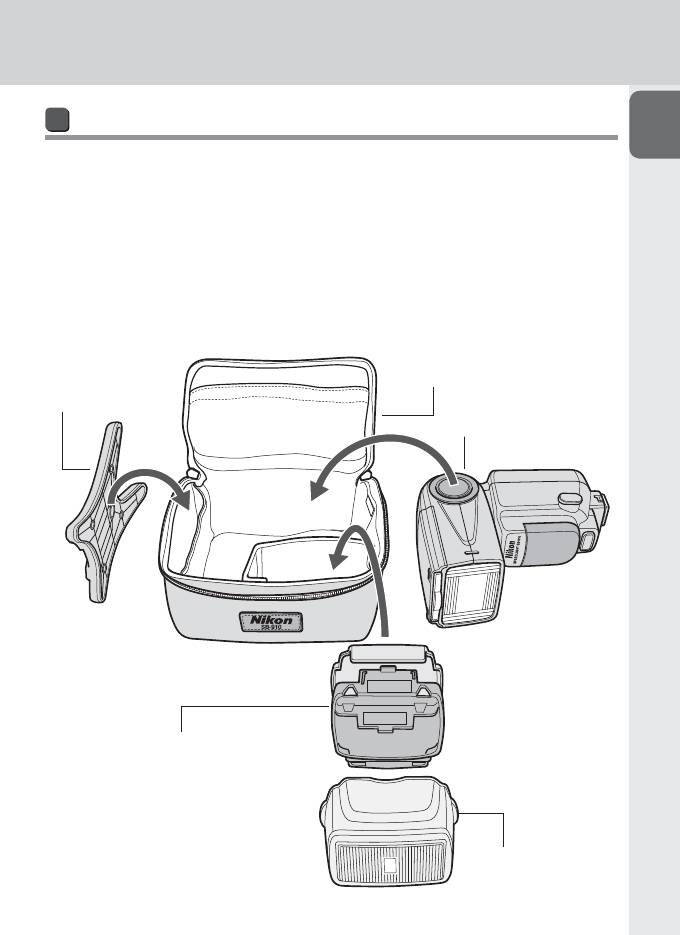
Комплект поставки
A
Убедитесь, что приведенные ниже аксессуары присутствуют в комплекте SB-910.
Если какой-либо из аксессуаров отсутствует, незамедлительно сообщите об этом в
магазин, где была приобретена вспышка SB-910 или непосредственно продавцу.
❑ Подставка для Speedlight AS-21 ❑ Мягкий чехол SS-910
❑ Рассеивающий колпак Nikon SW-13H ❑ Руководство пользователя (данное
Подготовка
❑ Фильтр под лампы дневного света
руководство)
SZ-2FL
❑ Коллекция образцов снимков
❑ Фильтр под лампы накаливания SZ-2TN ❑ Гарантийный талон
Мягкий чехол SS-910
Подставка для
Speedlight AS-21
SB-910
Фильтр под лампы дневного света SZ-2FL
Фильтр под лампы накаливания SZ-2TN
Рассеивающий колпак
Nikon SW-13H
A–3
О вспышке SB-910 и данном руководстве пользователя
О вспышке SB-910
A
SB-910 – высокопроизводительная фотовспышка Speedlight, совместимая с системой
креативного освещения Nikon (CLS) с ведущим числом 34/48 (ISO 100/200, м) (при
положении зуммирующей головки 35 мм в формате Nikon FX со стандартным
шаблоном освещения вспышкой, 20 °C).
Подготовка
CLS-совместимые фотокамеры
Цифровые зеркальные фотокамеры Nikon (формата Nikon FX/DX)
(кроме серий D1, D100), F6, фотокамеры COOLPIX (P7100, P7000,
P6000)
Об этом руководстве пользователя
При составлении настоящего руководства предполагалось, что SB-910 будет
использоваться с CLS-совместимой фотокамерой, и объективом со встроенным
микропроцессором (0A-5). Чтобы использовать все возможности Speedlight , перед
началом работы внимательно прочитайте настоящее руководство пользователя.
Для использования с CLS-несовместимыми зеркальными фотокамерами см. раздел •
«Для использования с CLS-несовместимыми зеркальными фотокамерами». (0F-1)
Для использования с i-TTL- совместимыми фотокамерами COOLPIX (P5100, P5000, •
E8800, E8400) см. раздел «Для использования с фотокамерами COOLPIX». (0G-1)
Отдельная «Коллекция образцов снимков» содержит обзор возможностей •
фотосъемки со вспышкой SB-910 с примерами фотоснимков.
Описание функций и настроек фотокамеры см. в руководстве пользователя •
фотокамеры.
Обозначения, используемые в настоящем руководстве
v Описывает момент, на который следует обратить особое внимание во
избежание проблем при работе Speedlight или ошибок во время съемки.
t Содержит информацию или советы для упрощения работы со вспышкой
Speedlight.
0 Ссылка на другие страницы в данном руководстве
A–4
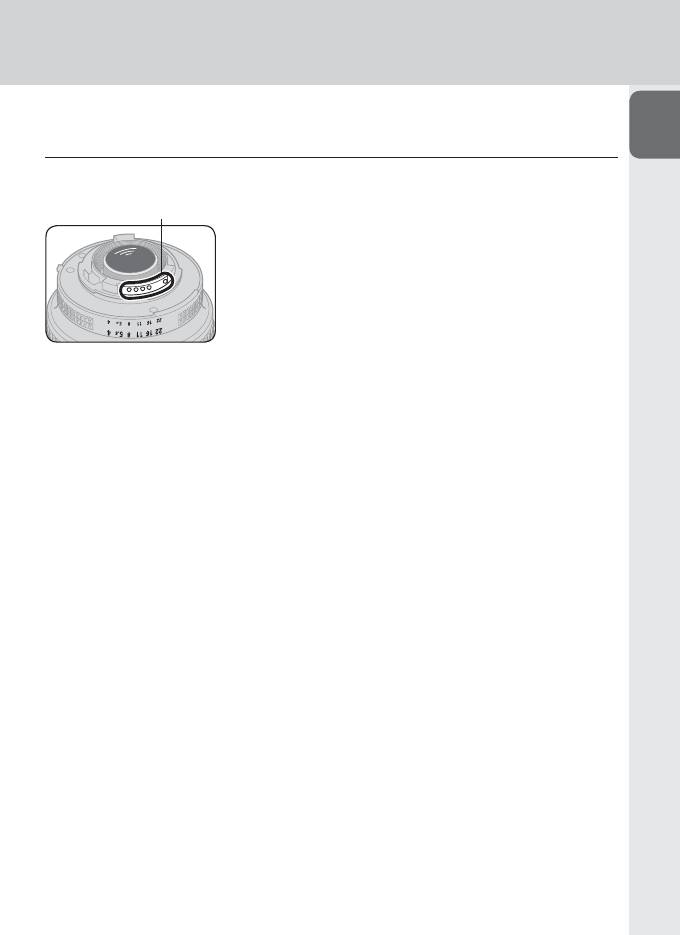
t Советы по идентификации объективов CPU NIKKOR со
A
встроенным микропроцессором
Объективы со встроенным микропроцессором имеют контакты микропроцессора.
Контакты микропроцессора
Вспышка SB-910 не может использоваться с •
объективами IX-Nikkor.
Подготовка
A–5
О вспышке SB-910 и данном руководстве пользователя
Терминология
A
■ Настройки по умолчанию
Настройки функций и режимов, установленные на момент приобретения
■ Система креативного освещения Nikon ( CLS)
Система освещения, обеспечивающая ряд функций при фотосъемке со вспышкой
Подготовка
с использованием усовершенствованной передачи данных между Speedlights и
фотокамерами Nikon
Шаблон освещения вспышкой ■
Контрольные типы уменьшения освещения по краям; SB-910 обеспечивает три
шаблона освещения вспышкой – стандартный, равномерный и центровзвешенный.
■ Формат FX/ формат DX
Типы области изображения цифровых зеркальных фотокамер Nikon (формат FX:
36 × 24, формат DX: 24 × 16)
Ведущее число (GN) ■
Количество света, генерируемого вспышкой; GN = расстояние от вспышки до
объекта (м) × число f диафрагмы (ISO 100)
Положение зуммирующей головки ■
Положение зуммирующей головки Speedlight; угол покрытия изменяется при
изменении положения зуммирующей головки.
■ Эффективное расстояние срабатывания вспышки
Расстояние от вспышки до объекта с правильно настроенной выходной мощностью
вспышки
■ Диапазон эффективных расстояний срабатывания вспышки
Предел эффективных расстояний для срабатывания вспышки
Коррекция вспышки ■
Намеренное изменение выходной мощности вспышки для получения необходимой
яркости объекта
A–6

Режим i-TTL ■
A
Режим вспышки, в котором Speedlight выполняет тестирующие предварительные
вспышки, во время которых фотокамера измеряет отраженный свет и управляет
выходной мощностью вспышки Speedlight
Тестирующие предварительные вспышки
Едва заметные вспышки, выполняемые перед основной вспышкой, которые
позволяют фотокамере измерить свет, отражаемый от объекта съемки
Подготовка
Сбалансированная заполняющая вспышка i-TTL
Тип режима i-TTL, в котором мощность вспышки настраивается для
сбалансированной экспозиции основного объекта и фона
Стандартный i-TTL
Тип режима i-TTL, в котором уровень выходной мощности вспышки настраивается
для получения правильной экспозиции основного объекта независимо от
яркости фона
Режим вспышки с автоматической диафрагмой ■
Режим автоматической вспышки без ТТL с приоритетом диафрагмы; Speedlight
измеряет отраженную вспышку, а также контролирует выходную мощность вспышки
в соответствии с отраженной вспышкой и информацией от объектива и фотокамеры
Режим автоматической вспышки без TTL ■
Режим автоматической вспышки без ТТL; Speedlight измеряет отраженную вспышку,
а также контролирует выходную мощность вспышки в соответствии с отраженной
вспышкой
Режим ручной вспышки с приоритетом расстояния ■
Режим ручной вспышки с приоритетом расстояния; устанавливается расстояние от
вспышки до объекта съемки, а уровень выходной мощности вспышки настраивается
в соответствии с настройками фотокамеры.
Режим ручной вспышки ■
Режим вспышки, в котором уровень выходной мощности вспышки и диафрагма
устанавливаются вручную для получения необходимой экспозиции
Режим многократной вспышки ■
Режим вспышки, в котором Speedlight срабатывает повторно при неизменяемой
экспозиции для создания разных стробоскопических эффектов
A–7

О вспышке SB-910 и данном руководстве пользователя
Шаг ■
A
Изменяемый интервал на шкале выдержки затвора или диафрагмы; при изменении
на один шаг наполовину уменьшается/увеличивается в два раза количество света,
входящего в фотокамеру
■ EV (экспозиционного числа, ЭЧ)
Каждый инкремент 1 экспозиционного числа соответствует одному шагу в
изменении экспозиции, при котором выполняется уменьшение наполовину/
Подготовка
увеличение в два раза выдержки затвора или диафрагмы
Фотосъемка с использованием нескольких беспроводных ■
вспышек
Фотосъемка со вспышкой и одновременным срабатыванием нескольких
беспроводных вспышек
Ведущая вспышка
Вспышка, управляющая ведомой вспышкой при фотосъемке с использованием
нескольких вспышек
Ведомая вспышка
Вспышка, работающая под управлением ведущей вспышки
Улучшенное беспроводное управление
Фотосъемка с использованием нескольких беспроводных вспышек и CLS;
группами, состоящими из нескольких ведомых вспышек, можно управлять с
помощью ведущей вспышки.
Фотосъемка с использованием нескольких беспроводных
вспышек типа SU-4
Фотосъемка с использованием нескольких беспроводных вспышек подходит для
съемки быстродвижущихся объектов; ведущая и ведомая вспышки срабатывают
почти одновременно, поскольку ведущая вспышка не излучает тестирующие
предварительные вспышки.
A–8
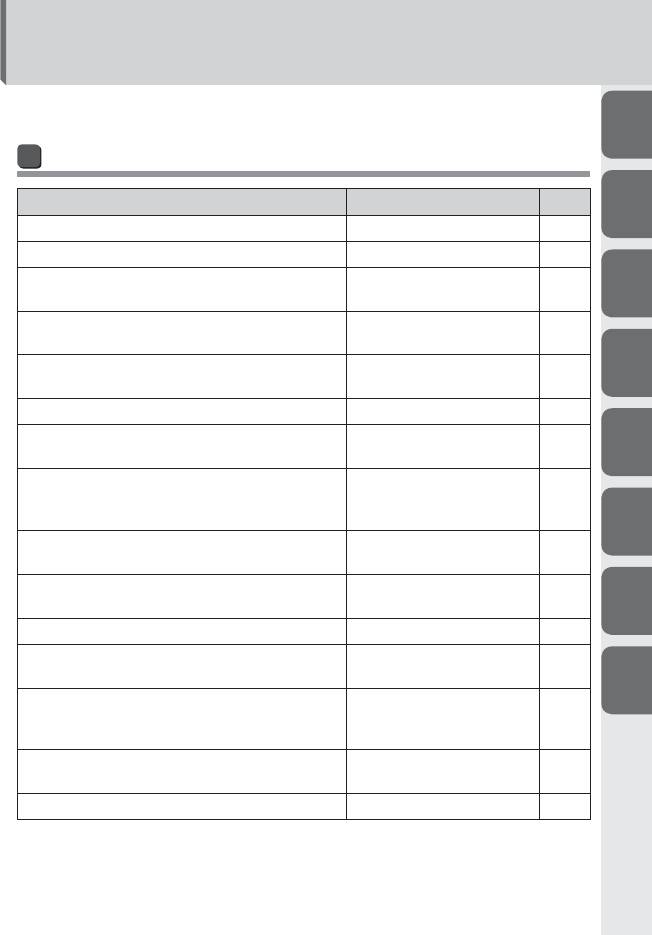
Вопросы и ответы
Доступен поиск специальных пояснений в соответствии с определенной целью.
A
Фотосъемка со вспышкой 1
(с SB-910 установленной на фотокамере)
Вопрос Ключевые слова
0
B
В каком режиме вспышки можно создавать снимки? Режимы вспышки C-1
Какой самый простой способ создания снимков? Основные функции B-6
Шаблон освещения вспышкой:
Как создавать официальные групповые снимки?
E-2
C
равномерный
Как создать портретный снимок с выделением
Шаблон освещения вспышкой:
E-2
главного объекта съемки?
центровзвешенный
Как создать снимок с мягкими тенями,
D
Функция отраженной вспышки E-4
отбрасываемыми на стену?
Как подтвердить условия освещения? Моделирующий свет E-21
Как создать более яркие (или темные) снимки
Коррекция вспышки E-17
E
объекта?
Как выполнять съемку при освещении лампами
дневного света и лампами накаливания, а также
Фильтры цветовой коррекции E-12
настроить цветовые эффекты?
F
Как создать снимок с добавлением определенного
Цветные фильтры E-12
цвета к вспышкe Speedlight?
Как использовать автофокусировку при слабом
Вспомогательная подсветка
E-19
освещении?
АФ
G
Как создать ночной снимок объекта вместе с фоном? Медленная синхронизация E-25
Как создать снимок без появления эффекта «красных
Подавление эффекта «красных
E-25
глаз»?
глаз»
H
Как снять движущийся объект с использованием
стробоскопических мультиэкспозиционных
Режим многократной вспышки C-18
эффектов?
Как использовать SB-910 с CLS-несовместимыми
CLS-несовместимая
F-1
зеркальными фотокамерами?
зеркальная фотокамера
Как использовать SB-910 с фотокамерой COOLPIX? Фотокамера COOLPIX G-1
A–9
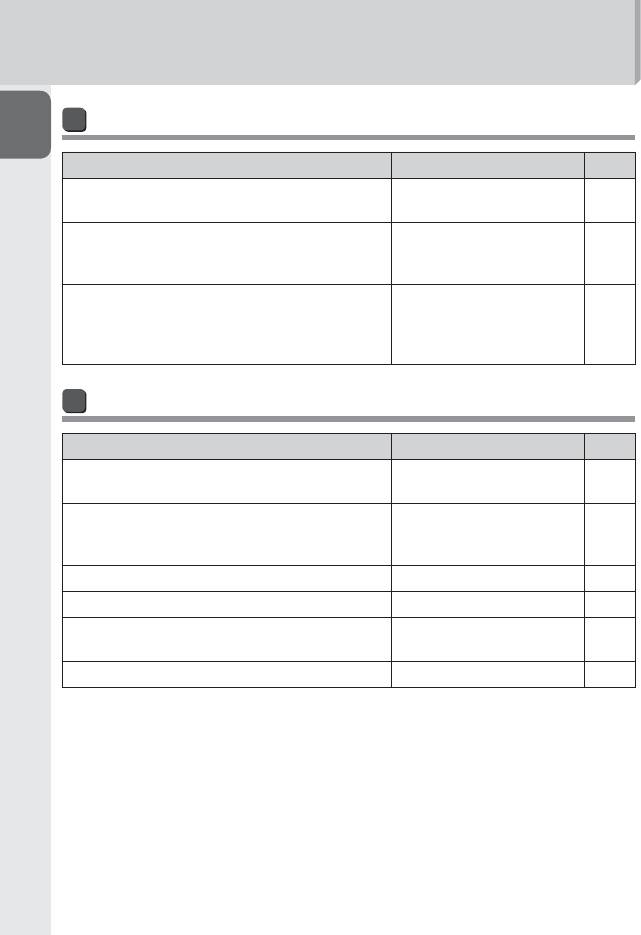
Вопросы и ответы
Фотосъемка со вспышкой 2 (с беспроводной вспышкой SB-910)
A
Вопрос Ключевые слова
0
Как выполнить съемку с использованием нескольких
Улучшенное беспроводное
D-1
вспышек?
управление
Фотосъемка с использованием
Как выполнить съемку быстро движущихся объектов с
нескольких беспроводных
D-12
Подготовка
использованием нескольких беспроводных вспышек?
вспышек типа SU-4
Как выполнить съемку с использованием SB-910 и
фотокамерой COOLPIX, поддерживающей фотосъемку
CLS-совместимая фотокамера
G-1
с использованием нескольких беспроводных
COOLPIX
вспышек?
Настройка и использование
Вопрос Ключевые слова
0
Какой тип батарей должен использоваться в
Совместимая батарея B-7
Speedlight?
Минимальное количество
Какое время перезарядки и сколько вспышек
вспышек/время перезарядки
H-21
обеспечивает каждая установка свежих батарей?
для каждого типа батарей
Как можно изменить настройки функций? Собственные настройки B-13
Как выполнить сброс разных настроек? Двухкнопочный сброс B-12
Как заблокировать диск и кнопки Speedlight для
Блокировка кнопок B-4
избежания случайного срабатывания?
Как можно обновить прошивку Speedlight? Обновление прошивки H-9
A–10
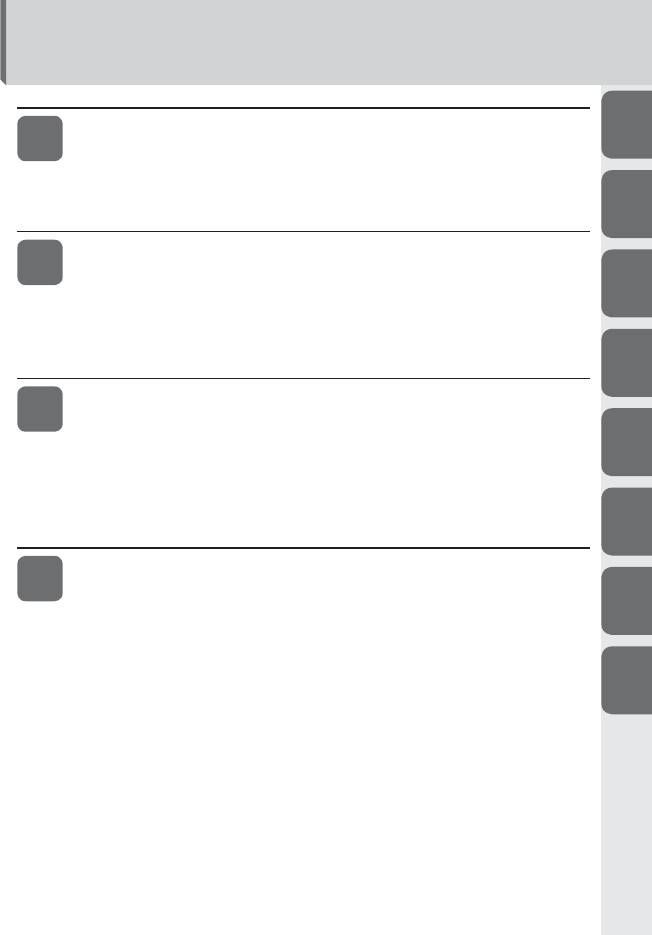
Оглавление
Подготовка
A
A
О вспышке SB-910 и данном руководстве пользователя…………………………………….A-2
Вопросы и ответы ………………………………………………………………………………………………………………….. A-9
Правила безопасности …………………………………………………………………………………………….………..A-14
Перед использованием …………………………………………………………………………………………….……….A-19
B
Использование вспышки
B
Детали Speedlight ……………………………………………………………………………………………………………………B-1
Кнопки функций ……………………………………………………………………………………………………………………….B-5
C
Основные функции …………………………………………………………………………………………………………………B-6
Настройки и ЖКИ ………………………………………………………………………………………………………………….B-12
Собственные функции и настройки ……………………………………………………………………………B-13
D
Режимы вспышки
C
Режим i-TTL………………………………………………………………………………………………………………………………… C-1
Режим вспышки с автоматической диафрагмой …………………………………………………….. C-5
E
Режим автоматической вспышки без TTL …………………………………………………………………… C-8
Режим ручной вспышки с приоритетом расстояния …………………………………………..C-12
Режим ручной вспышки …………………………………………………………………………………………………….C-15
Режим многократной вспышки ………………………………………………………………………………………C-18
F
Фотосъемка с использованием нескольких
D
беспроводных вспышек
Настройка SB-910 для фотосъемки с использованием нескольких
G
беспроводных вспышек ………………………………………………………………………………………………….D-1
Функции SB-910 при фотосъемке с использованием нескольких
беспроводных вспышек ………………………………………………………………………………………………….D-4
H
Настройка ведущей вспышки …………………………………………………………………………………………..D-6
Настройка ведомой вспышки …………………………………………………………………………………………..D-7
Улучшенное беспроводное управление …………………………………………………………………….D-8
Фотосъемка с использованием нескольких беспроводных вспышек
типа SU-4 ……………………………………………………………………………………………………………………………..D-12
Ведомые вспышки ……………………………………………………………………………………………………………….D-17
Проверка состояния при фотосъемке с использованием нескольких
беспроводных вспышек ……………………………………………………………………………………………….D-20
A–11
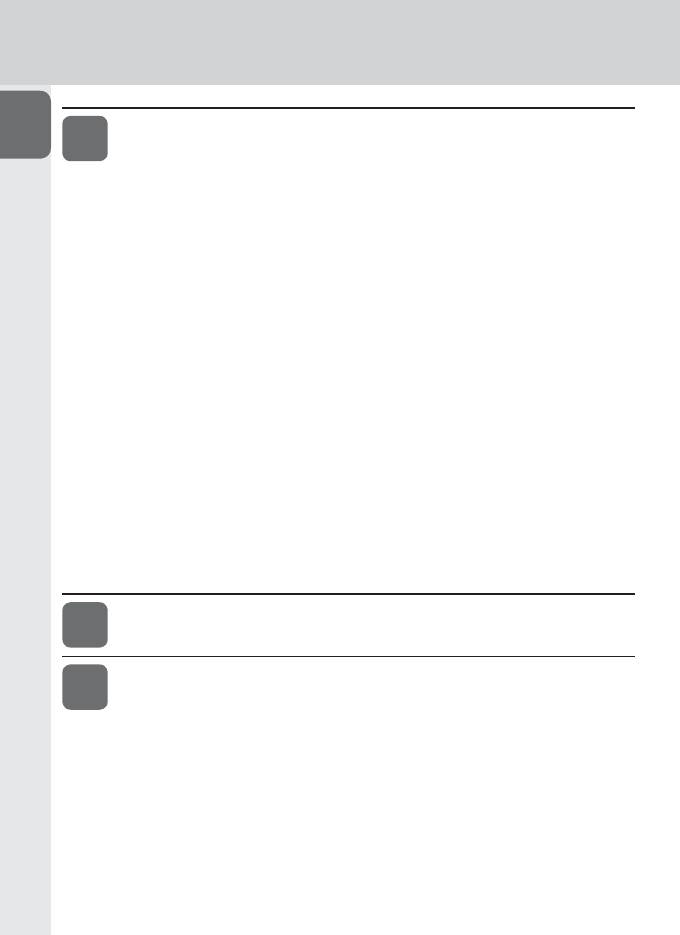
Оглавление
Функции
A
E
Включение шаблона освещения вспышкой ……………………………………………………………….E-2
Функция отраженной вспышки ………………………………………………………………………………………..E—4
Фотосъемка с близкого расстояния ………………………………………………………………………………E-9
Фотосъемка со вспышкой и цветными фильтрами ……………………………………………… E-12
Функции поддержки фотосъемки со вспышкой ……………………………………………………E-17
Подготовка
Коррекция вспышки• …………………………………………………………………………………………………..E-17
Функция автокоррекции угла вспышки при зуммировании• ………………….E-18
Вспомогательная подсветка АФ• ……………………………………………………………………………E-19
Настройка чувствительности ISO вручную• ……………………………………………………..E-21
Пробное срабатывание• …………………………………………………………………………………………….E-21
Моделирующий свет• ………………………………………………………………………………………………….E-21
Функция перехода в режим ожидания• ……………………………………………………………..E-22
Защита от перегрева• ………………………………………………………………………………………………….E-23
Функции для установки на фотокамере …………………………………………………………………….E-24
Автоматическая высокоскоростная синхронизация FP• ……………………………E-24
Блокировка мощности вспышки (FV-блокировка)• ………………………………………E-25
Медленная синхронизация• …………………………………………………………………………………….E-25
Подавление эффекта «красных глаз»/подавление эффекта •
«красных глаз» в режиме медленной синхронизации …………………………. E-25
Синхронизация по задней шторке• ……………………………………………………………………..E-26
Для использования с CLS-несовместимыми
F
зеркальными фотокамерами …………………………………………………………………..F-1
Для использования с фотокамерами COOLPIX ………………… G-1
G
A–12
Советы по уходу за Speedlight и справочная
A
H
информация
Поиск и устранение неисправностей ………………………………………………………………………….H-1
Ведущее число, диафрагма и расстояние от вспышки до объекта
съемки……………………………………………………………………………………………………………………………………..H-4
B
Советы по уходу за Speedlight ………………………………………………………………………………………….H-5
Примечания к батареям ………………………………………………………………………………………………………H-7
Сведения о ЖКИ ………………………………………………………………………………………………………………………H-8
C
Обновление прошивки ……………………………………………………………………………………………………….H-9
Дополнительные принадлежности ……………………………………………………………………………. H-10
Технические характеристики ………………………………………………………………………………………… H-13
Алфавитный индекс ……………………………………………………………………………………………………………H-22
D
E
F
G
H
A–13
Правила безопасности
Перед использованием изделия внимательно прочитайте следующие сведения о мерах
A
предосторожности, чтобы обеспечить правильное и безопасное использование и избежать
повреждения изделия Nikon или травмирования вас или других людей.
Чтобы пользователи изделия могли в любой момент просмотреть данные сведения, эти
инструкции по безопасности следует хранить рядом с изделием.
В настоящем руководстве инструкции по безопасности обозначены следующими символами:
Подготовка
ПРЕДУПРЕЖДЕНИЕ
Игнорирование инструкций, обозначенных этим символом, может привести к травмам или
смерти, а также к повреждению имущества.
ПРЕДОСТЕРЕЖЕНИЕ
Игнорирование инструкций, обозначенных этим символом, может привести к повреждению
имущества.
ПРЕДУПРЕЖДЕНИЯ относительно использования вспышек Speedlight
В случае утечки корродирующих жидкостей из батарей и попадания их в глаза 1.
немедленно промойте глаза проточной водой и обратитесь к врачу. Если этого
быстро не сделать, ваши глаза могут быть серьезно повреждены.
В случае утечки корродирующих жидкостей из батарей и контакта их с кожей 2.
или одеждой немедленно смойте жидкость проточной водой. Длительный контакт
может привести к повреждению кожи.
Никогда не пытайтесь разобрать или отремонтировать вспышку 3.
самостоятельно, так как это может привести к удару электрическим током или
повреждению устройства, которое также может привести к травме.
Если вспышка упала и повредилась, не прикасайтесь к оголенным 4.
металлическим деталям. Такие детали, особенно конденсатор вспышки и связанные с
ним детали, могут обладать высоким зарядом и при прикосновении вызвать поражение
электрическим током. Отключите питание или выньте батареи, не прикасаясь к
электрическим деталям изделия, доставьте устройство в местное представительство
Nikon или в официальный сервисный центр для ремонта.
Если вспышка перегрелась, виден дым или чувствуется запах гари, немедленно 5.
прекратите работу и удалите батареи для предотвращения возгорания или
оплавления устройства. Позвольте вспышке остыть, чтобы можно было безопасно
прикоснуться к ней и вынуть батареи. Затем доставьте устройство в местное
представительство Nikon или в авторизованный сервисный центр для ремонта.
A–14

Вспышку нельзя помещать в жидкости или подвергать воздействию дождя, 6.
соленой воды или влаги, если не обеспечена надлежащая защита от жидкостей
A
и влаги. Для использования под водой требуется сертифицированный
подводный корпус. Попадание в устройство воды или влаги может привести
к возгоранию или поражению электрическим током. В таких ситуациях следует
немедленно вынуть батареи из вспышки Speedlight, после чего доставить ее в местное
представительство Nikon или в официальный сервисный центр для ремонта.
Примечание: Ремонт электронных устройств, в которые попала вода или влага,
Подготовка
зачастую экономически не оправдан.
Не используйте устройство рядом с источником горючего или взрывоопасного 7.
газа. При работе со вспышкой в зонах, в которых присутствует горючий газ, в том числе
пропан, бензин или пыль, может произойти взрыв или пожар.
Не направляйте вспышку прямо на водителя движущегося автомобиля,8. так как
это может временно ухудшить его зрение и привести к аварии.
Не направляйте вспышку прямо в глаза кого-либо, находящегося поблизости,9.
так как это может повредить сетчатку глаз. Никогда не используйте вспышку на
расстоянии менее 1 метра от младенцев.
Не используйте вспышку, если головка вспышки касается человека или 10.
предмета. Это может привести к ожогу и/или возгоранию одежды от выделяющегося
при вспышке тепла.
Храните мелкие принадлежности в местах, недоступных для детей,11. чтобы
избежать возможного проглатывания ими этих принадлежностей. Если ребенок случайно
проглотил какую-либо принадлежность, немедленно обратитесь к врачу.
Используйте только батареи, указанные в настоящем руководстве 12.
пользователя. Батареи, отличные от указанных, могут вызвать утечку корродирующих
жидкостей, взрыв или возгорание, или же могут работать ненадлежащим образом.
Не используйте батареи разных типов, марок, а также старые и новые батареи,13.
так как это может привести к утечке из батарей корродирующих жидкостей, взрыву или
возгоранию. При использовании в изделии нескольких батарей следует всегда применять
идентичные батареи, приобретенные одновременно.
Неперезаряжаемые батареи, например марганцевые, щелочные и литиевые, 14.
никогда не следует пытаться зарядить с помощью зарядного устройства, так как
это может привести к утечке корродирующих жидкостей, взрыву или возгоранию батарей.
При использовании аккумуляторных батарей стандартного размера (AA, AAA, 15.
C, D) или других типов, например никель- металлгидридных аккумуляторных
батарей, как и при их перезарядке, следует использовать только указанное
производителем батарей зарядное устройство и внимательно прочитать
инструкции. Не перезаряжайте такие батареи с нарушением полярности или до
того, как они остынут, так как это может привести к утечке корродирующих жидкостей,
взрыву или возгоранию. Те же меры предосторожности касаются использования
аккумуляторных батарей, которые могут поставляться производителем изделия.
A–15
Правила безопасности
ПРЕДОСТЕРЕЖЕНИЯ относительно использования вспышек Speedlight
A
Не прикасайтесь к вспышке мокрыми руками,1. так как это может привести к
поражению электрическим током.
Храните вспышку в недоступных для детей местах, чтобы предотвратить ее 2.
попадание в рот или касания опасных частей изделия другим способом, так как
это может привести к поражению электрическим током.
Не подвергайте устройство физическому воздействию,3. так как это может вызвать
Подготовка
его повреждение, которое может привести к взрыву или возгоранию.
Никогда не используйте для чистки изделия средства, содержащие горючие 4.
вещества: растворители, жидкости на основе бензола или пятновыводители, не
распыляйте на него средства для борьбы с насекомыми и никогда не храните
изделие в местах, содержащих химикаты типа камфары или нафталина, так
как это может повредить пластиковый корпус, привести к возгоранию или поражению
электрическим током.
Перед длительным хранением изделия удалите из него батареи5. для
предотвращения возгорания изделия или утечки корродирующих жидкостей.
ПРЕДУПРЕЖДЕНИЯ относительно использования батарей
Никогда не нагревайте батареи и не бросайте их в огонь,1. так как это может вызвать
утечку из батарей корродирующих жидкостей, выброс тепла или взрыв.
Не замыкайте батареи накоротко и не разбирайте их,2. так как это может привести к
утечке из батарей корродирующих жидкостей, выбросу тепла или взрыву.
Не используйте батареи разных типов, марок, а также старые и новые батареи,3.
так как это может привести к утечке из батарей корродирующих жидкостей, выбросу
тепла или взрыву.
Не устанавливайте батареи с нарушением полярности,4. так как это может привести
к утечке из батарей корродирующих жидкостей, выбросу тепла или взрыву. Установка
даже одной батареи с нарушением полярности может вызвать нарушение
работы вспышки.
Используйте только указанное производителем батарей зарядное устройство5.
во избежание вероятной утечки из батарей корродирующих жидкостей, выброса тепла
или взрыва.
Не переносите и не храните батареи вблизи металлических предметов, таких 6.
как бусы или заколки для волос, так как это может вызвать короткое замыкание
батарей и последующую утечку, выброс тепла или взрыв. Кроме того, особенно при
переносе большого количества батарей, располагайте их с осторожностью,
чтобы контакты одной батареи не касались контактов другой батареи с
нарушением полярности, так как их соприкасание может также вызвать короткое
замыкание батарей и последующую утечку жидкости, выброс тепла или взрыв.
A–16

В случае утечки корродирующих жидкостей из батарей и попадания их в глаза 7.
немедленно промойте глаза проточной водой и обратитесь к врачу. Если этого
A
быстро не сделать, ваши глаза могут быть серьезно повреждены.
В случае утечки корродирующих жидкостей из батарей и контакта их с кожей 8.
или одеждой немедленно смойте жидкость проточной водой. Длительный контакт
может привести к повреждению кожи.
Всегда следуйте предупреждениям и инструкциям, напечатанным на батареях,9.
во избежание действий, которые могут вызвать утечку из батарей корродирующих
Подготовка
жидкостей, выброс тепла или возгорание.
Используйте только батареи, указанные в настоящем руководстве 10.
пользователя, во избежание вероятной утечки из батарей корродирующих жидкостей,
выброса тепла или взрыва.
Никогда не вскрывайте оболочку батарей и не используйте батареи 11.
с поврежденной оболочкой, так как это может вызвать утечку из батарей
корродирующих жидкостей, выброс тепла или взрыв.
Храните батареи в местах, недоступных для детей,12. чтобы избежать возможного
проглатывания батарей. Если ребенок случайно проглотил батарею, немедленно
обратитесь к врачу.
Батареи нельзя окунать в жидкости или подвергать воздействию дождя, 13.
соленой воды или влаги, если не обеспечена надлежащая им защита от
влажной среды. Попадание в батареи воды или влаги может вызвать утечку из батарей
корродирующих жидкостей или выброс тепла.
Не используйте батареи, которые подозрительно выглядят, в том числе с 14.
изменением цвета или формы. Из таких батарей возможна утечка корродирующих
жидкостей или выброс тепла.
Прекратите зарядку аккумуляторных батарей, если вы заметили, что 15.
перезарядка не завершена за указанное время, во избежание вероятной утечки из
батарей корродирующих жидкостей или выброса тепла.
При утилизации батарей не забудьте изолировать их контакты лентой.16. В
случае короткого замыкания положительных и отрицательных контактов батарей из-за
контакта с металлическими предметами возможны возгорание, выброс тепла или взрыв.
Утилизируйте использованные батареи в соответствии с нормами местных органов
власти.
Никогда не пытайтесь перезарядить неаккумуляторные батареи в зарядном 17.
устройстве, так как это может вызвать утечку корродирующих жидкостей или выброс
тепла.
Немедленно вынимайте разряженные батареи из оборудования,18. так как из них
возможна утечка корродирующих жидкостей, выброс тепла или взрыв.
Будьте осторожны при замене батарей после длительного использования 19.
вспышки, поскольку они сильно нагреваются вследствие фотосъемки с непрерывной
вспышкой.
A–17
Правила безопасности
ПРЕДОСТЕРЕЖЕНИЕ относительно использования батарей
A
Не бросайте батареи и не подвергайте их сильному физическому воздействию, так
как это может вызвать утечку из батарей корродирующих жидкостей, выброс тепла или взрыв.
Символ раздельной утилизации, применяемой в европейских странах
Подготовка
Этот символ указывает, что данное изделие подлежит раздельной
утилизации. Следующие положения применимы только к пользователям из
стран Европы.
•
Это изделие предназначено для раздельной утилизации на
соответствующем пункте сбора. Не утилизируйте его вместе с обычным
мусором.
•
Для получения дополнительных сведений обратитесь к продавцу или
местным органам власти, заведующим утилизацией мусора.
A–18
Перед использованием
Советы по использованию Speedlight
A
Делайте пробные снимки
Перед съемкой важных событий, таких как свадьбы или выпускные вечера, сделайте
пробные снимки.
Проводите регулярное техобслуживание Speedlight Nikon
Компания Nikon рекомендует проводить техобслуживание Speedlight у авторизованного
Подготовка
дилера или в сервисном центре как минимум один раз в два года.
Используйте Speedlight с оборудованием Nikon
Производительность вспышки Nikon Speedlight SB-910 оптимизирована для
использования с фотокамерами и принадлежностями Nikon, включая объективы.
Фотокамера или принадлежности других производителей могут не соответствовать
требованиям Nikon к техническим характеристикам, а несовместимые фотокамеры
и принадлежности могут повредить детали SB-910. Nikon не может гарантировать
производительность SB-910 при использовании с продуктами сторонних производителей.
Концепция «постоянного совершенствования»
Как часть концепции «постоянного совершенствования» компании Nikon в
отношении поддержки производимой продукции и обучения, ежедневно
обновляемая информация доступна на следующих веб-сайтах:
Для пользователей в США:•
http://www.nikonusa.com/
Для пользователей в Европе и Африке: •
http://www.europe-nikon.com/support/
Для пользователей в Азии, Океании и на Ближнем Востоке: •
http://www.nikon-asia.com/
На этих сайтах можно найти последние сведения о продуктах, советы, ответы на
часто задаваемые вопросы, а также общие рекомендации по цифровой обработке
изображений и фотосъемке. Дополнительные сведения можно получить в
региональном сервисном центре компании Nikon. Для получения контактной
информации см. приведенный ниже адрес URL:
http://imaging.nikon.com/
A–19
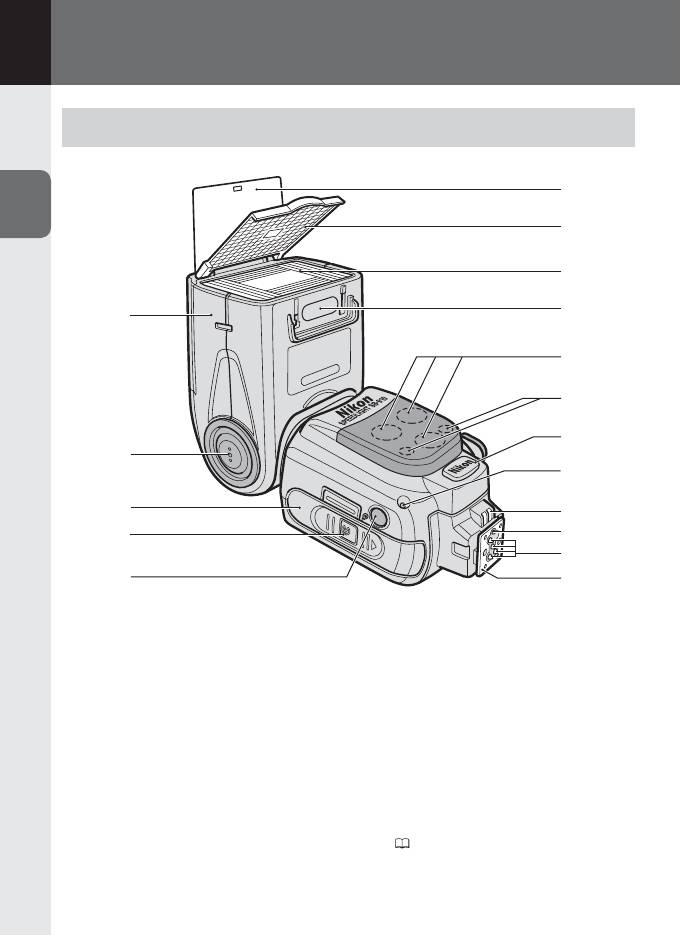
B
Использование вспышки
Детали Speedlight
6
B
7
8
9
1
10
11
12
Использование вспышки
2
13
3
14
15
4
PUSH
16
5
17
1 Головка вспышки
7 Встроенный широкоугольный
рассеиватель (0E-10)
2 Кнопка разблокировки наклона/
поворота головки вспышки (0B-9)
8 Экран вспышки
3 Крышка батарейного отсека
9 Определитель фильтра (0E-14)
4 Кнопка разблокировки крышки
10 Вспомогательная подсветка АФ
батарейного отсека (0B-6)
(0E-19)
5 Окно сенсора освещения для
11 Индикатор готовности вспышки
дистанционного управления
(в ведомом режиме) (0D-20)
вспышкой (0D-17)
12 Контакт внешнего источника
6 Встроенная отражающая карта
питания (снабжен крышкой)
(0E-8)
(
H-11)
B–1