Найдите нужную инструкцию или руководство на нашем сайте
Sandisk extreme portable ssd инструкция
Посмотреть инструкция для Sandisk Extreme Portable SSD бесплатно. Руководство относится к категории твердотельные накопители (SSD), 21 человек(а) дали ему среднюю оценку 8.1. Руководство доступно на следующих языках: английский. У вас есть вопрос о Sandisk Extreme Portable SSD или вам нужна помощь? Задайте свой вопрос здесь
Не можете найти ответ на свой вопрос в руководстве? Вы можете найти ответ на свой вопрос ниже, в разделе часто задаваемых вопросов о Sandisk Extreme Portable SSD.
Инструкция Sandisk Extreme Portable SSD доступно в русский?
К сожалению, у нас нет руководства для Sandisk Extreme Portable SSD, доступного в русский. Это руководство доступно в английский.
Портативный ssd SanDisk Extreme Руководство по безопасному доступу
Введение
Добро пожаловать в SanDisk SecureAccess™! SanDisk SecureAccess™ — это быстрый и простой способ хранения и защиты важных и конфиденциальных данных. files на любом USB-накопителе SanDisk®. Создайте личное хранилище и просто перетащите свои ценные fileс внутри. Доступ к вашему хранилищу защищен личным паролем, а ваш fileавтоматически шифруются, поэтому, даже если вы поделитесь своим USB-накопителем SanDisk или он будет утерян или украден, доступ к вашей fileс безопасны. Когда дело доходит до защиты вашей личной fileс, вы можете доверять SanDisk®!
Поддерживаемые операционные системы:
Windows Vista®
Windows ® 7
Windows 8
Windows 10
Mac OS® X версии 10.7+ Требуемое оборудование:
Доступный порт USB
USB флешка СанДиск
Первые шаги
После подключения USB-накопителя SanDisk к компьютеру дважды щелкните SanDiskSecureAccessV3.01_win.exe (исполняемый файл) file для запуска программы SanDisk SecureAccess (рис. 1). (На некоторых компьютерах может потребоваться открыть каталог компьютера, чтобы найти подключенный диск.)
Настроить
Настроить личное хранилище просто!
Введите личный пароль для вашего личного хранилища. Пароль должен состоять не менее чем из 6 символов и содержать цифры и буквенные символы. Введите подсказку, которая поможет вам вспомнить пароль (рис. 2).
Нажмите «ОК» Теперь вы готовы сохранить свои ценные и чувствительные files в вашем новом личном хранилище и защитите доступ к ним! (Рис. 3)
Добавление files или папки в ваше личное хранилище
Выберите file, которые вы хотите добавить, и перетащите их прямо на главный экран (рис. 4).
Добавить fileвручную, нажав кнопку «Добавить File’ в строке меню My Vault и выберите значок files, которые вы хотите добавить (рис. 5a и 5b).
SanDisk 951 СанДиск Диск Милпитас, Калифорния 95035 США
SanDisk является товарным знаком Western Digital Corporation или ее дочерних компаний, зарегистрированным в США и других странах. SanDisk SecureAccess является товарным знаком Western Digital Corporation или ее дочерних компаний. Mac и Mac OS являются товарными знаками Apple Inc. Windows и Windows Vista являются либо зарегистрированными товарными знаками, либо товарными знаками Microsoft Corporation в США и/или других странах. Другие торговые марки, упомянутые здесь, предназначены только для целей идентификации и могут быть товарными знаками их соответствующего владельца (владельцев). @2016 Western Digital Corporation или ее дочерние компании. Все права защищены. Western Digital Techologies, Inc. является продавцом записей и лицензиатом продуктов SanDisk® в Северной и Южной Америке. 80-36-03745б_МЛ
PDF скачать: Руководство SanDisk Extreme Portable SSD SecureAccess
User Manual for SanDisk 1TB Extreme Portable USB 3.1 Type-C External SSD
Click to enlarge the picture
Contents of the user manual for the SanDisk 1TB Extreme Portable USB 3.1
Product category: External Drives SanDisk
Brand: SanDisk
Description and content of package
Technical information and basic settings
Frequently asked questions – FAQ
Troubleshooting (does not switch on, does not respond, error message, what do I do if…)
Authorized service for SanDisk External Drives
User manual for the SanDisk 1TB Extreme Portable USB 3.1 contain basic instructions
that need to be followed during installation and operation.
Before starting your appliance, the user manual should be read through carefully.
Follow all the safety instructions and warnings, and be guided by the given recommendations.
User manual is an integral part of any SanDisk product,
and if it is sold or transferred, they should be handed over jointly with the product.
Following the instructions for use is an essential prerequisite for protecting
health and property during use, as well as recognition of liability on the part of the manufacturer
for possible defects should you make a warranty claim. Download an official SanDisk user manual in which you will find instructions on how to install, use, maintain and service your product.
And do not forget – unsuitable use of a SanDisk product will considerably shorten its lifespan!
Product description
CES 2018: SanDisk’s New Extreme Portable SSD, for Speed and Economy Read More
SanDisk Extreme Portable SSD | Official Product Overview
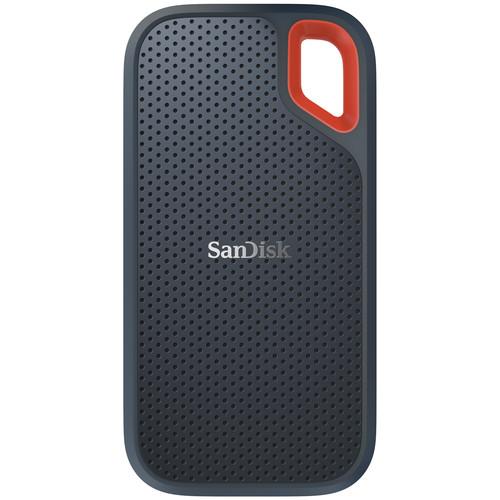
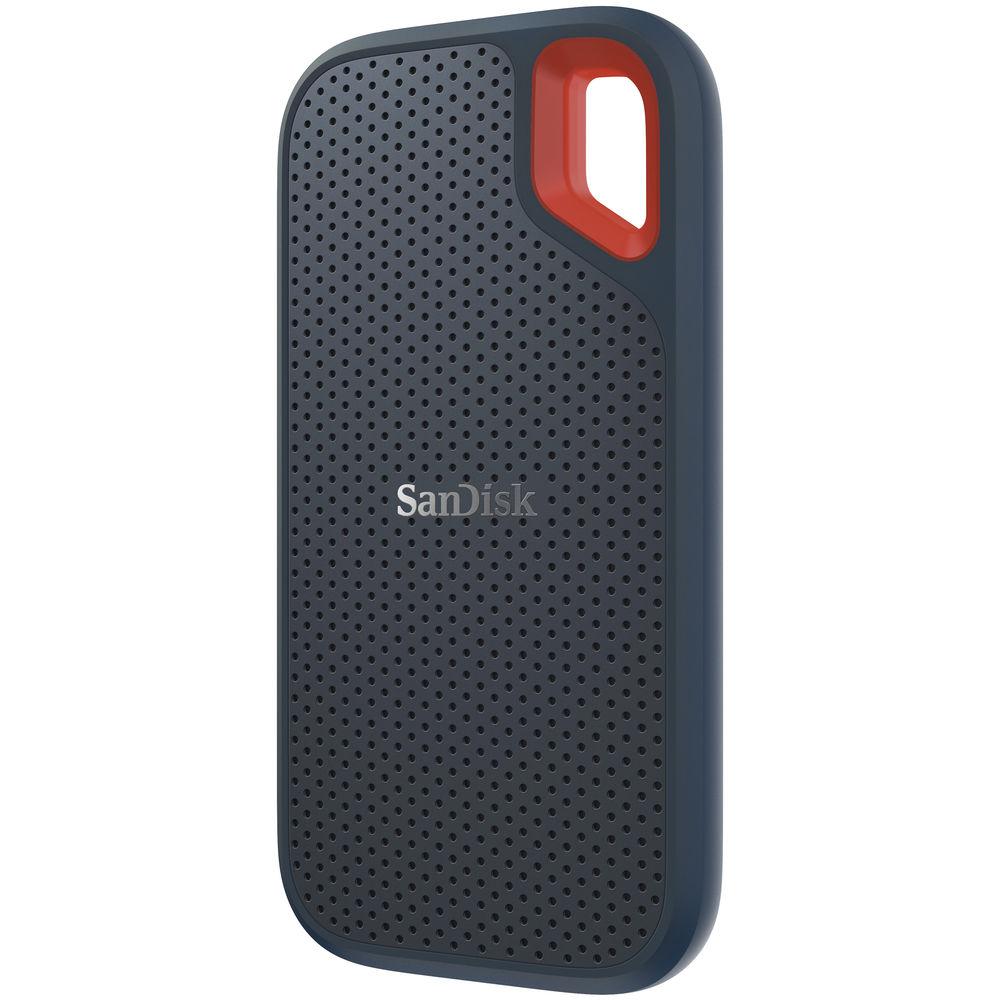
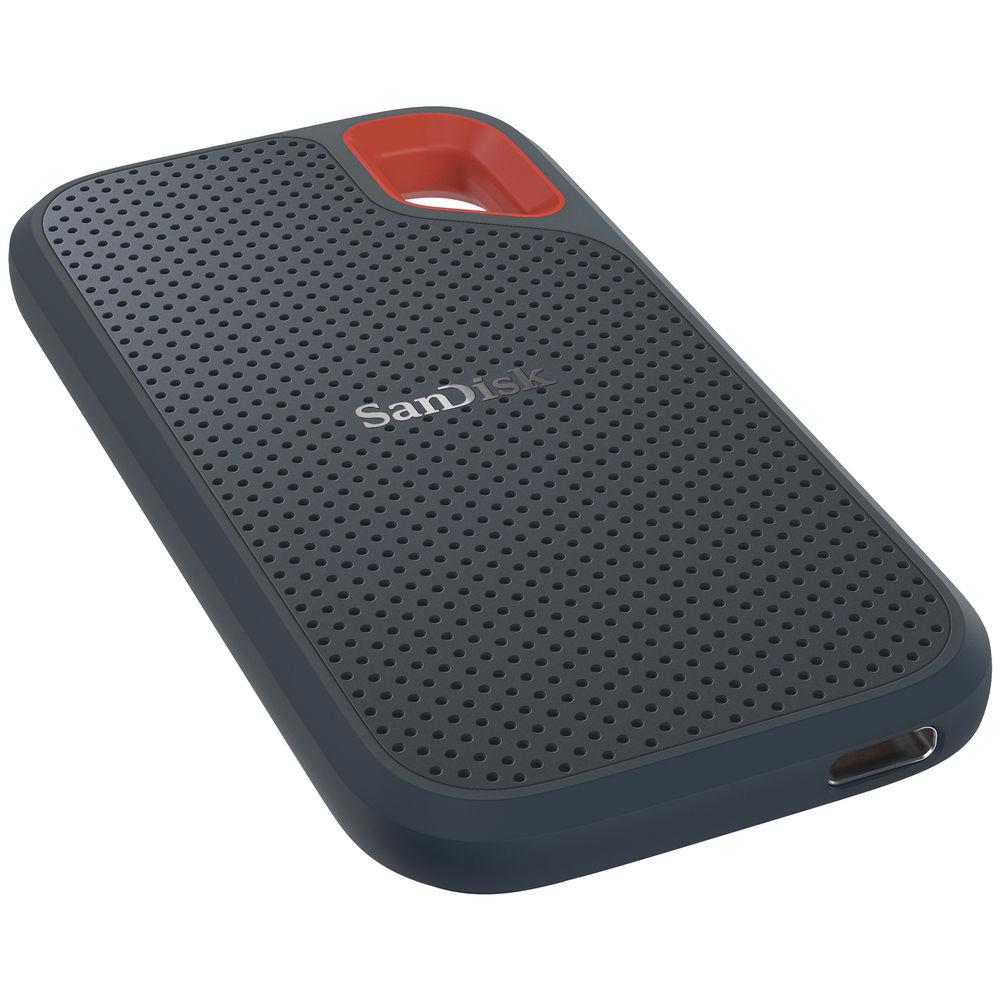
Designed for saving and editing high-resolution photos and videos, the 1TB Extreme Portable USB 3.1 Type-C External SSD from SanDisk provides users with up to 1TB of storage for their creative content work, as well as a 10 Gb/s USB 3.1 Type-C interface, which is also known as USB 3.1 Gen 2 and delivers read speeds of up to 550 MB/s. Additionally, this SSD is IP-55 rated and features resistance against water, dust, and shock. It can withstand a water flow of up to 30 kPA for 3 minutes, 1500 g of shock, and 5 gRMS of vibration @ 10-2000 Hz. It can also withstand drops of up to 6.5′ on a concrete floor and temperature extremes, with operating temperatures ranging from 32 to 113°F and storage temperatures ranging from -4 to 158°F.
Compact and pocket-sized, SanDisk has preformatted this SSD as exFAT, meaning it is ready for immediate plug-and-play use with both Windows 10, 8.1 and 7, plus macOS High Sierra, Sierra, and El Capitan without the need for any special drivers or reformatting. Thanks to SanDisk SecureAccess 128-bit AES encryption, private files can be password-protected. Included is a USB Type-C to Type-C cable and a USB Type-C to Type-A adapter. Protection is provided by a limited 3-year warranty.
General Features
Up to 550 MB/s Read Speeds
With read speeds of up to 550 MB/s, the SanDisk Extreme Portable SSD lets you offload files quickly.
1TB Capacity
With a high-speed storage capacity of up to 1TB for high‐res photos, videos, and sound files, the SanDisk Extreme Portable SSD is well-suited for all your creative pursuits or general file storage.
Works with Windows, Mac, USB Type-C, and USB Type-A
Preformatted as exFAT, the SanDisk Extreme Portable SSD will work with Windows 10, 8.1, and 7, as well as macOS High Sierra, Sierra, and El Capitan. It is equipped with a USB 3.1 Type-C interface and includes a USB Type-C to Type-C cable and a USB Type-C to Type-A adapter for greater compatibility with current and legacy systems.
Compact, Pocket-Sized Design
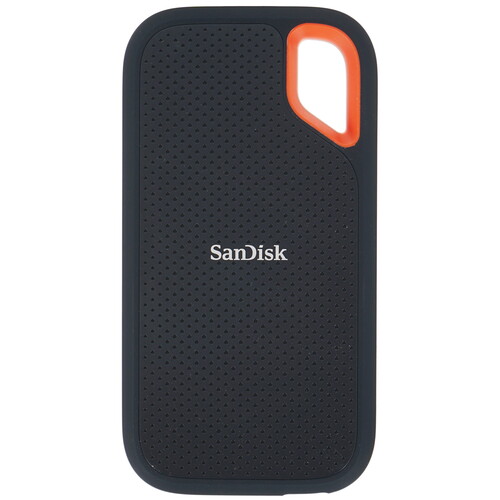
The SanDisk Extreme Portable SSD delivers high‐performance and capacity in a drive that’s around the size of a smartphone.
UPC: 619659165178 In the Box SanDisk 1TB Extreme Portable USB 3.1 Type-C External SSD
USB Type-C to Type-C Cable
USB Type-C to Type-A Adapter
Limited 3-Year Warranty
NAB 2019: G-Tech, SanDisk, and WD Show Off Latest Storage Solutions Shawn C. Steiner 04/10/2019 Table of Contents
Upload User Manual
Have you got an user manual for the SanDisk 1TB Extreme Portable USB 3.1 Type-C External SSD in electronic form? Please send it to us and help us expand our library of instruction manuals.
Thank you, too, on behalf of other users.
To upload the product manual, we first need to check and make sure you are not a robot. After that, your «Submit Link» or «Upload File» will appear.
Contents of the user manual for the SanDisk 1TB Extreme Portable USB 3.1
Product category: External Drives SanDisk
Brand: SanDisk
Description and content of package
Technical information and basic settings
Frequently asked questions – FAQ
Troubleshooting (does not switch on, does not respond, error message, what do I do if…)
Authorized service for SanDisk External Drives
User manual for the SanDisk 1TB Extreme Portable USB 3.1 contain basic instructions
that need to be followed during installation and operation.
Before starting your appliance, the user manual should be read through carefully.
Follow all the safety instructions and warnings, and be guided by the given recommendations.
User manual is an integral part of any SanDisk product,
and if it is sold or transferred, they should be handed over jointly with the product.
Following the instructions for use is an essential prerequisite for protecting
health and property during use, as well as recognition of liability on the part of the manufacturer
for possible defects should you make a warranty claim. Download an official SanDisk user manual in which you will find instructions on how to install, use, maintain and service your product.
And do not forget – unsuitable use of a SanDisk product will considerably shorten its lifespan!
Product description
CES 2018: SanDisk’s New Extreme Portable SSD, for Speed and Economy Read More
SanDisk Extreme Portable SSD | Official Product Overview
Designed for saving and editing high-resolution photos and videos, the 1TB Extreme Portable USB 3.1 Type-C External SSD from SanDisk provides users with up to 1TB of storage for their creative content work, as well as a 10 Gb/s USB 3.1 Type-C interface, which is also known as USB 3.1 Gen 2 and delivers read speeds of up to 550 MB/s. Additionally, this SSD is IP-55 rated and features resistance against water, dust, and shock. It can withstand a water flow of up to 30 kPA for 3 minutes, 1500 g of shock, and 5 gRMS of vibration @ 10-2000 Hz. It can also withstand drops of up to 6.5′ on a concrete floor and temperature extremes, with operating temperatures ranging from 32 to 113°F and storage temperatures ranging from -4 to 158°F.
Compact and pocket-sized, SanDisk has preformatted this SSD as exFAT, meaning it is ready for immediate plug-and-play use with both Windows 10, 8.1 and 7, plus macOS High Sierra, Sierra, and El Capitan without the need for any special drivers or reformatting. Thanks to SanDisk SecureAccess 128-bit AES encryption, private files can be password-protected. Included is a USB Type-C to Type-C cable and a USB Type-C to Type-A adapter. Protection is provided by a limited 3-year warranty.
General Features
Up to 550 MB/s Read Speeds
With read speeds of up to 550 MB/s, the SanDisk Extreme Portable SSD lets you offload files quickly.
1TB Capacity
With a high-speed storage capacity of up to 1TB for high‐res photos, videos, and sound files, the SanDisk Extreme Portable SSD is well-suited for all your creative pursuits or general file storage.
Works with Windows, Mac, USB Type-C, and USB Type-A
Preformatted as exFAT, the SanDisk Extreme Portable SSD will work with Windows 10, 8.1, and 7, as well as macOS High Sierra, Sierra, and El Capitan. It is equipped with a USB 3.1 Type-C interface and includes a USB Type-C to Type-C cable and a USB Type-C to Type-A adapter for greater compatibility with current and legacy systems.
Compact, Pocket-Sized Design
The SanDisk Extreme Portable SSD delivers high‐performance and capacity in a drive that’s around the size of a smartphone.
UPC: 619659165178 In the Box SanDisk 1TB Extreme Portable USB 3.1 Type-C External SSD
USB Type-C to Type-C Cable
USB Type-C to Type-A Adapter
Limited 3-Year Warranty
NAB 2019: G-Tech, SanDisk, and WD Show Off Latest Storage Solutions Shawn C. Steiner 04/10/2019 Table of Contents
Upload User Manual
Have you got an user manual for the SanDisk 1TB Extreme Portable USB 3.1 Type-C External SSD in electronic form? Please send it to us and help us expand our library of instruction manuals.
Thank you, too, on behalf of other users.
To upload the product manual, we first need to check and make sure you are not a robot. After that, your «Submit Link» or «Upload File» will appear.
Please enter here the link to the user manual of this product:
User manual for SanDisk 1TB Extreme Portable USB 3.1 Type-C External SSD can be downloaded below, so the upload option is not active.
OR
Enter here the
file with the user manual of this product from your computer/phone:
(60MB max; Permitted formats: PDF)
0%
User manual for SanDisk 1TB Extreme Portable USB 3.1 Type-C External SSD can be downloaded below, so the upload option is not active.
Download User Manual
The user manual for the SanDisk 1TB Extreme Portable USB 3.1 Type-C External SSD can be downloaded in PDF format at the link stated below.
Please enter here the link to the user manual of this product:
User manual for SanDisk 1TB Extreme Portable USB 3.1 Type-C External SSD can be downloaded below, so the upload option is not active.
OR
Enter here the
file with the user manual of this product from your computer/phone:
(60MB max; Permitted formats: PDF)
0%
User manual for SanDisk 1TB Extreme Portable USB 3.1 Type-C External SSD can be downloaded below, so the upload option is not active.
Download User Manual
The user manual for the SanDisk 1TB Extreme Portable USB 3.1 Type-C External SSD can be downloaded in PDF format at the link stated below.
Download PDF User Manual — https://www.search-manual.com/ upload/ sandisk-1tb-extreme-portable-usb-3-1-type-c-external-ssd-307675-user-manual.pdf (PDF file, 0.98 MB)
Technical parameters
SanDisk SDSSDE60-1T00-G25 Specs
Storage Capacity
1 TB
Connection Interface
1 x USB 3.1 Gen 2 (USB Type-C)
Maximum Read Speed
550 MB/s
Pre-Format
exFAT
Encryption
128-Bit AES
Internal Interface
SATA (Unspecified)
Type
Solid-State Drive
Form Factor
2.5″
Bus Power
USB
Cooling System
Passive
Environmental Resistance
Shock
IP Rating
IP55
Operating Temperature
32 to 113°F / 0 to 45°C
Storage Temperature
-4 to 158°F / -20 to 70°C
Dimensions (L x W x H)
3.8 x 2.0 x 0.3″ / 96.5 x 50.8 x 7.6 mm
Package Weight
0.25 lb
Box Dimensions (LxWxH)
5.9 x 4.1 x 1.4″
Rating
94% users recommend this product to others. And what about you?
This product has already been rated by 75 owners. Add your rating and experience with the product.
Discussion
This product has already been rated by 75 owners. Add your rating and experience with the product.
Discussion
Ask our technicians if you have a problem with your settings,
or if anything is unclear in the user manual you have downloaded.
You can make use of our moderated discussion.
The discussion is public and helps other users of our website who may be encountering similar problems.
Post new comment to SanDisk 1TB Extreme Portable USB 3.1 Type-C External SSD
Subject: wrong link
Date: 16.11.2022 16:01:50
Name: t
Ditto LG cricket an Sandisk SSD aren’t the same.
Post reply
Subject: wrong link
Date: 03.09.2022 09:33:25
Name: J
Click on that link above and it is NOT for sandisk ssd. It is for a cricket LG phone!! VERY BAD! WTH????
Post reply
Subject: Sandisk Extreme Portable SSD
Date: 19.08.2022 10:33:08
Name: Dan H Rim
Is there a way I can use this devise for both PC and Smartphone (Android)? Thanks
Dan
Post reply
Subject: Manual
Date: 04.08.2022 01:21:07
Name: Larry
When I used the link to download the user manual for Sandisk 1TB extreme Portable USB-3-1…user manual, I received the manual for Cricket LG Fortune 2 users guide — 147 pages. How can I obtain a user manual for the Sandisk 1 TB extreme Portable USB-3-1?
Post reply
Subject: SSD 1 Terabyte Back Up Drive
Date: 16.05.2022 19:04:57
Name: John
I installed the software and the drive does not appear for me to hi it for a back up. Please advise.
Post reply
Subject: Can not get my SSD unlocked and usable
Date: 15.04.2022 21:18:04
Name: Charles Barranger
I installed my extreme 1TB SSD by pugging it into my USB C port into my HP 11th gen intel(R)core(TM)i5-113G7 @ 2.40ghZ with 16.0 GHz Ram using windows 11 home version 21H2. For some reason I can not get the portable to properly operate. Is there a manual to help me?
Post reply
Subject: Can not get my SSD unlocked and usable
Date: 15.04.2022 21:17:40
Name: Charles Barranger
I installed my extreme 1TB SSD by pugging it into my USB C port into my HP 11th gen intel(R)core(TM)i5-113G7 @ 2.40ghZ with 16.0 GHz Ram using windows 11 home version 21H2. For some reason I can not get the portable to properly operate. Is there a manual to help me?
Post reply
Subject: How do I start my Sandisk Extreme SSD?
Date: 07.03.2022 21:28:30
Name: Dennis Keith Jenkins
I plugged in my new drive but cannot see it in File Exlporer.
Post reply
Subject: sanDisk portable SSD 1TB
Date: 15.02.2022 21:08:12
Name: Arlindo Santos
Pretendo Manual sanDisk portable SSD 1TB
Post reply
Subject: SanDisk NVMe Extreme Portable 1TB Solid State Drive
Date: 02.02.2022 22:09:03
Name: Alan
The material that covers the device—described as soft, rubbery, ?silicon—will it become sticky over time like the material used on camera lenses?
Post reply
Subject: Owner manual
Date: 20.01.2022 17:16:30
Name: Carl Brown
Please help me start my 1TB extreme portable SSD (San disk)
Post reply
Subject: password protection
Date: 28.11.2021 21:08:33
Name: Gen
How to password protection SanDisk 1TB Extreme Portable SSD
Post reply
Subject: Manual for SanDisk Extreme/Portable SSD 1 TB
Date: 08.02.2021 19:02:52
Name: Everett Perrin
need to print
Post reply
Subject: How do download Owner Manual
Date: 26.11.2020 07:27:40
Name: Reza R Toorzani
Please let me how I can start my new 1TB extreme ssd
Post reply
Post a new topic / query / comment:
Items marked with * are required.
Your name*:
E-mail :
Subject*:
Message*:
Your email address will not be displayed. Do not forget to fill it in if you want to receive a reply to your enquiry/contribution.
Processing of personal data in accordance with GDPR
Request for user manual
You can’t find the operation manual you are looking for? Let us know and we will try to add the missing manual:
I’m looking for a manual / Request for manual
Current requests for instruction manuals:
Cordoba Stage edge burst, fusion design. Electric thin body nylon string Les Paul shape with Fishman electronics. Also battery compartment as differe…
I am looking for the manual for the Cordoba Stage Thinbody Nylon Acoustic Electric. …
Traktor Kontrol S4 MK2…
DW 300 Hi Hat 2-legged…
Iwatch4 …
Discussion
Latest contributions to the discussion:
Password — Change Name: Joe ASUS 15.6″ VivoBook S15 S530UN Laptop I’ve tried to CHG my password…seem toi hgave a problrm….no internet?…
Foot bedal fsb 106a Name: Freddie Hollamby Behringer FSB106A Heavy-Duty 6-Button Footswitch for Can I use a fsb106a on a bugera infinitum amp as it says only use a fsb104 only on the back of the amp ??????…
RCF 8003 Name: RICARDO DE JESUS RCF SUB 8003-AS II Active Subwoofer Hi, im looking if the 8003 sub has a fuse or something. Im connected the sub last night i heard a click an now No power on. Thanks…
The Manual to repair Bulbs & batteries Name: Suzanne Patton Pana-Vue 6562 Slide Viewer #2 I want to try opening a manual, It’s a Manual, guys not Jack the rippee…
Can I use the pom gear power2go 10400 in a foreign country? Name: Michael Barber POM GEAR Power2Go 10 10,400mAh Power Can I charge up this product abroad from a wall socket in, say, Finland? In other words, is it duel voltage?