Перейти к контенту

Русские электронные инструкции по эксплуатации
Постоянно обновляемый большой каталог документации по эксплуатации и использованию современных устройств и оборудования на русском языке. Бесплатное скачивание файлов.
Поиск:
Главная
Просмотр инструкции в pdf


Инструкция по эксплуатации наручных часов Casio G-SHOCK GBA-800-1A.
Скачать инструкцию к наручным часам Casio G-SHOCK GBA-800-1A (1,01 МБ)

Инструкции наручных часов Casio
« Инструкция к наручным часам Casio W-96H-1A
» Инструкция к наручным часам Casio MTP-1303PD-1A
Вам также может быть интересно

Инструкция к наручным часам Casio G-SHOCK GA-110RG-1A

Инструкция к наручным часам Casio AW-49H-7B

Инструкция к наручным часам Casio MTP-1290D-1A2

Инструкция к наручным часам Casio MTP-1353D-8B3

Инструкция к наручным часам Casio LTP-1302PD-7A1

Инструкция к наручным часам Casio Edifice EFR-557CD-1A

Инструкция к наручным часам Casio SHN-5000BP-7A

Инструкция к наручным часам Casio Pro Trek PRG-600YB-3E
Добавить комментарий
Имя *
Email *
Сайт
Комментарий


Сохранить моё имя, email и адрес сайта в этом браузере для последующих моих комментариев.
- Добавить инструкцию
- Заказать инструкцию
- Политика конфиденциальности

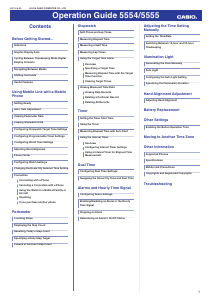
Contents
Before Getting Started…
Indicators
Graphic Display Area
Cycling Between Timekeeping Mode Digital
Display Contents
Navigating Between Modes
Shifting the Hands
Useful Features
Using Mobile Link with a Mobile
Phone
Getting Ready
Auto Time Adjustment
Viewing Pedometer Data
Viewing Stopwatch Data
Configuring Stopwatch Target Time Settings
Configuring Programmable Timer Settings
Configuring World Time Settings
Adjusting Hand Alignment
Phone Finder
Configuring Watch Settings
Changing the Home City Summer Time Setting
Connection
Connecting with a Phone
Canceling a Connection with a Phone
Using the Watch in a Medical Facility or
Aircraft
Unpairing
If you purchase another phone
Pedometer
Counting Steps
Displaying the Step Count
Resetting Today’s Step Count
Specifying a Daily Step Target
Causes of Incorrect Step Count
MA1908-EA
© 2018 CASIO COMPUTER CO., LTD.
Stopwatch
Split Times and Lap Times
Measuring Elapsed Time
Measuring a Split Time
Measuring Lap Times
Using the Target Time Alarm
Overview
Specifying a Target Time
Measuring Elapsed Time with the Target
Time Function
Clearing Target Times
Viewing Measured Time Data
Viewing Data Records
Deleting a Particular Record
Deleting All Records
Timer
Setting the Timer Start Time
Using the Timer
Measuring Elapsed Time with Auto Start
Using the Interval Timer
Overview
Configuring Interval Timer Settings
Using a Interval Timer for Elapsed Time
Measurement
Dual Time
Configuring Dual Time Settings
Swapping the Home City Time and Dual Time
Alarms and Hourly Time Signal
Configuring Alarm Settings
Enabling/Disabling an Alarm or the Hourly
Time Signal
Stopping an Alarm
Determining an Alarm’s On/Off Status
Adjusting the Time Setting
Manually
Setting the Time/Date
Switching Between 12-hour and 24-hour
Timekeeping
Illumination Light
Illuminating the Face Manually
Auto Light
Configuring the Auto Light Setting
Specifying the Illumination Duration
Hand Alignment Adjustment
Adjusting Hand Alignment
Battery Replacement
Other Settings
Enabling the Button Operation Tone
Moving to Another Time Zone
Other Information
Supported Phones
Specifications
Mobile Link Precautions
Copyrights and Registered Copyrights
Troubleshooting
Operation Guide 5554/5555
1
Устройство:
Casio G-Shock GMA-B800
Размер: 0,06 MB
Добавлено: 2023-05-15
Количество страниц: 1
Как пользоваться?
Наша цель — обеспечить Вам самый быстрый доступ к руководству по эксплуатации устройства Casio G-Shock GMA-B800. Пользуясь просмотром онлайн Вы можете быстро просмотреть содержание и перейти на страницу, на которой найдете решение своей проблемы с Casio G-Shock GMA-B800.
Для Вашего удобства
Если просмотр руководства Casio G-Shock GMA-B800 непосредственно на этой странице для Вас неудобен, Вы можете воспользоваться двумя возможными решениями:
- Полноэкранный просмотр -, Чтобы удобно просматривать инструкцию (без скачивания на компьютер) Вы можете использовать режим полноэкранного просмотра. Чтобы запустить просмотр инструкции Casio G-Shock GMA-B800 на полном экране, используйте кнопку Полный экран.
- Скачивание на компьютер — Вы можете также скачать инструкцию Casio G-Shock GMA-B800 на свой компьютер и сохранить ее в своем архиве. Если ты все же не хотите занимать место на своем устройстве, Вы всегда можете скачать ее из ManualsBase.
Casio G-Shock GMA-B800 Руководство по эксплуатации — Online PDF
Ознакомьтесь с подробным руководством пользователя для замечательного творения Casio, модель G-Shock GMA-B800. Получите ценную информацию и инструкции, чтобы максимально использовать возможности вашего устройства и оптимизировать взаимодействие с пользователем. Раскройте весь потенциал своего устройства Casio G-Shock GMA-B800 с помощью этого подробного руководства пользователя, в котором содержатся пошаговые инструкции и советы экспертов, которые сделают работу с ним легкой и приятной.
Печатная версия
Многие предпочитают читать документы не на экране, а в печатной версии. Опция распечатки инструкции также предусмотрена и Вы можете воспользоваться ею нажав на ссылку, находящуюся выше — Печатать инструкцию. Вам не обязательно печатать всю инструкцию Casio G-Shock GMA-B800 а только некоторые страницы. Берегите бумагу.
Резюме
Ниже Вы найдете заявки которые находятся на очередных страницах инструкции для Casio G-Shock GMA-B800. Если Вы хотите быстро просмотреть содержимое страниц, которые находятся на очередных страницах инструкции, Вы воспользоваться ими.

Before Getting
Started…
This section provides an overview of your
watch and explains how to connect with a
phone. Connecting with a phone makes it
possible to synchronize the watch’s time
setting with information acquired from the
phone, and to view the step count of the watch
and its stopwatch data on the phone screen.
Note
●
The illustrations included in this
operation guide have been created to
facilitate explanation. An illustration
may differ somewhat from the item it
represents.
Indicators
A
e
Displayed while there is connection between
the watch and a phone.
B
Graphic area
Graphic display area operation is linked with
operations in each watch mode.
C
Step indicators
Indicate whether or not the step count is being
incremented.
D
[TGT]
In the Stopwatch Mode, indicates the
measurement status while the Target Time
function is enabled.
E
[LT]
Displayed while Auto Light is enabled.
F
[P]
Appears when the displayed time is a p.m.
time.
G
[LAP]
Displayed while a lap time is displayed.
H
[SPL]
Displayed while a split time is displayed.
I
Alarm
Displayed while an alarm is turned on.
J
Hourly time signal
Displayed while the hourly time signal is
enabled.
K
[DST]
Displayed while the current time is a summer
time (DST).
L
[REC]
Displayed while the watch is in the Recall
Mode.
M
[STEPS]
Displayed while the step count is displayed.
N
[HND]
Displayed while the watch’s hands are shifted
for easier reading.
Graphic Display Area
Graphic display area operation is linked with
operations in each watch mode.
●
The graphic display area is blank in the
Recall Mode and the Alarm Mode.
Timekeeping Mode
While a step count is displayed, the graphic
display area shows your progress towards
your daily step target. For other types of
display, it changes with the count of the
current time’s seconds.
Stopwatch Mode
While the Target Time function is enabled, the
graphic display area indicates to what extent
you attained your target time. While the Target
Time function is disabled, it changes with the
count of the stopwatch elapsed time seconds.
Timer Mode
The graphic display area shows the
percentage of the countdown that remains.
Dual Time
The graphic display area is synchronized with
the Dual Time seconds.
Cycling Between
Timekeeping Mode Digital
Display Contents
B
BB
B
Seconds
Step count
Hour, minute, second,
day of the week
Month, day,
second, day
of the week
To cycle between digital display contents
while in the Timekeeping Mode, press (B).
Operation Guide 5554/5555
2
Need a manual for your Casio G-Shock GMA-B800-1AER Watch? Below you can view and download the PDF manual for free. There are also frequently asked questions, a product rating and feedback from users to enable you to optimally use your product. If this is not the manual you want, please contact us.
Is your product defective and the manual offers no solution? Go to a Repair Café for free repair services.
Manual

Rating
Let us know what you think about the Casio G-Shock GMA-B800-1AER Watch by leaving a product rating. Want to share your experiences with this product or ask a question? Please leave a comment at the bottom of the page.
Are you satisfied with this Casio product?
Yes No
Be the first to rate this product
0 votes
Frequently Asked Questions
Our support team searches for useful product information and answers to frequently asked questions. If you find an inaccuracy in our frequently asked questions, please let us know by using our contact form.
My mechanical watch runs fast, what can I do? Verified
This might be caused by exposure to a magnetic field. It can be solved by a demagnetisation process performed by a professional watchmaker.
This was helpful (656)
A battery in my device is oxidized, can I still safely use it? Verified
Ja, the device can still be safely used. Firstly, remove the oxidizd battery. Never use bare hands to do this. Then clean the battery compartment with a cotton swab dipped in vinegar or lemon juice. Let it dry and insert new batteries.
This was helpful (644)
What do AM and PM stand for? Verified
AM stands for Ante Meridiem and indicates that the time is before midday. PM stands for Post Meridiem and indicates that the time is past midday.
This was helpful (568)
What is a ‘Chronograph’? Verified
A ‘Chronograph’ is literally a ‘writer of time’. The term is used to describe clocks and watches that tell the time of day as well as measure a certain period of time, like a stopwatch.
This was helpful (515)
What is a quartz movement? Verified
Watches and clocks with a quartz movement are driven by a battery. This sends an electric current through quartz crystals that will vibrate. These vibrations are passed on to the movement. Because the vibrations have a fixed frequency, watches and clocks with a quartz movement are extremely precise.
This was helpful (348)
What is GMT? Verified
GMT stands for Greenwich Mean Time (sometimes called UTC, standing for Coordinated Universal Time). It is the time for the longitude 0, that passes through Greenwich near London.
This was helpful (345)
There is moisture on the inside of the glass of my Casio watch, what should I do? Verified
Casio states that if the moisture appeared after an extreme change in temperature and disappears relatively quickly afterwards, there is probably nothing wrong. If the moisture does not disappear, you should have your watch repaired as soon as possible.
This was helpful (48)