
-
Contents
-
Table of Contents
-
Troubleshooting
-
Bookmarks
Quick Links
Designed for Elevating Machinery
Thank you for purchasing our FRENIC-Lift series of inverters.
• This product is designed to drive a three-phase induction motor and synchronous motor. Read through this
instruction manual and be familiar with the handling procedure for correct use.
• Improper handling might result in incorrect operation, a short life, or even a failure of this product as well as
the motor.
• Deliver this manual to the end user of this product. Keep this manual in a safe place until this product is
discarded.
• For how to use an option card, refer to the installation and instruction manuals for that option card.
Fuji Electric Co., Ltd.
INR-SI47-1038g-E
Summary of Contents for Fuji Electric FRENIC-Lift series
FRENIC-Lift LM2A Starting guide
Fuji Electric Europe GmbH
- PDF Viewer
- Universal Document Viewer
- Google Docs View
- Google Drive View
- Download Document [pdf]
Not Your Device? Search For Manuals / Datasheets:
File Info : application/pdf, 39 Pages, 2.66MB
Document
sg frenic lm2a en 1 4 0
Starting guide
Dedicated Inverter for Lift Applications
3 ph 400 VAC 2.2 45 kW 1 ph 200 VAC 2.2 4.0 kW
SG_LM2A_EN_1.4.0
Version 0.0.1 1.0.0
1.1.0
1.2.0
1.3.0 1.3.1
1.4.0
Changes applied
Draft First release Directives updated. RM/IM version modified. Some text modified in Chapter 1. Specifications table 3.1 changed. Notes on table 5.1 modified. Terminal [NTC] is corrected in page 12. Figure 5.7 updated. Table 6.1 updated. FUNC/DATA key changed to SET key. French branch name is corrected. Firmware version updated. European standards updated. Specifications. Output ratings. Frequency removed. Table 7.2 updated. Table 7.10 added. Table 8.5 updated. Text added or modified. Spain branch address updated. References to EN81-1 removed. References to TP-E1U added. Chapter 8 updated with information about TP-E1U. Chapter 8.1.4 correction. Swiss branch address updated. UK branch address added. 230V mode added OPC-PG3ID added Year of standards revised; RoHS 2 standard added Section 5.1 title correction Table 7.2 and 7.3 updated Correction of parameter F21 on Figure 12.1 Added parameter L06 on Figure 13.1 DBA alarm code added in chapter 15 Small text corrections
Date 30.09.2015 30.11.2015
Written J. Alonso J. Alonso
Checked Approved M. Fuchs J. Català
14.06.2016 J. Alonso M. Fuchs J. Català
10.03.2017 J. Alonso M. Fuchs J. Català 07.07.2017 J. Alonso M. Fuchs J. Català 06.07.2020 C. Arjona J. Alonso J. Català
28.01.2021 C. Arjona J. Alonso J. Català
Page 2 of 39
Fuji Electric Europe GmbH
CONTENTS
0. About this manual ................................................................................................................................4 1. Safety information................................................................................................................................4 2. Conformity to European standards ......................................................................................................6 3. Technical data .....................................................................................................................................7
3.1 Specifications..................................................................................................................................7 3.2 Three-phase 230V mode specifications .........................................................................................8 3.3 External dimensions .......................................................................................................................9 4. Removal and attachment of front cover.............................................................................................10 5. Connections .......................................................................................................................................11 5.1 Power terminals connection .........................................................................................................11 5.2 Control signals connection ...........................................................................................................12 5.3 Use of input terminals for speed set point selection.....................................................................13 5.4 Control terminals description ........................................................................................................13 6. Hardware configuration .....................................................................................................................15 7. Encoder option boards ......................................................................................................................16 7.1 OPC-PG3/PG3ID..........................................................................................................................17 7.2 OPC-PMPG ..................................................................................................................................18 7.3 OPC-PR ........................................................................................................................................19 7.4 OPC-PSH .....................................................................................................................................20 8. Keypad operation...............................................................................................................................22 8.1 TP-E1U (Basic keypad) ................................................................................................................22
8.1.1 Led monitor, keys and LED indicators on the keypad ...........................................................22 8.1.2 Overview of operation modes................................................................................................23 8.1.3 USB connectivity ...................................................................................................................23 8.1.4 TP-E1U Menu ........................................................................................................................23 8.2 TP-A1-LM2 (Advanced keypad) ...................................................................................................25 8.2.1 Keypad keys ..........................................................................................................................25 8.2.2 Keypad menus.......................................................................................................................26 8.2.3 Example of function setting ...................................................................................................27 8.2.4 Display language setting .......................................................................................................27 9. Driving the motor ...............................................................................................................................27 9.1 Inverter initialization ......................................................................................................................27 9.2 Specific setting for induction motors.............................................................................................28 9.3 Auto tuning procedure (for IM)......................................................................................................28 9.4 Specific setting for PMS motors ...................................................................................................29 9.5 Pole tuning procedure (for PMS motors) ......................................................................................29 10. Setting the speed profile ....................................................................................................................29 11. Signals time diagram for close loop control (IM and PMSM) ............................................................31 12. Signal time diagram for open loop (IM) .............................................................................................32 13. Travel optimization in closed loop .....................................................................................................33 14. Lift fine tuning (troubleshooting) ........................................................................................................34 14.1. Open loop control (IM) ................................................................................................................34 14.2 Closed loop control (PMSM and IM) ............................................................................................35 15. Alarm messages ................................................................................................................................37
Page 3 of 39
Fuji Electric Europe GmbH
0. About this manual
Thank you very much for choosing FRENIC-Lift (LM2) inverter series.
FRENIC-Lift (LM2) inverter series is specially designed for operation of induction and permanent magnet synchronous motors used in lift applications. Also induction motors without encoder (open loop) can be controlled obtaining good performance and high positioning accuracy at stop.
This starting guide includes the basic information and explanations about the connection and commissioning of FRENIC-Lift (LM2).
This starting guide is based on firmware version 1500 or later. For other software versions, please contact with Fuji Electric technical department. Firmware version (ROM) can be monitored on TP-E1U in 5_14 (with E52=2) and on TP-A1-LM2 in PRG > 3 > 4
For extended information about the product and its use, refer to below mentioned documents: - FRENIC-Lift Reference Manual INR-SI47-1909_-E (RM). - FRENIC-Lift Instruction Manual INR-SI47-1894_-E (IM).
1. Safety information
Read this manual thoroughly before proceeding with installation, connections (wiring), operation, or maintenance and inspection. Ensure you have enough knowledge of the device and familiarize yourself with all safety information and precautions before proceeding to operate the inverter. Safety precautions are classified into the following two categories in this manual.
Failure to heed the information indicated by this symbol may lead to dangerous conditions, possibly resulting in death or serious bodily injuries.
Failure to heed the information indicated by this symbol may lead to dangerous conditions, possibly resulting in minor or light bodily injuries and/or substantial property damage.
Failure to heed the information contained under the CAUTION title can also result in serious consequences. These safety precautions are importance and must be observed at all times.
Application
· FRENIC-Lift is designed to drive a three-phase motor. Do not use it for single-phase motors or for other purposes. Fire or an accident could occur.
· FRENIC-Lift may not be used for a life-support system or other purposes directly related to the human safety. · Though FRENIC-Lift is manufactured under strict quality control, install safety devices for applications where serious
accidents or material losses are foreseen in relation to the failure of it. An accident could occur.
Installation
· Install the inverter on a non-flammable material such as metal. Otherwise fire could occur.
· Do not place flammable object nearby. Doing so could cause fire.
· Do not carry the inverter by its terminal block cover during transportation. Doing so could cause a drop of the inverter and injuries.
· Prevent lint, paper fibres, sawdust, dust, metallic chips, or other foreign materials from getting into the inverter or from accumulating on the heat sink. Otherwise, a fire or an accident might result.
· Do not install or operate an inverter that is damaged or lacking parts. Doing so could cause fire, an accident or injuries.
· Do not stand on a shipping box. · Do not stack shipping boxes higher than the indicated information printed on those boxes.
Doing so could cause injuries.
Page 4 of 39
Fuji Electric Europe GmbH
Wiring
· When wiring the inverter to the power supply, insert an appropriate mains disconnecting device (e.g. switch, contactor, breaker etc.) Use the devices within the recommended current range.
· Use wires size recommended in Instruction Manual. · When wiring the inverter to the power supply that is 500 kVA or more, be sure to connect an optional DC reactor (DCR).
Otherwise, fire could occur. · Do not connect a surge killer to the inverter's output (secondary) circuit.
Doing so could cause fire.
· Ground the inverter in compliance with the national or local electric standards. Otherwise, electric shock could occur.
· Qualified electricians should carry out wiring. · Disconnect power before wiring.
Otherwise, electric shock could occur. · Install inverter before wiring.
Otherwise, electric shock or injuries could occur. · Ensure that the number of input phases and the rated voltage of the product match the number of phases and the
voltage of the AC power supply to which the product is to be connected. Otherwise fire or an accident could occur. · Do not connect the power supply wires to output terminals (U, V, and W). · Connect the braking resistor only to the terminals DB and P(+). Otherwise, fire could occur. · Generally, control signal wires are not reinforced insulation. If they accidentally touch any of live parts in the main circuit, their insulation coat may break for any reasons. In such a case, ensure the signal control wire is protected from making contact with any high voltage cables.
Doing so could cause an accident or electric shock.
· Connect the three-phase motor to terminals U, V, and W of the inverter. Otherwise injuries could occur.
· The inverter, motor and wiring generate electric noise. Ensure preventative measures are taken to protect sensors and sensitive devices from RF noise. Otherwise an accident could occur.
Operation
· Be sure to install the terminal cover before turning the power ON. Do not remove the covers while power is applied. Otherwise electric shock could occur.
· Do not operate switches with wet hands. Doing so could cause electric shock.
· If the auto-reset function has been selected, the inverter may automatically restart and drive the motor depending on the cause of tripping. (Design the machinery or equipment so that human safety is ensured after restarting.)
· If an alarm reset is made with the Run command signal turned ON, the inverter may start immediately. Ensure that the Run command signal is turned OFF in advance. Otherwise an accident could occur.
· Ensure you have read and understood the manual before programming the inverter, incorrect parameter settings may cause damage to the motor or machinery. An accident or injuries could occur.
· Do not touch the inverter terminals while the power is applied to the inverter even if the inverter is in stop mode. Doing so could cause electric shock.
Page 5 of 39
Fuji Electric Europe GmbH
· Do not turn the main circuit power (circuit breaker) ON or OFF in order to start or stop inverter operation. Doing so could cause failure.
· Do not touch the heat sink and braking resistor because they become very hot. Doing so could cause burns.
· Before setting the speeds (frequency) of the inverter, check the specifications of the machinery. · The brake function of the inverter does not provide mechanical holding means.
Injuries could occur.
Maintenance and inspection, and parts replacement
· Turn the power OFF and wait for at least five minutes before starting inspection. Further, check that the LED monitor is unlit and that the DC link bus voltage between the P (+) and N (-) terminals is lower than 25 VDC. Otherwise, electric shock could occur.
· Maintenance, inspection, and parts replacement should be made only by qualified persons. · Take off the watch, rings and other metallic objects before starting work. · Use insulated tools.
Otherwise, electric shock or injuries could occur.
Disposal
· Treat the inverter as an industrial waste when disposing of it. Otherwise injuries could occur.
Others
· Never attempt to modify the inverter. Doing so could cause electric shock or injuries.
2. Conformity to European standards
The CE marking on Fuji Electric products indicates that they comply with the essential requirements of the Electromagnetic Compatibility (EMC) Directive 2004/108/EC and the Low Voltage Directive 2006/95/EC issued by the Council of the European Communities. Inverters with built-in EMC filter that bear a CE marking are in conformity with EMC directives. Inverters having no builtin EMC filter can be in conformity with EMC directives if an optional EMC compliant filter is connected to them. General purpose inverters are subject to the regulations set forth by the Low Voltage Directive in the EU. Fuji Electric declares the inverters bearing a CE marking are compliant with the Low Voltage Directive. FRENIC-Lift (LM2) inverter series are in accordance with the regulations of following council directives and their amendments: - Electromagnetic Compatibility Directive: 2014/30/EU - Low Voltage Directive: 2014/35/EU - Machine Directive: 2006/42/EC - RoHS 2 Directive: 2011/65/EU
For assessment of conformity the following relevant standards have been taken into consideration:
- EMC: EN61800-3:2018, EN12015:2014, EN12016:2013. - Electrical Safety: EN61800-5-1:2007/A1:2017. - Functional Safety: EN61800-5-2:2017 SIL3, EN ISO13849-1:2015 PLe, Cat.3 Safe Torque Off. Pollution degree 3. - RoHS 2: EN50581:2012, EN IEC63000:2018.
The FRENIC-Lift (LM2) inverter series are categorized as category C2 or C3 according to EN61800-3:2018. When you use these products in the domestic environment, you may need to take appropriate countermeasures to reduce or eliminate any noise emitted from these products.
Page 6 of 39
Fuji Electric Europe GmbH
3. Technical data 3.1 Specifications
Table 3.1. FRENIC-Lift LM2A General specifications
Item
3-phase 400 V
1-phase 200 V
Output ratings
Type FRN___LM2A-E :4/7
Nominal applied motor [kW] Rated capacity*1 [kVA] Rated voltage*2 [V] Rated current*3 [A]
0006 2.2 4.6
6.1
0010 4.0 7.6
10.0
0015 5.5 11
15.0
0019 0025 0032 0039 0045 7.5 11 15 18.5 22 14 18 24 29 34
3-phase 380 to 480 VAC 18.5 24.5 32.0 39.0 45.0
0060 30 45
60.0
0075 37 57
75.0
0091 45 69
91.0
0011
0018
2.2
4.0
4.1
6.8
3-ph 200 to 240 VAC
11.0
18.0
Overload capacity [A] (Permissible overload time)
Normal
Main power supply
Phases, voltage, frequency
Rated
With DCR
current*5 [A] Without DCR
Required power supply
capacity (with DCR) [kVA]
Input power for driving phases, voltage, frequency
Operation time [s] Input power for driving voltage
Operation time [s]
Battery UPS
11.0 18.0 27.0 37.0 49.0 64.0 78.0 90.0 120 150 182 22.0
36.0
(3) (3) (3) (3) (3) (3) (3) (3) (3) (3) (3)
(3)
(3)
3-ph 380 to 480 VAC, 50/60 Hz
1-ph 200 to 240 VAC, 50/60 Hz
Variations: Voltage: +10 to -15% (Voltage unbalance: 2% or less*4), Frequency: +5 to -5%
4.5 7.5 10.6 14.4 21.1 28.8 35.5 42.2 57.0 68.5 83.2 17.5
33.0
8.2 13.0 17.3 23.2 33.0 43.8 52.3 60.6 77.9 94.3 114 24.0
41.0
3.2 5.2 7.4 10.0 15.0 20.0 25.0 30.0 40.0 48.0 58.0
3.5
6.1
1-ph 220 to 480 VAC, 50/60 Hz
Variations: Voltage: +10 to -10%, Frequency: +5 to -5% 180
1-ph 200 to 240 VAC, 50/60 Hz
48 VDC
36 VDC
180
Input ratings
Braking
Aux. control power voltage
Braking time*7 [s] Braking duty-cycle (%ED) *7 [%] Rated regenerative power*7 [kW] Minimum resistance*6 []
24 VDC (22 to 32 VDC), max. 40 W
1-ph 220 to 480 VAC, 50/60 Hz*8
24 VDC (22 to 32VDC), max. 40 W
60
50
1.8 3.2 4.4 6.0 8.8 12.0 14.8 17.6 24.0 29.6 36.0
1.8
3.2
160 96 47 47 24 24 16 16 10 8.5 8
33
20
- Lift Directive (95/16/EC) - Replacement of two motor contactors: interrupting the current to the motor (to stop the machine),
as required by EN 81-20:2014 5.9.2.5.4 d and 5.9.3.4.2 d. - Brake monitoring for EN 81-20:2014 5.6.7.3 - Travel direction change counter for lifts with belt or coated ropes
- Machinery Directive - EN ISO13849-1: PL-e - EN60204-1: stop category 0 - EN61800-5-2: STO SIL3 - EN62061: SIL3
Conformity standard
- Low Voltage Directive - EN61800-5-1: Over voltage category 3
- EMC Directive - EN12015, EN12016, EN 61800-3 +A1, EN 61326-3-1 (Emission) Built-in EMC filter type: Category 2 (0025 (11kW) or lower) / Category 3 (0032 (15kW) or
higher) (Immunity) 2nd Env.
- Canadian and U.S. standards
- Can/CSA C22.2 No.14-13: Industrial Control Equipment
- CSA C22.2 No.274-13: Adjustable speed drives
- UL 508 C (3rd Edition): Power Conversion Equipment
- According to CSA B44.1-11/ASME A17.5-2014: Elevator and escalator electrical equipment
Enclosure
Main body
IP20
IP00
IP20
(IEC60529)
Heat sink
IP54
IP20
IP00
IP54
Cooling method
Fan cooling
*1) Rated capacity is calculated by regarding the output rated voltage as 440 VAC.
*2) Output voltage cannot exceed the power supply voltage.
*3) These values correspond to the following conditions: carrier frequency is 10 kHz (2 phase modulation) and ambient temperature is 45°C. Select the
inverter capacity such that the square average current during operation is not higher than the 80% of the rated current of the inverter.
*4) Voltage unbalance [%] = (Max.voltage [V] - Min.voltage [V])/ Three-phase average voltage [V] x 67 (IEC61800-3). Just for 3ph 400 VAC input supply
case.
*5) The power supply capacity is 500kVA (ten times the inverter capacity when the inverter capacity exceeds 50kVA), and the value of the power supply
impedance is %X=5%.
*6) The admissible error of minimum resistance is ±5%.
*7) Braking time and duty cycle (%ED) are defined by cycle operation at the rated regenerative power.
*8) Variations (Voltage: +10 to -10%, Frequency: +5 to -5%).
Page 7 of 39
Fuji Electric Europe GmbH
3.2 Three-phase 230V mode specifications Table 3.2. 3ph 230V mode specifications*10
Output ratings
Item
Type FRN___LM2A-4E Nominal applied motor [kW]
Rated capacity*1 [kVA] Rated voltage*2 [V] Rated current*3 [A] Overload capacity [A] (Permissible overload time)
Phases, voltage, frequency
Normal
Input ratings
Main power supply
Rated
With DCR
Current*5 [A]
Without DCR
Required power supply capacity (with DCR) [kVA]
Input power for driving phases, voltage, frequency
Battery UPS
Operation time [s]
Input power for driving voltage
Operation time [s]
Aux. control power voltage Braking time*7 [s] Braking duty-cycle (%ED) *7 [%] Rated regenerative power*7 [kW] Minimum resistance*6 []
Braking
Specifications
0019
0025
0032
0039
0045
0060
4.0
5.5
7.5
9.0
11
15
7.4
9.8
12.7
15.5
17.9
23.9
3-phase 220 to 230 VAC
18.5
24.5
32.0
39.0
45.0
60.0
37.0
49.0
64.0
78.0
90.0
120
(3s)
(3s)
(3s)
(3s)
(3s)
(3s)
3-ph 230 VAC, 50/60 Hz Variations: Voltage: +10 to -10% (Voltage unbalance: 2% or less*4), Frequency: +5 to -5%
14.4
21.1
28.8
34.5
42.2
57.6
23.2
31.5
42.7
49.5
60.6
-*9
5.7
8.4
11.5
13.7
16.8
22.9
1-ph, 220 to 240 VAC, 50/60 Hz Variations: Voltage: +10 to -10%, Frequency: +5 to -5%
180
48 VDC
180
24 VDC (22 to 32 VDC), max. 40 W*11
1-ph 230VAC, 50/60 Hz*8
60
50
3.2
4.4
6.0
7.2
8.8
12
24
16
12
8
8
6
- Lift Directive (95/16/EC)
- Replacement of two motor contactors: interrupting the current to the motor (to stop the machine), as required by EN 81-20:2014 5.9.2.5.4 d and 5.9.3.4.2 d.
- Brake monitoring for EN 81-20:2014 5.6.7.3
- Travel direction change counter for lifts with belt or coated ropes
- Machinery Directive - EN ISO13849-1: PL-e - EN60204-1: stop category 0 - EN61800-5-2: STO SIL3 - EN62061: SIL3
Conformity standard
- Low Voltage Directive - EN61800-5-1: Over voltage category 3
- EMC Directive - EN12015, EN12016, EN 61800-3 +A1, EN 61326-3-1 (Emission) Built-in EMC filter type: Category 2 (0025 (11kW) or lower) / Category 3 (0032
(15kW) or higher) (Immunity) 2nd Env.
Enclosure (IEC60529) Cooling method
Main body Heat sink
- Canadian and U.S. standards
- Can/CSA C22.2 No.14-13: Industrial Control Equipment
- CSA C22.2 No.274-13: Adjustable speed drives
- UL 508 C (3rd Edition): Power Conversion Equipment
- According to CSA B44.1-11/ASME A17.5-2014: Elevator and escalator electrical equipment
IP20
IP00
IP54
IP20
IP00
Fan cooling
*1) Rated capacity is calculated by regarding the output rated voltage as 230 VAC. *2) Output voltage cannot exceed the power supply voltage. *3) These values correspond to the following conditions: carrier frequency is 10 kHz (2 phase modulation) and ambient temperature is 45°C. Select the inverter capacity such that the square average current during operation is not higher than the 80% of the rated current of the inverter. *4) Voltage unbalance [%] = (Max.voltage [V] - Min.voltage [V])/ Three-phase average voltage [V] x 67 (IEC61800-3). *5) The power supply capacity is 500kVA (ten times the inverter capacity when the inverter capacity exceeds 50kVA), and the value of the power supply impedance is %X = 5%. *6) The admissible error of minimum resistance is ±5%. *7) Braking time and duty cycle (%ED) are defined by cycle operation at the rated regenerative power. *8) Variations (Voltage: +10 to -10%, Frequency: +5 to -5%). *9) DCR is required for 230V mode of FRN0060LM2A-4E. *10) To activate this mode set F81=1. Available in FRN0019LM2A-4E to FRN0060LM2A-4E with ROM version 1500 or later. For additional information refer to INR-SI47-2354-E. *11) Only for rescue operation. Do not use during normal operation.
Page 8 of 39
Fuji Electric Europe GmbH
3.3 External dimensions
Table 3.2. External dimensions and frame definition
Power Supply voltage
Type
Frame
W (mm)
H (mm)
FRN0006LM2A-4E
FRN0010LM2A-4E FRN0015LM2A-4E
1
140,0 260,0
FRN0019LM2A-4E
3-ph 400 VAC
FRN0025LM2A-4E FRN0032LM2A-4E
2
160,0 360,0
FRN0039LM2A-4E FRN0045LM2A-4E
3
250,0 400,0
FRN0060LM2A-4E FRN0075LM2A-4E
4
326,2 550,0
FRN0091LM2A-4E
5
361,2 615,0
1-ph 200 VAC
FRN0011LM2A-7E FRN0018LM2A-7E
1
140,0 260,0
D (mm)
195,0
195,0 195,0 261,3 276,3 195,0
Frame 1 and frame 2 can be called as well from now on Book type.
Page 9 of 39
Fuji Electric Europe GmbH
4. Removal and attachment of front cover In order to remove properly front cover in each frame, please follow the procedure below shown in each figure. In the following description, it is assumed that the inverter has already been installed.
Figure 4.1: Removing front cover step by step (Frame 1 & 2 Book type)
Figure 4.2: Removing front cover step by step (Frame 3)
Figure 4.3: Removing front cover step by step (Frame 4 & 5)
Page 10 of 39
Fuji Electric Europe GmbH
5. Connections 5.1 Power terminals connection In LM2A two frames typologies can be identified. One is book type frame, the one which includes frame 1 and 2. The other one is standard frame and includes frame from 3 to 5. The different connection types are shown in figure 5.1 and 5.2.
PEN
EMC *1
L1/R L2/S L3/T *6
G
(L1/L)
(L2/N)
Input
FRENIC-Lift (LM2)
*6 G DB P2 P3 P(+) N(-)
MOTOR *6 U VW
*2
*3
(PLC)
DCRE4-x.x-J (DC reactor)
(THR)
BRE-xxRxxxxW (braking resistor)
*4
M
(PLC)
U0 V0 W0 *6
(SCCF)
*5 (SCC)
Figure 5.1. Power terminals connection in book type frames (frame 1-2).
G
L1/R L2/S L3/T
FRENIC-Lift (LM2)
DB
P1 P(+) N(-)
*2
PEN
(PLC)
(THR) BRE-xxRxxxxW (Braking resistor)
DCRE4-x.x-J (DC Reactor)
U VW
EMC *1 G
(PLC)
*4
M
(SCCF)
*5 (SCC)
Figure 5.2. Power terminals connection in frames 3~5.
Note *1: Jumper to connect/disconnect internal EMC filter. In case of book type it is a metal plate placed on the EMC terminal. In case of other frames it is a wire jumper placed inside (front cover has to be removed).
Note *2: DC Reactor terminals: - Frames 1 and 2: In case of NOT installing DC Reactor wire a jumper between terminals P2 and P3. - Frames 3-5: In case of installing DC Reactor remove metal plate jumper between P1 and P(+).
Note *3: Use the metal plates placed on removable terminals to connect the shield by means of metal cable ties for example.
Note *4: In case of not installing the two MC between motor and inverter, please follow the procedure explained in "ANLift2-0001" document.
Note *5: External MC for PMS motor phases short-circuit is an optional function. Note *6: Removable terminals.
Page 11 of 39
Fuji Electric Europe GmbH
All the power terminals, independently of frame, even do not appear on figure 5.1 and 5.2 are listed in table 5.1.
Table 5.1. Power terminals description
Terminal label
Description of the power terminals
L1/R, L2/S, L3/T (L1/L, L2/N)
U, V, W
U0, V0, W0
DC Reactor
P2, P3 P1, P(+)
3-phase supply input from mains supply. (1-phase supply input from mains supply).
3-phase motor connection for induction or permanent magnet synchronous motors. PMS motor short circuit phases terminals (Book type frames only). DC Reactor connection (book type frames only). DC Reactor connection (frames 3-5 only).
24V+, 24V-
Input power terminals for 24 VDC. These terminals have to be used in case of rescue operation by means of batteries to supply control circuit.(Book type frame only).
R0, T0
Input power terminals for 220 VAC. These terminals have to be used in case of rescue operation by means of batteries to supply control circuit. (Frames 3-5 only).
DB , P(+)
Connection of external braking resistor.
EMC
Jumper to connect/disconnect internal EMC filter.
G
Terminals for the connection of the inverter enclosure with the protecting earth. Book type frames: 3 terminals available. Frames 3~5: 2 terminals available.
Please connect the screen in both motor and inverter sides. Ensure that the screen is continued also through the
main contactors (if used).
It is recommended to use braking resistors with thermal switch in order to protect the system from failures.
Additionally, inverter has a software function to electronically protect the system (For additional information please check parameters F50 to F52).
5.2 Control signals connection
In Figure 5.3 all control terminals included in the electronic boards are shown. Electronic boards are divided in control board (fixed) and I/O terminals board (removable). I/O terminals board can be easily removed from control board. EN circuit terminals have their own connector, which can be removed as well. For additional information about wiring and terminals function refer to below sub chapters.
CONTROL BOARD
TERM1
I/O TERMINALS BOARD
TERM2
TERM1
TERM5 TERM4 TERM3
Figure 5.3. Control board and I/O terminals board terminals
All the examples below are based on FRENIC-Lift (LM2A) default setting. For other functions please refer to FRENICLift RM document.
Page 12 of 39
Fuji Electric Europe GmbH
5.3 Use of input terminals for speed set point selection
Table 5.2: Binary combination for speed selection
X3 (SS4)
0 0 0 0
1 1 1 1
X2 (SS2)
0 0 1 1
0 0 1 1
X1 (SS1)
0 1 0 1
0 1 0 1
Binary speed coding function L11 L12 L13 L14
L15 L16 L17 L18
Value
0 (000) 1 (001) 2 (010) 3 (011) 4 (100) 5 (101) 6 (110) 7 (111)
Selected Speed
Zero speed Intermediate speed 1 Inspection speed Creep speed Intermediate speed 2 Intermediate speed 3 Intermediate speed 4 High speed 1
Speed set point function
C04 C05 C06 C07 C08 C09 C10 C11
In case that lift controller signals doesn't match with selected speed described in table 5.2, signals can be adapted by modifying the setting on parameters L11 to L18. In the example below (table 5.3), lift controller uses X2 and X1 as a High speed and X1 as a Creep speed.
Table 5.3: Example of binary combination for speed selection modification
SS4 SS2 SS1
(X3) (X2) (X1)
0
0
0
1
1
1
0
1
0
0
0
1
1
0
0
1
0
1
1
1
0
0
1
1
Binary speed coding function L11 L12 L13 L14 L15 L16 L17 L18
Value
0 (000) 7 (111) 2 (010) 1 (001) 4 (100) 5 (101) 6 (110) 3 (011)
Selected Speed
Zero speed Intermediate speed 1 Inspection speed Creep speed Intermediate speed 2 Intermediate speed 3 Intermediate speed 4 High speed 1
Speed set point function C04 C05 C06 C07 C08 C09 C10 C11
5.4 Control terminals description
Control terminals can be classified between digital signals (input and output), analog signals (input and output) and communication ports. Below each type of terminal is described. All inputs and outputs can be freely programmed with any available function. For an easy set up all examples on this guide are referred to default configuration.
5.4.1 Analog inputs
Using analog inputs the motor speed and the torque bias can be set without steps (stageless). Analog command signals can be either voltage or current on terminal [V2]; selection is done by means of slide switch SW4. Terminal [NTC] can be to connect a PTC/NTC thermistor for motor overheat protection. Function is disabled in factory setting, for additional information refer to description of parameter H26 in Reference Manual.
5.4.2 Digital inputs
Digital inputs can operate either in NPN or PNP logic. The selection of the logic is set on slide switch SW1 located on the control board. Factory setting is PNP (Source) Logic. Description of each input terminal function can be found on table 5.4.
Table 5.4: Description of digital inputs (optocoupled inputs)
Terminal FWD REV CM
X1 to X3 X4 to X7
X8
EN1 & EN2
Function description of the digital inputs
Clockwise rotation of the motor seen from the shaft side. Depending on the mechanical set up this can be UP or DOWN direction of the car. Anticlockwise rotation of the motor seen from the shaft side. Depending on the mechanical set up this can be DOWN or UP direction of the car. Common 0 VDC. Digital inputs for speed selection. From binary combination 7 different speeds can be selected. The default setting function of these terminals is not explained on this guide. For additional information refer to RM. Configured from factory as "BATRY" for Battery or UPS operation (Rescue operation). Inverters enable terminals (IGBT drives habilitation). These terminals complies with the STO SIL 3 function described in the standard 61800-5-2, therefore if properly used, these terminals can be used to substitute the two contactors between the inverter and the motor (as described on EN81-20:2014 5.9.2.5.4 d). For additional information regarding STO function refer to "AN-Lift2-0001" document. Even STO function is not used, the correct usage of these terminals is recommended. An incorrect usage of these terminals can deal to inverter trips (OCx trip) or even to the destruction of it. For additional information refer to figure 5.6. The logic of these terminals is fixed to SOURCE. It doesn't depend on SW1 configuration.
Page 13 of 39
Fuji Electric Europe GmbH
On below figures, different input configuration examples are shown. On below images different connection examples using PNP Logic are shown:
FRENIC-Lift (LM2)
Lift controller Up direction Speed 1
X1 FWD PLC (+24 V)
Figure 5.4: Connection using free potential contacts of lift controller.
FRENIC-Lift (LM2)
Lift controller
X1 FWD CM
Speed 1 Up direction
0 VDC +24 VDC
24 VDC
Figure 5.5: Connection using external power supply.
As explained in table 5.4, even STO function is not used, a proper usage of EN terminals is recommended. In
figure 5.6 an example of wiring is shown.
KM1
KM2
Safety chain/safety
KM1.2
controller
FRENIC-Lift (LM2)
M
KM2.2
KM1
KM2
RM1
TERM1
EN1 EN2
PLC
RM1.1 RM1.2
KM2.1
KM1.1
Figure 5.6: Recommended wiring of EN circuit terminals.
Electrical specifications of digital inputs using PNP (Source) Logic is shown in table 5.5.
Table 5.5: Digital inputs electrical specifications.
Item
Status
Range
Voltage
ON OFF
22 to 27 V 0 to 2 V
Current
ON
Min. 2.5 mA Max. 5.0 mA
5.4.3 Relay output
Terminals Y3(A/C), Y4(A/C), Y5(A/C) and 30(A/B/C) are configured from factory with the functions described in the table 5.6. Other functions can be set using functions from E22 to E30.
Terminals 30A, 30B and
30C
Y5A-Y5C
Y4A-Y4C
Y3A-Y3C
Table 5.6: Default setting and specifications of relay outputs. Function description of the relay outputs Inverter in alarm status (ALM). In case of fault, the motor stops and the contact 30C-30A (NO) switches (closes). Contact rating: 250 VAC; 0.5 A / 30 VDC; 0.5A. Motor brake control function (BRKS). Contact rating: 250 VAC; 0.5 A / 30 VDC; 0.5A. Main MC control function (SW52-2). Contact rating: 250 VAC; 0.5 A / 30 VDC; 0.5A. Speed detected function (FDT). Contact rating: 250 VAC; 0.5 A / 30 VDC; 0.5A.
Page 14 of 39
Fuji Electric Europe GmbH
5.4.4 Transistor output
Terminals Y1 and Y2 are configured from factory with the functions described in the table 5.7. Other functions can be set using functions E20 and E21.
Lift controller
Relay or Optocoupled inputs
FRENIC-Lift (LM2)
Optocoupled outputs Y1 Y2 CMY
24 VDC
Figure 5.7: Connection using PNP (Source) Logic
Table 5.7: Default setting and specifications of transistor outputs.
Terminal Y1 Y2
CMY
Function description of the transistor outputs Main MC control function (SW52-2). Anticipated door opening control (DOPEN). Common for transistor outputs
Electrical specification of transistor outputs is shown in table 5.8.
Table 5.8: Output transistors electrical specifications.
Item
Voltage
Operation current Leakage current
Status ON OFF ON OFF
Range (Max.) 3 V 48 V
50 mA 0.1 mA
In case of Figure 5.7 example, the voltage OFF is 24 VDC (Power supply connected to CMY). Inductive loads should not be connected directly (they should be connected through a relay or optocoupler).
5.4.5 Communication ports
FRENIC-Lift (LM2) has up to three communication ports built-in. CAN bus is accessible by removable terminal TERM1 in I/O terminals board. RS-485 port 1 is accessible by RJ-45. RS-485 port 2 is accessible by I/O terminals board terminals DX+ and DX-.
Port 1 (Keypad, Modbus RTU, Loader software, DCP) Port 2 (Modbus RTU, Loader software, DCP) For additional information about communication protocols refer to specific manual.
Port 3 (CAN bus)
6. Hardware configuration
Up to five slide switches can be found in the control and I/O terminals boards. With these switches different configurations can be set. Function of each switch and it possible configurations are shown in table 6.1.
Page 15 of 39
Fuji Electric Europe GmbH
Table 6.1: Configuration of the slide switches
Switch SW1 SW2
SW3 SW4 SW5
Slide switches factory setting
Digital inputs operation mode selection between PNP and NPN (SINK/SOUCE).
Terminating resistor of RS-485 communications port 1. Port 1 is in RJ-45 connector. (When keypad or converter for FRENIC Loader is used, set SW2 to OFF position). (When DCP or Modbus communication is used, set SW2 to ON position if needed). Terminating resistor of RS-485 communications port 2. Port 2 is in I/O terminals board. (When converter for FRENIC Loader is used, set SW2 to OFF position). (When DCP or Modbus communication is used, set SW3 to ON position if needed).
[V2] terminal function selection between V2 (0 to ±10 VDC) and C1 (4 to 20 mADC).
Terminating resistor of CAN communications port. (When CANopen communication is used, set SW5 to ON position if needed).
By using the PTC input, the cut-off (stopping) function of the inverter does not fulfil EN81-20/50.
Figure 6.1 shows the position of the slide switches in the control and I/O terminals board. It shows as well the default position (factory default) of each switch.
SW1 Logic
SW2
RS485 port 1
SW3
RS485 port 2
SW4 V2-C1
SW5 CAN terminating resistor
Figure 6.1 Slide switches position and meaning
7. Encoder option boards Encoder boards mentioned in this can be only connected to port C as is shown in figure 7.1. Option board is selected as well by software on parameter L01.
Figure 7.1. Available port and option board installation.
Page 16 of 39
Fuji Electric Europe GmbH
The setting on L01 will depend on the option board installed, and each option board can be used for different configurations. Table 7.1 shows the different settings of L01 and its option boards available.
Table 7.2: L01 setting and encoder option board related.
Encoder specifications
L01
Incremental signals
Absolute signals
Option
Motor
Push-pull/Open collector
OPC-PG3/PG3ID
0 Line driver
-
Sinusoidal differential (1 Vpp)
Push-pull/Open collector 1*1
Line driver
Z phase
OPC-PMPG
IM
OPC-PS/PSH
OPC-PR
OPC-PG3/PG3ID PMSM
OPC-PMPG
4 Sinusoidal differential (1 Vpp) EnDat2.1 (i.e.ECN413)
OPC-PS/PSH PMSM
5
Sinusoidal differential (1 Vpp)
Sinusoidal differential 1 Vpp (i.e.ERN1387)
OPC-PR
PMSM
6 Sinusoidal differential (1 Vpp) BISS-C (i.e. Sendix 5873) OPC-PS/PSH PMSM
7 Sinusoidal differential (1 Vpp) SSI (i.e.ECN413)
OPC-PS/PSH PMSM
8 Sinusoidal differential (1 Vpp) Hiperface (i.e.SRS 50) *1) In such case, motor has to be validated by Fuji Electric.
OPC-PSH PMSM
7.1 OPC-PG3/PG3ID
Option board OPC-PG3 and OPC-PG3ID are the specific boards for HTL standard encoders (standard power supply voltage range between 10~30 VDC). The OPC-PG3ID is fully compatible with the built-in encoder circuit on old series FRENIC-Lift LM1S.
The encoder connected must fulfil the technical requirements specified in table 7.2.
Table 7.2: Encoder technical requirements.
Property Supply voltage Output signal connection Maximum input frequency Maximum cable length Minimum detection time for Z Phase Encoder pulses resolution
OPC-PG3
OPC-PG3ID
12,15 or 24 VDC±10%
Open Collector
Push pull
Open Collector
Push pull
30 kHz
100 kHz
30 kHz*1
100 kHz
20 m
100 m
20 m*1
100 m
5 s
360 to 60000 pulses/rev (recommended 1024 pulses/rev)
*1 External pull-up resistors may be necessary depending on maximum pulse frequency and encoder wiring length when open-collector type encoder is applied. Refer to instruction manual of OPC-PG3ID for details.
To wire this encoder type to OPC-PG3 or OPC-PG3ID, see table 7.3 and figure 7.2 below.
Table 7.3: Required signals and their meaning.
Signal OPC-PG3 terminal OPC-PG3ID terminal
+UB
PO
PO
0 V
CM
CM
A
PA
PA
B
PB
PB
Z
PZ
PZ
FA+ FA-
FA
-
FB+ FB-
FB
FZ+ FZ-
-
*1 Only needed for PMS motors control
Meaning Power supply 12, 15 or 24 VDC (SW2) (210 mA for 12 VDC) SW2 default setting (168 mA for 15 VDC) (100 mA for 24 VDC) Common 0 VDC Pulses phase A Pulses phase B 90° shifted Marker*1
Line Driver output (for OPC-PG3) Open Collector output (for OPC-PG3ID)
Ratio of dividing frequency setting (SW1) 1/1, 1/2, 1/4, 1/8, 1/16, 1/32, 1/64, 1/128
Output voltage : Max. 5.25 V for PG3 Max 27 V for PG3ID
Page 17 of 39
Fuji Electric Europe GmbH
FRENIC-Lift (LM2)
C-Port TERM1
Lift controller
Incremental encoder HTL
FA+ FAFB+ FBTFEZR+M5 FZPO CM PA PB PZ
OPC-PG3
Maximum cable length
Figure 7.2: Connection using HTL encoder interface
The encoder cable must be always shielded. The shield must be connected in the inverter side and the encoder
side using the ground terminal or the dedicated shield glands.
The signal names may be different depending on the encoder manufacturer. OPC-PG3ID has only terminals FA and FB for repetitions.
7.2 OPC-PMPG
Option board OPC-PMPG is the specific board for line driver standard encoders (differential signals of 5 VDC). The encoder connected must fulfil the technical requirements specified in table 7.4.
Table 7.4: Encoder technical requirements
Property Supply voltage Output signal connection Maximum input frequency Maximum cable length Encoder pulses resolution
Specification 5 VDC±10%, 300 mA
Line driver 100 kHz 100 m 360 to 60000 pulses/rev (recommended 1024 pulses/rev)
To wire this encoder type to OPC-PMPG, see table 7.5 and figure 7.3 below.
Table 7.5: Required signals and their meaning
Signal +UB 0 V A /A B /B
-
OPC-PMPG terminal PO CM PA+ PAPB+ PBFA+ FAFB+ FBFZ+ FZ-
Meaning Power supply 5 VDC Common 0 VDC Pulses phase A Pulses phase A inverted Pulses phase B 90° shifted Pulses phase B 90° shifted inverted
Line Driver output Ratio of dividing frequency setting (SW1)
1/1, 1/2, 1/4, 1/8, 1/16, 1/32, 1/64 Output voltage : Max. 5.25 V
Page 18 of 39
Fuji Electric Europe GmbH
C-Port TERM1
Lift controller
Incremental encoder
Line driver
FRENIC-Lift (LM2) OPC-PMPG
FA+ FAFB+ FB-
PO CM PA+ PAPB+ PB-
Maximum 100 m cable length
Figure 7.3: Connection using line driver encoder interface
The encoder cable must be always shielded. The shield must be connected in the inverter side and the encoder
side using the ground terminal or the dedicated shield glands.
The signal names may be different depending on the encoder manufacturer. Make sure to disable F0, F1, F2 and F3 wire brake detection (PG error) by setting all switches to ON (SW2).
7.3 OPC-PR
Option board OPC-PR is the specific board for sin/cos sin/cos encoders (sinusoidal wave for incremental and absolute signals). The encoder connected must fulfil the technical requirements specified in table 7.6.
Table 7.6: Encoder technical requirements.
Property
Specification
Supply voltage
5 VDC±5%, 200 mA
Incremental output signals Two sinusoidal signals A and B as sine and cosine Signal level: 0.6 to 1.2 Vpp
Phase angle: 90 degree ± 10 degree
Rotor position detection (absolute signals)
Two sinusoidal signals (C,D) as sine and cosine with one period per revolution: Signal level: 0.6 to 1.2 Vpp
Phase angle: 90 degree ± 10 degree
Maximum cable length
20 m
Encoder sinus resolution 360 to 60000 sin/rev (recommended 2048 sin/rev)
To wire this encoder type to OPC-PR, see table 7.7 and figure 7.4 below.
Signal Up
Up Sensor 0 V
0 V Sensor A+ AB+ BC+ CD+ D-
-
Table 7.7: Required signals and their meaning.
Color
OPC-PR terminal
Meaning
Brown/Green
PO
Power supply 5 VDC
Blue
PO
Power supply 5 VDC - Sensor
White/Green
CM
Common 0 VDC
White
CM
Common 0 VDC - Sensor
Green/Black
PA+
Sinus wave (incremental)
Yellow/Black
PA-
Sinus wave inverted (incremental)
Blue/Black
PB+
Cosine wave (incremental)
Red/Black
PB-
Cosine wave inverted (incremental)
Grey
PC+
Sinus wave (absolute)
Pink
PC-
Sinus wave inverted (absolute)
Yellow
PD+
Cosine wave (absolute)
Violet
PD-
Cosine wave inverted (absolute)
FA+
FA-
Line Driver output
-
FB+
Ratio of dividing frequency setting (SW1)
FB-
1/1, 1/2, 1/4, 1/8, 1/16, 1/32, 1/64
FZ+
Output voltage : Max. 5.25 V
FZ-
Page 19 of 39
Fuji Electric Europe GmbH
C-Port
Lift controller
Absolute encoder sin/cos sin/cos
Maximum 5 m cable length
FRENIC-Lift (LM2)
TERM2
SD FA+ FAFB+ TFEBR-M5 FZ+ FZ-
SD PO PO CM CM PA+ PAPB+ PBPC+ PCPD+
PD-
TERM1
OPC-PR
Maximum 20 m cable length
Figure 7.4: Connection using sin/cos sin/cos encoder interface
The encoder cable must be always shielded. The shield must be connected in the inverter side and the encoder
side using the ground terminal or the dedicated shield glands.
The signal names and colours may be different depending on the encoder/cable manufacturer. Encoder cable
colours based on ERN487.
Sensor signals have to be connected only in case that encoder cable is 10 m or more.
7.4 OPC-PSH
Option board OPC-PSH is the specific board for serial absolute encoders (sinusoidal wave for incremental signals and serial communications for absolute signals). The encoder connected must fulfil the technical requirements specified in table 7.8.
Table 7.8: Encoder technical requirements.
Property
Specification
Supply voltage
5 VDC±5% 200 mA
8 VDC±5% 200 mA*1
Incremental output signals
Two sinusoidal signals A and B as sine and cosine Signal level: 0.6 to 1.2 Vpp Phase angle: 90 degree ± 10 degree
Data interface
EnDat2.1 SSI Biss-C
Hiperface
Code signals
Differential line driver/receiver
Encoder sinus resolution 360 to 60000 sinus/rev (recommended 2048 sinus/rev) *1) OPC-PSH power supply is by default 5 VDC, in case that 8 VDC are needed use SW1.
To wire this encoder type to OPC-PSH, see table 7.9 and figure 7.5 below.
OPC-PSH terminal
PO PO CM CM PA+ PAPB+ PBCK+ CKDT+ DT-
Table 7.9: Required signals and their meaning.
EnDat 2.1 and SSI
Biss-C
Hiperface
Color
Signals
Color Signals
Color
Signals
Brown/Green
Up
Brown
+V
Red
U
Blue
Up Sensor
-
-
-
-
White/Green
0 V
White
0 V
Blue
GND
White
0 V Sensor
-
-
-
-
Green/Black
A+
Black
A
Pink
+COS
Yellow/Black
A-
Purple
/A
Black
+RECOS
Blue/Black
B+
Grey/Pink
B
White
+SIN
Red/Black
B-
Red/Blue
/B
Brown
+RESIN
Violet
Clock
Green
C+
-
-
Yellow
/Clock
Yellow
C-
-
-
Grey
Data
Grey
D+ Grey or Yellow Data+
Pink
/Data
Pink
D- Green or violet Data-
Page 20 of 39
Fuji Electric Europe GmbH
C-Port
Lift controller
Absolute encoder
serial
Maximum 5 m cable length
FRENIC-Lift (LM2)
TERM2
SD FA+ FAFB+ TFEBR-M5 FZ+ FZ-
SD PO PO CM CM PA+ PAPB+ PBCK+ CKDT+
DT-
TERM1
OPC-PSH
Maximum 20 m cable length
Figure 7.5: Connection using serial communications encoder interface
The encoder cable must be always shielded. The shield must be connected in the inverter side and the encoder
side using the ground terminal or the dedicated shield glands.
The signal names and colours may be different depending on the encoder/cable manufacturer. Encoder cable
colours based on ECN413 (EnDat, SSI), Sendix 5873 (BiSS-C) and SRS50 (hiperface).
Sensor signals have to be connected only in case that encoder cable is 10 m or more (EnDat and SSI). Another available option is OPC-PS. This option board has same characteristics than OPC-PSH without
hiperface protocol and + 8 VDC power supply.
In case of SSI, BiSS-C and hiperface encoders, some additional setting may be needed. This additional setting depends on communications frame structure. In table 7.10 related parameters are shown. No additional parameters need to be modified for EnDat.
Table 7.10: Specific setting for BiSS, SSI and hiperface encoders.
Parameter
L209
L212 L213 L214 L215 L216
Description Encoder Serial communication (number of ST bits) Alarm/warning bit enable and position (SSI) Number of AL1 bits Number of AL2 bits Number of CRC bits CRC polynomial
Biss*1
13 bits
0x00h 0 2 6
0x43h
SSI*2
13 bits
0x00h 0 0 0
0x00h
Hiperface*3
15 bits
-
Values validated/tested on: *1: SMRS64 (Hohner) Sendix 5873 (Kübler) WDGF 58M (Wachendorf) *2: 5873 ThyssenKrupp specification (Kübler) SMRS64 (Hohner) *3: SRM50 (Sick) SRS50 (Sick)
Page 21 of 39
Fuji Electric Europe GmbH
8. Keypad operation
8.1 TP-E1U (Basic keypad)
8.1.1 Led monitor, keys and LED indicators on the keypad
As shown on figure 8.1, the keypad consists of a four-digit LED monitor, six keys, and five LED indicators. The keypad allows you to monitor the running status, specify the function code data, and monitor I/O signal states, maintenance information, and alarm information. The meaning of each part of the keypad is explained on table 8.1.
Figure 8.1: Keypad overview
Table 8.1: Overview of Keypad Functions
Item LED Monitor, Keys,
and LED Indicators
Functions
Four-digit, 7-segment LED monitor which displays the followings according to the operation modes.
LED Monitor
In Running mode:
Running status information (Monitoring data according to E52 setting).
In Programming mode: Menu, function codes and their data.
In Alarm mode:
Alarm code, which identifies the alarm factor when the protective function is activated.
Program/Reset key which switches the operation modes of the inverter.
In Running mode:
Pressing this key switches the inverter to Programming mode.
In Programming mode: Pressing this key switches the inverter to Running mode.
In Alarm mode:
Pressing this key after removing the alarm factor will switch the inverter to Running mode.
Function/Data key which switches the operations you want to do in each mode as follows:
Operation Keys
In Running mode:
Pressing this key switches the information to be displayed (Monitor data fixed on E52).
In Programming mode: Pressing this key displays the function code or establishes the data entered with and keys.
In Alarm mode:
Pressing this key displays the details of the problem indicated by the alarm code that has come up on the LED monitor.
Together with , keypad moves to Programming mode in case of Alarm status.
UP and DOWN keys. Press these keys to select the setting items and change the function code data displayed on the LED monitor.
RUN LED
Lights when running with a run command entered by terminal command FWD or REV or through the communications link.
KEYPAD CONTROL LED Lights when the inverter is ready to run with a run command.
LED Indicators Unit LEDs
(3 LEDs)
X10 LED
USB port
These three LED indicators identify the unit of numeral displayed on the LED monitor in Running mode by combination of lit and unlit states of them. Unit: Hz, A, kW, r/min and m/min.
While the inverter is in Programming mode, the LEDs of Hz and kW light. Hz A kW
Lights when the data to display exceeds 9999. When this LED lights, the "displayed value x 10" is the actual value. Example: If the LED monitor displays 1234 and the x10 LED lights, it means that the actual value is "1,234 10 = 12,340."
The USB port with a Mini-B connector enables the inverter to connect with a PC with an USB cable.
Page 22 of 39
Fuji Electric Europe GmbH
8.1.2 Overview of operation modes
TP-E1U keypad can operate in the modes shown in table 8.2.
Operation mode
Running mode Programming mode
Alarm mode
Table 8.2. Keypad operation modes
Description
The inverter cannot be operated by this keypad. Running mode is only to monitor Run status. This mode allows you to configure function code data and check a variety of information relating to the inverter status and maintenance. If an alarm condition arises, the inverter automatically enters Alarm mode in which you can view the corresponding alarm code* and its related information on the LED monitor. * Alarm code: Indicates the cause of the alarm condition. For details, please refer to Chapter 15.
Figure 8.2 shows the status transition of the inverter between these three operation modes.
Power ON
Running mode Monitor of running status
Programming mode
Configuration of function code data and monitor of maintenance/alarm info and various status
Occurrence of a heavy alarm
+
Release of a heavy alarm
Alarm mode Display of alarm status
(Press this key if an alarm has occurred.)
Figure 8.2. Status Transition between Operation Modes
Simultaneous keying
Simultaneous keying means pressing two keys at the same time. The simultaneous keying operation is expressed by a "+" letter between the keys throughout this manual. For example, the expression " + keys" stands for pressing the key with the key held down.
8.1.3 USB connectivity
The keypad has an USB port (Mini-B connector) on its front. To connect an USB cable, open the USB port cover as shown below. The position of the USB port is shown in figure 8.3.
Figure 8.3. Position of USB port.
For the instructions on how to use the FRENIC Loader 4, refer to the FRENIC Loader Instruction Manual.
8.1.4 TP-E1U Menu Partial menu list can be accessed by pressing . In order to have all menus available please set E52=2.
0. Quick Setup (0.Fnc) Display only basic function codes to customize the inverters operation.
1. Data Setting (From 1.F_ _ to 1.K_ _ ) Selecting each of these function codes enables its data to be displayed/changed.
2. Data Checking (2.rEP) Display only function codes that have been changed from their factory defaults. You can refer to or change those function code data.
Page 23 of 39
Fuji Electric Europe GmbH
3. Drive Monitoring (3.oPE)
Displays the running information required for maintenance or test running.
Output frequency
3_00
Output current
3_02
Output torque
3_04
Motor speed
3_08
4. I/O Checking (4.I_o) Display external interface information.
Segments a b
LED 4 30A/B/C
---
LED 3 Y1-CMY Y2-CMY
LED 2 X7 ---
LED 1 FWD REV
c
---
Y3-CMY
---
X1
d
---
Y4-CMY EN1&2
X2
e
---
Y5A-Y5C
---
X3
f
---
---
(XF)*
X4
g
---
---
(XR)*
X5
dp
---
---
(RST)*
X6
If all terminal input signals are OFF (open), segment "g" on all of LED1 to LED4 will light (" "). (XF)*, (XR)*, (RST)* Only for communications. This information can be monitored in 4_00 menu.
5. Maintenance Information (5.CHE)
Display maintenance information including cumulative run time.
Cumulative RUN time
5_00
DC link bus voltage
5_01
Max. temperature inside the inverter
5_02
Number of startups
5_08
6. Alarm information (6.AL)
Display the recent four alarm codes. You can refer to the running information at the time when the alarm
occurred.
Error sub code
6_21
7. Data Copying (7.CPY) Allows you to read or write function code data, as well as verifying it. Customizable logic parameters are copied as well.
Example of Function setting Example of function code data changing procedure is shown in Figure 8.4, in that case F01 is set from 0 to 2.
Figure 8.4. Function setting procedure
You can move the cursor when changing function code data by holding down the key for 1 second or longer.
Page 24 of 39
Fuji Electric Europe GmbH
8.2 TP-A1-LM2 (Advanced keypad) 8.2.1 Keypad keys
Keypad "TP-A1-LM2" allows the user to run and stop the motor locally, monitor the running status, set the function code data, and monitor I/O signal states, maintenance information, and alarm information. Figure 8.5 shows an overview of TP-A1-LM2. Table 8.3 explains the three main areas of the keypad.
LED indicators
LCD monitor
Programming keys Program key
RESET key
Run key (forward) Run key (reverse) STOP key
UP/DOWN/LEFT/RIGHT arrow key
SET key
HELP key
Figure 8.5: Names and Functions of Keypad Components
Keypad item LED indicators LCD monitor Keys
LED Indicators
(Green) (Yellow)
(Red)
Table 8.3: Keypad overview. Specification
These indicators show the current running status of the inverter. This monitor shows the following various information about the inverter according to the operation modes. These keys are used to perform various inverter operations.
Additional information Refer to Table 8.4.
Refer to Table 8.5.
Table 8.4: Indication of LED Indicators. Indication
Shows the inverter running state.
Flashing
No run command input (Inverter stopped)
ON
Run command input
Shows the warning state (light alarm).
OFF
No light alarm has occurred.
Flashing /ON
A light alarm has occurred. But inverter can continue running.
Shows the alarm state (heavy alarm).
OFF
No heavy alarm has occurred.
Flashing
A heavy alarm has occurred. Inverter shuts off its output.
Keys
Table 8.5: Overview of Keypad Functions. Functions
This key switches the operation modes between Running mode/Alarm mode and Programming mode.
Reset key which works as follows according to the operation modes.
In Running mode:
This key cancels the screen transition.
In Programming mode: This key discards the settings being configured and cancels the screen transition.
In Alarm mode:
This key resets the alarm states and switches to Programming mode.
UP/DOWN key which works as follows according to the operation modes.
In Running mode:
These keys switch to the digital reference speed (when local mode).
/
In Programming mode: These keys select menu items, change data, and scroll the screen.
In Alarm mode:
These keys display multiple alarms and alarm history.
Page 25 of 39
Fuji Electric Europe GmbH
Keys /
Functions
These keys move the cursor to the digit of data to be modified, shift the setting item, and switch the screen.
Set key which works as follows according to the operation modes.
In Running mode:
Pressing this key switch to the selection screen of the LCD monitor content.
In Programming mode: Pressing this key establishes the selected items and data being changed.
In Alarm mode:
Pressing this key switch to the alarm detailed information screen.
Pressing this key call up the HELP screen according to the current display state. Holding it down for 2 seconds toggles between the remote and local modes.
Pressing this key starts running the motor in the forward rotation (when local mode).
Pressing this key starts running the motor in the reverse rotation (when local mode).
Pressing this key stops the motor (when local mode).
8.2.2 Keypad menus Table 8.6: Keypad menus organization and its function.
Main Menu
Sub-Menu
Hierarchy indicator
Principal Functions
0. Quick Setup: Shows only frequently used function codes.
--
--
PRG>0
1. Start-up: Sets functions for initial settings.
1 Language
PRG>1>1
Sets language to be displayed on LCD monitor.
2 Select application
PRG>1>2
Allows individual initialization of function codes that are grouped by application.
3 Display settings
PRG>1>3
Selects content to be displayed on LCD screen.
2. Function Code: Setting screens related to function codes, such as setting/copying function code data.
1 Set data
PRG>2>1
Allows function code data to be displayed/changed.
2 Confirm data
PRG>2>2
Allows confirmation of function code settings.
3 Confirm revised data
PRG>2>3
Allows confirmation of function code changes from factorydefault settings.
4 Copy data
PRG>2>4
Reads, writes and verifies function code data between the inverter and the keypad.
5 Initialize data
PRG>2>5
Restores function code data values to factory-default settings.
3. INV Information: Allows monitoring of inverter operational status.
1 Operation monitor
PRG>3>1
Displays operational information.
2 I/O checking
PRG>3>2
Displays external interface information.
3 Maintenance information
PRG>3>3
Displays cumulative run time and other information used during maintenance.
4 Unit information
PRG>3>4
Allows confirmation of inverter type, serial number and ROM version.
5 Travel direction counter
PRG>3>5
Allows confirmation and setting of travel direction counter. This function provides the information for replacing wire/rope.
4. Alarm Information: Displays alarm information.
Lists alarm history (newest + 3 previous). Also this allows you to view
1 Alarm history
PRG>4>1
the detail information on the running status at the time when alarm
occurred.
5. User Configure: Allows any settings to be made.
1 Quick setup selection
PRG>5>1
Allows function codes to be added to or deleted from the "Quick Setup".
6. Tools: Various functions
1 Customizable logic monitor
PRG>6>1
Previews status of each step in customizable logic.
2 Load Factor Measurement
PRG>6>2
Allows measurement of the operational status of the maximum output current and average output current.
3 Communication Debugging
PRG>6>3
Allows monitoring and setting of function codes for communication (S, M, W, X, Z, and etc.)
Page 26 of 39
Fuji Electric Europe GmbH
8.2.3 Example of function setting
PRG > 2 > 1 This section explains how to set function code data. The example below shows how to change "F03: Rated speed" from 1450 r/min to 1800 r/min.
REM
S.Spd
1450 r/min
PRG
0. Quick Setup
1. Start-up
2. Function Code
3. INV Info
4. Alarm Info
5. User Config
PRG Menu PRG RESET ?
REM
S.Spd
1450 r/min
PRG>2
1. Data Set
2. Data Check
3. Changed Data
4. Data Copy
5. Initialize
Function Code
?
REM
S.Spd
1450 r/min
PRG>2>1
F:Fundamental
E:Extension
C:Control
P:Motor Param
H:High Perform
H1:High Perform
Data Set PRG Ope
Select a target menu item by using
Then press
key.
/ keys.
Select a target function code
group by using / keys.
"Changed" marker Then press
key.
shows the data changed
from factory default value.
REM
S.Spd
1450 r/min
PRG>2>1
F:Fundamental
00 Data protection
01 Speed command
03 Rated speed
04 Base speed
05 Rated voltage
Data Set PRG Ope
Select a target function code by using / keys.
Then press
key.
REM
S.Spd
1450 r/min
PRG>2>1>F03
Rated speed
1450 .00 r/min 30.00~6000.00 Def. 1450.00 r/min Store 1450.00 r/min PRG Operat.Mode
Adjust data value by using / / / keys.
Then press
key to store
data into memory.
REM
S.Spd
1450 r/min
PRG>2>1>F03
Rated speed
*
1800 .00 r/min
Storing...
Inverter memorizes changed data, and moves next screen automatically.
REM
S.Spd
1450 r/min
PRG>2>1
F:Fundamental
04 Base speed
05 Rated voltage
07 Acc/dec time1
08 Acc/dec time2
09 Torque boost
Data Set PRG Op
Inverter shows function code selection screen with pointing next function code by cursor.
Figure 8.6: Screen transition example for setting a function code.
8.2.4 Display language setting
TP-A1-LM2: PRG > 1 > 1 TP-E1U: 1.K__ > K01
Display language can be selected on sub menu Language of the Menu 1. Start-up. To access the Program menu press PRG key, select the desired menu by using up and down arrow and validate with SET key. Another way is by changing the setting on parameter K01. Table 8.5 shows all available languages and its associated number.
Table 8.5: Available languages
Language selection
Language
1
English
3
German
4
French
5
Spanish
6
Italian
7
Greek
8
Russian
9
Turkish
10
Czech
11
Polish
13
Swedish
14
Portuguese
15
Dutch
100
User-customized language
9. Driving the motor
9.1 Inverter initialization
TP-A1-LM2: PRG > 2 > 5 TP-E1U: 1.H__ > H03
Inverter can be programed with different pre-settings depending on the application type. Changing the data requires double-key operation (the key and the key or the key and the key). The types of initialization shown in Table 9.1 are available.
Page 27 of 39
Fuji Electric Europe GmbH
Table 9.1: Initialization types with H03
Initialization type
Function
0 Manually set values
Does not initialize.
1 Vector control for IM (closed loop) Initialize all function code data to settings suited for vector control for IM.
2 Vector control for PMSM 3 Vector control for IM (open loop)
Initialize all function code data to settings suited for vector control for PMSM. Initialize all function code data to settings suited for open loop control for IM.
Pre-setting for Vector control for PMSM is based on a motor with EnDat encoder (OPC-PS/PSH and L01=4). If any other encoder is used, or any other option board is used, please set the correct value on L01 and L02.
9.2 Specific setting for induction motors
Motor parameters, in other words motor name plate, have to be set manually. Table 9.2 shows the basic setting that
needs to be set. Parameters has to be set in the same order shown in the table below, otherwise a malfunction may
occur.
Table 9.2: Basic setting for induction motors (IM)
Function
Meaning
Factory setting
Comments
F81 230V mode
0
In case of 3ph 230 V supply change setting to 1.
P01 Motor poles.
4
Depends on the motor.
F03
Motor's rated speed. Normally F03 is motor speed at nominal lift speed.
1450 rpm
Motor's synchronous speed.
F04 For 4-pole motors (50Hz) is 1500 r/min, for 6-poles 1500 rpm
Depends on the motor.
motors (50Hz) is 1000 r/min.
F05 Motor rated voltage.
V
Depends on the motor.
F11 Overload detection level.
A
Set manually same value than P03.
P02 Motor rated power (kW).
kW
Depends on the motor.
P03 Motor rated current.
A
Depends on the motor.
9.3 Auto tuning procedure (for IM)
After inverter initialization and motor parameters setting an auto tuning has to be performed. Auto tuning will get special data from the motor like no-load current (P06), stator resistance (P07), stator inductance (P08) and slip frequency (P12).
In order to perform an auto tuning follows below step by step procedure:
1. Please set the functions described in the table 9.1 and 9.2. 2. Set function P04 to 3 and press SET. 3. Give RUN command to the inverter from the lift controller (normally INSPECTION mode). Keep the RUN
command until inverter indicates that the procedure has been finished. At this point, the main contactors will be closed and current will flow through the motor producing some acoustic noise. This procedure will take some seconds. After this auto tuning procedure is finished.
If during the procedure inverter trips Er7 make sure that setting specified in table 9.1 and 9.2 is correctly set. Make sure as well of the connection recommended on chapter 5. Connections. If too high no-load current is recognized, especially in case of IM in closed loop (motor with encoder), try auto tuning mode 2 (P04=2).
After that, please give RUN command from the lift controller (for example in INSPECTION), and check that motor is turning without any problem. Check that the output current has reasonable value. By a reasonable value it is understood below rated current (empty car going down for example). In case of closed loop control (motor with encoder):
If inverter trips OC, OS or Ere after giving RUN command please set H190=0. This setting is equivalent to swap two motor phases.
TP-A1-LM2: PRG > 3 > 2 [6/6] TP-E1U: 4_17
Check that the inverter receives the encoder pulses as following; if the motor is not moving, the display should show 0 kP/s after P2. Open (release) the brake and turn a little bit the motor. In this moment the display should show a number
Page 28 of 39
Fuji Electric Europe GmbH
different than 0 (positive or negative depending on the rotation direction). If the display shows ----p/s (or 0 kP/s meanwhile the motor is turning) means that no signal is coming from the encoder. In this case please check the encoder cable and the connection of the signals.
9.4 Specific setting for PMS motors
Motor parameters, in other words motor name plate, have to be set manually. Table 9.3 shows the basic setting that needs to be set. Parameters has to be set in the same order shown in the table below, otherwise a malfunction may occur.
Function
F81
P01
F03
F04 F05 F11 P02 P03 P07
Table 9.3: Basic setting for synchronous motor (PMSM)
Meaning
Factory setting
Comments
230V mode
0
In case of 3ph 230 V supply change setting to 1.
Motor poles.
20
Depends on the motor.
Motor's maximum speed. F03 is motor speed at nominal lift speed.
60 rpm
Motor's rated speed.
60 rpm
Depends on the motor.
Motor rated voltage.
V
Depends on the motor.
Overload detection level.
A
Set manually same value than P03.
Motor rated power (kW).
kW
Depends on the motor.
Motor rated current.
A
Depends on the motor.
Motor stator resistance R1 in %
%
Set this parameter always to 5%
9.5 Pole tuning procedure (for PMS motors)
After inverter initialization and motor parameters setting a pole tuning has to be performed. Pole tuning procedure will get the encoder offset and will set the obtained value on the parameter L04.
In order to perform a pole tuning follows below step by step procedure:
1. Please set the functions described in the table 9.1 and 9.3. 2. Set function L03 to 4 and press SET. 3. Give RUN command to the inverter from the lift controller (normally INSPECTION mode). Keep the RUN
command until inverter indicates that the procedure has been finished. At this point, the main contactors will be closed and current will flow through the motor producing some acoustic noise. This procedure will take some seconds. After this auto tuning procedure is finished. 4. After the procedure is finished correctly the offset value is saved and shown in function L04. Write down the displayed value. 5. If possible, open the brake and let the cabin move some centimetres. 6. Perform step 3 and 4 again. The result in function L04 between different measurements must not differ more than ±15°.
If the result between two measurements, in two motor positions, is more than ± 15°please set H190=0. If inverter trips OC, OS or Ere after giving RUN command please set H190=0 as well. This setting is equivalent to swap two motor phases. If during the procedure inverter trips Er7 make sure that setting specified in table 9.1 and 9.3 is correctly set. Make sure as well of the connection recommended on chapter 5. Connections.
After that, please give RUN command from the lift controller (for example in INSPECTION), and check that motor is turning without any problem. Check that the output current has reasonable value. By a reasonable value it is understood below rated current (empty car going down for example).
TP-A1-LM2: PRG > 3 > 2 [6/6] TP-E1U: 4_17
Check that the inverter receives the encoder pulses as following; if the motor is not moving, the display should show 0 kP/s after P2. Open (release) the brake and turn a little bit the motor. In this moment the display should show a number different than 0 (positive or negative depending on the rotation direction). If the display shows ----p/s (or 0 kP/s meanwhile the motor is turning) means that no signal is coming from the encoder. In this case please check the encoder cable and the connection of the signals.
10.Setting the speed profile
The setting of the speed profile includes: Travelling speed Acceleration and deceleration times (s) S curves (%)
Page 29 of 39
Fuji Electric Europe GmbH
For the rated speed, each intermediate speed and creep speed the acceleration, deceleration times and S curves can be set independently. Acceleration and deceleration times are referred to maximum speed (F03), in other words, the value set on the acceleration/deceleration ramp is the time to accelerate/decelerate from 0.00 rpm to F03 (and other way around). The setting of the S curve means the speed change in terms of percentage of the maximum speed (F03) used for the acceleration change.
Table 10.1 shows all acceleration/deceleration times and S curves available. Each box shows the acceleration/deceleration ramp used to accelerate/decelerate from the speed shown in the first column to the speed shown in the first raw. Ramp will accelerate when the speed set on the column function code is lower than the speed set on the raw function code. STOP is the status after or before removing RUN command (FWD or REV).
Table 10.1: Correspondence of acceleration and deceleration ramps and S-curves.
ACCELERATION & DECELERATION RAMPS (S-CURVES)
AFTER CHANGE
STOP
C04
C05
C06
C07
C08
C09
C10
BEFORE CHANGE
STOP
-/F08 (- / -)
F07
F07
(H57 / H58) (H57 / H58)
F07 (- / -)
F07
F07
F07
F07
(H57 / H58) (H57 / H58) (H57 / H58) (H57 / H58)
C04
E16 (H59 / H60)
F07 / F08 (- / -)
E10 (L19 / L22)
F07 (- / -)
F07/ F08 (H57 / H58)
F07 (L19 / L20)
F07 (L19 / L20)
E10 (L19 / L22)
C05
E16 (H59 / H60)
E11 (L23 / L28)
F07 / F08 (- / -)
F07 / F08 (- / -)
E11 (L23 / L26)
F07 / F08 (H59 / H60)
F07 / F08 (H59 / H60)
F07 / F08 (H57 / H58)
C06
E16 (- / -)
F08 (- / -)
F07 / F08 (- / -)
F07 / F08 (- / -)
F07 / F08 (- / -)
F07 / F08 (- / -)
F07 / F08 (- / -)
F07 / F08 (- / -)
C07
E15 (L27)
E14 (L28)
F07 / F08 F07 / F08
(H57 / H58)
(- / -)
F07 / F08 (- / -)
F07 / F08
F07 / F08
F07 / F08
(H57 / H58) (H57 / H58) (H57 / H58)
C08
E16 (H59 / H60)
F08 (L21 / L28)
F07 / F08 F07 / F08
(H57 / H58)
(- / -)
F08 (L21 / L26)
F07 / F08 (- / -)
F07 / F08
F07 / F08
(H57 / H58) (H57 / H58)
C09
E16 (H59 / H60)
F08 (L21 / L28)
F07 / F08 F07 / F08
(H57 / H58)
(- / -)
F08 (L21 / L26)
F07/ F08 (H59 / H60)
F07 / F08 (- / -)
F07 / F08 (H57 / H58)
C10
E16 (H59 / H60)
E11 (L23 / L28)
F07 / F08 F07 / F08
(H59 / H60)
(- / -)
E11 (L23 / L26)
F07 / F08 (H59 / H60)
E11 (L23 / L26)
F07 / F08 (- / -)
C11
E16 (H59 / H60)
E13 (L25 / L28)
F07 / F08 F07 / F08
(H59 / H60)
(- / -)
E13 (L25 / L26)
F07 / F08 (H59 / H60)
E13 (L25 / L26)
F07 / F08 (H59 / H60)
C11
F07 (H57 / H58)
E12 (L19 / L24)
F07/ F08 (H57 / H58)
F07 / F08 (- / -)
F07 / F08 (H57 / H58)
F07 / F08 (H57 / H58)
F07 / F08 (H57 / H58)
F07 / F08 (H57 / H58)
F07 / F08 (- / -)
In order to know which ramps and S-curves are used we have to enter in Table 10.1 from the left hand column in the row of the speed that is settled before the change (ex. C08) and look up in the column pointing at the target speed after the change (ex. C09). In the intersection of the row and the column we can find the ramps (ex. F07 / F08) and the Scurves (in brackets, ex. H57/H58) used during the change. In the example the change uses F07 as acceleration ramp or F08 in case of deceleration; for the S-curves H57 is used at the beginning of the speed change (close to C08) and H58 is used at the end of the change (when the speed has reached C09).
On table 10.2 shows different deceleration distances taking in consideration specific settings on speed, ramps and S curves parameters.
Table 10.2: Guideline of acceleration, deceleration times and deceleration distances for different travelling speeds
Rated speed
Creep speed
Acc./Dec.
S curve settings
Acc./Dec.
Times settings
Times settings Deceleration
Function C11 Function C07 Function E13
Functions L24,L25,L26
Function E14
distance
0.6 m/s
0.05 m/s
1.6 s
25%
1.6 s
892 mm
0.8 m/s
0.10 m/s
1.7 s
25%
1.7 s
1193 mm
1.0 m/s
0.10 m/s
1.8 s
25%
1.0 s
1508 mm
1.2 m/s
0.10 m/s
2.0 s
25%
1.0 s
1962 mm
1.6 m/s
0.10 m/s
2.2 s
30%
1.0 s
2995 mm
2.0 m/s
0.15 m/s
2.4 s
30%
0.8 s
4109 mm
2.5 m/s
0.20 m/s
2.6 s
30%
0.7 s
5649 mm
The deceleration distance and therefore the starting point of the deceleration phase depends on the function settings. The deceleration distance shown in the above table is the distance from the start of the deceleration to the final floor landing position. The time during creep speed has been estimated for 1 s. This time depends on the real application.
Acceleration/Deceleration distances can be monitor as well on TP-A1-LM2 PRG > 3 > 1 [7/8] and [8/8]
Factory setting of the speed units is rpm (defined by function C21). To set up all functions correctly the rated speed of the motor must be known. If this speed is NOT known it can be calculated from the formula below:
Page 30 of 39
Fuji Electric Europe GmbH
nrated
19,1 v r Di
Where v: rated speed in m/s r: Cabin suspension (1 for 1:1, 2 for 2:1, 4 for 4:1,...) D: Pulley diameter in m I : Gear ratio
11.Signals time diagram for close loop control (IM and PMSM)
Figure 11.1 shows a complete time diagram and signals sequence in case of closed loop application. It shows a standard travel with a lift controlled by digital inputs with high and creep speed. In this case, induction motor and PMS motor are equivalent.
Speed (rpm) High speed (C11)
Creep speed (C07)
EN FWD o REV
X1(SS1) X2(SS2) X3(SS4)
L24
E12
L19 ON ON ON ON
ON
L25 E13 L26
E15
L27 F25: Stop speed Time (s)
Y4 (SW52-2) Magnetic contactor
Y5 (BRKS) Mechanical brake
ON ON ON RELEASED
Torque current (%) t1 L85 L82 t2 F24
H67 L83
t3 L56 L86 t4
Figure 11.1: Closed loop application time and signals sequence diagram.
Sequence description:
Start: By activating FWD (UP) or REV (DOWN) terminal and EN1 and EN2 (enable) terminals, t1 and L85 times start to count. At same time high speed is selected by X1, X2 and X3. When timer L85 is elapsed inverter will activate IGBT's gates (voltage at the output ON). After the completion of time L82 the output of brake control will be activated and the mechanical brake opens (releases) after t2 time elapses (delay time to the reaction of contactors, coil...). After completion of time F24, the speed set point will be used and the lift will start to move accelerating to reach high speed (normal case).
Page 31 of 39
Fuji Electric Europe GmbH
Stop: To decelerate to creep speed, the terminal X3 will be deactivated by the lift controller (from the internal settings of the controller). After reaching the floor level, also creep speed will be deactivated (FWD/REV, X1 and X2 deactivated). After the deceleration the motor will reach zero speed. In this moment timer H67 begins to count. After time L83, the brake output is deactivated (and brake will be applied after t3). EN signal cannot be removed until no current is flowing from the inverter to the motor. This is when L56 timer is elapsed.
Figure 11.1 is a travel example where brake and main contactor signals are controlled by the inverter. If these signals are controlled by the lift controller, timing might differ.
Speeds, acceleration/deceleration ramps and S curves are based in a specific signals sequence (EN, FWD/REV, X1, X2 and X3). If the signals sequence is different, speed, acceleration/deceleration ramps and S curves might be different.
12.Signal time diagram for open loop (IM)
Figure 12.1 shows a complete time diagram and signals sequence in case of open loop application. It shows a standard travel with a lift controlled by digital inputs with high and creep speed. Only induction motors can be controlled in open loop in a standard lift travel.
Speed (rpm) High speed (C11)
Creep speed (C07) Starting speed (F23)
EN FWD o REV
X1(SS1) X2(SS2) X3(SS4)
L24
E12
L19 ON ON ON ON
ON
L25 E13 L26
E15
L27 F25: Stop speed F20: DC braking starting speed Time (s)
Y4 (SW52-2) Magnetic contactor
Y5 (BRKS) Mechanical brake
ON ON ON RELEASED
Output current (A) t1 L85 L82
F24
F22 L83
t3 L86 t4
F21: DC braking level
Figure 12.1: Open loop application time and signals sequence diagram.
Sequence description:
Start: By activating FWD (UP) or REV (DOWN) terminal and EN1 and EN2 (enable) terminals, t1 and L85 times start to count. At same time high speed is selected by X1, X2 and X3. When timer L85 is elapsed inverter will activate IGBT's gates (voltage at the output ON). After the completion of time L82 the output of brake control will be activated and the mechanical brake opens (releases) after t2 time elapses (delay time to the reaction of contactors, coil...). After completion of time F24, the speed set point will be used and the lift will start to move accelerating to reach high speed (normal case).
Page 32 of 39
Fuji Electric Europe GmbH
Stop: To decelerate to creep speed, the terminal X3 will be deactivated by the lift controller (from the internal settings of the controller). After reaching the floor level, also creep speed will be deactivated (FWD/REV, X1 and X2 deactivated). After the deceleration the motor will reach zero speed (F25). At this moment, due to F20 setting, inverter starts to apply DC current (DC braking function). After time L83, the brake output is deactivated (and brake will be applied after t3). EN signal cannot be removed until no current is flowing from the inverter to the motor. This is when F22 timer is elapsed.
Figure 12.1 is a travel example where brake and main contactor signals are controlled by the inverter. If these signals are controlled by the lift controller, timing might differ.
Speeds, acceleration/deceleration ramps and S curves are based in a specific signals sequence (EN, FWD/REV, X1, X2 and X3). If the signals sequence is different, speed, acceleration/deceleration ramps and S curves might be different.
13.Travel optimization in closed loop
Inverter default setting explained in chapter 9.1 Inverter initialization normally will be good for most of the lifts. In some cases, due to mechanical construction, frictions or motor behaviour it will be needed to adjust some parameters to get a better performance (lift comfort). These parameters are divided in different control loops; these loops are called ASR (Automatic Speed Regulator), APR (Automatic Position Regulator) and ACR (Automatic Current Regulator). Figure 13.1 shows the different phases of standard lift travel and which control loop is active.
Speed
L41: ASR (switching speed 2)
L40: ASR (switching speed 1)
EN1 & EN2
ON
RUN (FWD or REV)
ON
F24
Time
ULC
ASR at low speed Linear
ASR PI (L68,L69) ASR PI (L38,L39) change
APR PD (L73,L74) ACR PI (L05,L06) for ASR
ACR P (L76)
ASR at high speed ASR PI (L36,L37) ACR PI (L05,L06)
Linear change for ASR
Figure 13.1. Lift standard travel divided by phases (control loops).
ASR at low speed ASR PI (L38,L39) ACR PI (L05,L06)
When L76=0, L05 is the gain effective on the ACR loop for ULC. If soft start function is used (H64, H65) ULC will be active during H64 time. During F24 time ASR at low speed will
be active. For additional details about soft start function please check RM. L05 can be obtained by Auto tuning (P04=4). For additional details refer to chapter 9.3 Auto tuning procedure (for
IM)
Page 33 of 39
Fuji Electric Europe GmbH
14.Lift fine tuning (troubleshooting)
The typical problems have been divided in three different zones: starting, travel and stopping. Figure 14.1 shows a standard lift travel divided in the three areas.
Speed
Time
ON
Starting
Travel ON
Stopping
Figure 14.1. Standard lift travel divided in three zones
14.1. Open loop control (IM)
TROUBLESHOOTING (Starting)
CAUSE
ACTION
Insufficient starting frequency
Increase F23 Max. F23=1.0 Hz
ROLLBACK Early brake opening
Increase L82 Max. L82=F24 Brake reaction time
Increase P06
Insufficient torque
P06=30~70% of P03 Increase F09
Max. F09=5.0%
CAUSE
ACTION
Too high starting frequency
Reduce F23 Min. F23=0.1 Hz
Reduce L82
HIT AT
Late brake opening
Min. L82=0.20 s Increase F24
STARTING
Max. F24=1.5 s
Too high torque
Reduce P06 P06=30~70% of P03
Check brake operation
Not related to inverters setting
Check guides (oil, alignment, etc.)
Check car fixation (shoes)
VIBRATION AT CONSTANT SPEED
UNDERSHOOT FROM HIGH SPEED TO
CREEP SPEED
TROUBLESHOOTING (Travel)
CAUSE
ACTION
Too high torque
Decrease P06 P06=30~70% of P03
Reduce HIGH speed (i.e. C11)
HIGH speed too fast
Set motors rated speed instead of motor synchronous
speed
Check guides (oil, alignment, etc.)
Not related to inverters setting
Check car fixation (shoes) Check motor connection ( or )
Check motor gearbox
CAUSE
ACTION
Slip frequency too high
Reduce P12 Min. P12=0.1 Hz
Deceleration too fast (NOTE: Control that creep speed is kept)
Increase deceleration ramp (i.e. E13) Max. E10-E16, F07-F08 = 2.00 s Increase 2nd S-curve at deceleration (i.e. L25) Max. L19-L28, H57-H60 = 50 %
Increase P06
Insufficient torque
P06=30~70% of P03 Increase F09
Max. F09=5.0%
Page 34 of 39
Fuji Electric Europe GmbH
HIT AT STOPPING
ROLLBACK
LANDING ACCURACY (STOPPING DEPENDING
ON THE LOAD)
TROUBLESHOOTING (Stopping)
CAUSE
ACTION
Early brake closing
Increase L83 Max. L83=F22 - Brake reaction time
DC brake reaction too
Reduce F21
strong
Min. F21=50%
Deceleration ramp too
Increase deceleration ramp (i.e. E15)
fast
The maximum value depends on the lift magnets
Not related to inverters Check security chain
setting
Check brake operation
CAUSE
ACTION
Late brake closing
Reduce L83
DC brake reaction too soft
Increase F21 Max. F21=90% Check F220.00s
Increase P06
Insufficient torque
P06= 30~70% of P03 Increase F09
Max. F09=5.0 %
Not related to inverters Check security chain operation (EN signal)
setting
Check brake operation
CAUSE
ACTION
Perform Auto tuning (P04=2)
Incorrect slip frequency
Calculate slip frequency manually P12 (Synchronous _ speed(rpm) Rated _ speed(rpm)) Nom _ Frequency
Synchronous _ speed(rpm)
Insufficient torque
Increase P06 P06=30~70% of P03
Different landing accuracy (braking, driving)
Stopping too early (driving mode): Increase P09 Stopping too late (driving mode): Decrease P09
14.2 Closed loop control (PMSM and IM)
TROUBLESHOOTING (Starting)
CAUSE
ACTION
Make sure ULC control is active
L65 = 1
ASR Not strong enough
L68= Add 1.0 to current value (PMSM)
L68= Add 10.0 to current value (IM)
L69= Subtract 0.001 to current value (PMSM&IM)
ULC gains and times (ASR, APR) Be careful that a value too high on L68 (P) or a value
ROLLBACK
too low on L69 (I) may cause vibrations
APR Not strong enough
L73= Add 1.0 to current value (PMSM)
L74= Add 1.0 to current value (PMSM)
Be careful that a value too high on L73 and L74 may
cause vibrations
Increase L82
Brake opening too early
Min. L82=0.2s
Max. L82=F24 Brake reaction time
CAUSE
ACTION
Late brake opening
reduce L82 Min. L82=0.2 s
Due to too early start
Increase F24 Reference value F24 = 1.0 s
ASR Too strong
L68= Subtract 1.0 to current value (PMSM)
HIT AT STARTING
ULC gains and times (ASR, APR)
L68= Subtract 10.0 to current value (IM) L69= Add 0.001 to current value (PMSM&IM) Be careful that a value too low on L68 (P) or a value too
high on L69 (I) may cause rollback
APR Too strong
L73= Subtract 1.0 to current value (PMSM)
L74= Subtract 1.0 to current value (PMSM)
Check brake operation
Not related to inverters setting
Check guides (oil, alignment, etc.)
Check car fixation (shoes)
Page 35 of 39
Fuji Electric Europe GmbH
VIBRATIONS AT CONSTANT SPEED
OSILATIONS AT CONSTANT SPEED
VIBRATION DURING SPEED CHANGE
UNDERSHOOT FROM HIGH SPEED TO CREEP
SPEED
OVERSHOOT AT HIGH SPEED
TROUBLESHOOTING (Travel)
CAUSE
ACTION
ASR Too strong
ASR gain and time at HIGH L36= Subtract 1.0 to current value (PMSM)
speed
L36= Subtract 10.0 to current value (IM)
L37= Add 0.050 to current value (PMSM&IM)
ASR Too strong
ASR gain and time at
L38= Subtract 1.0 to current value (PMSM)
CREEP speed
L38= Subtract 10.0 to current value (IM)
L39= Add 0.050 to current value (PMSM&IM)
Reduce C11
Due to too fast speed
Use the rated speed instead of the Synchronous
speed of the Motor
Check guides
Not due to inverters
Check cabin fixation
parameterization
Check motor connection ( or )
Check motor gear
CAUSE
ACTION
ASR Too soft
ASR gain and time at HIGH L36= Add 1.0 to current value (PMSM)
speed
L36= Add 10.0 to current value (IM)
L37= Subtract 0.050 to current value (PMSM&IM)
ASR Too soft
ASR gain and time at
L38= Add 1.0 to current value (PMSM)
CREEP speed
L38= Add 10.0 to current value (IM)
L39= Subtract 0.050 to current value (PMSM&IM)
CAUSE
ACTION
Due to ramp
Increase acceleration/deceleration ramps (i.e. E12, E13, E15)
Switching speed setting
Increase the distance between switching speed limits (L40, L41)
CAUSE
ACTION
ASR Too soft
ASR gain and time at
L38= Add 1.0 to current value (PMSM)
CREEP speed
L38= Add 10.0 to current value (IM)
L39= Subtract 0.050 to current value (PMSM&IM)
Deceleration too fast (NOTE: Control that creep speed is kept)
Increase deceleration ramp (i.e. E13) Max. E10-E16, F07-F08 = 2.00 s Increase 2nd S-curve at deceleration (i.e. L25) Max. L19-L28, H57-H60 = 50 %
Feed forward not set
Increase L42 setting (Add 0.100 to current value)
CAUSE
ACTION
ASR Too soft
ASR gain and time at HIGH L36= Add 1.0 to current value (PMSM)
speed
L36= Add 10.0 to current value (IM)
L37= Subtract 0.050 to current value (PMSM&IM)
Feed forward not set
Increase L42 setting (Add 0.100 to current value)
HIT AT STOPPING ROLLBACK
TROUBLESHOOTING (Stopping)
CAUSE
ACTION
Early brake closing
Increase L83 Max. L83=F22 - Brake reaction time
Deceleration ramp too fast
Increase deceleration ramp (i.e. E15) The maximum value depends on the lift magnets
Not related to inverters
Check security chain
setting
Check brake operation
CAUSE
ACTION
Late brake closing
Reduce L83
Check that EN signal remains active until brake is
Motor current is removed too closed
early
Increase H67
ASR Too soft
ASR gain and time at
L38= Add 1.0 to current value (PMSM)
CREEP speed
L38= Add 10.0 to current value (IM)
L39= Subtract 0.050 to current value (PMSM&IM)
Page 36 of 39
Fuji Electric Europe GmbH
15.Alarm messages
Alarm message Displayed
OC1 OC2 OC3
OV1 OV2 OV3
LV
Lin* OPL* OH1 OH2 OH3 OH4
OH6
DBH
OL1
OLU DBA Er1 Er2 Er3
Er4
Er5
Description
Instantaneous overcurrent OC1= Overload during acceleration OC2= Overload during deceleration OC3= Overload during constant speed
Overvoltage in inverter DC link: OV1= Overvoltage during acceleration OV2= Overvoltage during deceleration OV3= Overvoltage during constant speed
Undervoltage in inverter DC link
Input phase loss Output phase loss Heat sink overheat External Alarm Inverter internal overheat Motor protection (PTC/NTC thermistor)
Charging resistor overheat Braking resistor overheat (Electronic protection)
Overload of motor 1
Inverter overload Braking transistor broken Memory error Keypad communication error CPU error
Option card communication error
Encoder error (option error)
Possible causes
Check if the motor used in the application has been selected properly. Check if the inverter used in the application. has been selected properly. Check if brake opens. Has the pole tuning procedure been completed successfully? Braking resistor not connected or defective. Counterweight not counterbalanced. Deceleration time too short. Check connection. Check mains connection. Supply voltage too low. Mains supply failure. Acceleration too fast. Load too high. Check connection of the input signal. Check inverters input protections. Check input connections. Misconnection on inverters side. Misconnection on motors side. Misconnection on main contactors. Inverter fan defective. Ambient temperature too high. Digital input programmed with value 9 (THR) is not active.
Check temperature inside electrical cabinet.
Motor fan too small. Ambient temperature too high. Check setting of H26, H27. The temperature of the charging resistor inside the inverter has exceeded the allowed limit. Reduce number of Power ON/OFF. The temperature of the braking resistor has exceeded the allowable value (power too small). Check setting on F50, F51, F52. Check brake. Motor, car or counterweight blocked. Inverter at current limit, possibly too small. Check functions F10~F12. Over temperature in IGBT. Failure in the cooling system. Switching frequency (function F26) too high Car load too high. Detection of an abnormality in the brake transistor. An error has occurred when writing data to the inverter memory. A communication error has occurred between the keypad and the inverter.
Failure in the inverter CPU.
A communication error occurred between the option card and the inverter. Check option card installation. Check cables and shield connection. A communication error occurred between the option board and the encoder. Check encoder cable. Check encoder. Check shield connection.
Page 37 of 39
Fuji Electric Europe GmbH
Alarm
message
Description
Possible causes
Displayed
Check function L11-L18. Repeated value.
Check brake signal status (BRKE).
Check MC signal status (CS-MC).
Er6
Operation error
Check function L84.
Check function L80, L82, L83.
Pole tuning not done (L04=0.00).
Error on brake monitoring (EN81-20).
RUN command removed before finishing the
Er7
Error during Auto Tuning / Pole tuning
process.
Enable input interrupted.
Er8
RS 485 Communications error
Cable is interrupted.
ErP
(Er8: RS-485 port 1, ErP: port 2)
High noise level.
ErF
Data saving error during undervoltage
undervoltage is detected (LV) while inverter was saving data.
Option card not correctly installed.
ErH
Option card hardware error
Inverter software version not compatible with
option card.
Check encoder resolution setting in function L02.
OS
Motor speed greater than L32xF03 (rpm) Check value of function F03.
100
Check value of function P01.
Check value of function L32.
Check brake.
Motor, car or counterweight blocked.
Check functions L90~L92.
ErE
Speed error (disagreement)
Current limiter active.
Encoder pulses correctly set?
Has been completed successfully the pole tuning
procedure?
CAN bus disconnected from the inverter.
Ert
CAN bus communication error
Electrical noise, connect cable shield.
Terminating resistor not connected.
PG
Broken wiring in the encoder cable
Inverter detects a problem on the wiring connection of the encoder.
Ot
Over torque current
Reference torque current is excessive. Check setting of E34, E35 and E37.
bbE
Brake status monitoring according to EN81-20.
Brake state differs from expected. For additional information, please contact Fuji Electric.
tCA
Reaching maximum number of trip counter
The number of trip direction changes has reached the pre-set level. Remove lift ropes/belt and install new ones.
The inverter detects mismatch between the short-
SCA
Short-circuit control
circuit control signal and short-circuit detection
(feedback) signal.
LCO
Load-cell overload
Load-cell function has detected overload situation by means of pre-set value.
rbA
Rescue by brake alarm
No movement detected during rescue operation by brake control.
nrb
NTC wire break error
Detected a wire break in the NTC thermistor detection circuit.
ECL
Customizable logic error
A customizable logic configuration error has caused an alarm.
Eo
EN1, EN2 terminals chattering
Detected collision between ENOFF output and EN1/EN2 input terminals.
The inverter detects an error on the enable
terminals circuit, and stops itself. Check if the
ECF
EN1 and EN2 terminals circuit error
error can be reset by switching OFF and ON. If
yes, make sure EN1 and EN2 signals come at
same time.
* These alarms can change enable/disable by a function code.
Page 38 of 39
Fuji Electric Europe GmbH
CONTACT INFORMATION
Fuji Electric Europe Headquarters Fuji Electric Europe GmbH Goethering 58 63067 Offenbach am Main Germany Tel.: +49 69 669029 0 Fax: +49 69 669029 59 info.inverter@fujielectric-europe.com www.fujielectric-europe.com
Switzerland Fuji Electric Europe GmbH, Swiss Branch Rietlistrasse 5 9403 Goldach Tel.: +41 (0) 71 858 29 49 Fax: +41 (0) 71 858 29 40 info.swiss@fujielectric-europe.com www.fujielectric-europe.com
France Fuji Electric Europe GmbH, Succursale France 265 Rue Denis Papin 38090 Villefontaine Tel.: +33 4 74 90 91 24 Fax: +33 4 74 90 91 75 info.france@fujielectric-europe.com www.fujielectric-europe.com
Spain Fuji Electric Europe GmbH, Sucursal en España Carrer dels paletes 8, Edifici B, Planta 1, Oficina B Parc Tecnològic del Vallès 08290 Cerdanyola del Vallès (Barcelona) Tel.: +34 935 824 333 Fax: +34 935 824 344 info.spain@fujielectric-europe.com www.fujielectric-europe.com
Italy Fuji Electric Europe GmbH, Filiale Italiana Via Rizzotto 46 41126 Modena (MO) Tel.: +39 059 4734 266 Fax: +39 059 4734 294 info.italy@fujielectric-europe.com www.fujielectric-europe.com
United Kingdom
Fuji Electric Europe GmbH, UK Branch Bedford i-Lab Stannard Way Priory Business Park Bedford MK44 3RZ Tel.: +44 (0) 1234 834 768 info.uk@fujielectric-europe.com www.fujielectric-europe.com
Page 39 of 39
Subject to change without prior notice Fuji Electric Europe GmbH
Microsoft Word 2016 Microsoft Word 2016
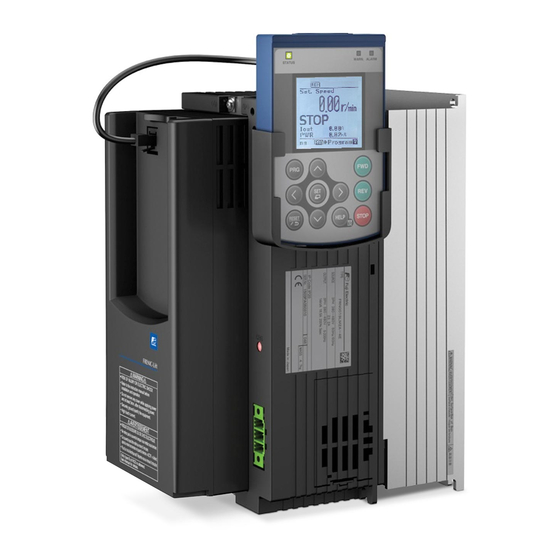
-
Contents
-
Table of Contents
-
Troubleshooting
-
Bookmarks
Quick Links
Starting guide
Dedicated
Inverter for Lift
Applications
3 ph 400 VAC 2.2 – 45 kW
1 ph 200 VAC 2.2 – 4.0 kW
SG_LM2A_EN_1.1.0
Related Manuals for Fuji Electric Frenic lift
Summary of Contents for Fuji Electric Frenic lift
-
Page 1
Starting guide Dedicated Inverter for Lift Applications 3 ph 400 VAC 2.2 – 45 kW 1 ph 200 VAC 2.2 – 4.0 kW SG_LM2A_EN_1.1.0… -
Page 2
1.1.0 14.06.2016 J. Alonso M. Fuchs J. Català Terminal [NTC] is corrected in page 12. Figure 5.7 updated. Table 6.1 updated. FUNC/DATA key changed to SET key. French branch name is corrected. Page 2 of 35 Fuji Electric Europe GmbH… -
Page 3: Table Of Contents
Travel optimization in closed loop…………….. 29 Lift fine tuning (troubleshooting) ………………. 30 14.1 Open loop control (IM) ………………..30 14.2 Closed loop control (PMSM and IM) …………….31 Alarm messages ………………….33 Page 3 of 35 Fuji Electric Europe GmbH…
-
Page 4: About This Manual
FRENIC-Lift (LM2). This starting guide is based on firmware version 0500 or later. For other software versions, please contact with Fuji Electric technical department. Firmware version (ROM version) can be monitored on TP-A1-LM2 PRG > 3 > 4 For extended information about the product and its use, refer to below mentioned documents: FRENIC-Lift Reference Manual INR-SI47-1909_-E (RM).
-
Page 5
An accident or injuries could occur. • Do not touch the inverter terminals while the power is applied to the inverter even if the inverter is in stop mode. Doing so could cause electric shock. Page 5 of 35 Fuji Electric Europe GmbH… -
Page 6: Conformity To European Standards
EMC filter can be in conformity with EMC directives if an optional EMC compliant filter is connected to them. General purpose inverters are subject to the regulations set forth by the Low Voltage Directive in the EU. Fuji Electric declares the inverters bearing a CE marking are compliant with the Low Voltage Directive.
-
Page 7: Technical Data
*6) The admissible error of minimum resistance is ±5%. *7) Braking time and duty cycle (%ED) are defined by cycle operation at the rated regenerative power. *8) Variations (Voltage: +10 to -10%, Frequency: +5 to -5%) Page 7 of 35 Fuji Electric Europe GmbH…
-
Page 8: External Dimensions
FRN0060LM2A-4E 326,2 550,0 261,3 FRN0075LM2A-4E FRN0091LM2A-4E 361,2 615,0 276,3 FRN0011LM2A-7E 1-ph 200 VAC 140,0 260,0 195,0 FRN0018LM2A-7E Frame 1 and frame 2 can be called as well from now on Book type. Page 8 of 35 Fuji Electric Europe GmbH…
-
Page 9: Removal And Attachment Of
Figure 4.1: Removing front cover step by step (Frame 1 & 2 – Book type) Figure 4.2: Removing front cover step by step (Frame 3) Figure 4.3: Removing front cover step by step (Frame 4 & 5) Page 9 of 35 Fuji Electric Europe GmbH…
-
Page 10: Connections
Note *4: In case of not installing the two MC between motor and inverter, please follow the procedure explained in “AN-Lift2-0001” document. Note *5: External MC for PMS motor phases short-circuit is an optional function. Note *6: Removable terminals. Page 10 of 35 Fuji Electric Europe GmbH…
-
Page 11: Control Signals Connection
Figure 5.3. Control board and I/O terminals board terminals All the examples below are based on FRENIC-Lift (LM2A) default setting. For other functions please refer to FRENIC- Lift RM document. Page 11 of 35 Fuji Electric Europe GmbH…
-
Page 12: Use Of Input Terminals For Speed Set Point Selection
(OCx trip) or even to the destruction of it. For additional information refer to figure 5.6. The logic of these terminals is fixed to SOURCE. It doesn’t depend on SW1 configuration. Page 12 of 35 Fuji Electric Europe GmbH…
-
Page 13
Contact rating: 250 VAC; 0.5 A / 30 VDC; 0.5A. Main MC control function (SW52-2). Y4A-Y4C Contact rating: 250 VAC; 0.5 A / 30 VDC; 0.5A. Speed detected function (FDT). Y3A-Y3C Contact rating: 250 VAC; 0.5 A / 30 VDC; 0.5A. Page 13 of 35 Fuji Electric Europe GmbH… -
Page 14: Hardware Configuration
Up to 5 slide switches can be found in the control and I/O terminals boards. With these switches different configurations can be set. Function of each switch and it possible configurations are shown in table 6.1. Page 14 of 35 Fuji Electric Europe GmbH…
-
Page 15: Encoder Option Boards
The setting on L01 will depend on the option board installed, and each option board can be used for different configurations. Table 7.1 shows the different settings of L01 and its option boards available. Page 15 of 35 Fuji Electric Europe GmbH…
-
Page 16: Opc
The encoder cable must be always shielded. The shield must be connected in the inverter side and the encoder side using the ground terminal or the dedicated shield glands. The signal names may be different depending on the encoder manufacturer. Page 16 of 35 Fuji Electric Europe GmbH…
-
Page 17: Opc-Pmpg
Two sinusoidal signals (C,D) as sine and cosine with one period per revolution: (absolute signals) ・Signal level: 0.6 to 1.2 Vpp ・Phase angle: 90 degree ± 10 degree Maximum cable length 20 m Encoder sinus resolution 360 to 60000 sin/rev (recommended 2048 sin/rev) Page 17 of 35 Fuji Electric Europe GmbH…
-
Page 18
The signal names and colours may be different depending on the encoder/cable manufacturer. Sensor signals have to be connected only in case that encoder cable is 10 m or more. Page 18 of 35 Fuji Electric Europe GmbH… -
Page 19: Opc-Psh
Sensor signals have to be connected only in case that encoder cable is 10 m or more (EnDat and SSI). Another available option is OPC-PS. This option board has same characteristics than OPC-PSH without hiperface protocol and + 8 VDC power supply. Page 19 of 35 Fuji Electric Europe GmbH…
-
Page 20: Keypad Operation
A light alarm has occurred. But inverter can continue running. Shows the alarm state (heavy alarm). No heavy alarm has occurred. (Red) Flashing A heavy alarm has occurred. Inverter shuts off its output. Page 20 of 35 Fuji Electric Europe GmbH…
-
Page 21
Pressing this key starts running the motor in the forward rotation (when local mode). Pressing this key starts running the motor in the reverse rotation (when local mode). Pressing this key stops the motor (when local mode). Page 21 of 35 Fuji Electric Europe GmbH… -
Page 22: Keypad Menus
Allows measurement of the operational status of Load Factor PRG>6>2 the maximum output current and average output Measurement current. Communication Allows monitoring and setting of function codes PRG>6>3 Debugging for communication (S, M, W, X, Z, and etc.) Page 22 of 35 Fuji Electric Europe GmbH…
-
Page 23: Example Of Function Setting
K01. Table 8.5 shows all available languages and its associated number. Table 8.5: Available languages Language selection Language English German French Spanish Italian Chinese Russian Greek Turkish Polish Czech Swedish Portuguese Dutch Page 23 of 35 Fuji Electric Europe GmbH…
-
Page 24: Driving The Motor
IM in closed loop (motor with encoder), try auto tuning mode 2 (P04=2). After that, please give RUN command from the lift controller (for example in INSPECTION), and check that motor is turning without any problem. Check that the output current has Page 24 of 35 Fuji Electric Europe GmbH…
-
Page 25: Specific Setting For Pms Motors
0 (positive or negative depending on the rotation direction). If the display shows —-p/s (or 0 kP/s meanwhile the motor is turning) means that no signal is coming from the encoder. In this case please check the encoder cable and the connection of the signals. Page 25 of 35 Fuji Electric Europe GmbH…
-
Page 26: Setting The Speed Profile
The deceleration distance and therefore the starting point of the deceleration phase depends on the function settings. The deceleration distance shown in the above table is the distance from the start of the deceleration to Page 26 of 35 Fuji Electric Europe GmbH…
-
Page 27: Signal Timing Diagram For Close Loop Control (Im And Pmsm)
F25: Stop speed Time (s) FWD o REV X1(SS1) X2(SS2) X3(SS4) Y4 (SW52-2) Magnetic contactor Y5 (BRKS) Mechanical brake RELEASED Torque current (%) Figure 11.1: Closed loop application time and signals sequence diagram. Page 27 of 35 Fuji Electric Europe GmbH…
-
Page 28: Signal Timing Diagram For Open Loop Control (Im)
Only induction motors can be controlled in open loop in a standard lift travel. Figure 12.1: Open loop application time and signals sequence diagram. Page 28 of 35 Fuji Electric Europe GmbH…
-
Page 29: Travel Optimization In Closed Loop
If soft start function is used (H64, H65) ULC will be active during H64 time. During F24 time ASR at low speed will be active. For additional details about soft start function please check RM. L05 can be obtained by Auto tuning (P04=4). For additional details refer to chapter 9.3 Auto tuning procedure (for Page 29 of 35 Fuji Electric Europe GmbH…
-
Page 30: Lift Fine Tuning (Troubleshooting)
(NOTE: Control that creep speed is Increase 2nd S-curve at deceleration (i.e. L25) SPEED TO kept) Max. L19-L28, H57-H60=50 % CREEP SPEED Increase P06 P06=30~70% of P03 Insufficient torque Increase F09 Max. F09=5.0% Page 30 of 35 Fuji Electric Europe GmbH…
-
Page 31: Closed Loop Control (Pmsm And Im)
APR Too strong L73= Subtract 1.0 to current value (PMSM) L74= Subtract 1.0 to current value (PMSM) Check brake operation Not related to inverters setting Check guides (oil, alignment, etc.) Check car fixation (shoes) Page 31 of 35 Fuji Electric Europe GmbH…
-
Page 32
Increase H67 ASR Too soft ASR gain and time at L38= Add 1.0 to current value (PMSM) CREEP speed L38= Add 10.0 to current value (IM) L39= Subtract 0.050 to current value (PMSM&IM) Page 32 of 35 Fuji Electric Europe GmbH… -
Page 33: Alarm Messages
A communication error occurred between the option board and the encoder. Encoder error (option error) Check encoder cable. Check encoder. Check shield connection. * These alarms can change enable/disable by a function code. Page 33 of 35 Fuji Electric Europe GmbH…
-
Page 34
Check if the EN1 and EN2 terminals circuit error error can be reset by switching OFF and ON. If yes, make sure EN1 and EN2 signals come at same time. Page 34 of 35 Fuji Electric Europe GmbH… -
Page 35
Swiss Branch Spanish Branch Fuji Electric Europe GmbH, Swiss Branch Fuji Electric Europe GmbH, Sucursal en España Park Altenrhein Ronda Can Fatjó 5, Edifici D, Local B 9423 Altenrhein Parc Tecnològic del Vallès Tel.: +41 71 858 29 49 08290 Cerdanyola (Barcelona) Fax.: +41 71 858 29 40…
- Печать
Страницы: 1 [2] 3 Вниз

Тема: Fuji Electric: FRENIC-Lift (Прочитано 15175 раз)
0 Пользователей и 1 Гость просматривают эту тему.
А причём тут LM. если у вас проблемы с настройкой ЧП FUJI? тут не бодаться надо, а ЧП настраивать. ну если конечно у вас железо впорядке.

Записан
И ни звука о том, какой ток на большой скорости по монитору и насколько он соотносится с мощностью частотного преобразователя? На какой ток установлена защита? Соответствуют ли параметры установленного двигателя параметрам ЧП? Проверена ли балансировка кабины? Не снимали ли энкодер при монтаже (откалиброван ли угол энкодера)? и т.д.
Записан

Дык на LM-ке нет на Хренике монитора, DSP — интерфэйса с контроллером лифта там однако, и я уже не помню, мона там позырить мониторинг полностью али нет, а рыскать по бумагам лениво.
Записан
всем доброго времени суток.
Есть такая беда:
Лифтматериал, Циркон 1000 кг
ПЧ Фуджи Френик
Лебедка G300.
Лифт в работе больше года. Вдруг встал и ни туда и ни сюда.
На плате ошибка 41 (ошибка автотюнинга)
Вообще, насколько я понимаю, настройка автоматически происходит после каждого снятия питания. Может ошибаюсь — поправьте.
После перезапуска даем команду на движение из МП. включаются пускатели, происходит пределение угла поворота энкодера (специфический звук) после этого должен начать движение. НО не тут-то было. На плате ошибка 41 и начинается все с начала.
При этом питание на мотор уходит, светодиоды на плате загораются все нужные.
Попытка провести настройку полюсов с помощью L03 ->1 в ПЧ завершилась фиаско (подаем команду «старт» срабатывают пускатели, Er7 на ПЧ)
Документация гласит «Проверьте подключение кабелей на двигатель и энкодер». Там все нормально.
Проверили все соединения, сносили плату на другой лифт (рабочая)…Даже энкодер менять пробовали. Не помогает.
После предположения о том, что могли сдвинуться магниты начинает виднеться радость замены лебедки. А чего-то не очень хочется.
Может чего-то не знаем или не понимаем. Подскажите куда ручонки свои и глазенки направить, что проверить, куда смотреть….
Сопротивление обмоток показывает около 5 ом. На соседнем лифте примерно так же
Записан
Раз на ЧП нет ошибок, то скорее всего, не проходит какой-то сигнал управления. Выберите в терминале ЧП меню I/O монитор и проверяйте фактическое наличие входных/ выходных сигналов согласно схеме лифта.
Например при отсутствии сигнала разрешения «EN» после подачи команды «пуск», во время выполнения процедуры авто настройки полюсов, тоже будет «Er7».
« Последнее редактирование: Август 06, 2014, 20:45:39 от Oleg Aksenov »
Записан
В общем… поменяли Френик и все заработало. Самое смешное, что начали с замены ПЧ. Оказалось изначально неисправный  купили и поставили. Будем отправлять на родину (поставщикам)
Записан
монтирую нового «итальянца» MSM, с частотником Fuji frenic lift 7,5. Пока лифт в монтажном режиме, но периодически выскакивает OC1, OC2, OC3. перегрузка при ускорении,замедлении, в движении соответственно. Инструкция глаголит о том что нужно проверить соответствие параметров двигателя и преобразователя, но они как пришли комплектом так и стоят, их же вроде как на заводе комплектовали. Ток двигателя задан 15 А, мощность 5 кВт, двигатель синхронный на пост. магнитах. ток нагрузки при работе не превышает 9.5 Ампер. так откуда ошибка?
Записан
У итальянцев «на заводе комплектовали» не является гарантией настройки параметров. Спасибо, если установлены типовые настройки для конкретного типа лебёдки, автотюнинг электродвигателя никто не делает. Проверяйте соответствие параметров двигателя с шильдика, делайте автотюнинг электродвигателя. Обязательно проверяйте балансировку кабина — противовес.
В какой именно момент возникают ошибки в движении, при старте, при остановке?
Записан
доброе время суток! ребят кто нибудь сталкивался с кухонными лифтами хан док 200кг с контроллером master-k80s (k7m-dr30s) и частотником Frenik mini?
Записан
я отключил этот прибабах по инсрукции испанца,кстати рускоговорящего, оставил только контроль 2-х микриков, причём каждый на свой вход. Знать бы почему он вообще включился-лифт-т работал, а потом ведь ничео не именилось, а он бах и усё. Да и снялась ошибка тоже не сразу,поменял параметр, выключал и включал,но толку ноль выключили на ночь. а с утра ошибка пропала.
А вот собственно документ поясняющий суть: Brake checking signal for UCM compliance (EN81-1 + A3)
In order to reset the alarm, following procedure has to be done:
1. Set parameter H95 to 111. Cursor can be moved by SHIFT button.
2. Push FUNC/DATA button. H95 reverts to 0 automatically.
3. Push PRG button until main screen is shown. In main screen bbe
alarm is shown.
4. Push RESET button.
bbe can only be reset after the cause of the problem has been fixed.
Чтобы сбросить аварийный сигнал, должна быть выполнена следующая процедура:
1. Установите параметр H95 на 111. Курсор может быть перемещен кнопкой SHIFT.
2. Нажмите кнопку FUNC/DATA. H95 возвращается к 0 автоматически.
3. Нажмите кнопку PRG, пока не будет показан основной экран. На основном экране bbe
аварийный сигнал показан.
4. Нажмите кнопку RESET.
bbE может быть сброшен только после того, как причина проблемы была устранена.
Контроль работы тормоза согласно директивы UCM (соответственно ошибка bbE) осуществляется при значении параметра H96=1. H96=0 отключает данную функцию.
Записан
Доброго времени суток!
Прошу развеять мои сомнения в отношении FUJI FRENIC.
На лифте с массой кабины 5 тонн и противовесом 8 тонн требуется заменить энкодер.
Мощность ЧП 30кВт, тип FRN30LM1S-4E.
В мануале от FRENIC ничего не сказано про необходимость разгрузить лебедку от канатов.
6 шагов процедуры автонастройки (выполняемой с клемм):
1. Проверить правильность подключения электродвигателя и энкодера.
2. Включить питание преобразователя.
3. Установить значения функций, описанных в предыдущей таблице.
4. Проверить прием преобразователем импульсов энкодера следующим образом: выбрать на пульте управления меню 4. I/O Check (Проверка ввода-вывода) и нажимать кнопку со стрелкой вниз до отображения страницы с P1, Z1, P2 и Z2. Если двигатель не вращается, то на дисплее после P2 должно отображаться +0 p/s. Отпустить
(разомкнуть) тормоз и немного провернуть двигатель. В это время отображаемое на дисплее число должно
отличаться от 0 (знак зависит от направления вращения двигателя). Отображение на дисплее —-p/s (или +0 p/s во время вращения двигателя) свидетельствует об отсутствии сигнала с энкодера. В этом случае необходимо проверить кабель энкодера и правильность подключения.
5. Присвоить функции P04 значение 2 и нажать кнопку FUNC/DATA.
6. Подать с контроллера лифта на преобразователь команду RUN (ПУСК) (обычно в режиме RESCUE (СПАСАТЕЛЬНЫЕ РАБОТЫ) или INSPECTION (ПРОВЕРКА)). Главные контакторы замыкаются и ток подается на электродвигатель, создавая акустический шум. Процедура занимает несколько секунд. На этом автонастройка заканчивается.
Я правильно понимаю, что без разгрузки лебедки можно будет выполнить процедуру автотюнинга?
Записан
Записан
А чем еще может заниматься мужчина в расцвете лет в свободное от школьных уроков время?
Доброго всем времени суток!
После замены энкодера лифт отработал месяц-полтора и стала вылезать следующая проблема:
При движении кабины исключительно снизу вверх начинают проседать обороты мотора. Чем выше кабина, тем чаще провал и, соответственно, дерготня. В лучшем случае кабина доедет до верхней остановки, а в худшем френик выдаст ОС-2 перегрузка по току при торможении. При ручном растормаживания кабина идёт снизу вверх без нареканий.
FOT 1 = 30,36 Hz
FOT 2 = 30,26 Hz, в момент провала 21 Hz
Iout = 37,56 A, в момент провала 36,56 А
Vout = 254 V, в момент провала 307 V
SYN = 911 r/min, в момент провала 820 r/min
При Iout = 46 А выскакивает ОС-2.
Если перед следующим стартом вверх выждать 5 минут (дать остыть), то едет без нареканий, ровно, как и все последующие пуски вниз.
Куда рыть?
« Последнее редактирование: Май 31, 2022, 12:32:38 от Brubord »
Записан
Я понял так что это тот самый LM на котором Вы грешили на энкодер в 2021году. Сначала разговор в пользу бедных: френик он хороший но слишком умный, т.е. слишком много на себя берёт. У меня LM + frenic тоже ругался ос2 и тоже при трогании с нижнего, правда редко раз в день.перерыли почти всё благо на jade много чего понаверчено. Даже вкладыши на рюкзаке поменяли. Оказалось контакт ДШ на первом.
А теперь о деле .мне не хватает в Ваших данных напряжения на шине DC и расшифровки понятия «проседать» ,это быстро или … .
А так Вам два пути :
1.программа lift loader и
2. проверка всё ли у Вас хорошо с тормозным резистором.
Записан
Проседать — значит замедляться, подтормаживать, в общем, происходит кратковременное падение оборотов.
Тормозной резистор осматривали и замеряли сопротивление — все в норме.
Выявили, что на ТР происходит, скажем так, лишний сброс напряжения и в этот момент и появляется проседание оборотов двигателя. Получается, что ключ открывается тогда, когда это не нужно и происходит это после нескольких пусков, то есть с прогревом частотника до состояния, когда запускаются вентиляторы.
Записан
- Печать
Страницы: 1 [2] 3 Вверх