
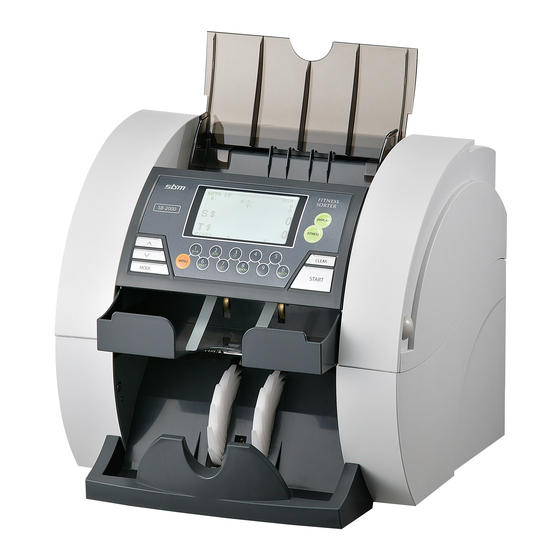
-
Contents
-
Table of Contents
-
Bookmarks
Quick Links
Leading Image Processing Technology
We’ve been there when you needed
SB-2000
Currency Discrimination Fitness Sorter
Service Manual (V1.4)
SBM Co., Ltd.
6F, Hyunwoo Bldg., 206, Anyang7-Dong, Manan-Gu, Anyang-City, Gyeonggi-Do, Korea
430-817
Related Manuals for SBM SB-2000
Summary of Contents for SBM SB-2000
-
Page 1
Leading Image Processing Technology We’ve been there when you needed SB-2000 Currency Discrimination Fitness Sorter Service Manual (V1.4) SBM Co., Ltd. 6F, Hyunwoo Bldg., 206, Anyang7-Dong, Manan-Gu, Anyang-City, Gyeonggi-Do, Korea 430-817… -
Page 2
Currency Discrimination Fitness Sorter SB — 2000 Service Manual Important Safety Information Always be careful when using the machine. To reduce the risk of fire, electrical shocks, and other injuries, keep these safety considerations in mind when installing, using, and maintaining your machine: Stability: Place the machine on a secure, stable surface. -
Page 3
Neither this manual nor any part may be reproduced, transmitted, or distributed in any form or by any means, electronic or mechanical or stored in a database, information storage, or retrieval system, without the prior written permission of the SBM Co., Ltd. -
Page 4
Currency Discrimination Fitness Sorter SB — 2000 Service Manual Recommended Tools Picture Name and Spec. Picture Name and Spec. Hexagonal L Wrench Screwdriver Ø1.5 L Wrench Screwdriver(-) Ø2 2.5mm Spanner Screwdriver(+) Ø6 Long-Nose Multi-Meter Dust Blower Nipper Aerosol Anti-Static Gloves Dust Air Blower Rubber Coated Dust Blower : Dust may cause to occur a short in PCB so periodically clear dust apt to be… -
Page 5: Table Of Contents
Currency Discrimination Fitness Sorter SB — 2000 Service Manual Anti-Static Gloves : In maintenance or repairing, recommended to put it on to protect static caused to occur a short. CONTENTS Chapter Installation ——————————————————————————————- Chapter Description of the Parts ————————————————————————- FRONT VIEW ——————————————————————————— REAR VIEW ———————————————————————————- INSIDE VIEW ——————————————————————————— Function of Each Board ———————————————————————…
-
Page 6
Currency Discrimination Fitness Sorter SB — 2000 Service Manual Chapter Board & Component ———————————————————————- 15-1 Connection Diagram ———————————————————————— 15-2 Board Description —————————————————————————- VD_MAIN(Front Side) ———————————————————————- VD_IMAGE(Front Side) ——————————————————————— VD_OPE(Front Side) ———————————————————————— CF_AMP (Front Side) —————————————————————————— VD_MRA (Front Side, Rear Side) ————————————————————— VD_MRS_L (Front Side, Rear Side) ———————————————————— VD_MRS_R (Front Side, Rear Side) ———————————————————— VD_UVA (Front Side, Rear Side) —————————————————————… -
Page 7: Chapter Installation
1 pc. Sensor Cleaning Cloth 1 pc. Serial Cable (Connection between SB-2000 & PC) (option) 1 pc. Printer Cable (used in connecting a printer) (option) 1 pc. Choosing a Location To help guarantee trouble-free operation of your machine, place it on a flat, stable surface near your workstation.
-
Page 8
123-456-789 Printer Your SB-2000 has a serial interface port, which allows you to connect your printer to print out counting result. To connect your printer to the machine, follow the steps below: 1. Make sure that both the SB-2000 and the printer are turned off. -
Page 9: Front View
Currency Discrimination Fitness Sorter SB — 2000 Service Manual 2. Description of the Parts 2-1. FRONT VIEW HOPPER LCD & CONTROL PANEL REJECT POCKET FRONT COVER OPEN KNOB STACKER 2-2. REAR VIEW CURRENCY GATE ADJUSTMENT REAR COVER OPEN HANDLE POWER SWITCH AC CONNECTOR PARALLEL PORT USB (Type A) CONNECTOR…
-
Page 10: Inside View
Currency Discrimination Fitness Sorter SB — 2000 Service Manual 2-3. Inside (Left) Feed Motor Encoder (Inside) PBA Main Main Motor Encoder PBA Image PBA CF AMP PBA AMP (TAPE) Inside (Right) Feeding Motor Exit (Sub) Motor Main Motor…
-
Page 11
Currency Discrimination Fitness Sorter SB — 2000 Service Manual Inside (Rear-1) Tape Detect Receive RP2 & UV MR Array MG Single (Left, Right) SMPS Inside (Rear-2) CIS (Image Sensor & IR Receiver) Roller Detect Tape UV Tran. & Rcv. (Ref. Type) -
Page 12
Currency Discrimination Fitness Sorter SB — 2000 Service Manual Inside (Rear-3) IR & White Trans. Block Tape Detect Roller UV Tran. & Rcv. (Ref. Type) MG Single MR Array UV Rcv. (Trans. Type) -
Page 13: Function Of Each Board
Currency Discrimination Fitness Sorter SB — 2000 Service Manual 2-4. Function of each Board Main Board The part controlling on MAIN board is as follows. Control & Processing ◈ Operation Panel: LCD Displaying, Inputting by Key ◈ Sensors: Hopper, RP1, RP2, JP, SP, Reject, Stacker, Front Cover, Main Encoder, Feed Encoder, CIS (Recognition &…
-
Page 14
Currency Discrimination Fitness Sorter SB — 2000 Service Manual Image Board The part controlling on Image board is as follows. Control & Processing ◈ Counterfeit Detection: UV, MR Array, MRS L/R, IR ◈ Fitness : CIS, CAP(Tape) ◈ Output Port: Serial, Parallel, USB, RJ11 (Customer Display) Blinking Power LED Flash… -
Page 15
Currency Discrimination Fitness Sorter SB — 2000 Service Manual OPE Board Hopper Sensor T/R Upward Arrow Key Downward Arrow Key Mode Key Clear Key Start Key Conn. Board JP/SP Rcv. (Left) JP/SP Rcv. (Right) Reject Sensor T/R… -
Page 16: Ports
Currency Discrimination Fitness Sorter SB — 2000 Service Manual 2-5. Ports ① ② ③ ⑤ ④ Name of Port Connecting to Micro USB For Developer RJ11 Customer Display RS232C PC, Printer USB Stick(For S/W Upgrade) Parallel Printer…
-
Page 17: Sensors
Currency Discrimination Fitness Sorter SB — 2000 Service Manual 2-6. SENSORS ● T: TRN (Transmitter) ● R: RCV (Receiver) RP1_T, RP1_R HOPPER IR/White_TRN_MODULE BLOCK_TAPE_DETECT REJECT_T, REJECT_R UVA, RP2_T UVB, RP2_R MRS, MRA SP_T, SP_R JP_T, JP_R STACKER_T, STACKER_R This machine uses various sensors to detect the malfunction of the machine the status of the notes in the machine and to recognize the denominations of the notes.
-
Page 18
Currency Discrimination Fitness Sorter SB — 2000 Service Manual VIEW — A VIEW — B VIEW — A RP1 SENSOR IR/White TRANS ASS’Y BLOCK TAPE DETECT UV SENSOR RP2 SENSOR VIEW — A MAGNETIC READER SENSOR VIEW — B RP1 SENSOR CIS SENSOR ROLLER DETECT TAPE RP2 SENSOR… -
Page 19
Currency Discrimination Fitness Sorter SB — 2000 Service Manual Inside of the Machine (Front Cover Open) Note: In case of feed roller, clean with slightly dampened cloth with alcohol. While rotating one side of the roller manually, stick the cloth to the other side of the roller. Caution: Cleaning the Banknote Scanner To keep your machine working properly, please clean the photo sensors, the rollers and the scanning glass once a day. -
Page 20: Rollers
Currency Discrimination Fitness Sorter SB — 2000 Service Manual 2-7. ROLLERS ROLLER_SEPARATOR_B ROLLER_TRANSFER_V ROLLER_PINCH_V ROLLER_REJECT_V ROLLER_DETECT_TAPE ROLLER_PINCH ROLLER_ADF_V ROLLER_FEED_4_V ROLLER_PICK_UP ROLLER_PINCH_EXIT ROLLER_FEED_MR_V ROLLER_FEED_3_V ROLLER_PINCH ROLLER_FEED_2_V ROLLER_PINCH…
-
Page 21: Chapter Overview Of Control Panel
Currency Discrimination Fitness Sorter SB — 2000 Service Manual 3. Overview of Control Panel AUTO 3,170 3,170 ◐ ▶ MIXED DISPLAY For changing Display Mode Large View Reject Reason View Detail View FITNESS Mode ( FIT1 FIT2 FIT3 ) FITNESS MIXED …
-
Page 22: Chapter Overview Of Display (Lcd)
Currency Discrimination Fitness Sorter SB — 2000 Service Manual 4. Overview of Display (LCD) AUTO CF ADD 0 S : ▶ ◐ SINGL R10 .M. .CF. . Auto / Manual Mode Counterfeit Detection Mode On / Off ADD Function On / Off Total Count of Bills Count of Bills in Stacker Batch Size…
-
Page 23: Chapter Getting Started
Currency Discrimination Fitness Sorter SB — 2000 Service Manual 5. Getting Started … (Simple Counting) Placing Bills into the Hopper It is very important to place the bills on the hopper correctly because recognition performance of the bills is highly affected by the arrangement of the bills. And the number of the rejected bills can be increased when they are not arranged and placed properly.
-
Page 24
Currency Discrimination Fitness Sorter SB — 2000 Service Manual Counting In AUTO mode, the machine starts to count the bill automatically as it detects the existence of the bill in the hopper. In MANUAL mode, the machine will start to count the bill only if the bills are placed into the hopper and START key is pressed. -
Page 25: Chapter Basic Operation
Currency Discrimination Fitness Sorter SB — 2000 Service Manual 6. Basic Operation Selecting Count Mode There are six counting modes; MIXED, SINGLE, FACE, ORIENT, COUNT and FITNESS modes. The modes are changed in sequence as shown below every time when the MODE key is pressed;…
-
Page 26
Currency Discrimination Fitness Sorter SB — 2000 Service Manual changed sequentially: D.D $1 $2 $5 $10 $20 $50 $100 D.D D.D is an abbreviation of “Detected Denomination”. If D.D is selected, the machine detects the denomination of the first note and sets it to the selected denomination. -
Page 27
Currency Discrimination Fitness Sorter SB — 2000 Service Manual will be arranged at the Stacker like the picture: When ‘ALL’ is selected, the machine will not check denomination information. All notes having same direction will be sent to the stacker automatically. Other operations are the same as SINGLE mode except that the machine sorts by direction and face. -
Page 28
Currency Discrimination Fitness Sorter SB — 2000 Service Manual User can set different fitness parameters up to 3 Modes. (FIT 1 ~ 3) The fitness level can be adjusted in special menu. (Please refer to ‘Chapter 8. Set function and its parameters ->… -
Page 29
Currency Discrimination Fitness Sorter SB — 2000 Service Manual Regarding the function of STACKER CHANGE please refer to ‘Chapter 8. Set function and its parameters -> ‘Stacker Change (Once / Always)’ To select a denomination, press DENOM key. The denomination will be displayed in LCD. For example in case of US dollar, every time DENOM key is pressed, the denomination will be changed sequentially: All … -
Page 30
Currency Discrimination Fitness Sorter SB — 2000 Service Manual Selecting Add Function ADD function provides cumulative count to the operator. If ADD is on, every counting result is summed to previous one. For example, if the first counting value is 120 and the second one is 150, the display will show the total, 270. -
Page 31
Currency Discrimination Fitness Sorter SB — 2000 Service Manual Changing Display Contents The machine provides various information regarding counting results. Every time pressing DISPLAY key, the display mode is changed sequentially. There are 3 kinds of views: Large View … -
Page 32
Currency Discrimination Fitness Sorter SB — 2000 Service Manual 3. Detail View (TOTAL) 4. Detail View (FIT) 5. Detail View (UNFIT) For the second example, the picture shows the reasons of the rejected notes; the first note was rejected by the reason of NO I.D and the second note was rejected by the reason of ‘CF UV’, next ‘CF UV’, etc. -
Page 33
Currency Discrimination Fitness Sorter SB — 2000 Service Manual Previous page (Reject reason view) is displayed by pressing MENU key, and get out from menu with CLEAR key. Summary of the Reject Reasons NO I.D. : The machine failed to identify the denomination. NO READ : The note was not successfully read. -
Page 34
Currency Discrimination Fitness Sorter SB — 2000 Service Manual only grand total for SINGLE. If you want to check the grand total, press GT key. And you can check detail by pressing GT key as shown below pictures. Only in this display mode the operator can clear grand total by pressing CLEAR key. -
Page 35: Chapter S/W Version And Currency Check
Currency Discrimination Fitness Sorter SB — 2000 Service Manual 7. S/W Version and Currency Check 7-1. MAIN S/W VERSION MENU MODE CODE : 55757 1. ERROR STOP CTRL. 2. SENSOR LEVEL CTRL. 3. SYSTEM REPORT 4. SET A/S CALL No. 5.
-
Page 36: Image S/W Version
Currency Discrimination Fitness Sorter SB — 2000 Service Manual 7-2. IMAGE S/W VERSION MENU MODE CODE : 55757 1. ERROR STOP CTRL. 2. SENSOR LEVEL CTRL. 3. SYSTEM REPORT 4. SET A/S CALL No. 5. SHADING 6. CF & MODE SET 7.
-
Page 37: Service Menu
Currency Discrimination Fitness Sorter SB — 2000 Service Manual 8. Set Function and its Parameters 8-1. SERVICE MENU 1 There are ‘Service Menu1’ and ‘Service Menu2’. Service Menu1 includes mainly the menu adjusting Parameter of Sensors. How to enter SERVICE MENU 1: Press : MENU MODE…
-
Page 38
Currency Discrimination Fitness Sorter SB — 2000 Service Manual 8-1-1. ERROR STOP CTRL MENU MODE CODE : 55757 Sometimes there is a need to prevent 1. ERROR STOP CTRL. from stopping the machine even 1. ERROR STOP ON though some error is occurred when 2. -
Page 39
Currency Discrimination Fitness Sorter SB — 2000 Service Manual 8-1-3. SYSTEM REPORT MENU MODE CODE : 55757 3. SYSTEM REPORT 1. COUNTING REPORT 2. MAIN S/W VERSION 3. IMAGE S/W VERSION 4. S/N DISPLAY 5. S/N SETTING Counting Report In this mode, you can find the total number of the counted notes and the rejected notes. MAIN S/W VERSION, IMAGE S/W VERSION You can check the version of S/W and Currency. -
Page 40
Currency Discrimination Fitness Sorter SB — 2000 Service Manual 8-1-5. SHADING MENU MODE CODE : 55757 In order that a system 5. SHADING analyzes Reference Level 1. CIS and a signal of the machine, 2. UV 3. MR the system should know the 4. -
Page 41
Currency Discrimination Fitness Sorter SB — 2000 Service Manual MODE SET: MODE set changes by pressing numeric key for each mode. ON/OFF changes whenever pressing the numeric key. ‘O’ means SELECT, ‘X’ means NOT SELECT. After finishing the setting, get out from menu with START key. MODE SET O : on X : off… -
Page 42: Service Menu
Currency Discrimination Fitness Sorter SB — 2000 Service Manual 8-2. SERVICE MENU 2 Service Menu2 includes the menu to have a test for development or for repair. How to enter SERVICE MENU 2: Press : MENU MODE CODE : 55757 DISPLAY To exit from the current function, press ‘MENU’…
-
Page 43
Currency Discrimination Fitness Sorter SB — 2000 Service Manual 8-2-1. SENSOR TEST DISPLAY MENU MODE CODE : 55757 1. SENSOR TEST 1. LED TEST 2. CIS LED TEST 3. ADC TEST 4. SENSOR LOGIC TEST 5. UV TEST 6. MR TEST 1) LED TEST User can turn ON / OFF the LED. -
Page 44
Currency Discrimination Fitness Sorter SB — 2000 Service Manual 4) SENSOR LOGIC TEST In this mode, you can check whether the sensor is defective or not by checking the logic status of each sensors. Below picture shows logic status. When the sensors are covered by note, the status will ‘L(Low)’ LEFT RIGHT COVER :… -
Page 45
Currency Discrimination Fitness Sorter SB — 2000 Service Manual 8-2-2. KEY TEST MENU DISPLAY MODE CODE : 55757 PRESS ANY KEY In this mode, you can have a test if the machine detects the input of key. Every time you press a key, the name of the key will be displayed on LCD. -
Page 46
Currency Discrimination Fitness Sorter SB — 2000 Service Manual 8-2-4. MOTOR TEST DISPLAY MENU MODE CODE : 55757 4. MOTOR TEST 1. MAIN 800 RPM ON 2. MAIN 1000 RPM ON 3. MAIN 1200 RPM ON 4. MAIN MOTOR STOP 5. -
Page 47
Currency Discrimination Fitness Sorter SB — 2000 Service Manual 5. SELECTOR TEST 1. SELECTOR STACKER 2. SELECTOR REJECTOR In this test mode, you can examine the work of the selector. The selector changes the note path to the Rejecter pocket or Stacker pocket. The selector is located above the wheels. 8-2-6. -
Page 48
Currency Discrimination Fitness Sorter SB — 2000 Service Manual FITNESS RESULT OF NOTE CURRENCY: RUR SOIL HOLE FOLDED: OIL-STAINS : TAPE CORNER TEAR GRAFFITI : TEST END As shown above, each level of note will be displayed. If you did not changed Fitness level (Default LEVEL = 5), placed note will be processed as Unfit, because the ‘soil level’… -
Page 49
Currency Discrimination Fitness Sorter SB — 2000 Service Manual DISTRIBUTION — SOIL * Select ‘FIT 1’ SET : NUM KEY APPLY : DISP * And select RUB 10 [ FIT 1 ] USE FITNESS KEY [ R 10 ] USE MODE KEY ] DSP DISTANCE : ▼▲… -
Page 50
Currency Discrimination Fitness Sorter SB — 2000 Service Manual DISTRIBUTION — SOIL If ‘126’ is entered, initially processed SET : NUM KEY APPLY : DISP [ FIT 1 ] USE FITNESS KEY 50 notes are automatically distributed [ R 10 ] USE MODE KEY ] DSP DISTANCE : ▼▲… -
Page 51: Shading
Currency Discrimination Fitness Sorter SB — 2000 Service Manual 9. SHADING What is shading? Shading is to make a full swing reference waveform to read the full level of a signal. If the machine rejects too many notes in Mixed Mode or in CF Detection Mode, the system might not analyze the input of waveform.
-
Page 52: Cis Shading
Currency Discrimination Fitness Sorter SB — 2000 Service Manual 9-1. CIS SHADING(IMAGE SHADING) CIS Shading Sheet (opaque) 11mm 23mm 11mm 200mm White: O.D = 0.05~0.08 MENU MODE CODE : 55757 1. Open the rear cover and clean the sensor. 2. Place the shading sheet over the scanner as shown on the below pictures 3.
-
Page 53
Currency Discrimination Fitness Sorter SB — 2000 Service Manual Select the 1. CIS. 5. SHADING 1. CIS 2. IR 3. SOIL 4. UV 5. MR 6. CAP In displaying this message, press WARNING FOR PROPER SHADING ‘START’ key. REFER TO THE SVC MANUAL PRESS ESC TO CANCEL PRESS ENTER TO GO… -
Page 54: Ir Shading
Currency Discrimination Fitness Sorter SB — 2000 Service Manual SHANDIG NG (Case 1) IMAGE SHADING The left figure; Harness cut off or disconnected to the Main Board 0.01 0.02 0.02 ― 0.00 0.00 0.01 100% OnTime 1 : R= / G = / B= OnTime 2 : R= 255 / G = 255 / B= 255…
-
Page 55
Currency Discrimination Fitness Sorter SB — 2000 Service Manual Please be careful about the orientation of shading sheet. Put the convex surface of shading sheet upward. 5. SHADING 1. CIS 2. I R 3. SOIL 4. UV 5. MR 6. CAP Check if IR SHADING result is “OK”… -
Page 56
<UV SHADING SHEET: SHINWOO UV SHADING V1.0> 75 mm Shading sheet provided from SBM should be used. 1. Open the rear cover and clean the sensor. 2. Place the shading sheet over the scanner as shown on the below pictures 3. -
Page 57: Uv Shading
Currency Discrimination Fitness Sorter SB — 2000 Service Manual Select the 4. UV 5. SHADING 1. CIS 2. IR 3. SOIL 4. UV 5. MR 6. CAP Press ‘START’ key WARNING FOR PROPER SHADING REFER TO THE SVC MANUAL PRESS ESC TO CANCEL PRESS ENTER TO GO Processing….
-
Page 58
Currency Discrimination Fitness Sorter SB — 2000 Service Manual Check if UV SHADING result is “OK” UV SHADING ― RUR 78 105 146 138 130 [ L ] To check the SHADING value, 47 21 [ R ] press ▼. [ OK ―… -
Page 59: Mr Shading
Currency Discrimination Fitness Sorter SB — 2000 Service Manual 9-4. MR SHADING <MR SHADING SHEET: Real Banknote ‘US$ 1’ > MENU MODE CODE : 55757 Place 1~5 bills of US$1 on the hopper with the same direction as shown on the left figure. Select the 4.
-
Page 60
Currency Discrimination Fitness Sorter SB — 2000 Service Manual MR SHADING PLACE SHADING PAPER ON HOPPER Check if MR SHADING result is MR SHADING NORM : 1.07 “OK” NOISE : If it is “NG”, repeat placing the note L : 1 R : 2 several times until “OK”… -
Page 61
Currency Discrimination Fitness Sorter SB — 2000 Service Manual SHANDIG NG (Case 1) MR SHADING NORM : 0.09 Harness disconnected NOISE : between CF AMP and Image Board. L : 1 R : 2 (No Signal: Normal level values are not LEVEL : 32 (HIGH) (1) transferred to the Image Board) L : 18… -
Page 62: Cap Shading
9-5. CAP SHADING <CAP SHADING SHEET> (180x 105 mm) CAP SHADING SHEET provided from SBM can be used, or make 80 g/m paper according to the length and width as above. Attention ; Make sure that close the rear door in turning on the machine. As it were, please do not open the rear door as far as the main motor runs.
-
Page 63
Currency Discrimination Fitness Sorter SB — 2000 Service Manual Press ‘START’ key WARNING FOR PROPER SHADING REFER TO THE SVC MANUAL PRESS ESC TO CANCEL PRESS ENTER TO GO 1. Open rear cover and wipe the metallic CAP SHADING roller with soft cloth. STEP2.. -
Page 64
Currency Discrimination Fitness Sorter SB — 2000 Service Manual Check if CAP SHADING result is CAP SHADING ― OK “OK” [ 0 ] [ 1 ] [ 2 ] [ 3 ] [ 4 ] NOTE After SHADING, open the rear door [ 5 ] [ 6 ] [ 7 ]… -
Page 65: Chapter Lcd Error Message
Currency Discrimination Fitness Sorter SB — 2000 Service Manual 10. LCD Error Message LCD Error Messages Display Meaning FRONT COVER OPEN Front Cover is opened REAR COVER OPEN Rear Cover is opened MAIN MOTOR Main Motor stopped. CLEAR HOPPER Notes exist in the Hopper. CHECK REJECTOR Notes exist in the Rejecter CHECK STACKER…
-
Page 66: Cis Sensor
Meanwhile, SB-2000 can get to control all of CIS level by itself through only Shading. And SB-1100 CIS has a sole yellow light source so it requires one VR, while SB-2000 has a RGB(Red, Green & Blue) multi light source so theoretically it requires 3 VRs. In terms of user’s convenience, the CIS Shading function at SB-2000 is much more upgraded than SB-1100.
-
Page 67
Currency Discrimination Fitness Sorter SB — 2000 Service Manual 3) Hopper Sensor Sensitivity Prepare a business card and black matt tape Stick the tape to the card as left picture Run the ‘ADC TEST’ and place the card face attached the tape covering over the Hopper sensor ※… -
Page 68: Solenoid Timing
Currency Discrimination Fitness Sorter SB — 2000 Service Manual Turn the R26 by a + screwdriver looking at the Display 11-3. SOLENOID TIMING To protect the Fly-out, make sure to keep a gap 2mm between the blade of guide selector and bent line of Plate Guide Lower making the blade 2mm upward from the bent line.
-
Page 69: Gap Between Separator And Adf Roller
Currency Discrimination Fitness Sorter SB — 2000 Service Manual 11-4. Gap between Separator and ADF Roller Prepare 2 banknotes Separator Fix one of the pick-up rollers with one hand. Grasp the note with another hand as Pick-Up roller the left picture, and try to insert and draw it between gap of ADF and Separator roller until the note is…
-
Page 70: Timing Between Adf And Pick-Up Roller
Currency Discrimination Fitness Sorter SB — 2000 Service Manual 11-5. Timing between ADF and Pick-up Roller 2~4 Teeth Roller Pick-up Roller Pick-up Roller ADF Set the timing belt ‘S3M237’ Cover the Front cover and turn the Pick-up and ADF till the teeth position of two rollers is same as above figure.
-
Page 71: Chapter S/W Upgrade
Currency Discrimination Fitness Sorter SB — 2000 Service Manual 12. S/W Upgrade 12-1. USB Down list In this mode, user can simply install new software for upgrade by USB Memory Stick. The steps for upgrade are as follows. 1. With the machine on, insert USB Memory Stick which has the file provided from service provider to the machine.
-
Page 72: Vol_2000 S/W In Pc
12-2. VOL_2000 S/W in PC * Installing BOOT, KERNEL and RAMDISK 1. SB-2000 has a new function to install software and to output statistical data. In order to apply this new function, it is necessary to install the boot, kernel and ramdisk programs.
-
Page 73
1. Now move to DowmMode in the Top Menu bar. 2. Clicking it is followed by a pop-up window where programs are selectable. 3. Select the ‘SBM L_BOOT and then click ‘FILE’ in the Top Menu bar ‘OPEN’ of the full- down menus. -
Page 74
Currency Discrimination Fitness Sorter SB — 2000 Service Manual File → OPEN STEP 4 Writing program 1. Just after clicking the File and Open in the Top Menu Bar and selecting BOOT file- Boot_xxxxxx, the ‘Programmer’ a window pop-up immediately shows up. Then click “Program →… -
Page 75
Currency Discrimination Fitness Sorter SB — 2000 Service Manual… -
Page 76
* Two ways to upgrade the Main and Image S/W. 1) Upgrading by using vol_SB2000_V1.0 Select SBM MAIN HEX in DownMode like the process in Step 3. After selecting *.hex file in Main folder, click Program Next. Then, the program is being written. The machine will be automatically turned off and on taking around 40 seconds until upgrading is finished. -
Page 77
Currency Discrimination Fitness Sorter SB — 2000 Service Manual ③ In case Boot in flash memory is damaged, it is impossible to upgrade even in SOS mode, therefore, please be careful. Pic 1. Main B’d Pic 2. Image B’d 2) Upgrade by using USB memory stick ①… -
Page 78
We’d recommend to use USB memory stick that the capacity is under 4GB after formatting it in FAT32 way. In case the capacity is over 4GB or the system of FAT16, exFAT or NTFS is used, it may not work in SB-2000 normally or there might be some problem to run the machine. STEP 7 SHADING After installing and upgrading programs, make sure to do shadings. -
Page 79: Chapter Pulley & Timing Belts
Currency Discrimination Fitness Sorter SB — 2000 Service Manual 13. Pulley & Timing Belt Pulley_ADF_V_S3M-40 Pulley_ADF_V_S3M-40 Pulley_Feed_1_V_S2M-24 Pulley_Feed_1_V_S2M-24 Pulley_Feed_2_V_S3M-23 Pulley_Feed_4_V_S3M-32 Pulley_Feed_4_V_S3M-32 Pulley_Feed_Reject_V_S3M- Pulley_Feed_Reject_Clutch_V_S3M-15 Pulley_ADF_Clutch_V_S3M-32 Pulley_Feed_4_V_S3M-32 Pulley_Feed_MR_V_S3M-21 S3M198 S3M237 S3M255 S3M156 S3M252 S2M124 S2M231…
-
Page 80: Chapter Maintenance
Currency Discrimination Fitness Sorter SB — 2000 Service Manual 14. Maintenance Assy_Block_Tape_Detector is the part that is apt to be accumulated by much dust including powder of notes and even metallic particles etc. So it is necessary for periodically clearing dust.
-
Page 81: Connection Diagram
Currency Discrimination Fitness Sorter SB — 2000 Service Manual 15. Board & Component 15-1. Connection Diagram…
-
Page 82: Board Description
Currency Discrimination Fitness Sorter SB — 2000 Service Manual 15-2. Board Descriptions 15-2-1. VD_MAIN (Front Side)
-
Page 83: Vd_Image(Front Side)
Currency Discrimination Fitness Sorter SB — 2000 Service Manual 15-2-2. VD_IMAGE (Front Side)
-
Page 84
Currency Discrimination Fitness Sorter SB — 2000 Service Manual VD_IMAGE (Rear Side) -
Page 85: Vd_Ope(Front Side)
Currency Discrimination Fitness Sorter SB — 2000 Service Manual 15-2-3. VD_OPE (Front Side)
-
Page 86
Currency Discrimination Fitness Sorter SB — 2000 Service Manual VD_OPE (Rear Side) -
Page 87: Cf_Amp (Front Side)
Currency Discrimination Fitness Sorter SB — 2000 Service Manual 15-2-4. CF_AMP (Front Side)
-
Page 88: Vd_Mra (Front Side, Rear Side)
Currency Discrimination Fitness Sorter SB — 2000 Service Manual 15-2-5. VD_MRA (Front Side, Rear Side) 15-2-6. VD_MRS_L (Front Side, Rear Side) 15-2-7. VD_MRS_R (Front Side, Rear Side)
-
Page 89: Vd_Uva (Front Side, Rear Side)
Currency Discrimination Fitness Sorter SB — 2000 Service Manual 15-2-8. VD_UVA (Front Side, Rear Side) 15-2-9. VD_UVB (Front Side, Rear Side)
-
Page 90: Vd_Rp_Trn (Front Side)
Currency Discrimination Fitness Sorter SB — 2000 Service Manual 15-2-10. VD_RP_TRN (Front Side) 15-2-11. VD_RP_RCV (Front Side, Rear Side)
-
Page 91: Cap_Amp (Front Side)
Currency Discrimination Fitness Sorter SB — 2000 Service Manual 15-2-12. CAP_AMP (Front Side)
-
Page 92: Connector (Front Side)
Currency Discrimination Fitness Sorter SB — 2000 Service Manual 15-2-13. CONNECTOR (Front Side) 15-2-14. CAP_RECEIVE (Front Side)
-
Page 93: Chapter Assembly Drawings
Currency Discrimination Fitness Sorter SB — 2000 Service Manual 16. Assembly Drawings 16 — 1. TOP LEVEL 16 — 2. ASS’Y COVER PANEL 16 — 3. ASS’Y COVER TOP 16 — 4. ASS’Y POCKET UPPER 16 — 5. ASS’Y POCKET LOWER 16 — 6.
-
Page 94
Currency Discrimination Fitness Sorter SB — 2000 Service Manual 16 — 1. TOP LEVEL CODE PART NAME Q’TY 1A02X3089A ASS’Y_COVER_PANEL_2 720105210B COVER_SIDE_LOWER_L_1 1A01X2092A ASS’Y_COVER_SIDE_UPPER_L_B 720714400A COVER_TOP_ENTRANCE_V 1A02X2091A ASS’Y_COVER_TOP_C 7800F022XA SPECIAL_SCREW_UPPER 720105110B COVER_REAR_UPPER_1 720105010B COVER_REAR_LOWER_1 8607A013XA COOLING_FAN_60X60(t=10mm) 1A01X2093A ASS’Y_COVER_SIDE_UPPER_R_B 720105310B COVER_SIDE_LOWER_R_1 1A02X2117A ASS’Y_POCKET_UPPER_8 1A02X2116A… -
Page 95
Currency Discrimination Fitness Sorter SB — 2000 Service Manual 16 — 2. ASS’Y COVER PANEL CODE PART NAME Q’TY 8807B057XA WINDOW_LCD_V 8807A056XA FLIM_MEMBRANE 9002C028XA LABEL_WARNING_8(ENG) 720714500A COVER_PANEL_MID_MEM 1A07X1107A PBA_VD_OPE_V2.2 720206010A COVER_PANEL_8 720004400A WINDOW_HOPPER 1A00X1004A PBA_HOPPER 720714600A KEY_UP/DOWN_MEM LCD_MODULE 720714700A KEY_START/CLEAR_MEM… -
Page 96
Currency Discrimination Fitness Sorter SB — 2000 Service Manual 16 — 3. ASS’Y COVER TOP CODE PART NAME Q’TY 720004303A TRAY_BILL_IN_GUIDE GUIDE_BILL_L 720001403A 720001300A GEAR_BILL_GUIDE PAPER_WASHER 8400D009XA 720207020C COVER_TOP_8 GUIDE_BILL_R 720001503A… -
Page 97
Currency Discrimination Fitness Sorter SB — 2000 Service Manual 16 — 4. ASS’Y POCKET UPPER CODE PART NAME Q’TY REFLECT_MIRROR 8800E011XA POCKET_UPPER_8 720206820C TORSION_SPRING_PINCH_L 7600B004XA SHAFT_PINCH_R_U_POCKET 7800A015XA PLASTIC_WASHER_Ø6(6.2x10x_0.5T) 8400D010XA ROLLER_PINCH 800000900A E_RING_Ø5(5x11x0.6)_Fe_ZB 8400A003XA TORSION_SPRING_PINCH_R 7600B005XA… -
Page 98
Currency Discrimination Fitness Sorter SB — 2000 Service Manual 16 — 5. ASS’Y POCKET LOWER CODE PART NAME Q’TY 720206720C POCKET_LOWER_8 1A00X3065A ASS’Y_STACKER_SENSOR… -
Page 99
Currency Discrimination Fitness Sorter SB — 2000 Service Manual 16 — 6. ASS’Y UPPPER & LOWER BODY CODE PART NAME Q’TY 1A07X1104A PBA_VD_MAIN_V2.1 1A01X1037A PBA_CF_AMP_V1.3 740000800A BKT_PCB_MOUNT 1A07X1106A PBA_VD_IMAGE_V2.1 740709500A PCB_IMAGE_SUPPORT 1A07X1105A PBA_AMP_V2.0 1A07X2166A ASS’Y_REAR_BODY ASS’Y_UPPER_BODY 740000500A BKT_HINGE_STOPPER ASS’Y_LOWER_ BODY 7600B007XA TORSION_SPRING_MAIN_HINGE_L 7800A011XA… -
Page 100
Currency Discrimination Fitness Sorter SB — 2000 Service Manual 16 — 7. ASS’Y UPPPER BODY 1… -
Page 101
Currency Discrimination Fitness Sorter SB — 2000 Service Manual CODE PART NAME Q’TY 8400A004XA E_RING_Ø6(6x12x0.8)_Fe_ZB 8200A005XA BEARING_LF_1680ZZ 800000800A ROLLER_PICK_UP 740708700A PLATE_SIDE_UPPER_L_V 740004200A UPPER_SUPPORT_1 800702600A ROLLER_FEED_2_V 800702900A ROLLER_REJECT_V 800702800A ROLLER_FEED_4_V 800702700A ROLLER_FEED_3_V ASS’Y_PLATE_GUIDE_UPPER_V 1A00X2066A ASS’Y_SHAFT_ADF_ADJUST 800703000A ROLLER_ADF_V 800702400A ROLLER_DETECT_TAPE 800702500A ROLLER_FEED_MR_V 8207A016XA F63800ZZ 8407A056XA… -
Page 102
Currency Discrimination Fitness Sorter SB — 2000 Service Manual 16 — 8. ASS’Y PLATE GUIDE UPPER CODE PART NAME Q’TY 1A00X1011A PBA_JP/SP_R 720002100A GUIDE_RPS 740708900A PLATE_GUIDE_UPPER_V 1A00X1027A PBA_REJECT_T 1A00X1026A PBA_REJECT_R 740001600A BKT_REJECT_BAR 8800A003XA BAR_REJECT_B… -
Page 103
Currency Discrimination Fitness Sorter SB — 2000 Service Manual 16 — 9. ASS’Y LOWER BODY CODE PART NAME Q’TY 1A00X3046A ASS’Y_SELECTOR 740708500A PLATE_SIDE_LOWER_L_V 1A02X2116A ASS’Y_POCKET_LOWER_8 1A01X2082A ASS’Y_PLATE_GUIDE_LOWER_2 740004100A SUPPORT_LOWER_PLATE 1A00X2064A ASS’Y_WING_STACKER 1A00X3045A ASS’Y_MOTOR_STACKER 1A01X3069A ASS’Y_SMPS_UNIT_B 1A00X2070A ASS’Y_PLATE_BASE 740507800A MOTOR_SHIELD 1A00X3044A ASS’Y_MOTOR_MAIN 8200A004XA BEARING_LF_1360ZZ… -
Page 104
Currency Discrimination Fitness Sorter SB — 2000 Service Manual 16 — 10. ASS’Y PLATE GUIDE LOWER… -
Page 105
Currency Discrimination Fitness Sorter SB — 2000 Service Manual CODE PART NAME Q’TY 740105100A PLATE_GUIDE_LOWER_2 8800C005XA ELECTRO_BRUSH_1 1A00X2052A ASS’Y_PINCH_ROLLER_EXIT 8400A003XA E_RING_Ø5(5x11x0.6)_Fe_ZB 800001000A ROLLER_PINCH_EXIT 8400D010XA PLASTIC_WASHER_Ø6(6.2x10x_0.5T) 7800A014XA SHAFT_PINCH_ROLLER 740001100A BKT_PINCH_FDR_2 800000900A ROLLER_PINCH 1A00X2074A ASS’Y_PINCH_ROLLER_FDR_2 720002100A GUIDE_RPS 1A00X1012A PBA_JP/SP_T 1A00X2053A ASS’Y_PINCH_ROLLER 740000900A BKT_PINCH_EXIT 7600A002XA COIL_SPRING_PINCH… -
Page 106
Currency Discrimination Fitness Sorter SB — 2000 Service Manual 16 — 11. ASS’Y PLATE BASE CODE PART NAME Q’TY WIRE_SADDLE_SMALL 8800E024XA PLATE_BASE 740002200A RUBBER_FOOT 8800D012XA… -
Page 107
Currency Discrimination Fitness Sorter SB — 2000 Service Manual 16 — 12. ASS’Y SELECTOR CODE PART NAME Q’TY ASS’Y_SOLENOID 1A00X3047A BKT_SELECTOR 740001700A SHAFT_SELECTOR_CONN 7800A018XA GUIDE_SELECTOR 720002300A… -
Page 108
Currency Discrimination Fitness Sorter SB — 2000 Service Manual 16 — 13. ASS’Y SMPS UNIT CODE PART NAME Q’TY 8400B006XA HEX_SUPPORT_M3X6_Fe_Ni 8800E024XA WIRE_SADDLE_SMALL 1A07X1096A PBA_VD_PARALLEL V1.4 8800A007XA FILM_GUARD_SMPS 740001300A BKT_POWER 1A01X1048A PBA_SMPS_Rev.001 8801A026XA FILM_POWER_2… -
Page 109
Currency Discrimination Fitness Sorter SB — 2000 Service Manual 16 — 14. ASS’Y BKT MOTOR STACKER CODE PART NAME Q’TY 8200A004XA BEARING_LF_1360ZZ WING_STACKER 720004500A 7800A019XA SHAFT_STACKER 740001900A BKT_STACKER BUSH_STACKER_MOTOR 720000100A 8607A012XA MOTOR_MAIN_DMN-37HB… -
Page 110
Currency Discrimination Fitness Sorter SB — 2000 Service Manual 16 — 15. ASS’Y UPPPER BODY 2… -
Page 111
Currency Discrimination Fitness Sorter SB — 2000 Service Manual CODE PART NAME Q’TY 8400A005XA E_RING_Ø7(7x14x0.8)_Fe_ZB 8200A005XA BEARING_LF_1680ZZ 8400A004XA E_RING_Ø6(6x12x0.8)_FE_ZB 720002500A HOOK_OPEN_L 7600B009XA TORSION_SPRING_OPEN_HOOK_L 1A07X2164A ASS’Y_SEPARATOR_V 720713100A PULLEY_REJECT_CLUTCH_V_S3M-15 720713200A PULLEY_ADF_CLUTCH_V_S3M-32 8207B021XA BELT_LINK 8207B018XA BELT_TAPE 720712800A PULLEY_FEED_1_V_S2M-24 8207B022XA BELT_ADF_V 720713300A PULLEY_ADF_V_S3M-40 720714800A PULLEY_FEED_MR_V_S3M-21 7600B010XA TORSION_SPRING_OPEN_HOOK_R… -
Page 112
Currency Discrimination Fitness Sorter SB — 2000 Service Manual 16 — 16. ASS’Y SHAFT ADF ADJUST CODE PART NAME Q’TY SHAFT_ADF_ADJUST 7800A010XA SPECIAL_SCREW_LOWER 7800F021XA RUBBER_TENSION_RING 6200A002XB PLATE_SPRING_ADF 740003900A… -
Page 113
Currency Discrimination Fitness Sorter SB — 2000 Service Manual 16 — 17. ASS’Y SEPARATOR CODE PART NAME Q’TY 1A00X2026A ASS’Y_PRESS_ROLLER 800001300A ROLLER_SEPARATOR_B 1A07X2165A ASS’Y_TRANSFER_ROLLER_V 8200A005XA BEARING_LF_1680ZZ 7800B003XA BUSH_ONEWAY_BEARING 8400A005XA E_RING_Ø7(7x14x0.8)_Fe_ZB 7800A012XA SHAFT_HINGE_TOP 7800C001XA ARM_ADF_ADJUST 7600B006XA TORSION_SPRING_ADF… -
Page 114
Currency Discrimination Fitness Sorter SB — 2000 Service Manual 16 — 18. ASS’Y UPPPER BODY 3 CODE PART NAME Q’TY BKT_CIS_R 740000300A 6607H015XA CIS_V ASS’Y_GUIDE_IN_UPPER_V 1A07X2162A 1A07X2163A ASS’Y_GUIDE_IN_LOWER_V PBA_ENCODER 1A00X1003A 740000400A BKT_ENCODER 720000300A COVER_ENCODER_WHEEL FRONT_SWITCH(SSM-3142-15Z) 740000200A BKT_CIS_L… -
Page 115
Currency Discrimination Fitness Sorter SB — 2000 Service Manual 16 — 19. ASS’Y GUIDE IN LOWER CODE PART NAME Q’TY PBA_VD_UVB V2.1 1A07X1095A 720713800A CAP_RP2_V GUIDE_IN_LOWER_V 720713700A GLASS_UV_REFLECT 7801G029XA 7801G025XB UV_FILTER_DUMMY… -
Page 116
Currency Discrimination Fitness Sorter SB — 2000 Service Manual 16 — 20. ASS’Y GUIDE IN UPPER CODE PART NAME Q’TY GUIDE_IN_UPPER_V 720713400A CAP_RP1_V 720713500A PBA_VD_RP_R V2.1 1A07X1094A 720713600A DUST_ROLLER COVER_SPRING_DUST 740709800A… -
Page 117
Currency Discrimination Fitness Sorter SB — 2000 Service Manual 16 — 21. ASS’Y REAR BODY CODE PART NAME Q’TY ASS’Y_CASE_DETECTOR_V 1A07X2172A 1A07X2173A ASS’Y_BKT_DETECTOR_V… -
Page 118
Currency Discrimination Fitness Sorter SB — 2000 Service Manual 16 — 22. ASS’Y BLOCK TAPE DETECT… -
Page 119
Currency Discrimination Fitness Sorter SB — 2000 Service Manual CODE PART NAME Q’TY 720714100A LOCKER_IR_LED 1A07X1098A PBA_IR_TRN_MODULE 740709000A SPRING_PINCH 1A07X2166A ASS’Y_REAR_PINCH_ROLLER_V 720714000A CASE_DETECTOR_V 1A07X2167A ASS’Y_BLOCK_TAPE_DETECT 720713800A CAP_RP2_V 1A07X1100A PBA_VD_UVA V2.3 1A07X1102A PBA_VD_MRS_R_V2.2 1A07X1101A PBA_VD_MRS_L_V2.2 1A07X1097A PBA_VD_RP_T V2.2 720713500A CAP_RP1_V 7607A022XA COIL_SPRING_TAPE_DETECT 7807A066XA BUSH_SCREW… -
Page 120
Currency Discrimination Fitness Sorter SB — 2000 Service Manual 16 — 23. ASS’Y_BKT_DETECTOR_V CODE PART NAME Q’TY 7807A068XA GUIDE_BUSH_HANDLE 740709400A BKT_DETECTOR_V HANDLE_V 740709500A 7807A067XA SHAFT_DETECTOR_OPEN 7607A023XA COIL_SPRING_OPEN_HANDLE E_RING_Ø5(5x11x0.6)_Fe_ZB 8400A003XA… -
Page 121: Chapter Specifications
Currency Discrimination Fitness Sorter SB — 2000 Service Manual 17. Specifications Item Unit Specification Size (W x D x H) 312[W] x 321[D] x 289[H] Weight Approx. 16 Hopper capacity Notes Stacker capacity Notes Max.200 Reject pocket capacity Notes Max. 100 Display Type 240 x 144 Graphic LCD 2 RS232C Port(9 Pin D-SUB &…

Leading Image Processing Technology We've been there when you needed SB-2000 Currency Discrimination Fitness Sorter Service Manual (V1.4) SBM Co., Ltd. 6F, Hyunwoo Bldg., 206, Anyang7-Dong, Manan-Gu, Anyang-City, Gyeonggi-Do, Korea 430-817 Currency Discrimination Fitness Sorter SB - 2000 Service Manual Important Safety Information Always be careful when using the machine. To reduce the risk of fire, electrical shocks, and other injuries, keep these safety considerations in mind when installing, using, and maintaining your machine: Stability: Place the machine on a secure, stable surface. The machine can be seriously damaged if it falls. Power Supply: Provide correct power to the machine, as listed on the back of the machine. If you are not sure of the type of power that is supplied to your office, call your electric company. Grounding: If the plug has three prongs, it must be plugged into a grounded (three hole) outlet. Grounded plugs and outlets are designed for your safety - do not try to make a three-prong plug fit into a two-prong outlet by modifying the plug or outlet in any way. If you cannot insert the plug into your wall outlet easily, then a qualified electrician should inspect the outlet. Overload: Do not plug too many electrical devices into a wall outlet or an extension cord. An overloaded outlet could be a reason of a fire and electrical shock hazard. Cleaning: Before cleaning the machine, unplug it from the power outlet. Clean exposed parts with a soft cloth slightly dampened with water. Do not use aerosol cleaners. Gas Leaks: Never use any machine close to a gas leak. If you think gas is leaking, call the gas company immediately. A small electrical spark in the machine could cause a fire or explosion. Precaution When using the machine, these precautions should always be followed: 1. Never push objects of any kind into your machine through the case or cabinet openings. 2. Do not use your machine near water, in wet locations, or outdoors. 3. Do not allow anything to rest on the power cord, line cord, or PC interface cable. Do not locate your machine where the cords can be damaged by persons’ walking on them. 4. Do not allow pets to chew on the power cord or PC interface cable. 5. Use supplies or cleaning materials only as directed. Keep all supplies and materials out of the way of children. 6. The power supply turns this machine on and off. Make sure that your machine is installed near an outlet and is easily accessible. 7. Never remove covers or guards that require a tool for removal. There are no operator serviceable areas inside your machine. Refer servicing to authorized service personnel. 8. Never defeats interlock switches. This machine is designed to restrict operator access to unsafe areas. Covers, guards and interlock switches are provided to ensure that the machine will not operate with covers opened. 9. Risk of explosion if battery is replaced by an incorrect type. Dispose of used batteries according to the instruction. 1 Currency Discrimination Fitness Sorter SB - 2000 Service Manual Managing the performance of the machine This unit has many sophisticated sensors. Without proper maintenance, it cannot last its good performance. Please read the “Daily Maintenance” section of this manual carefully, and do it everyday. When the performance is deteriorated on a sudden, please clean all the sensors first before calling a service. Safety Notes Your machine and the supplies are designed and tested to meet strict safety requirements. Included are safety agency examination and approval and compliance to established environmental standards. Please read the following instructions carefully before operating your machine, and refer to them as needed to ensure the continued safe operation of your machine. WARNING Hazardous moving parts! Keep fingers and other body parts away Battery is used for ‘PBA POWERIO’ in this machine. If wrong date and time are displayed on LCD after correct setting, it is necessary to change the battery of ‘PBA POWERIO’. Please read the following instructions carefully before changing the battery. CAUTION Risk of explosion: if battery is replaced by an incorrect type. Dispose of used batteries according to the instructions. FCC Compliance Statement THIS DEVICE COMPLIES WITH PART 15 OF FCC RULES. OPERATION IS SUBJECT TO THE FOLLOWING CONDITIONS: 1. THIS DEVICE MAY NOT CAUSE HARMFUL INTERFERENCE, AND 2. THIS DEVICE MUST ACCEPT ANY INTERFERENCE RECEIVED, INCLUDING INTERFERENCE THAT MAY CAUSE UNDESIRED OPERATION. Neither this manual nor any part may be reproduced, transmitted, or distributed in any form or by any means, electronic or mechanical or stored in a database, information storage, or retrieval system, without the prior written permission of the SBM Co., Ltd. 2 Currency Discrimination Fitness Sorter SB - 2000 Service Manual Recommended Tools Picture Name and Spec. Picture Name and Spec. Hexagonal L Wrench Screwdriver Ø1.5 5mm L Wrench Screwdriver(-) Ø2 2.5mm Spanner Screwdriver(+) 7mm Ø6 Long-Nose Multi-Meter Dust Blower Nipper Aerosol Anti-Static Gloves Dust Air Blower Rubber Coated Dust Blower : Dust may cause to occur a short in PCB so periodically clear dust apt to be accumulated inside of machine. 3 Currency Discrimination Fitness Sorter SB - 2000 Service Manual Anti-Static Gloves : In maintenance or repairing, recommended to put it on to protect static caused to occur a short. CONTENTS Chapter Installation ------------------------------------------------------------------------------------------- 6 Chapter Description of the Parts ------------------------------------------------------------------------- 8 2-1 FRONT VIEW --------------------------------------------------------------------------------- 8 2-2 REAR VIEW ---------------------------------------------------------------------------------- 8 2-3 INSIDE VIEW --------------------------------------------------------------------------------- 9 2-4 Function of Each Board -------------------------------------------------------------------- 12 2-5 Ports --------------------------------------------------------------------------------------------- 15 2-6 Sensors ---------------------------------------------------------------------------------------- 16 2-7 Rollers ------------------------------------------------------------------------------------------ 19 Chapter Overview of Control Panel --------------------------------------------------------------------- 20 Chapter Overview of Display (LCD) --------------------------------------------------------------------- 21 Chapter Getting Started ------------------------------------------------------------------------------------- 22 Chapter Basic Operation ------------------------------------------------------------------------------------ 24 Chapter S/W Version and Currency Check ----------------------------------------------------------- 34 7-1 MAIN S/W VERSION ------------------------------------------------------------------------------ 34 7-2 IMAGE S/W VERSION ---------------------------------------------------------------------------- 35 Chapter Set Function and its Parameters ------------------------------------------------------------- 36 8-1 SERVICE MENU 1 --------------------------------------------------------------------------------- 36 8-2 SERVICE MENU 2 --------------------------------------------------------------------------------- 41 Chapter SHADING --------------------------------------------------------------------------------------------- 50 9-1 CIS SHADING --------------------------------------------------------------------------------------- 51 9-2 IR SHADING ----------------------------------------------------------------------------------------- 53 9-3 UV SHADING ---------------------------------------------------------------------------------------- 55 9-4 MR SHADING --------------------------------------------------------------------------------------- 58 9-5 CAP SHADING -------------------------------------------------------------------------------------- 61 Chapter LCD Error Message ------------------------------------------------------------------------------- 64 Chapter Adjustment ----------------------------------------------------------------------------------- 65 11-1 CIS Sensor ------------------------------------------------------------------------------------ 65 11-2 Three Variable Resistors on OPE Board ---------------------------------------------- 65 11-3 Solenoid Timing ------------------------------------------------------------------------------ 67 11-4 Gap between Separator and ADF Roller ---------------------------------------------- 68 11-5 Timing between ADF and Pick-up Roller ---------------------------------------------- 69 Chapter S/W Upgrade --------------------------------------------------------------------------------- 70 12-1 USB Down List -------------------------------------------------------------------------------- 70 12-2 VOL_2000 S/W in PC ---------------------------------------------------------------------- 71 Chapter Pulley & Timing Belts ----------------------------------------------------------------------- 78 Chapter Maintenance ---------------------------------------------------------------------------------- 79 4 Currency Discrimination Fitness Sorter SB - 2000 Service Manual Chapter Board & Component ---------------------------------------------------------------------- 80 15-1 Connection Diagram ------------------------------------------------------------------------ 80 15-2 Board Description ---------------------------------------------------------------------------- 81 VD_MAIN(Front Side) ---------------------------------------------------------------------- 82 VD_IMAGE(Front Side) -------------------------------------------------------------------- 83 VD_OPE(Front Side) ----------------------------------------------------------------------- 85 CF_AMP (Front Side) ------------------------------------------------------------------------------ 87 VD_MRA (Front Side, Rear Side) --------------------------------------------------------------- 88 VD_MRS_L (Front Side, Rear Side) ----------------------------------------------------------- 88 VD_MRS_R (Front Side, Rear Side) ----------------------------------------------------------- 88 VD_UVA (Front Side, Rear Side) --------------------------------------------------------------- 89 VD_UVB (Front Side, Rear Side) --------------------------------------------------------------- 89 VD_RP_TRN (Front Side) ------------------------------------------------------------------------ 90 VD_RP_RCV (Front Side, Rear Side) --------------------------------------------------------- 90 CAP_AMP (Front Side) ---------------------------------------------------------------------------- 91 CONNECTOR (Front Side) ----------------------------------------------------------------------- 92 CAP_RECEIVE (Front Side) --------------------------------------------------------------------- 92 Chapter Assembly Drawings --------------------------------------------------------------------- 92 Chapter Specifications -------------------------------------------------------------------------------------- 120 5 Currency Discrimination Fitness Sorter SB - 2000 Service Manual 1. Installation Unpacking List 1. SB-2000 1 Unit 2. AC Power Code 1 pc. 3. User's Guide 1 pc. 4. Cleaning Brush 1 pc. 5. Sensor Cleaning Cloth 1 pc. 6. Serial Cable (Connection between SB-2000 & PC) (option) 1 pc. 7. Printer Cable (used in connecting a printer) (option) 1 pc. Choosing a Location To help guarantee trouble-free operation of your machine, place it on a flat, stable surface near your workstation. Do not place your machine: In direct sunlight. Near heat sources or air conditioners. In dusty or dirty environments. Handling the Machine When handling or moving the machine, do not lift with grasping the Reject Pocket. The picture shows how to lift the machine correctly. Please refer to the pictures on the next page. (X) 6 (X) Currency Discrimination Fitness Sorter SB - 2000 Service Manual (O) Correct way to lift the machine Setting Up Your Machine Power Cord Plug one end of the cord into the back of the machine and the other end into a standard AC power outlet. If you turn on the power switch, the machine will display initializing process. If there is Service Call number saved by a service provider, the Call number will be displayed as below: And the machine will display version of software and its checksum also. INITIALIZING SYSTEM ▶▶▶▶▶ A/S CALL 123-456-789 Printer Your SB-2000 has a serial interface port, which allows you to connect your printer to print out counting result. To connect your printer to the machine, follow the steps below: 1. Make sure that both the SB-2000 and the printer are turned off. 2. Plug the cable of printer into the serial port of SB-2000. 3. Turn the SB-2000 on and set parameters referring to the “Ch 8. Set Function and its Parameters -> Interface” 7 Currency Discrimination Fitness Sorter 2. Description of the Parts 2-1. FRONT VIEW HOPPER LCD & CONTROL PANEL REJECT POCKET FRONT COVER OPEN KNOB STACKER 2-2. REAR VIEW CURRENCY GATE ADJUSTMENT REAR COVER OPEN HANDLE POWER SWITCH AC CONNECTOR PARALLEL PORT USB (Type A) CONNECTOR USB (Type B) CONNECTOR SERIAL CONNECTOR 1 SERIAL CONNECTOR 2 8 SB - 2000 Service Manual Currency Discrimination Fitness Sorter SB - 2000 Service Manual 2-3. Inside (Left) Feed Motor Encoder (Inside) PBA Main Main Motor Encoder PBA Image PBA CF AMP PBA AMP (TAPE) Inside (Right) Feeding Motor Exit (Sub) Motor Main Motor 9 Currency Discrimination Fitness Sorter SB - 2000 Service Manual Inside (Rear-1) Tape Detect Receive RP2 & UV MR Array MG Single (Left, Right) SMPS Inside (Rear-2) CIS (Image Sensor & IR Receiver) Roller Detect Tape UV Tran. & Rcv. (Ref. Type) 10 Currency Discrimination Fitness Sorter SB - 2000 Service Manual Inside (Rear-3) IR & White Trans. Block Tape Detect Roller UV Tran. & Rcv. (Ref. Type) MG Single MR Array UV Rcv. (Trans. Type) 11 Currency Discrimination Fitness Sorter SB - 2000 Service Manual 2-4. Function of each Board Main Board The part controlling on MAIN board is as follows. Control & Processing ◈ Operation Panel: LCD Displaying, Inputting by Key ◈ Sensors: Hopper, RP1, RP2, JP, SP, Reject, Stacker, Front Cover, Main Encoder, Feed Encoder, CIS (Recognition & Fitness) ◈ Mechanism Control: Main Motor, Sub Motor (Spinning the Stacker Wings), Feed Motor, Solenoid, Cooling Fan, Main Encoder, Feed Encoder Important parts on Main Board Feed Motor Driver Power LED Blinking LED ADC EEPROM PLD CPU Main Motor Driver 12 Solenoid Driver Current Driver Currency Discrimination Fitness Sorter SB - 2000 Service Manual Image Board The part controlling on Image board is as follows. Control & Processing ◈ Counterfeit Detection: UV, MR Array, MRS L/R, IR ◈ Fitness : CIS, CAP(Tape) ◈ Output Port: Serial, Parallel, USB, RJ11 (Customer Display) Power LED Blinking CPU Flash PLD Image Processor RS233C Driver Amp. Boards SDRAM CF Amp. Board Description of CF Amp. Board Input : MR Array(6Chanels), MRS L/R Role & Output : Amplifying MR signal and transferring it to the Image Board CAP Amp. Board Description of CAP Board Amplifying the CAP sensor signal and transferring it to the Image Board. 13 Currency Discrimination Fitness Sorter SB - 2000 Service Manual OPE Board Hopper Sensor T/R LCD Upward Arrow Key Downward Arrow Key Mode Key Clear Key Start Key Conn. Board JP/SP Rcv. (Left) JP/SP Rcv. (Right) Reject Sensor T/R 14 Currency Discrimination Fitness Sorter SB - 2000 Service Manual 2-5. Ports ① ② ③ ⑤ No. ④ Name of Port Connecting to 1 Micro USB For Developer 2 RJ11 Customer Display 3 RS232C PC, Printer 4 USB USB Stick(For S/W Upgrade) 5 Parallel Printer 15 Currency Discrimination Fitness Sorter SB - 2000 Service Manual 2-6. SENSORS ● T: TRN (Transmitter) ● R: RCV (Receiver) RP1_T, RP1_R HOPPER IR/White_TRN_MODULE T T BLOCK_TAPE_DETECT REJECT_T, REJECT_R R RT R UVA, RP2_T UVB, RP2_R R T MRS, MRA CIS TR R SP_T, SP_R T T JP_T, JP_R T STACKER_T, STACKER_R R This machine uses various sensors to detect the malfunction of the machine the status of the notes in the machine and to recognize the denominations of the notes. Also the machine has special sensors for Fitness sorting function. These sensors are very sensitive and if they are not cleaned correctly every day, this may negatively affect the performance of the machine. Clean the sensors every day after operating. The power must be turned off before cleaning and please do not use a volatile solvent for cleaning. 16 Currency Discrimination Fitness Sorter VIEW - A SB - 2000 Service Manual VIEW - B VIEW - A RP1 SENSOR IR/White TRANS ASS’Y BLOCK TAPE DETECT UV SENSOR RP2 SENSOR VIEW - A MAGNETIC READER SENSOR VIEW - B RP1 SENSOR CIS SENSOR ROLLER DETECT TAPE RP2 SENSOR UV SENSOR 17 Currency Discrimination Fitness Sorter SB - 2000 Service Manual Inside of the Machine (Front Cover Open) Note: In case of feed roller, clean with slightly dampened cloth with alcohol. While rotating one side of the roller manually, stick the cloth to the other side of the roller. Caution: Cleaning the Banknote Scanner To keep your machine working properly, please clean the photo sensors, the rollers and the scanning glass once a day. If excess dust is allowed to accumulate, the recognition rate can be lower than expected. 1. Open the rear cover. 2. Clean inside of the rear cover. 3. Carefully wipe the scanning glass with a soft, dry cloth. If the glass is very dirty, first wipe it with a slightly dampened cloth with alcohol, then with a dry cloth. Be very careful not to scratch the glass surface. 4. 18 Close the rear cover firmly until it clicks into place. Currency Discrimination Fitness Sorter SB - 2000 Service Manual 2-7. ROLLERS ROLLER_SEPARATOR_B ROLLER_TRANSFER_V ROLLER_PINCH_V ROLLER_REJECT_V ROLLER_DETECT_TAPE ROLLER_PINCH ROLLER_ADF_V ROLLER_FEED_4_V ROLLER_PICK_UP ROLLER_PINCH_EXIT ROLLER_FEED_MR_V ROLLER_FEED_3_V ROLLER_PINCH ROLLER_FEED_2_V ROLLER_PINCH 19 Currency Discrimination Fitness Sorter SB - 2000 Service Manual 3. Overview of Control Panel AUTO R: CF 22 RUR 55 55 S: T: SR TR MIXED DISPLAY 3,170 3,170 ◐ ▶ For changing Display Mode Large View Reject Reason View Detail View FITNESS FITNESS Mode ( FIT1 FIT2 FIT3 ) MODE MIXED SINGLE FACE ORIENT COUNT (MIXED) CLEAR Clear Errors / Escaping from MODE Menu (Returning to Initial Display) START Counting Start (in manual start Mode) / User Stop key / Entering a selected parameter ∧ Scrolling Upward ∨ Scrolling Downward MENU Change Values of various Parameters $ € Selecting Currency ADD Add function On/Off CF Counterfeit (CF) Detection On/Off FITUF Toggling ‘Stacker Fit’ or ‘Stacker Unfit’ PRINT Printing GT For displaying Grand Total DENOM. For selecting a denomination under Single Mode BATCH Batch function On/Off 20 Currency Discrimination Fitness Sorter SB - 2000 Service Manual 4. Overview of Display (LCD) 1 8 9 10 2 3 5 4 AUTO CF ADD R: 6 7 100 RUB 0 0 0 S: T: SR TR 0 .0 SINGL R10 11 12 ▶ 13 ◐ 14 .M. .CF. . F . 15 16 17 1 Auto / Manual Mode 2 Counterfeit Detection Mode On / Off 3 ADD Function On / Off 4 Total Count of Bills 5 Count of Bills in Stacker 6 Batch Size 7 Currency 8 Count of Bills in Rejecter 9 Amount of Bills in Stacker 10 Total Amount of Bills 11 Mode 12 Denomination 13 Speed 14 Density of Notes 15 ‘M’ means ‘Mixed’ (Unfit note and other notes are mixed) 16 Counterfeit Warning 17 Stacker Pocket Status (FIT UNFIT) 21 Currency Discrimination Fitness Sorter SB - 2000 Service Manual 5. Getting Started … (Simple Counting) Placing Bills into the Hopper It is very important to place the bills on the hopper correctly because recognition performance of the bills is highly affected by the arrangement of the bills. And the number of the rejected bills can be increased when they are not arranged and placed properly. Refer to the pictures for the correct placement of the bills. Good Good Bad Bad Please avoid counting bills like wet, excessively dirty, spoiled, severely folded, curled notes and with foreign material like clips, bands, etc. Sometimes it causes malfunction of the machine. 22 Currency Discrimination Fitness Sorter SB - 2000 Service Manual Counting In AUTO mode, the machine starts to count the bill automatically as it detects the existence of the bill in the hopper. In MANUAL mode, the machine will start to count the bill only if the bills are placed into the hopper and START key is pressed. While counting, the machine will display the number of the bills on LCD display and it stops working when it meets the conditions described as below; - No bills in the hopper - Stacker is full. - Rejecter is full. - The number of the bills counted is the same as the batch number to be set in BATCH mode. - Errors have occurred. If an error is occurred during operation and the machine stops, then an error message will be displayed. To clear the error, press CLEAR key. The machine will try to solve the problem automatically, but if it fails to clear a jam or there are some other mechanical errors, open the front or rear cover and get rid of jammed bills and close the cover correctly. Then press the CLEAR key again to clear error message. Stop in operation Press START button to stop operation while the machine is counting. To restart, press CLEAR button. 23 Currency Discrimination Fitness Sorter SB - 2000 Service Manual 6. Basic Operation Selecting Count Mode There are six counting modes; MIXED, SINGLE, FACE, ORIENT, COUNT and FITNESS modes. The modes are changed in sequence as shown below every time when the MODE key is pressed; MIXED SINGLE FACE ORIENT COUNT Only FITNESS mode is selected by pressing FITNESS key. ■ MIXED Mode In Mixed mode, the machine counts and discriminates the denominations of the bank notes. If the denomination of a bank note is successfully discriminated, then the note will be sent to the output stacker. If a note fails to be detected or it is a suspect note (if CF is ON), the note will be sent to the reject pocket. To change into the MIXED mode, press MODE key until “MIXED” is displayed on LCD. ■ SINGLE Mode In Single mode, the machine sorts out notes whose denomination is the same as a selected denomination. The other notes whose denomination is not matched will be sent to the reject pocket. To select a denomination, press DENOM key. The denomination will be displayed in LCD. For example in case of US dollar, every time DENOM key is pressed, the denomination will be 24 Currency Discrimination Fitness Sorter SB - 2000 Service Manual changed sequentially: D.D $1 $2 $5 $10 $20 $50 $100 D.D D.D is an abbreviation of “Detected Denomination”. If D.D is selected, the machine detects the denomination of the first note and sets it to the selected denomination. Once a denomination is selected by D.D, it cannot be changed while the Input Hopper or the output stacker contains notes. If the output stacker and the input Hopper are emptied, the machine will try to find a new denomination of the first note in next trial and sorts the notes with the new denomination. ■ FACE Mode Facing means to arrange the banknotes by its face. When ‘DD’ was selected, the machine reads the first note to find out the face and denomination information. Then it reads and sends the note whose face and denomination is the same as the first note to the output stacker. If a face of a note or a denomination is not as same as the first note, then those notes will be sent to the Reject Pocket. When ‘ALL’ was selected, the machine does not check denomination information. All notes having same face will be sent to the stacker. If you want to change the face or the denomination, empty the output Stacker the input Hopper and retry with the first note whose face and denomination are the same as you want to sort out. ■ ORIENT Mode In this mode, the machine arranges banknote with its direction. The machine reads the first note and find out information regarding denomination, direction and face. Then it sorts banknotes with the information. When ‘DD’ is selected, if a note has same denomination, face, and direction, it will be sent to the output Stacker Pocket otherwise it will be sent to the Reject Pocket. The machine will try to find out information for sorting every stack of banknotes after output Stacker and input Hopper is emptied. You can change the sorting condition by changing the first note of the stack of notes to the same one whose denomination, face and direction is same as you want to sort out. If you try to orient as like the picture shown on the up right, then the notes 25 Currency Discrimination Fitness Sorter SB - 2000 Service Manual will be arranged at the Stacker like the picture: When ‘ALL’ is selected, the machine will not check denomination information. All notes having same direction will be sent to the stacker automatically. Other operations are the same as SINGLE mode except that the machine sorts by direction and face. ■ COUNT mode In Count Mode, the machine only counts banknotes without discriminating a denomination. To change to simple counting mode, press MODE key until “COUNT” is displayed on LCD ■ FIT. (FITNESS) Mode The longer bank notes are used, the more worn, discolored, contaminated and even torn they are. That is why the fitness function of sorting these notes is required. In FITNESS mode, the machine can sort banknotes by 8 fitness conditions , soil(dirty), tape, tears, missing corner, holes, corner folded, oil stain, and graffiti. Users can make notes applicable to 8 sort of fitness conditions above mentioned Unfit. Unfit banknotes will be sent to the reject pocket and fit banknotes will be sent to the stacker pocket. Banknotes that have bad surface condition so are sorted as Unfit will be sent to Reject Pocket, otherwise those that are apt to recycling so are sorted as Fit will be sent to the Stacker Pocket. The FITNESS Mode has 3 Modes. By pressing FITNESS key in a row, the mode will be shifted sequentially: FIT 1 26 FIT2 FIT3 Currency Discrimination Fitness Sorter SB - 2000 Service Manual User can set different fitness parameters up to 3 Modes. (FIT 1 ~ 3) The fitness level can be adjusted in special menu. (Please refer to ‘Chapter 8. Set function and its parameters -> Set fitness Level’ for detail.) In FITNESS mode, in case there is other banknotes except unfit notes in Reject Pocket, warning sign ‘M’ is displayed as following figure. The sign ‘F’ or ‘UF’ is displayed as following figure. 27 Currency Discrimination Fitness Sorter SB - 2000 Service Manual Regarding the function of STACKER CHANGE please refer to ‘Chapter 8. Set function and its parameters -> ‘Stacker Change (Once / Always)’ To select a denomination, press DENOM key. The denomination will be displayed in LCD. For example in case of US dollar, every time DENOM key is pressed, the denomination will be changed sequentially: All D.D $1 $2 $5 $10 $20 $50 $100 All When ‘ALL’ was selected, the machine does not check denomination information. All fit notes will be sent to the stacker. When ‘DD’ was selected, the machine detects the denomination of the first note and sets it to the selected denomination. Then it reads and sends to the stacker pocket the notes whose denomination is same to the first note. If denomination is not same to the first note or unfit note, those notes will be sent to the Reject Pocket. Selecting Counterfeit Function Counterfeit detectors are turned on or off by pressing CF key. If CF is turned on, “CF” will be lit on LCD like below; If a banknote is determined as a counterfeit, CF sign will be lit on LCD as shown below and the banknote will be sent to the Reject Pocket. The machine will beep warning sound if the counting job is finished. The sign will be cleared automatically when the Reject Pocket is emptied and new count begins. 28 Currency Discrimination Fitness Sorter SB - 2000 Service Manual Selecting Add Function ADD function provides cumulative count to the operator. If ADD is on, every counting result is summed to previous one. For example, if the first counting value is 120 and the second one is 150, the display will show the total, 270. The Add function is On/Off by pressing ADD key. Selecting Batch Function BATCH key is used to turn on/off the batch function. Once BATCH is ON, the machine stops if a count reaches at a set batch size. The batch size can be input by using keypad, for example, to set batch size to 50, press ‘BATCH’ key + ‘5’ + ’0’ + ’START’. Batch size can not exceed the current capacity of the Stacker pocket. To deactivate the batch count mode, simply press ‘BATCH’ key. 29 Currency Discrimination Fitness Sorter SB - 2000 Service Manual Changing Display Contents The machine provides various information regarding counting results. Every time pressing DISPLAY key, the display mode is changed sequentially. There are 3 kinds of views: Large View Reject Reason View. Detail View (Amount & piece Display of each denomination) Below are some examples of each Display mode. (In Fitness Mode) 1. Large View ↓ 2. Reject Reason View ↓ 30 Currency Discrimination Fitness Sorter SB - 2000 Service Manual 3. Detail View (TOTAL) 4. Detail View (FIT) 5. Detail View (UNFIT) For the second example, the picture shows the reasons of the rejected notes; the first note was rejected by the reason of NO I.D and the second note was rejected by the reason of ‘CF UV’, next ‘CF UV’, etc. The ‘Down’ arrow in the picture means that there are more to the list, and you can see rest of the list by pressing DOWN (∨) key. In Reject reason view, detailed ‘unfit’ reason(s) is(are) displayed as following figure if Enter key is pressed after selecting specific rejected banknotes with Up(∧)/Down(∨) key. (For instance, below th figure shows 5 rejected banknote is detected as unfit notes under the reason of Soil and Tape.) 31 Currency Discrimination Fitness Sorter SB - 2000 Service Manual Previous page (Reject reason view) is displayed by pressing MENU key, and get out from menu with CLEAR key. Summary of the Reject Reasons NO I.D. : The machine failed to identify the denomination. NO READ : The note was not successfully read. OVERRUN : The next note was fed too close to the first note. CF : The note was suspected to be counterfeit by UV, MR, IR Sensors UNFIT : The note detected as soiled or worn in FITNESS Mode. STAY NOTE : The note was not fit to the condition of sorting. DOUBLE : More than two pieces of notes were fed into machine CHAIN : Chain Error HALF : Half Error CAUTION If the reject reason is Chain or Double, the number of the rejected notes displayed on LCD, can be different from the actual number of notes in the reject pocket. Grand Total Grand Total is a total of printed counting amount. When you start printing the counting result by pressing PRINT key, then the value is added to Grand total and automatically the machine displays the number of deposit and G TOTAL. Even though a printer is not connected, this operation will be done because the machine does not check whether a printer is connected or not. The grand total is managed separately in MIXED and SINGL mode, namely there are two grand totals. You can see only one grand total at a time: for example in SINGL mode the display will show 32 Currency Discrimination Fitness Sorter SB - 2000 Service Manual only grand total for SINGLE. If you want to check the grand total, press GT key. And you can check detail by pressing GT key as shown below pictures. Only in this display mode the operator can clear grand total by pressing CLEAR key. If the grand total is cleared, the printing sequence number is automatically reset to “1”. To exit from the grand total display mode, just press GT or just start another counting job. Grand Total View ↓ Grand Total for each denomination Selecting Currency The machine can work for several currencies if optional software is purchased. To change currency, press Currency ($ €) key. If you need to purchase more software to handle different currencies, please consult with your dealer. Caution If the currency mode is changed to another, all grand totals will be cleared. 33 Currency Discrimination Fitness Sorter SB - 2000 Service Manual 7. S/W Version and Currency Check 7-1. MAIN S/W VERSION MENU MODE CODE : 55757 3 2 1. ERROR STOP CTRL. 2. SENSOR LEVEL CTRL. 3. SYSTEM REPORT 4. SET A/S CALL No. 5. SHADING 6. CF & MODE SET 7. FITNESSITEM SET 8. MAINTENANCE ALARM 3. SYSTEM REPORT 1. COUNTING REPORT 2. MAIN S/W VERSION 3. IMAGE S/W VERSION 4. S/N DISPLAY 5. S/N SETTING 2C 0SRL VERSION 09.99 CHECKSUM OK 6B76 The above 3rd display shows Version and Checksum of the software installed in the machine. Provided that the machine has been recently upgraded several times, and the user is complicated with which version software he installed in the machine, check the version and checksum rd The ‘2C’ on the above 3 display means the valid currency for the machine is 2 currencies. With this information user can check whether right software was installed or not. 34 Currency Discrimination Fitness Sorter SB - 2000 Service Manual 7-2. IMAGE S/W VERSION MENU MODE CODE : 55757 3 3 1. ERROR STOP CTRL. 2. SENSOR LEVEL CTRL. 3. SYSTEM REPORT 4. SET A/S CALL No. 5. SHADING 6. CF & MODE SET 7. FITNESSITEM SET 8. MAINTENANCE ALARM 3. SYSTEM REPORT 1. COUNTING REPORT 2. MAIN S/W VERSION 3. IMAGE S/W VERSION 4. S/N DISPLAY 5. S/N SETTING VERSION 09.99 CHECKSUM OK E1EA 35 Currency Discrimination Fitness Sorter SB - 2000 Service Manual 8. Set Function and its Parameters 8-1. SERVICE MENU 1 There are ‘Service Menu1’ and ‘Service Menu2’. Service Menu1 includes mainly the menu adjusting Parameter of Sensors. How to enter SERVICE MENU 1: Press : MENU MODE CODE : 55757 To exit from the current function, press ‘MENU’ key and to move SERVICE MENU2, press ‘DISPLAY’ key. 1. ERROR STOP CTRL. 2. SENSOR LEVEL CTRL. 3. SYSTEM REPORT 4. SET A/S CALL No. 5. SHADING 6. CF & MODE SET 7. FITNESSITEM SET < Display of SERVICE MENU 1> Service Menu 1 1. ERROR STOP CTRL. 1) ERROR STOP ON 2) ERROR STOP OFF 2. SENSOR LEVEL CTRL. 1) HOPPER LEVEL 2) DOUBLE LEVEL 3. SYSTEM REPORT 1) COUNTING REPORT 2) MAIN S/W VERSION 3) IMAGE S/W VERSION 4) S/N DISPLAY 5) S/N SETTING 4. SET A/S CALL No. 5. SHADING 1) CIS 2) IR 6. CF & MODE SET 1) UV SET 3) UV 2) MR SET 5) FIT PASS SET 7. FITNESS SETTING 36 4) MR 5) CAP 3) IR SET 4) MODE SET Currency Discrimination Fitness Sorter SB - 2000 Service Manual 8-1-1. ERROR STOP CTRL MENU MODE CODE : 55757 1 Sometimes there is a need to prevent 1. ERROR STOP CTRL. from stopping the machine even 1. ERROR STOP ON 2. ERROR STOP OFF though some error is occurred when you test the machine. If you want to do this, select “ERROR STOP OFF”. But after the test, it must be restored to “ERROR STOP ON” 8-1-2. SENSOR LEVEL CTRL MENU MODE CODE : 55757 2 2. SENSOR LEVEL CTRL. 1. HOPPER LEVEL 2. DOUBLE LEVEL In this mode, you can adjust the reference levels of the Hopper sensor and Double detection level. To change the level, press UP/DOWN key and START key to save the change then exit from the menu by pressing ‘MENU’ key. HOPPER LEVEL: If the machine does not detect it, even though there are notes on the Hopper, lower the level. (Default- 3) DOUBLE LEVEL: If the machine detects one note as Double, lower the level. If the machine does not detect Double notes, raise the level. (Default- 9) 37 Currency Discrimination Fitness Sorter SB - 2000 Service Manual 8-1-3. SYSTEM REPORT MENU MODE CODE : 55757 3 3. SYSTEM REPORT 1. COUNTING REPORT 2. MAIN S/W VERSION 3. IMAGE S/W VERSION 4. S/N DISPLAY 5. S/N SETTING Counting Report In this mode, you can find the total number of the counted notes and the rejected notes. MAIN S/W VERSION, IMAGE S/W VERSION You can check the version of S/W and Currency. Please refer to the Chapter 7. S/N DISPLAY You can check the serial no. of the machine. (In order that S/N is displayed correctly, S/N should be input first in S/N Setting menu.) S/N SETTING You can input the serial no. of the machine. It is available up to 20 characters by using Numeric Key. 8-1-4. SET A/S CALL No. MENU MODE CODE : 55757 4 AS NO. SETTING ㅡ PRESS ENTER TO STORE After the machine is turned on, A/S call no. is displayed on LCD. In this mode, you can set the telephone no. It is available up to 15 characters by using Numeric Key and then press START key to save it. (Move to Left : ▲ 38 / Move to Right : ▼ / Insert ‘ - ‘ : Mode Key) Currency Discrimination Fitness Sorter SB - 2000 Service Manual 8-1-5. SHADING MENU MODE 5 CODE : 55757 In order that a system 5. SHADING analyzes Reference Level 1. CIS 2. UV 3. MR 4. IR 5. CAP and a signal of the machine, the system should know the full swing of a waveform of a signal. What is shading? Shading is to make a full swing reference waveform to read the full level of a signal. If the machine rejects too many notes in Mixed Mode or in CF Detection Mode, the system might not analyze the input of waveform. It is possible to make a standard waveform for the system. For more detail information, please refer to the Chapter 9. 8-1-6. CF & MODE SET MENU MODE CODE : 55757 6 6. CF & MODE SET 1. UV SET 2. MR SET 3. IR SET 4. MODE SET 5. FIT PASS SET UV, MR, and IR SET: If you want to select some specified sensor performance, you can do that in this mode. When the machine ask the password: Press ‘35719’ 39 Currency Discrimination Fitness Sorter SB - 2000 Service Manual MODE SET: MODE set changes by pressing numeric key for each mode. ON/OFF changes whenever pressing the numeric key. ‘O’ means SELECT, ‘X’ means NOT SELECT. After finishing the setting, get out from menu with START key. MODE SET O : on 1. COUNT 2. MIXED 3. SINGL 4. ISSUE 5. FACE 6. ORENT 7. FITNESS O O ― ― O O X : off [ HOLD ] PRESS START 8-1-7. FITNESS SETTING MENU MODE 7. FIT SET 1. 3. 5. 7. 7 CODE : 55757 O : on X : off SOIL FOLDED TAPE TEAR O O X O 2. 4. 6. 8. USE NUM HOLE OIL-STAINS CORNER GRAFFITI X O X X [ FIT. 1 ] USE FITNESS KEY [ R 10 ] USE MODE KEY SET : START User can set the FITNESS item for each denomination using this mode. Set FITNESS item by pressing numeric key for each item. ON/OFF changes whenever pressing the numeric key and ‘O’ means SELECTED, ‘X’ means NOT SELECT. (For some currency, they are not available for some fitness items, in this case ‘ - ’ will be displayed. After finishing the setting, get out from menu with START key. 40 Currency Discrimination Fitness Sorter SB - 2000 Service Manual 8-2. SERVICE MENU 2 Service Menu2 includes the menu to have a test for development or for repair. How to enter SERVICE MENU 2: Press : MENU MODE DISPLAY CODE : 55757 To exit from the current function, press ‘MENU’ key and to move SERVICE MENU1, press ‘FITNESS’ key. 1. SENSOR TEST 2. KEY TEST 3. COMMUNICATION TEST 4. MOTOR TEST 5. SELECTOR TEST 6. FITNESS TEST Service Menu 2 1. SENSOR TEST 1) LED TEST 2) CIS LED TEST 3) ADC TEST 4) SENSOR LOGIC TEST 5) UV TEST 6) MR TEST 7) SOIL SENSOR TEST 2. KEY TEST 3. COMMUNICATION TEST 1) MAIN & IMAGE 4. MOTOR TEST 1) MAIN 800 RPM ON 2) MAIN 1000 RPM ON 3) MAIN 1200 RPM ON 4) MAIN MOTOR STOP 5) EXIT MOTOR ON 6) EXIT MOTOR OFF 7) MAIN LOW RPM ON 5. SELECTOR TEST 1) SELECTOR STACKER 2) SELECTOR REJECTOR 6. FITNESS TEST 1) RESULT OF NOTE 2) DISTRIBUTION OF NOTE 41 Currency Discrimination Fitness Sorter SB - 2000 Service Manual 8-2-1. SENSOR TEST MENU MODE CODE : 55757 DISPLAY 1 1. SENSOR TEST 1. LED TEST 2. CIS LED TEST 3. ADC TEST 4. SENSOR LOGIC TEST 5. UV TEST 6. MR TEST 1) LED TEST User can turn ON / OFF the LED. (It is not visible with human eyes. You can see with digital camera) ‘LED’ means each transfer sensors of Hopper, RP1, RP2, JP, SP, Reject, and Stacker. 2) CIS LED TEST Machine has 5 Kinds of CIS LED(Red, Green, Blue, White, IR ) With this mode, you can turn on these LED one by one. 3) ADC TEST In this mode, the level of ‘RP1 Right Sensor’, ‘RP1 Left Sensor’ and HOPPER Sensor are displayed. RP1R RP1L HOPPER 44 44 1 'RP1 L' and 'RP1 R' must be bigger than 35. Hopper; when a dark bill, placed in the hopper sensor, three or more must be shown. If there is no banknote on the hopper, less than 2 should be displayed. 42 Currency Discrimination Fitness Sorter SB - 2000 Service Manual 4) SENSOR LOGIC TEST In this mode, you can check whether the sensor is defective or not by checking the logic status of each sensors. Below picture shows logic status. When the sensors are covered by note, the status will ‘L(Low)’ RP1 RP2 JP SP COVER ST&RE LEFT H H H H L H : : : : : : RIGHT H H H H L H Not Covered Sensors Covered Left Right Left Right RP1 H H L L RP2 H H L L JP H H L L SP H H L L L (Front door is L (Rear door H(Front door H (Rear door closed) is closed) is Open) is Open) H(No notes in H(No notes in L(Note in L(Note in Stacker) Rejecter) Stacker) Rejecter) COVER ST & RE 5) UV TEST This Test Mode is only for developer. 6) MR TEST This Test Mode is only for developer. 7) SOIL SENSOR TEST This Test Mode is only for developer. 43 Currency Discrimination Fitness Sorter SB - 2000 Service Manual 8-2-2. KEY TEST MENU MODE CODE : 55757 DISPLAY 2 PRESS ANY KEY In this mode, you can have a test if the machine detects the input of key. Every time you press a key, the name of the key will be displayed on LCD. However, in case of CLEAR key, you exit from the current menu instead of displaying. In case that START key is pressed more than once, if MENU key is pressed, you can exit from the current menu. 8-2-3. COMMUNICATION TEST MENU MODE CODE : 55757 DISPLAY 3 3. COMMUNICATION TEST 1. MAIN & IMAGE Main & Image If communication between Main and Image PBA do not work, it is not possible to detect denomination or counterfeit money. In this test mode, these two PBA will try to communicate each other and the result will be displayed. 44 Currency Discrimination Fitness Sorter SB - 2000 Service Manual 8-2-4. MOTOR TEST MENU MODE CODE : 55757 DISPLAY 4 4. MOTOR TEST 1. MAIN 800 RPM ON 2. MAIN 1000 RPM ON 3. MAIN 1200 RPM ON 4. MAIN MOTOR STOP 5. EXIT MOTOR ON ▼ 6. EXIT MOTOR OFF 4. MOTOR TEST ▲ 2. MAIN 1000 RPM ON 3. MAIN 1200 RPM ON 4. MAIN MOTOR STOP 5. EXIT MOTOR ON 6. EXIT MOTOR OFF 7. MAIN LOW RPM ON Motor Test In this test mode, you can run the main motor in various speeds. And also you can check the condition of the exit motor that turns the wheel. 8-2-5. SELECTOR TEST MENU MODE CODE : 55757 DISPLAY 5 45 Currency Discrimination Fitness Sorter SB - 2000 Service Manual 5. SELECTOR TEST 1. SELECTOR STACKER 2. SELECTOR REJECTOR In this test mode, you can examine the work of the selector. The selector changes the note path to the Rejecter pocket or Stacker pocket. The selector is located above the wheels. 8-2-6. FITNESS TEST MENU MODE CODE : 55757 6. FITNESS TEST 1. RESULT OF NOTE 2. DISTRIBUTION OF NOTE 1) RESULT OF NOTE FITNESS RESULT OF NOTE PLACE SAMPLE ON HOPPER Place a banknote on the hopper. 46 DISPLAY 6 Currency Discrimination Fitness Sorter SB - 2000 Service Manual FITNESS RESULT OF NOTE CURRENCY: RUR 1. 3. 5. 7. SOIL : FOLDED: TAPE : TEAR : 4 9 0 9 2. 4. 6. 8. HOLE : OIL-STAINS : CORNER : GRAFFITI : 9 9 9 9 TEST END As shown above, each level of note will be displayed. If you did not changed Fitness level (Default LEVEL = 5), placed note will be processed as Unfit, because the ‘soil level’ is defined as ‘4’. 2) DISTRIBUTION OF NOTE 2. DISTRIBUTION OF NOTE 1. SOIL LEVEL 2. OTHER Soil Level ‘Soil Level.’ is adjustable DISTRIBUTION - SOIL SET : NUM KEY APPLY : DISP [ FIT 1 ] USE FITNESS KEY [ R 10 ] USE MODE KEY [ 3 ] DSP DISTANCE : ▼▲ 100: 0 115: 0 103: 0 118: 0 106: 0 121: 0 109: 0 124: 0 112: 0 127: 0 For example, prepare total 50 notes of RUB10 with same denomination and same orientation, and place them on the hopper. After processing, the display shows as below. 47 Currency Discrimination Fitness Sorter DISTRIBUTION - SOIL SET : NUM KEY APPLY : DISP [ FIT 1 ] USE FITNESS KEY [ R 10 ] USE MODE KEY [ 3 ] DSP DISTANCE : ▼▲ 100 : 0 115 : 11 103 : 2 118 : 8 106 : 5 121 : 2 109 : 9 124 : 1 112 : 12 127 : 0 SB - 2000 Service Manual * Select ‘FIT 1’ * And select RUB 10 *Numbers of notes on each Soil Level. ‘3’ is distance of each soil level. It can adjust the distance between the levels by pressing ▼, ▲ keys. Pressing ▼, ▲ keys causes to adjust automatically the number of note at the each level whose level is between 0 and 255 DISTRIBUTION - SOIL SET : NUM KEY APPLY : DISP [ FIT 1 ] USE FITNESS KEY [ R 10 ] USE MODE KEY [ 3 ] DSP DISTANCE : ▼▲ 100 : 0 115 : 11 103 : 2 118 : 8 106 : 5 121 : 2 109 : 9 124 : 1 112 : 12 127 : 0 The 22 notes of 50 in the FIT range The other 28 notes of 50 in the UNFIT range. DISTRIBUTION - SOIL SET : NUM KEY APPLY : DISP [ FIT 1 ] USE FITNESS KEY [ R 10 ] USE MODE KEY [ 3 ] DSP DISTANCE : ▼▲ 100 : 0 115 : 11 103 : 2 118 : 8 106 : 5 121 : 2 109 : 9 124 : 1 112 : 12 127 : 0 48 If user wants to adjust the soil level in order to process all of 50 notes as UNFIT ones, FIND the highest number of in the FIT range. In this case, it is the 124.. ENTER a number bigger than reversed rectangle. 124 in the Currency Discrimination Fitness Sorter DISTRIBUTION - SOIL SET : NUM KEY APPLY : DISP [ FIT 1 ] USE FITNESS KEY [ R 10 ] USE MODE KEY [ 3 ] DSP DISTANCE : ▼▲ 111 : 28 126 : 114 : 11 129 : 117 : 8 132 : 120 : 2 135 : 123 : 1 138 : SB - 2000 Service Manual If ‘126’ is entered, initially processed 50 notes are automatically distributed to the levels in the UNTIF range. It 0 0 0 0 0 means that all of 50 notes will be processed as UNFIT ones. By pressing the ‘DISPAY’ key adjusted soil levels are applied. pressing the ‘CLEAR’ key. Return to the initial display by OTHERS This mode shows at eye the distribution of fitness levels of a processed notes-bundle by each item of 7 fitness ones except Soil. Different from the SOIL mode, at OTHERS, the fitness levels cannot be adjustable. DISTRIBUTION OF NOTE PLACE SAMPLE ON HOPPER The display after placing a note on the hopper DISTRIBUTION OF NOTES 1.HOLE: 9 3.OIL-STAINS: 8 2.FOLDED: 4.CORNER: 9 9 5.GRAFFITI: 6.TEAR: 8 9 [▼ KEY TO SEE NEXT ] nd On above 2 figure, the red circle means ‘FITNESS level’ for each items. 49 Currency Discrimination Fitness Sorter SB - 2000 Service Manual 9. SHADING What is shading? Shading is to make a full swing reference waveform to read the full level of a signal. If the machine rejects too many notes in Mixed Mode or in CF Detection Mode, the system might not analyze the input of waveform. It is possible to make a standard waveform for the system. 5. SHADING 1. CIS 2. IR 3. UV 4. MR 5. CAP < Display of SHADING MENUS > ATTENTION : Before shading, make sure to clean all sensors. Then, please carry out ‘LOAD DEFAULT’ in following order. Press : 50 MENU 9 1 CLEAR Currency Discrimination Fitness Sorter SB - 2000 Service Manual 9-1. CIS SHADING(IMAGE SHADING) CIS Shading Sheet (opaque) 11mm 11mm 23mm 200mm White: O.D = 0.05~0.08 MENU MODE CODE : 55757 5 1 1. Open the rear cover and clean the sensor. 2. Place the shading sheet over the scanner as shown on the below pictures 3. Close the rear cover. Start CIS shading process. 51 Currency Discrimination Fitness Sorter 5. SHADING SB - 2000 Service Manual Select the 1. CIS. 1. CIS 2. IR 3. SOIL 4. UV 5. MR 6. CAP WARNING FOR PROPER SHADING REFER TO THE SVC MANUAL In displaying this message, press ‘START’ key. PRESS ESC TO CANCEL PRESS ENTER TO GO IMAGE SHADING Processing... WAIT . . ABOUT 5 SEC IMAGE SHADING MIN MAX AVG UNI B 0.00 0.03 0.00 ― W 0.66 1.14 0.97 81% OnTime 1 : R= 88 / G = 134 / B= 76 OnTime 2 : R= 46 / G = 68 / B= 41 OnTime : IR_R = 0 OK 52 Check if CIS SHADING result is “OK” In case Uniformity value is under 70%, the result is “NG” After the SHADING, open rear cover and take out the SHADING SHEET. Currency Discrimination Fitness Sorter SB - 2000 Service Manual SHANDIG NG (Case 1) IMAGE SHADING The MIN MAX AVG UNI B 0.01 0.02 0.02 ― W 0.00 0.00 0.01 100% OnTime 1 : R= 255 / G = 255 / B= 255 OnTime 2 : R= 255 / G = 255 / B= 255 OnTime : IR_R = 0 NG left figure; Harness cut disconnected to the Main Board SHANDIG NG (Case 2) IMAGE SHADING The left figure; Without shading sheet MIN MAX AVG UNI B 0.01 0.03 0.02 ― W 0.76 1.10 0.79 81% OnTime 1 : R= 255 / G = 255 / B= 255 OnTime 2 : R= 139 / G = 229 / B= 118 OnTime : IR_R = 0 NG 9-2. IR SHADING IR Shading Sheet (translucence) 11mm 11mm 23mm 200mm MENU off MODE CODE : 55757 5 4 1. Open rear cover and clean the sensor. 2. Place the shading sheet over the scanner as shown on the below pictures 3. Close the rear cover. Start IR shading process. 53 or Currency Discrimination Fitness Sorter SB - 2000 Service Manual Please be careful about the orientation of shading sheet. Put the convex surface of shading sheet upward. 5. SHADING 1. CIS 2. I R 3. SOIL 4. UV 5. MR 6. CAP IMAGE SHADING MIN MAX IRB 0.00 0.03 IRW 0.84 1.31 Check if IR SHADING result is “OK” AVG 0.00 1.01 UNI ― 81% WHB 0.00 0.03 0.00 ― WHW 0.83 1.29 1.00 75% OnTime : IR_T = 88 IR_R = 0 OnTime : WHT_T = 188 OK 54 After SHADING, open rear cover and take out the SHADING SHEET. Currency Discrimination Fitness Sorter IMAGE SHADING MIN MAX IRB 0.00 0.03 IRW 0.00 1.35 AVG 0.00 1.01 SB - 2000 Service Manual SHANDIG NG UNI ― 55% Harness cut off or disconnected to the Main Board WHB 0.00 0.03 0.00 ― WHW 0.83 1.35 1.01 55% OnTime : IR_T = 91 IR_R = 0 OnTime : WHT_T = 195 NG Without shading sheet Dirty or damaged surface of CIS Malfunction of CIS 9-3. UV SHADING <UV SHADING SHEET: SHINWOO UV SHADING V1.0> 165 mm 75 mm Shading sheet provided from SBM should be used. 1. Open the rear cover and clean the sensor. 2. Place the shading sheet over the scanner as shown on the below pictures 3. Close the rear cover. MENU MODE CODE : 55757 5 4 55 Currency Discrimination Fitness Sorter SB - 2000 Service Manual Select the 4. UV 5. SHADING 1. CIS 2. IR 3. SOIL 4. UV 5. MR 6. CAP WARNING FOR PROPER SHADING REFER TO THE SVC MANUAL Press ‘START’ key PRESS ESC TO CANCEL PRESS ENTER TO GO Processing…. Around 5 sec later UV SHADING WAIT . . ABOUT 5 SEC the shading sheet is discharged from the machine to the Reject Pocket UV SHADING RUR USD EUR OK OK OK [ ▼ KEY TO SEE NEXT ] 56 Currency Discrimination Fitness Sorter UV SHADING ― RUR 78 105 146 138 130 [ L ] 47 21 [R] 603 UV [ OK ― 600 ] 548 SUVT [ OK ― 550 ] 897 SUVR [ OK ― 900 ] 283 UVR [ OK ― 280 ] .384 [ ▼ KEY TO SEE NEXT ] SB - 2000 Service Manual Check if UV SHADING result is “OK” To check the SHADING value, press ▼. UV SHADING NO UV SHADING SHEET PLACE SHADING SHEET ON UV SENSOR THEN RETRY UV SHADING RUR USD EUR NG NG NG [ ▼ KEY TO SEE NEXT ] UV SHADING ― RUR 255 174 0 118 124 [ L ] 69 214 [R] 532 UV [ NG ― 600 ] 88 SUVT [ NG ― 550 ] 899 SUVR [ OK ― 900 ] 284 UVR [ OK ― 280 ] .638 [ ▼ KEY TO SEE NEXT ] 57 Currency Discrimination Fitness Sorter SB - 2000 Service Manual 9-4. MR SHADING <MR SHADING SHEET: Real Banknote ‘US$ 1’ > MENU MODE CODE : 55757 5 4 Place 1~5 bills of US$1 on the hopper with the same direction as shown on the left figure. 5. SHADING Select the 4. MR 1. CIS 2. IR 3. UV 4. MR 5. CAP WARNING FOR PROPER SHADING REFER TO THE SVC MANUAL PRESS ESC TO CANCEL PRESS ENTER TO GO 58 Press ‘START’ key Currency Discrimination Fitness Sorter SB - 2000 Service Manual MR SHADING PLACE SHADING PAPER ON HOPPER MR SHADING OK NORM : 1.07 NOISE : 2 2 2 2 2 L:1 R:2 LEVEL : 333 (HIGH) (5) 28 30 38 49 39 L : 22 R : 17 MR TEST ERROR Check if MR SHADING result is “OK” 2 If it is “NG”, repeat placing the note several times until “OK” shows up 37 on the display. When CIS cannot recognize the shading sheet(1US$ bill) this error happens. Make sure to check the CIS lens, harness connection condition, whether harness is cut off or not 59 Currency Discrimination Fitness Sorter SHANDIG NG (Case 1) MR SHADING NG NORM : 0.09 NOISE : 1 2 2 2 2 L:1 R:2 LEVEL : 32 (HIGH) (1) 3 1 2 2 1 L : 18 R : 20 MR SHADING NG NORM : 1.05 NOISE : 99 55 77 45 L:1 R:2 LEVEL : 32 (HIGH) (1) 45 58 75 48 L : 18 R : 20 Harness 2 cut off or disconnected between CF AMP and Image Board. (No Signal: Normal level values are not 2 transferred to the Image Board) SHANDIG NG (Case 2) Harness 87 56 45 55 cut off or disconnected between MG Sensor and CF AMP. (Too much Noise) MR SHADING NG NORM : 1.05 NOISE : 1 2 3 1 1 L:1 R:2 LEVEL : 32 (HIGH) (1) 45 48 35 45 48 L : 18 R : 20 60 SB - 2000 Service Manual SHANDIG NG (Case 3) Covered with Metallic dust on the ‘MR 56 Array sensor’ or ‘ROLLER_FEED_MR_V’ may course to occur a peak noise 45 Currency Discrimination Fitness Sorter SB - 2000 Service Manual 9-5. CAP SHADING <CAP SHADING SHEET> (180x 105 mm) 2 CAP SHADING SHEET provided from SBM can be used, or make 80 g/m paper according to the length and width as above. Attention ; Make sure that close the rear door in turning on the machine. As it were, please do not open the rear door as far as the main motor runs. MENU 5. SHADING MODE CODE : 55757 5 5 Select the 5. CAP(TAPE) 1. CIS 2. IR 3. UV 4. MR 5. CAP 61 Currency Discrimination Fitness Sorter WARNING FOR PROPER SHADING REFER TO THE SVC MANUAL SB - 2000 Service Manual Press ‘START’ key PRESS ESC TO CANCEL PRESS ENTER TO GO CAP SHADING STEP2.. 1. Open rear cover and wipe the metallic roller with soft cloth. 2. Place the CAP shading sheet over metallic PLACE 1 SHADING SHEET ON CAP SENSOR THEN PRESS START rollers array as shown on the following picture. 3. Close the rear cover. Press ‘START’ key 62 Currency Discrimination Fitness Sorter SB - 2000 Service Manual Check if CAP SHADING result is CAP SHADING ― OK “OK” NOTE NOTE : : : : : : [0] 559 182 25 [5] 558 166 22 [1] [2] [3] 559 554 555 167 209 203 23 24 25 [6] [7] [8] 556 556 557 182 172 155 23 21 20 [4] 558 174 23 [9] 556 168 21 After SHADING, open the rear door and take out the SHADING sheet. ※ The Standard value of CAP SHADING It is 550 (tolerance ±10). The shading result is verified with the value of each channel, in case of NG the value is reversed like the NG display figure. Even one of 10 channels has more or less than the standard value(550±10), the SHADING is NG. CAP SHADING ― NG NOTE : : : NOTE : : : [0] 525 131 0 [5] 525 126 0 [1] [2] [3] 525 525 525 148 129 128 0 0: 0: 0: [6] [7] [8] 525 525 525 131 130 111 0 0: 0: 0: [4] 525 118 0 [9] 525 167 0 SHANDIG NG Without shading sheet Harness cut off or disconnected between CAP AMP and CAP RCV PBA OR CAP AMP and Image Board Malfunction of Tape sensor. 63 Currency Discrimination Fitness Sorter SB - 2000 Service Manual 10. LCD Error Message LCD Error Messages Display Meaning FRONT COVER OPEN Front Cover is opened REAR COVER OPEN Rear Cover is opened MAIN MOTOR Main Motor stopped. CLEAR HOPPER Notes exist in the Hopper. CHECK REJECTOR Notes exist in the Rejecter CHECK STACKER Notes exist in the Stacker FEEDING Miss-feeding Error JAM0 Jam Error near RP1 sensor JAM1 Jam Error near RP2 sensor JAM2 Jam Error near JP sensor JAM3 Jam Error near SP sensor Notes: Please refer to the figures on “Chapter 9” to see the position of the sensors. Fixing Problems FRONT COVER OPEN / REAR COVER OPEN 1. Press Front/Rear Cover until it clicks in place. 2. Press CLEAR. CLEAR HOPPER 1. Remove the banknotes on the Hopper. 2. Press CLEAR. FEEDING, JAM0, JAM1, JAM2, and JAM3* 1. Remove banknotes on the Hopper. 2. Press CLEAR. *) Attention : In occurrence of JAM3, it is recommended that a user open the front cover and check the inside of the machine then remove notes in person before pressing CLEAR key. 64 Currency Discrimination Fitness Sorter SB - 2000 Service Manual 11. Adjustment 11-1. CIS SENSOR At SB-1100, it is a troublesome that user has to adjust the level that is out of control only by CIS shading by a variable resistor(VR). Meanwhile, SB-2000 can get to control all of CIS level by itself through only Shading. And SB-1100 CIS has a sole yellow light source so it requires one VR, while SB-2000 has a RGB(Red, Green & Blue) multi light source so theoretically it requires 3 VRs. In terms of user’s convenience, the CIS Shading function at SB-2000 is much more upgraded than SB-1100. 11-2. Three Variable Resistors / on OPE Board 1) LCD Contrast The density of LCD is adjustable by R28. 2) LCD Back Light Turning the R12 clockwise by using a screwdriver, the back light on the Display gets brighter. On the contrary, turning it counterclockwise, it gets darker. Please refer to the picture regarding how to turn the R12 by a screwdriver. R28 for Contrast R12 for Back Light R26 for Hopper Sensor 65 Currency Discrimination Fitness Sorter SB - 2000 Service Manual 3) Hopper Sensor Sensitivity Prepare a business card and black matt tape Stick the tape to the card as left picture Run the ‘ADC TEST’ and place the card face attached the tape covering over the Hopper sensor ※ Running the ‘ADC TEST’ MENU+MODE 55757 DISPLAY 1.SENSOR TEST 3. ADC TEST Adjust the Hopper value to “3” 66 Currency Discrimination Fitness Sorter SB - 2000 Service Manual Turn the R26 by a + screwdriver looking at the Display 11-3. SOLENOID TIMING To protect the Fly-out, make sure to keep a gap 2mm between the blade of guide selector and bent line of Plate Guide Lower making the blade 2mm upward from the bent line. 67 Currency Discrimination Fitness Sorter SB - 2000 Service Manual 11-4. Gap between Separator and ADF Roller Separator Prepare 2 banknotes Fix one of the pick-up rollers with one ADF Pick-Up roller hand. Grasp the note with another hand as the left picture, and try to insert and draw it between gap of ADF and Separator roller until the note is passed through the gap. When one note is passed through, the gap is OK. When two notes are passed through, it is NG and required to adjust the gap so as to make it more narrow Turning + direction : Loosening the gap Turning – direction : Tightening the gap ― + Gap Troubles Too Wide : Double, Overrun Too Narrow : Miss Feeding, Jam 0 68 Currency Discrimination Fitness Sorter SB - 2000 Service Manual 11-5. Timing between ADF and Pick-up Roller 2~4 Teeth Roller RollerPick-up Pick-up Roller ADF Set the timing belt ‘S3M237’ Cover the Front cover and turn the Pick-up and ADF till the teeth position of two rollers is same as above figure. Take off the Front Cover so carefully not to make the teeth positions disordered. Hang the timing belt No. S3M237 on the 3 pulleys as shown on the left picture. For more detailed assembling and disassembling, refer to the Chapter 13 “Pulley & Timing Belt” 69 Currency Discrimination Fitness Sorter SB - 2000 Service Manual 12. S/W Upgrade 12-1. USB Down list In this mode, user can simply install new software for upgrade by USB Memory Stick. The steps for upgrade are as follows. 1. With the machine on, insert USB Memory Stick which has the file provided from service provider to the machine. 2. Menu->0. S/W UPGRADE->USB DOWN LIST->‘Loading USB List!’->‘USB : OK’-> When needed Program file name is displayed, press ‘START key’ ->‘Please Wait 40 seconds……’ ※ Not inserting an USB Stick, if the USB DOWN LITST command is executed, the following message would display. ‘USB : ERROR [PLEASE INPUT USB]’. Nevertheless, the machine can consequently recognize the USB Stick within 7~8 seconds with the message, ‘USB : OK’ 3. The machine will be powered off and on automatically after upgrade is done. 4. Regarding the formatted type of USB Memory, ‘FAT32’ is recommendable under the Windows environment 70 Currency Discrimination Fitness Sorter SB - 2000 Service Manual 12-2. VOL_2000 S/W in PC * Installing BOOT, KERNEL and RAMDISK 1. SB-2000 has a new function to install software and to output statistical data. In order to apply this new function, it is necessary to install the boot, kernel and ramdisk programs. STEP 1 Check USB TO SERIAL PORT 1. Verify which COM is allocated to USB port OR Serial port in your PC. 2. Prepare a USB Cable OR Serial Cable. ※ The cables provided by SBM are recommended to use. 3. Connect between the machine and your PC port with a prepared cable. Providing that USB Port is selected in this instruction STEP 2 Execute vol_SB2000_V1.0.exe and select Com PORT. 1. Execute the Vol_SB2000_V1.0 2. Find ‘Comm. in the Top Menu bar and click a full-down menu ‘SETUP’ 3. Select the same COM in the Dialog pop-up window, which is verified on the STEP1 71 Currency Discrimination Fitness Sorter SB - 2000 Service Manual Comm. → SETUP STEP 3 Select the BOOT program 1. Now move to DowmMode in the Top Menu bar. 2. Clicking it is followed by a pop-up window where programs are selectable. 3. Select the ‘SBM L_BOOT and then click ‘FILE’ in the Top Menu bar ‘OPEN’ of the fulldown menus. 4. Another pop-up window ‘OPEN’ shows up. 5. Select the ‘Boot_xxxxxx(x is a numeral) on the ‘OPEN’, which is provided by SBM 72 Currency Discrimination Fitness Sorter SB - 2000 Service Manual File → OPEN STEP 4 Writing program 1. Just after clicking the File and Open in the Top Menu Bar and selecting BOOT fileBoot_xxxxxx, the ‘Programmer’ a window pop-up immediately shows up. Then click “Program → Next” in a row to write the program. Install over the Boot file and close the popup window. 2. Likewise, select KERNEL program- Kernel_xxxxxx and Ramdisk_xxxxxx respectively and sequentially, install them over. And power off and on. 73 Currency Discrimination Fitness Sorter 74 SB - 2000 Service Manual Currency Discrimination Fitness Sorter SB - 2000 Service Manual STEP 5 Upgrading the Main & Image S/W. * Two ways to upgrade the Main and Image S/W. 1) Upgrading by using vol_SB2000_V1.0 Select SBM MAIN HEX in DownMode like the process in Step 3. After selecting *.hex file in Main folder, click Program Next. Then, the program is being written. The machine will be automatically turned off and on taking around 40 seconds until upgrading is finished. Pay more attention that Do not power off the machine And Be patient until the machine is automatically turned off on reboot. Close all pop-up windows and select SBM IMAGE in Downmode. After that, select *.swm file in Image Folder and write this file in the same way as above. If this work is done, turn off and on the machine to finish upgrade of image software. ● SOS MODE If the upgrading the main software is failed, so if nothing is displayed on LCD, OR if the upgrading the image software is failed, so if ‘Image M not working’ is displayed, follow the below steps. ① Main board upgrade: Pressing “S1” switch in Pic.1 as below and turn on the machine. Upgrade by using FLIP program of ATMEL in the same way as in SB-1100. ② Image board upgrade: Pressing “S1” switch in Pic.2 and turn on the machine. Upgrade with SOS mode in the same way as at SB-1100. 75 Currency Discrimination Fitness Sorter ③ SB - 2000 Service Manual In case Boot in flash memory is damaged, it is impossible to upgrade even in SOS mode, therefore, please be careful. Pic 1. Main B’d Pic 2. Image B’d 2) Upgrade by using USB memory stick ① Save *.swp file in USB-File Folder to Root folder in USB memory stick. ② Press “MENU 0 1(USB DOWN LIST)”, then, the machine will be USB memory mode as Pic 1. ③ If USB memory stick is not properly inserted or if USB memory stick which is not compatible with the machine is used, USB:ERROR will happen. In this case, remove and insert USB memory stick again or use different USB memory stick. ④ If there is no problem with the connection with USB memory stick, LCD will be displayed as Pic 3. Select the file for upgrade by using △▽ key and press “START” key to upgrade the machine. ⑤ At this time, the message “Please Wait 40 seconds…” will be displayed as Pic 4. and the machine will be automatically turned off and on after upgrade is finished. ⑥ 76 Do not turn off the machine and wait until the machine is automatically turned off. Currency Discrimination Fitness Sorter Pic 1. Loading USB List! SB - 2000 Service Manual Pic 2. USB : ERROR (PLEASE INPUT USB) ▶▶▶▶▶▶▶▶▶▶▶▶ Pic 3. 02_RUR_USD_EUR_F[RUE]E5AAT(7AB Pic 4. Please Wait 40 seconds… 2)_M(v1.09_6CAF)_I(v1.09_55B3)[GM]_SB 2000_101029.swp We’d recommend to use USB memory stick that the capacity is under 4GB after formatting it in FAT32 way. In case the capacity is over 4GB or the system of FAT16, exFAT or NTFS is used, it may not work in SB-2000 normally or there might be some problem to run the machine. STEP 7 SHADING After installing and upgrading programs, make sure to do shadings. Regarding how to do shading, please refer to Ch. 9, SHADING 77 Currency Discrimination Fitness Sorter SB - 2000 Service Manual 13. Pulley & Timing Belt Pulley_ADF_V_S3M-40 Pulley_ADF_V_S3M-40 Pulley_Feed_1_V_S2M-24 Pulley_Feed_1_V_S2M-24 Pulley_Feed_2_V_S3M-23 Pulley_Feed_4_V_S3M-32 Pulley_Feed_4_V_S3M-32 Pulley_Feed_Reject_V_S3M-24 Pulley_Feed_Reject_Clutch_V_S3M-15 Pulley_ADF_Clutch_V_S3M-32 Pulley_Feed_4_V_S3M-32 Pulley_Feed_MR_V_S3M-21 S3M198 S3M237 S3M255 S3M156 S3M252 S2M124 S2M231 78 Currency Discrimination Fitness Sorter SB - 2000 Service Manual 14. Maintenance Assy_Block_Tape_Detector is the part that is apt to be accumulated by much dust including powder of notes and even metallic particles etc. So it is necessary for periodically clearing dust. Dust may cause to occur critical short in PCB and its surrounding parts. Following pictures show how to clear dust. Open the Rear Door. Wipe the Roller_Detect_Tape with cotton flannel or soft cloth Spout depressed air into the dust duct penetrated through the Case_Detect with Dust Air Blower or Aerosol. At the opposite side do in the same way. 79 80 J9 J8 J7 J6 PH-21 PH-27 PH-24 CON3 J17 J20 VDH-13 SOLENOID SUB MOTOR CON2 J13 VDH-04 VDH-20 MAIN ENCODER PH-68 J12 MAIN J3 J15 J2 CAP TRN J9 VDH-15 J9 J7 PH-69 J6 J3 J2 VDH-17 J3 P1 PH-19 J4 J3 J1 J5 VDH-02 CON2 J1 J4 J3 JP1 J2 J4 VDH-19 J3 CON2 PARALLEL J10 CF AMP J15 J7 CAP AMP PH-60 PH-53 PH-59 VDH-16 VDH-12 VDH-03 CAP RECEIVE REJECT TRN REJECT RCV J10 MRA MRS R MRS L J1 J2 J1 VDH-11 IR TRN (NTL-3528IR 5V) JP R RCV PH-13 VDH-01 IMAGE J11 SP R RCV J4 UVB SP R TRN VDH-10 VDH-07 JP L RCV SP L RCV J1 J1 JP R TRN UVA CONNECTOR J6 JP L TRN VDH-10 J5 SP L TRN J3 RP RCV PH-52 CIS (LT2R216N-6579 CH60mA) S/W PH-17 J16 PH-02 J5 J3 VDH-9 HOPPER FEED ENCODER VDH-06 J14 VDH-22 OPE J1 VDH-08 LCD J19 U7 MEMBRANE FEED MOTOR VDH-14 J10 J2 P1 STACKER TRN PH-66 MAIN MOTOR FAN J11 J18 STACKER RCV VDH-18 SMPS CON1 PH-32 AC 85~220V RP TRN VDH-05 Currency Discrimination Fitness Sorter SB - 2000 Service Manual 15. Board & Component 15-1. Connection Diagram INVERTER MOSFET N-ch Power DRIVER PWM MOTOR TR TR FEED MOTOR FET DRIVER CURRENT COMPARATOR REGULATOR INVERTER OSCILLATOR EPLD VD_MAIN_V2.1 (Front Side) REGULATOR COMPARATOR 3.3V LDO BUZZER TR SRAM FLASH SWITCH TACT CRYSTAL EEPROM Currency Discrimination Fitness Sorter SB - 2000 Service Manual 15-2. Board Descriptions 15-2-1. VD_MAIN (Front Side) 81 82 REGULATOR Convertor BUFFER LINE DRIVER RS-232 INVERTER Power Inductor SWITCH TACT TR 3.3V LDO Step Down DC EPLD Regulator Adjustable LDO OP-AMP OSCILLATOR SRAM AK8406 Battery Socket 16x1 Anlaog Mux Diode Schottky Digital Potentiometer(100K) IC 256 x 8BIT NAND FLASH VD_IMAGE_V2.2 (Front Side) Adjustable LDO Regulator DAC OP-AMP CRYSTAL SDRAM(512MB) MPU CRYSTAL Quad COMPARATOR Currency Discrimination Fitness Sorter SB - 2000 Service Manual 15-2-2. VD_IMAGE (Front Side) Currency Discrimination Fitness Sorter SB - 2000 Service Manual VD_IMAGE_V2.2 (Rear Side) RS-232 Socket MODULA JACK USB Socket TR Voltage Detector 2.9V TR VD_IMAGE (Rear Side) 83 Currency Discrimination Fitness Sorter SB - 2000 Service Manual 84 VD_OPE V2.2 (Front Side) BUFFER LINE DRIVER D F/F LCD BL HOPPER TR POWER INDUCTOR DC CONVERTOR TR 15-2-3. VD_OPE (Front Side) Currency Discrimination Fitness Sorter SB - 2000 Service Manual VD_OPE V2.2 (Rear Side) HOPPER CONNECTOR LCD CONNECTOR FPC CONNECTOR VD_OPE (Rear Side) 85 Currency Discrimination Fitness Sorter SB - 2000 Service Manual CF_AMP_V2.0 (Front Side) TR Adjustable LDO Regulator OP-AMP 15-2-4. CF_AMP (Front Side) 86 Currency Discrimination Fitness Sorter SB - 2000 Service Manual 15-2-5. VD_MRA (Front Side, Rear Side) 15-2-6. VD_MRS_L (Front Side, Rear Side) VD_MRS_L V2.2 (Front Side, Rear Side) VD_MRS_R V2.2 (Front Side, Rear Side) MR SENSOR (9mm) MR SENSOR (9mm) MR SENSOR (60mm) VD_MRA V2.2 (Front Side, Rear Side) 15-2-7. VD_MRS_R (Front Side, Rear Side) 87 88 SUV DUAL OP-AMP UV UV UV LED TR UV REFLECT DUAL OP-AMP UVREFLECT RP2 RCV DUAL OP-AMP FET UV LED RP2 TRN VD_UVB V2.1 (Front Side, Rear Side) VD_UVA V2.3 (Front Side, Rear Side) Currency Discrimination Fitness Sorter SB - 2000 Service Manual 15-2-8. VD_UVA (Front Side, Rear Side) 15-2-9. VD_UVB (Front Side, Rear Side) Currency Discrimination Fitness Sorter SB - 2000 Service Manual 15-2-10. VD_RP_TRN (Front Side) VD_RP_RCV V2.1 (Front Side, Rear Side) RP1 RCV VD_RP_TRN V2.2 (Front Side) RP1 TRN 15-2-11. VD_RP_RCV (Front Side, Rear Side) 89 90 QUAD OP-AMP DAC LDO TR FET DUAL OP-AMP Digital Potentiometer(100K) ZENER DIODE CAP_AMP V2.0 (Front Side) Currency Discrimination Fitness Sorter SB - 2000 Service Manual 15-2-12. CAP_AMP (Front Side) Currency Discrimination Fitness Sorter SB - 2000 Service Manual 15-2-13. CONNECTOR (Front Side) CAP_RECEIVE V2.0 (Front Side) OP-AMP CONN_V1.1 (Front Side) COMPARATOR FET 15-2-14. CAP_RECEIVE (Front Side) 91 Currency Discrimination Fitness Sorter SB - 2000 Service Manual 16. Assembly Drawings 16 - 1. TOP LEVEL 16 - 2. ASS'Y COVER PANEL 16 - 3. ASS'Y COVER TOP 16 - 4. ASS'Y POCKET UPPER 16 - 5. ASS'Y POCKET LOWER 16 - 6. ASS’Y UPPPER & LOWER BODY 16 - 7. ASS’Y UPPPER BODY 1 16 - 8. ASS'Y PLATE GUIDE UPPER 16 - 9. ASS’Y LOWER BODY 16 - 10. ASS'Y PLATE GUIDE LOWER 16 - 11. ASS'Y PLATE BASE 16 - 12. ASS'Y SELECTOR 16 - 13. ASS'Y SMPS UNIT 16 - 14. ASS'Y BKT MOTOR STACKER 16 - 15. ASS’Y UPPPER BODY 2 16 - 16. ASS'Y SHAFT ADF ADJUST 16 - 17. ASS'Y SEPARATOR 16 - 18. ASS’Y UPPPER BODY 3 16 - 19. ASS'Y GUIDE IN LOWER 16 - 20. ASS'Y GUIDE IN UPPER 16 - 21. ASS'Y REAR BODY 16 - 22. ASS'Y BLOCK TAPE DETECT 16 - 23. ASS'Y_BKT_DETECTOR_V Parts required to handle with care. ASS'Y_BLOCK_TAPE_DETECT (Apt to be deformed or scratched in dropping or making a collision.) 92 ROLLER_DETECT_TAPE (same as above) PLATE_SPRING_DETECTOR (Required Not Folded) Currency Discrimination Fitness Sorter SB - 2000 Service Manual 5 16 - 1. TOP LEVEL 6 4 3 7 8 1 9 2 10 11 12 13 CODE PART NAME Q’TY 1 1A02X3089A ASS'Y_COVER_PANEL_2 1 2 720105210B COVER_SIDE_LOWER_L_1 1 3 1A01X2092A ASS'Y_COVER_SIDE_UPPER_L_B 1 4 720714400A COVER_TOP_ENTRANCE_V 1 5 1A02X2091A ASS'Y_COVER_TOP_C 1 6 7800F022XA SPECIAL_SCREW_UPPER 1 7 720105110B COVER_REAR_UPPER_1 1 8 720105010B COVER_REAR_LOWER_1 1 9 8607A013XA COOLING_FAN_60X60(t=10mm) 1 10 1A01X2093A ASS'Y_COVER_SIDE_UPPER_R_B 1 11 720105310B COVER_SIDE_LOWER_R_1 1 12 1A02X2117A ASS'Y_POCKET_UPPER_8 1 13 1A02X2116A ASS'Y_POCKET_LOWER_8 1 93 Currency Discrimination Fitness Sorter SB - 2000 Service Manual 16 - 2. ASS'Y COVER PANEL 3 1 4 5 6 2 7 8 9 10 CODE 94 11 PART NAME Q’TY 1 8807B057XA WINDOW_LCD_V 1 2 8807A056XA FLIM_MEMBRANE 1 3 9002C028XA LABEL_WARNING_8(ENG) 1 4 720714500A COVER_PANEL_MID_MEM 1 5 1A07X1107A PBA_VD_OPE_V2.2 1 6 720206010A COVER_PANEL_8 1 7 720004400A WINDOW_HOPPER 1 8 1A00X1004A PBA_HOPPER 1 9 720714600A KEY_UP/DOWN_MEM 1 10 - LCD_MODULE 1 11 720714700A KEY_START/CLEAR_MEM 1 Currency Discrimination Fitness Sorter SB - 2000 Service Manual 16 - 3. ASS'Y COVER TOP 5 1 2 3 4 6 CODE PART NAME Q’TY 1 720004303A TRAY_BILL_IN_GUIDE 1 2 720001403A GUIDE_BILL_L 1 3 720001300A GEAR_BILL_GUIDE 1 4 8400D009XA PAPER_WASHER 1 5 720207020C COVER_TOP_8 1 6 720001503A GUIDE_BILL_R 1 95 Currency Discrimination Fitness Sorter SB - 2000 Service Manual 16 - 4. ASS'Y POCKET UPPER 4 3 5 6 1 7 8 2 CODE 96 PART NAME Q’TY 1 8800E011XA REFLECT_MIRROR 1 2 720206820C POCKET_UPPER_8 1 3 7600B004XA TORSION_SPRING_PINCH_L 1 4 7800A015XA SHAFT_PINCH_R_U_POCKET 1 5 8400D010XA PLASTIC_WASHER_Ø6(6.2x10x_0.5T) 2 6 800000900A ROLLER_PINCH 2 7 8400A003XA E_RING_Ø5(5x11x0.6)_Fe_ZB 2 8 7600B005XA TORSION_SPRING_PINCH_R 1 Currency Discrimination Fitness Sorter SB - 2000 Service Manual 16 - 5. ASS'Y POCKET LOWER 1 2 CODE PART NAME Q’TY 1 720206720C POCKET_LOWER_8 1 2 1A00X3065A ASS'Y_STACKER_SENSOR 1 97 Currency Discrimination Fitness Sorter SB - 2000 Service Manual 16 - 6. ASS’Y UPPPER & LOWER BODY 7 1 2 3 8 9 11 10 12 13 14 4 15 5 6 16 17 18 CODE PART NAME Q’TY 1 1A07X1104A PBA_VD_MAIN_V2.1 1 2 1A01X1037A PBA_CF_AMP_V1.3 1 3 740000800A BKT_PCB_MOUNT 1 4 1A07X1106A PBA_VD_IMAGE_V2.1 1 5 740709500A PCB_IMAGE_SUPPORT 1 6 1A07X1105A PBA_AMP_V2.0 1 7 1A07X2166A ASS'Y_REAR_BODY 1 8 - ASS'Y_UPPER_BODY 1 9 740000500A BKT_HINGE_STOPPER 1 10 - ASS'Y_LOWER_ BODY 1 11 7600B007XA TORSION_SPRING_MAIN_HINGE_L 1 12 7800A011XA SHAFT_HINGE_MAIN 1 13 7600B008XA TORSION_SPRING_MAIN_HINGE_R 1 14 8200B007XA BELT_IDLE 1 15 8400A004XA E_RING_Ø6(6x12x0.8)_Fe_ZB 1 16 8400D011XA PLASTIC_WASHER_Ø8(8.2x13x0.5T) 2 17 1A00X3049A ASS'Y_PULLEY_HINGE 1 18 8200B008XA BELT_MOTOR 1 98 Currency Discrimination Fitness Sorter SB - 2000 Service Manual 16 - 7. ASS’Y UPPPER BODY 1 11 1 12 2 3 13 4 14 15 16 17 18 19 5 20 6 7 8 9 10 99 Currency Discrimination Fitness Sorter CODE SB - 2000 Service Manual PART NAME Q’TY 1 8400A004XA E_RING_Ø6(6x12x0.8)_Fe_ZB 14 2 8200A005XA BEARING_LF_1680ZZ 14 3 800000800A ROLLER_PICK_UP 1 4 740708700A PLATE_SIDE_UPPER_L_V 1 5 740004200A UPPER_SUPPORT_1 1 6 800702600A ROLLER_FEED_2_V 1 7 800702900A ROLLER_REJECT_V 1 8 800702800A ROLLER_FEED_4_V 1 9 800702700A ROLLER_FEED_3_V 1 10 - ASS'Y_PLATE_GUIDE_UPPER_V 1 11 1A00X2066A ASS'Y_SHAFT_ADF_ADJUST 1 12 800703000A ROLLER_ADF_V 1 13 800702400A ROLLER_DETECT_TAPE 1 14 800702500A ROLLER_FEED_MR_V 1 15 8207A016XA F63800ZZ 2 16 8407A056XA E_RING_Ø9(9x18x0.8)_Fe_ZB 2 17 1A01X1049A PBA_CONN_V1.1 1 18 740004300A UPPER_SUPPORT_2 1 19 8607A012XA MOTOR_MAIN_DMN-37HB 1 20 740708800A PLATE_SIDE_UPPER_R_V 1 100 Currency Discrimination Fitness Sorter SB - 2000 Service Manual 16 - 8. ASS'Y PLATE GUIDE UPPER 1 2 3 4 5 6 7 CODE PART NAME Q’TY 1 1A00X1011A PBA_JP/SP_R 4 2 720002100A GUIDE_RPS 6 3 740708900A PLATE_GUIDE_UPPER_V 1 4 1A00X1027A PBA_REJECT_T 1 5 1A00X1026A PBA_REJECT_R 1 6 740001600A BKT_REJECT_BAR 2 7 8800A003XA BAR_REJECT_B 2 101 Currency Discrimination Fitness Sorter SB - 2000 Service Manual 16 - 9. ASS’Y LOWER BODY 4 5 6 8 7 1 9 2 10 3 11 CODE PART NAME 12 13 14 15 Q’TY 1 1A00X3046A ASS'Y_SELECTOR 1 2 740708500A PLATE_SIDE_LOWER_L_V 1 3 1A02X2116A ASS'Y_POCKET_LOWER_8 1 4 1A01X2082A ASS'Y_PLATE_GUIDE_LOWER_2 1 5 740004100A SUPPORT_LOWER_PLATE 1 6 1A00X2064A ASS'Y_WING_STACKER 1 7 1A00X3045A ASS'Y_MOTOR_STACKER 1 8 1A01X3069A ASS'Y_SMPS_UNIT_B 1 9 1A00X2070A ASS'Y_PLATE_BASE 1 10 740507800A MOTOR_SHIELD 1 11 1A00X3044A ASS'Y_MOTOR_MAIN 1 12 8200A004XA BEARING_LF_1360ZZ 1 13 8400A003XA E_RING_Ø5(5x11x0.6)_Fe_ZB 1 14 740708600A PLATE_SIDE_LOWER_R_V 1 15 7000A036XA HARNESS_PH_32 1 102 Currency Discrimination Fitness Sorter SB - 2000 Service Manual 16 - 10. ASS'Y PLATE GUIDE LOWER 10 1 2 11 12 13 3 14 4 15 5 6 7 8 16 9 103 Currency Discrimination Fitness Sorter CODE SB - 2000 Service Manual PART NAME Q’TY 1 740105100A PLATE_GUIDE_LOWER_2 1 2 8800C005XA ELECTRO_BRUSH_1 3 3 1A00X2052A ASS'Y_PINCH_ROLLER_EXIT 1 4 8400A003XA E_RING_Ø5(5x11x0.6)_Fe_ZB 8 5 800001000A ROLLER_PINCH_EXIT 2 6 8400D010XA PLASTIC_WASHER_Ø6(6.2x10x_0.5T) 8 7 7800A014XA SHAFT_PINCH_ROLLER 4 8 740001100A BKT_PINCH_FDR_2 1 9 800000900A ROLLER_PINCH 6 10 1A00X2074A ASS'Y_PINCH_ROLLER_FDR_2 1 11 720002100A GUIDE_RPS 4 12 1A00X1012A PBA_JP/SP_T 4 13 1A00X2053A ASS'Y_PINCH_ROLLER 2 14 740000900A BKT_PINCH_EXIT 1 15 7600A002XA COIL_SPRING_PINCH 4 16 740001200A BKT_PINCH_ROLLER 2 104 Currency Discrimination Fitness Sorter SB - 2000 Service Manual 16 - 11. ASS'Y PLATE BASE 1 2 3 CODE PART NAME Q’TY 1 8800E024XA WIRE_SADDLE_SMALL 4 2 740002200A PLATE_BASE 1 3 8800D012XA RUBBER_FOOT 4 105 Currency Discrimination Fitness Sorter SB - 2000 Service Manual 16 - 12. ASS'Y SELECTOR 1 2 3 4 CODE 106 PART NAME Q’TY 1 1A00X3047A ASS'Y_SOLENOID 1 2 740001700A BKT_SELECTOR 1 3 7800A018XA SHAFT_SELECTOR_CONN 1 4 720002300A GUIDE_SELECTOR 1 Currency Discrimination Fitness Sorter SB - 2000 Service Manual 16 - 13. ASS'Y SMPS UNIT 3 1 2 4 5 6 7 CODE PART NAME Q’TY 1 8400B006XA HEX_SUPPORT_M3X6_Fe_Ni 4 2 8800E024XA WIRE_SADDLE_SMALL 3 3 1A07X1096A PBA_VD_PARALLEL V1.4 1 4 8800A007XA FILM_GUARD_SMPS 1 5 740001300A BKT_POWER 1 6 1A01X1048A PBA_SMPS_Rev.001 1 7 8801A026XA FILM_POWER_2 1 107 Currency Discrimination Fitness Sorter SB - 2000 Service Manual 16 - 14. ASS'Y BKT MOTOR STACKER 1 2 3 4 5 6 CODE 108 PART NAME Q’TY 1 8200A004XA BEARING_LF_1360ZZ 1 2 720004500A WING_STACKER 2 3 7800A019XA SHAFT_STACKER 1 4 740001900A BKT_STACKER 2 5 720000100A BUSH_STACKER_MOTOR 2 6 8607A012XA MOTOR_MAIN_DMN-37HB 1 Currency Discrimination Fitness Sorter SB - 2000 Service Manual 16 - 15. ASS’Y UPPPER BODY 2 1 2 6 7 8 9 3 4 5 10 11 12 13 14 15 16 17 18 20 21 19 109 Currency Discrimination Fitness Sorter CODE SB - 2000 Service Manual PART NAME Q’TY 1 8400A005XA E_RING_Ø7(7x14x0.8)_Fe_ZB 2 2 8200A005XA BEARING_LF_1680ZZ 2 3 8400A004XA E_RING_Ø6(6x12x0.8)_FE_ZB 2 4 720002500A HOOK_OPEN_L 1 5 7600B009XA TORSION_SPRING_OPEN_HOOK_L 1 6 1A07X2164A ASS'Y_SEPARATOR_V 1 7 720713100A PULLEY_REJECT_CLUTCH_V_S3M-15 1 8 720713200A PULLEY_ADF_CLUTCH_V_S3M-32 1 9 8207B021XA BELT_LINK 1 10 8207B018XA BELT_TAPE 1 11 720712800A PULLEY_FEED_1_V_S2M-24 2 12 8207B022XA BELT_ADF_V 1 13 720713300A PULLEY_ADF_V_S3M-40 2 14 720714800A PULLEY_FEED_MR_V_S3M-21 1 15 7600B010XA TORSION_SPRING_OPEN_HOOK_R 1 16 720002600A HOOK_OPEN_R 1 17 8207B020XA BELT_FEED3 1 18 720712900A PULLEY_FEED_MR_V_S3M-24 1 19 720713000A PULLEY_FEED_4_V_S3M-32 4 20 7800D006XA PULLEY_MOTOR 1 21 8207B019XA BELT_MRA 1 110 Currency Discrimination Fitness Sorter SB - 2000 Service Manual 16 - 16. ASS'Y SHAFT ADF ADJUST 1 2 3 4 CODE PART NAME Q’TY 1 7800A010XA SHAFT_ADF_ADJUST 1 2 7800F021XA SPECIAL_SCREW_LOWER 1 3 6200A002XB RUBBER_TENSION_RING 1 4 740003900A PLATE_SPRING_ADF 1 111 Currency Discrimination Fitness Sorter SB - 2000 Service Manual 16 - 17. ASS'Y SEPARATOR 1 2 4 5 6 3 7 8 9 CODE PART NAME Q’TY 1 1A00X2026A ASS'Y_PRESS_ROLLER 1 2 800001300A ROLLER_SEPARATOR_B 1 3 1A07X2165A ASS'Y_TRANSFER_ROLLER_V 1 4 8200A005XA BEARING_LF_1680ZZ 2 5 7800B003XA BUSH_ONEWAY_BEARING 1 6 8400A005XA E_RING_Ø7(7x14x0.8)_Fe_ZB 3 7 7800A012XA SHAFT_HINGE_TOP 1 8 7800C001XA ARM_ADF_ADJUST 1 9 7600B006XA TORSION_SPRING_ADF 1 112 Currency Discrimination Fitness Sorter SB - 2000 Service Manual 16 - 18. ASS’Y UPPPER BODY 3 1 2 3 5 6 7 8 9 4 CODE PART NAME Q’TY 1 740000300A BKT_CIS_R 1 2 6607H015XA CIS_V 1 3 1A07X2162A ASS'Y_GUIDE_IN_UPPER_V 1 4 1A07X2163A ASS'Y_GUIDE_IN_LOWER_V 1 5 1A00X1003A PBA_ENCODER 2 6 740000400A BKT_ENCODER 2 7 720000300A COVER_ENCODER_WHEEL 2 8 - FRONT_SWITCH(SSM-3142-15Z) 1 9 740000200A BKT_CIS_L 1 113 Currency Discrimination Fitness Sorter SB - 2000 Service Manual 16 - 19. ASS'Y GUIDE IN LOWER 4 3 5 2 1 CODE 114 PART NAME Q’TY 1 1A07X1095A PBA_VD_UVB V2.1 1 2 720713800A CAP_RP2_V 3 3 720713700A GUIDE_IN_LOWER_V 1 4 7801G029XA GLASS_UV_REFLECT 1 5 7801G025XB UV_FILTER_DUMMY 2 Currency Discrimination Fitness Sorter SB - 2000 Service Manual 16 - 20. ASS'Y GUIDE IN UPPER 1 2 CODE PART NAME 3 4 5 Q’TY 1 720713400A GUIDE_IN_UPPER_V 1 2 720713500A CAP_RP1_V 2 3 1A07X1094A PBA_VD_RP_R V2.1 1 4 720713600A DUST_ROLLER 1 5 740709800A COVER_SPRING_DUST 1 115 Currency Discrimination Fitness Sorter SB - 2000 Service Manual 16 - 21. ASS'Y REAR BODY 2 1 CODE 116 PART NAME Q’TY 1 1A07X2172A ASS'Y_CASE_DETECTOR_V 1 2 1A07X2173A ASS'Y_BKT_DETECTOR_V 1 Currency Discrimination Fitness Sorter SB - 2000 Service Manual 16 - 22. ASS'Y BLOCK TAPE DETECT 1 2 3 4 11 5 12 19 6 20 7 21 8 22 24 23 25 13 9 14 26 15 27 16 17 10 18 117 Currency Discrimination Fitness Sorter CODE SB - 2000 Service Manual PART NAME Q’TY 1 720714100A LOCKER_IR_LED 2 2 1A07X1098A PBA_IR_TRN_MODULE 1 3 740709000A SPRING_PINCH 1 4 1A07X2166A ASS'Y_REAR_PINCH_ROLLER_V 1 5 720714000A CASE_DETECTOR_V 1 6 1A07X2167A ASS'Y_BLOCK_TAPE_DETECT 1 7 720713800A CAP_RP2_V 3 8 1A07X1100A PBA_VD_UVA V2.3 1 9 1A07X1102A PBA_VD_MRS_R_V2.2 1 10 1A07X1101A PBA_VD_MRS_L_V2.2 1 11 1A07X1097A PBA_VD_RP_T V2.2 1 12 720713500A CAP_RP1_V 2 13 7607A022XA COIL_SPRING_TAPE_DETECT 4 14 7807A066XA BUSH_SCREW 4 15 1A07X1099A PBA_VD_RECEIVER_V2.0 1 16 1A07X1103A PBA_VD_MRA_V2.2 1 17 1A07X2174A ASS'Y_SHAFT_PINCH_MR_V 2 18 7607A024XA TORSION_SPRING_PINCH_MR_V 2 19 6600G001XA UV_FILTER(O) 1 20 6600G002XA SUV_FILTER 1 21 7801G029XA GLASS_UV_REFLECT 1 22 800703200A ROLLER_PINCH_V 2 23 7807A069XA SHAFT_PINCH_MR_V 2 24 8400A003XA E_RING_Ø5(5x11x0.6)_Fe_ZB 4 25 7807A063XA SHAFT_PINCH_ROLLER_V 1 26 800703200A ROLLER_PINCH_V 2 27 8400A002XA E_RING_Ø4(4x11x0.6)_Fe_ZB 2 118 Currency Discrimination Fitness Sorter SB - 2000 Service Manual 16 - 23. ASS'Y_BKT_DETECTOR_V 1 3 2 4 5 CODE PART NAME 6 Q’TY 1 7807A068XA GUIDE_BUSH_HANDLE 2 2 740709400A BKT_DETECTOR_V 1 3 740709500A HANDLE_V 1 4 7807A067XA SHAFT_DETECTOR_OPEN 1 5 7607A023XA COIL_SPRING_OPEN_HANDLE 2 6 8400A003XA E_RING_Ø5(5x11x0.6)_Fe_ZB 4 119 Currency Discrimination Fitness Sorter SB - 2000 Service Manual 17. Specifications Item Unit Specification Size (W x D x H) mm 312[W] x 321[D] x 289[H] Weight Kg Approx. 16 Hopper capacity Notes 300 Stacker capacity Notes Max.200 Reject pocket capacity Notes Max. 100 Display Type Dot 240 x 144 Graphic LCD 2 RS232C Port(9 Pin D-SUB & Modular Connectivity interfaces Jack) and 2 USB(Type A & type B) Currencies available 1 (Available up to 3) Banknote size range mm W: 100 ~ 185, H: 60 ~ 90 Banknote thickness range mm 0.08 ~ 0.12 Counting Speed Notes/min Approx. 700/800/1000/1200 Discrimination Mode MIXED/SINGLE/FACE/ORIENT COUNT/FITNESS Preset Batch Number 1 – 200 Counterfeit Detection MR-Array, MG (Option), IR, UV, TD Power Requirements Power Consumption Operational requirements 100-240V~, 50~60Hz W Standby: 13, Operation: 120 5~40deg/30~85%RH (Non Condensing) Notes: - This machine specification can be changed without further notice to improve its reliability, function or design. - 120 The contents of this user's guide can also be changed.
Table of Contents for SBM SB-2000:
-
Currency Discrimination Fitness Sorter SB — 2000 Service Manual 18 Inside of the Machine (Front Cover Open) Note: In case of feed roller, clean with slightly dampened cloth with alcohol. While rotating one side of the roller manually, stick the cloth to the other side of the roller. Caution: Cleaning the Banknote Scanner To keep your machine working properly, please clean the photo sensors, the rollers and the scanning glass once a day. If excess dust is allowed to accumulate
-
Currency Discrimination Fitness Sorter SB — 2000 Service Manual 14 OPE Board Conn. Board Reject Sensor T/R JP/SP Rcv. (Right) Upward Arrow Key Downward Arrow Key Hopper Sensor T/R LCD Mode Key Clear Key Start Key JP/SP Rcv. (Left)
-
Currency Discrimination Fitness Sorter SB — 2000 Service Manual 118 CODE PART NAME Q’TY 1 720714100A LOCKER_IR_LED 2 2 1A07X1098A PBA_IR_TRN_MODULE 1 3 740709000A SPRING_PINCH 1 4 1A07X2166A ASS’Y_REAR_PINCH_ROLLER_V 1 5 720714000A CASE_DETECTOR_V 1 6 1A07X2167A ASS’Y_BLOCK_TAPE_DETECT 1 7 720713800A CAP_RP2_V 3 8 1A07X1100A PBA_VD_UVA V2.3 1 9 1A07X1102A PBA_VD_MRS_R_V2.2 1 10 1A07X1101A PBA_VD_MRS_L_V2.2 1 11 1A07X1097A PBA_VD_RP_T V2.2 1 12 720713500A CAP_RP1_V 2 13 7607A
-
Currency Discrimination Fitness Sorter SB — 2000 Service Manual 40 MODE SET O : on X : off 1. COUNT O 2. MIXED O 3. SINGL ― 4. ISSUE ― 5. FACE O 6. ORENT O 7. FITNESS [ HOLD ] PRESS START MODE SET: MODE set changes by pressing numeric key for each mode. ON/OFF changes whenever pressing the numeric key. ‘O’ means SELECT, ‘X’ means NOT SELECT. After finishing the setting, get out from menu with START key.
-
Currency Discrimination Fitness Sorter SB — 2000 Service Manual 19 2-7. ROLLERS ROLLER_SEPARATOR_B ROLLER_PINCH ROLLER_REJECT_V ROLLER_PINCH ROLLER_FEED_4_V ROLLER_PINCH_EXIT ROLLER_FEED_3_V ROLLER_PINCH ROLLER_FEED_2_V ROLLER_TRANSFER_V ROLLER_PINCH_V ROLLER_ADF_V ROLLER_PICK_UP ROLLER_FEED_MR_V ROLLER_DETECT_TAPE
-
Currency Discrimination Fitness Sorter SB — 2000 Service Manual 10 Inside (Rear-1) Inside (Rear-2) SMPS MG Single (Left, Right) MR Array RP2 & UV Tape Detect Receive CIS (Image Sensor & IR Receiver) UV Tran. & Rcv. (Ref. Type) Roller Detect Tape
-
Currency Discrimination Fitness Sorter SB — 2000 Service Manual 112 1 2 3 4 5 6 7 8 9 16 — 17. ASS’Y SEPARATOR CODE PART NAME Q’TY 1 1A00X2026A ASS’Y_PRESS_ROLLER 1 2 800001300A ROLLER_SEPARATOR_B 1 3 1A07X2165A ASS’Y_TRANSFER_ROLLER_V 1 4 8200A0
-
Currency Discrimination Fitness Sorter SB — 2000 Service Manual 27 User can set different fitness parameters up to 3 Modes. (FIT 1 ~ 3) The fitness level can be adjusted in special menu. (Please refer to ‘Chapter 8. Set function and its parameters -> Set fitness Level’ for detail.) In FITNESS mode, in case there is other banknotes except unfit notes in Reject Pocket, warning sign ‘M’ is displayed
-
Currency Discrimination Fitness Sorter SB — 2000 Service Manual 36 8. Set Function and its Parameters 1. ERROR STOP CTRL. 2. SENSOR LEVEL CTRL. 3. SYSTEM REPORT 4. SET A/S CALL No. 5. SHADING 6. CF & MODE SET 7. FITNESSITEM SET 8-1. SERVICE MENU 1 There are ‘Service Menu1’ and ‘Service Menu2’. Service Menu1 includes mainly the menu adjusting Parameter of Sensors. How to enter SERVICE MENU 1:
-
Currency Discrimination Fitness Sorter SB — 2000 Service Manual 6 1. Installation Unpacking List 1. SB-2000 1 Unit 2. AC Power Code 1 pc. 3. User’s Guide 1 pc. 4. Cleaning Brush 1 pc. 5. Sensor Cleaning Cloth 1 pc. 6. Serial Cable (Connection between SB-2000 & PC) (option) 1 pc. 7. Printer Cable (used in connecting a printer) (option) 1 pc. Choosing a Location To help guarantee trouble-free operation of your machine, place it on a flat, stable surface near your
-
Currency Discrimination Fitness Sorter SB — 2000 Service Manual 76 ③ In case Boot in flash memory is damaged, it is impossible to upgrade even in SOS mode, therefore, please be careful. 2) Upgrade by using USB memory stick ① Save *.swp file in USB-File Folder to Root folder in USB memory stick. ② Press “MENU 0 1(USB DOWN LIST)”, then, the machine will be USB memory mode as Pic 1.
-
Currency Discrimination Fitness Sorter SB — 2000 Service Manual 2 Managing the performance of the machine This unit has many sophisticated sensors. Without proper maintenance, it cannot last its good performance. Please read the “Daily Maintenance” section of this manual carefully, and do it everyday. When the performance is deteriorated on a sudden, please clean all the sensors first before calling a service. S
Questions, Opinions and Exploitation Impressions:
You can ask a question, express your opinion or share our experience of SBM SB-2000 device using right now.
Download or browse on-line these Service Manual for SBM SB-2000 Cash Counter.
Summary of Contents:
 |
[Page 1] SBM SB-2000 Leading Image Processing Technology We’ve been there when you needed SB-2000 Currency Discrimination Fitness Sorter Service Manual (V1.4) SBM Co., Ltd. 6F, Hyunwoo Bldg., 206, Anyang7-Dong, Manan-Gu, Anyang-City, … |
 |
[Page 2] SBM SB-2000 Currency Discrimination Fitness Sorter SB — 2000 Service Manual 1 Important Safety Information Always be careful when using the machine. To reduce the risk of fire, electrical shocks, and other injuries, keep these safety c… |
 |
[Page 3] SBM SB-2000 Currency Discrimination Fitness Sorter SB — 2000 Service Manual 2 Managing the performance of the machine This unit has many sophisticated sensors. Without proper maintenance, it cannot last its good performance. Plea… |
 |
[Page 4] SBM SB-2000 Currency Discrimination Fitness Sorter SB — 2000 Service Manual 3 Recommended Tools Picture Name and Spec. Picture Name and Spec. L Wrench Ø1.5 Hexagonal Screwdriver 5mm L Wrench Ø2 Screwdriver(-) … |
 |
[Page 5] SBM SB-2000 Currency Discrimination Fitness Sorter SB — 2000 Service Manual 4 CONTENTS Anti-Static Gloves : In maintenance or repairing, recommended to put it on to protect static caused to occur a short. Chapter Installati… |
 |
[Page 6] SBM SB-2000 Currency Discrimination Fitness Sorter SB — 2000 Service Manual 5 Chapter Board & Component ———————————————————————- 80 15-1 Connection Diagram ————… |
 |
[Page 7] SBM SB-2000 Currency Discrimination Fitness Sorter SB — 2000 Service Manual 6 1. Installation Unpacking List 1. SB-2000 1 Unit 2. AC Power Code 1 pc. 3. User’s Guide 1 pc. 4. Cleaning Brush … |
 |
[Page 8] SBM SB-2000 Currency Discrimination Fitness Sorter SB — 2000 Service Manual 7 (O) Correct way to lift the machine Setting Up Your Machine Power Cord Plug one end of the cord into the back of the machine and the other end i… |
 |
[Page 9] SBM SB-2000 Currency Discrimination Fitness Sorter SB — 2000 Service Manual 8 2. Description of the Parts 2-1. FRONT VIEW 2-2. REAR VIEW CURRENCY GATE ADJUSTMENT … |
 |
[Page 10] SBM SB-2000 Currency Discrimination Fitness Sorter SB — 2000 Service Manual 9 2-3. Inside (Left) Inside (Right) PBA Main Feed Motor Encoder (Inside) Main Motor Encoder PBA Image PBA CF AMP PBA AMP (TAPE) Feeding Motor … |
 |
[Page 11] SBM SB-2000 Currency Discrimination Fitness Sorter SB — 2000 Service Manual 10 Inside (Rear-1) Inside (Rear-2) SMPS MG Single (Left, Right) MR Array RP2 & UV Tape Detect Receive CIS (Imag… |
 |
[Page 12] SBM SB-2000 Currency Discrimination Fitness Sorter SB — 2000 Service Manual 11 Inside (Rear-3) IR & White Trans. Block Tape Detect Roller UV Rcv. (Trans. Type) UV Tran. & … |
 |
[Page 13] SBM SB-2000 Currency Discrimination Fitness Sorter SB — 2000 Service Manual 12 2-4. Function of each Board Main Board The part controlling on MAIN board is as follows. Control & Processing ◈ Operation Panel: L… |
 |
[Page 14] SBM SB-2000 Currency Discrimination Fitness Sorter SB — 2000 Service Manual 13 Image Board The part controlling on Image board is as follows. Control & Processing ◈ Counterfeit Detection: UV, MR Array, MRS L/R, IR … |
 |
[Page 15] SBM SB-2000 Currency Discrimination Fitness Sorter SB — 2000 Service Manual 14 OPE Board Conn. Board Reject Sensor T/R JP/SP Rcv. (Right) Upward Arrow Key Downward Arrow Key Hopper Sensor T/R LCD Mode … |
 |
[Page 16] SBM SB-2000 Currency Discrimination Fitness Sorter SB — 2000 Service Manual 15 2-5. Ports No. Name of Port Connecting to 1 Micro USB For Developer 2 RJ11 Customer Display 3 RS232C PC, Printer 4 USB USB Stick(For… |
 |
[Page 17] SBM SB-2000 Currency Discrimination Fitness Sorter SB — 2000 Service Manual 16 2-6. SENSORS This machine uses various sensors to detect the malfunction of the machine the status of… |
 |
[Page 18] SBM SB-2000 Currency Discrimination Fitness Sorter SB — 2000 Service Manual 17 VIEW — B RP1 SENSOR CIS SENSOR ROLLER DETECT TAPE RP2 SENSOR UV SENSOR VIEW — A VIEW — B VIEW… |
 |
[Page 19] SBM SB-2000 Currency Discrimination Fitness Sorter SB — 2000 Service Manual 18 Inside of the Machine (Front Cover Open) Note: In case of feed roller, clean with slightly dampened cloth with alcohol. While rotating one side… |
 |
[Page 20] SBM SB-2000 Currency Discrimination Fitness Sorter SB — 2000 Service Manual 19 2-7. ROLLERS ROLLER_SEPARATOR_B ROLLER_PINCH ROLLER_REJECT_V ROLLER_PINCH ROLLE… |
 |
[Page 21] SBM SB-2000 Currency Discrimination Fitness Sorter SB — 2000 Service Manual 20 3. Overview of Control Panel AUTO CF RUR R : 22 S: 55 T: … |
 |
[Page 22] SBM SB-2000 Currency Discrimination Fitness Sorter SB — 2000 Service Manual 21 4. Overview of Display (LCD) 1 Auto / Manual Mode 2 Counterfeit Detection Mode On / Off 3 ADD Function On / Off 4 Total Coun… |
 |
[Page 23] SBM SB-2000 Currency Discrimination Fitness Sorter SB — 2000 Service Manual 22 5. Getting Started … (Simple Counting) Placing Bills into the Hopper It is very important to place the bills on the hopper correctly because reco… |
 |
[Page 24] SBM SB-2000 Currency Discrimination Fitness Sorter SB — 2000 Service Manual 23 Counting In AUTO mode, the machine starts to count the bill automatically as it detects the existence of the bill in the hopper. In MANUAL mode, the machine … |
 |
[Page 25] SBM SB-2000 Currency Discrimination Fitness Sorter SB — 2000 Service Manual 24 6. Basic Operation Selecting Count Mode There are six counting modes; MIXED, SINGLE, FACE, ORIENT, COUNT and FITNESS modes. The modes are change… |
 |
[Page 26] SBM SB-2000 Currency Discrimination Fitness Sorter SB — 2000 Service Manual 25 changed sequentially: D.D $1 $2 $5 $10 $20 $50 $100 D.D D.D is an abbreviation of “Detected Denomination”. If D.D is se… |
 |
[Page 27] SBM SB-2000 Currency Discrimination Fitness Sorter SB — 2000 Service Manual 26 will be arranged at the Stacker like the picture: When ‘ALL’ is selected, the machine will not check denomination information. … |
 |
[Page 28] SBM SB-2000 Currency Discrimination Fitness Sorter SB — 2000 Service Manual 27 User can set different fitness parameters up to 3 Modes. (FIT 1 ~ 3) The fitness level can be adjusted in special menu. (Please refer to ‘Chapter 8. Set f… |
 |
[Page 29] SBM SB-2000 Currency Discrimination Fitness Sorter SB — 2000 Service Manual 28 Regarding the function of STACKER CHANGE please refer to ‘Chapter 8. Set function and its parameters -> ‘Stacker Change (Once / Always)’ … |
 |
[Page 30] SBM SB-2000 Currency Discrimination Fitness Sorter SB — 2000 Service Manual 29 Selecting Add Function ADD function provides cumulative count to the operator. If ADD is on, every counting result is summed to previous one. For examp… |
 |
[Page 31] SBM SB-2000 Currency Discrimination Fitness Sorter SB — 2000 Service Manual 30 Changing Display Contents The machine provides various information regarding counting results. Every time pressing DISPLAY key, the display mode… |
 |
[Page 32] SBM SB-2000 Currency Discrimination Fitness Sorter SB — 2000 Service Manual 31 3. Detail View (TOTAL) 4. Detail View (FIT) 5. Detail View (UNFIT) For the second example, the picture shows the reasons of the rejected no… |
 |
[Page 33] SBM SB-2000 Currency Discrimination Fitness Sorter SB — 2000 Service Manual 32 Previous page (Reject reason view) is displayed by pressing MENU key, and get out from menu with CLEAR key. Grand Total Grand Total is … |
 |
[Page 34] SBM SB-2000 Currency Discrimination Fitness Sorter SB — 2000 Service Manual 33 only grand total for SINGLE. If you want to check the grand total, press GT key. And you can check detail by pressing GT key as shown below pictures. Onl… |
 |
[Page 35] SBM SB-2000 Currency Discrimination Fitness Sorter SB — 2000 Service Manual 34 7. S/W Version and Currency Check 2C 0SRL VERSION 09.99 CHECKSUM OK 6B76 3. SYSTEM REPORT 1. COUNTING REPORT 2. MAIN S/W VERSION … |
 |
[Page 36] SBM SB-2000 Currency Discrimination Fitness Sorter SB — 2000 Service Manual 35 3. SYSTEM REPORT 1. COUNTING REPORT 2. MAIN S/W VERSION 3. IMAGE S/W VERSION 4. S/N DISPLAY 5. S/N SETTING 1. ERROR STOP CTRL. 2. SENS… |
 |
[Page 37] SBM SB-2000 Currency Discrimination Fitness Sorter SB — 2000 Service Manual 36 8. Set Function and its Parameters 1. ERROR STOP CTRL. 2. SENSOR LEVEL CTRL. 3. SYSTEM REPORT 4. SET A/S CALL No. 5. SHADING 6. CF & MODE S… |
 |
[Page 38] SBM SB-2000 Currency Discrimination Fitness Sorter SB — 2000 Service Manual 37 Sometimes there is a need to prevent from stopping the machine even though some error is occurred when you test the machine. If you want to … |
 |
[Page 39] SBM SB-2000 Currency Discrimination Fitness Sorter SB — 2000 Service Manual 38 Counting Report In this mode, you can find the total number of the counted notes and the rejected notes. MAIN S/W VERSION, IMAGE S/W VERSION You can … |
 |
[Page 40] SBM SB-2000 Currency Discrimination Fitness Sorter SB — 2000 Service Manual 39 In order that a system analyzes Reference Level and a signal of the machine, the system should know the full swing of a waveform of a signal. What is s… |
 |
[Page 41] SBM SB-2000 Currency Discrimination Fitness Sorter SB — 2000 Service Manual 40 MODE SET O : on X : off 1. COUNT O 2. MIXED O 3. SINGL ― 4. ISSUE ― 5. FACE O 6. ORENT O 7. FITNESS … |
 |
[Page 42] SBM SB-2000 Currency Discrimination Fitness Sorter SB — 2000 Service Manual 41 1. SENSOR TEST 2. KEY TEST 3. COMMUNICATION TEST 4. MOTOR TEST 5. SELECTOR TEST 6. FITNESS TEST 8-2. SERVICE MENU 2 Service Menu2 includes the … |
 |
[Page 43] SBM SB-2000 Currency Discrimination Fitness Sorter SB — 2000 Service Manual 42 1. SENSOR TEST 1. LED TEST 2. CIS LED TEST 3. ADC TEST 4. SENSOR LOGIC TEST 5. UV TEST 6. MR TEST 8-2-1. SENSOR TEST … |
 |
[Page 44] SBM SB-2000 Currency Discrimination Fitness Sorter SB — 2000 Service Manual 43 4) SENSOR LOGIC TEST In this mode, you can check whether the sensor is defective or not by checking the logic status of each sensors. Below picture … |
 |
[Page 45] SBM SB-2000 Currency Discrimination Fitness Sorter SB — 2000 Service Manual 44 PRESS ANY KEY 3. COMMUNICATION TEST 1. MAIN & IMAGE 8-2-2. KEY TEST In this mode, you can have… |
 |
[Page 46] SBM SB-2000 Currency Discrimination Fitness Sorter SB — 2000 Service Manual 45 8-2-4. MOTOR TEST Motor Test In this test mode, you can run the main motor in various speeds. And also you can check the condition of … |
 |
[Page 47] SBM SB-2000 Currency Discrimination Fitness Sorter SB — 2000 Service Manual 46 6. FITNESS TEST 1. RESULT OF NOTE 2. DISTRIBUTION OF NOTE In this test mode, you can examine the work of the selector. The selector c… |
 |
[Page 48] SBM SB-2000 Currency Discrimination Fitness Sorter SB — 2000 Service Manual 47 As shown above, each level of note will be displayed. If you did not changed Fitness level (Default LEVEL = 5), placed note will be processed as Unfit, b… |
 |
[Page 49] SBM SB-2000 Currency Discrimination Fitness Sorter SB — 2000 Service Manual 48 DISTRIBUTION — SOIL SET : NUM KEY APPLY : DISP [ FIT 1 ] USE FITNESS KEY [ R … |
 |
[Page 50] SBM SB-2000 Currency Discrimination Fitness Sorter SB — 2000 Service Manual 49 DISTRIBUTION — SOIL SET : NUM KEY APPLY : DISP [ FIT 1 ] USE FITNESS KEY [ R 10 ] USE MODE KEY [ 3 ] DSP DISTANC… |
 |
[Page 51] SBM SB-2000 Currency Discrimination Fitness Sorter SB — 2000 Service Manual 50 9. SHADING What is shading? Shading is to make a full swing reference waveform to read the full level of a signal. If the machine rejects too many … |
 |
[Page 52] SBM SB-2000 Currency Discrimination Fitness Sorter SB — 2000 Service Manual 51 9-1. CIS SHADING(IMAGE SHADING) CIS Shading Sheet (opaque) 1. Open the rear cover and clean the sensor. 2. Place the shading sheet over th… |
 |
[Page 53] SBM SB-2000 Currency Discrimination Fitness Sorter SB — 2000 Service Manual 52 IMAGE SHADING WAIT . . ABOUT 5 SEC WARNING FOR PROPER SHADING REFER TO THE SVC MANUAL PRESS ESC TO CANCEL PRESS ENTER TO GO IMAGE… |
 |
[Page 54] SBM SB-2000 Currency Discrimination Fitness Sorter SB — 2000 Service Manual 53 IMAGE SHADING MIN MAX AVG UNI B 0.01 0.02 0.02 ― W 0.00 0.00 0.01 100% OnTime 1 : R= 255 / G = 255 / B= 255 OnTime 2 : … |
 |
[Page 55] SBM SB-2000 Currency Discrimination Fitness Sorter SB — 2000 Service Manual 54 5. SHADING 1. CIS 2. I R 3. SOIL 4. UV 5. MR 6. CAP IMAGE SHADING MIN MAX AVG U… |
 |
[Page 56] SBM SB-2000 Currency Discrimination Fitness Sorter SB — 2000 Service Manual 55 9-3. UV SHADING <UV SHADING SHEET: SHINWOO UV SHADING V1.0> Shading sheet provided from SBM should be used. 1. Open the rear… |
 |
[Page 57] SBM SB-2000 Currency Discrimination Fitness Sorter SB — 2000 Service Manual 56 5. SHADING 1. CIS 2. IR 3. SOIL 4. UV 5. MR 6. CAP WARNING FOR PROPER SHADING REFER TO THE SVC MANUAL PRESS ESC TO CA… |
 |
[Page 58] SBM SB-2000 Currency Discrimination Fitness Sorter SB — 2000 Service Manual 57 UV SHADING ― RUR 255 174 0 118 124 [ L ] 69 214 [ R ] UV [ NG ― … |
 |
[Page 59] SBM SB-2000 Currency Discrimination Fitness Sorter SB — 2000 Service Manual 58 5. SHADING 1. CIS 2. IR 3. UV 4. MR 5. CAP WARNING FOR PROPER SHADING REFER TO THE SVC MANUAL PRESS ESC TO CANCEL PRESS… |
 |
[Page 60] SBM SB-2000 Currency Discrimination Fitness Sorter SB — 2000 Service Manual 59 MR TEST ERROR MR SHADING OK NORM : 1.07 NOISE : 2 2 2… |
 |
[Page 61] SBM SB-2000 Currency Discrimination Fitness Sorter SB — 2000 Service Manual 60 MR SHADING NG NORM : 1.05 NOISE : 1 2 3 1 56 … |
 |
[Page 62] SBM SB-2000 Currency Discrimination Fitness Sorter SB — 2000 Service Manual 61 5. SHADING 1. CIS 2. IR 3. UV 4. MR 5. CAP 9-5. CAP SHADING <CAP SHADING SHEET> (180x 105 mm) CAP S… |
 |
[Page 63] SBM SB-2000 Currency Discrimination Fitness Sorter SB — 2000 Service Manual 62 WARNING FOR PROPER SHADING REFER TO THE SVC MANUAL PRESS ESC TO CANCEL PRESS ENTER TO GO CAP SHADING STEP2.. PLACE 1 SHADING SHEET … |
 |
[Page 64] SBM SB-2000 Currency Discrimination Fitness Sorter SB — 2000 Service Manual 63 ※ The Standard value of CAP SHADING It is 550 (tolerance ±10). The shading result is verified with the value of each channel, in case … |
 |
[Page 65] SBM SB-2000 Currency Discrimination Fitness Sorter SB — 2000 Service Manual 64 10. LCD Error Message LCD Error Messages Display Meaning FRONT COVER OPEN Front Cover is opened REAR COVER OPEN Rear Cover is opened MAIN … |
 |
[Page 66] SBM SB-2000 Currency Discrimination Fitness Sorter SB — 2000 Service Manual 65 11. Adjustment 11-1. CIS SENSOR At SB-1100, it is a troublesome that user has to adjust the level that is out of control only by CIS shading by a variab… |
 |
[Page 67] SBM SB-2000 Currency Discrimination Fitness Sorter SB — 2000 Service Manual 66 3) Hopper Sensor Sensitivity Prepare a business card and black matt tape Stick the tape to the card as left picture Run the ‘ADC TEST’ … |
 |
[Page 68] SBM SB-2000 Currency Discrimination Fitness Sorter SB — 2000 Service Manual 67 11-3. SOLENOID TIMING To protect the Fly-out, make sure to keep a gap 2mm between the blade of guide selector and bent line of Plate Guide … |
 |
[Page 69] SBM SB-2000 Currency Discrimination Fitness Sorter SB — 2000 Service Manual 68 11-4. Gap between Separator and ADF Roller Prepare 2 banknotes Fix one of the pick-up rollers with one hand. G… |
 |
[Page 70] SBM SB-2000 Currency Discrimination Fitness Sorter SB — 2000 Service Manual 69 11-5. Timing between ADF and Pick-up Roller Roller ADF 2~4 Teeth Set the timing belt ‘S3M237’ … |
 |
[Page 71] SBM SB-2000 Currency Discrimination Fitness Sorter SB — 2000 Service Manual 70 12. S/W Upgrade 12-1. USB Down list In this mode, user can simply install new software for upgrade by USB Memory Stick. The steps f… |
 |
[Page 72] SBM SB-2000 Currency Discrimination Fitness Sorter SB — 2000 Service Manual 71 12-2. VOL_2000 S/W in PC * Installing BOOT, KERNEL and RAMDISK 1. SB-2000 has a new function to install software and to output statistical data. … |
 |
[Page 73] SBM SB-2000 Currency Discrimination Fitness Sorter SB — 2000 Service Manual 72 STEP 3 Select the BOOT program 1. Now move to DowmMode in the Top Menu bar. 2. Clicking it is followed by a pop-up window where programs ar… |
 |
[Page 74] SBM SB-2000 Currency Discrimination Fitness Sorter SB — 2000 Service Manual 73 STEP 4 Writing program 1. Just after clicking the File and Open in the Top Menu Bar and selecting BOOT file- Boot_xxxxxx, the ‘P… |
 |
[Page 75] SBM SB-2000 Currency Discrimination Fitness Sorter SB — 2000 Service Manual 74 |
 |
[Page 76] SBM SB-2000 Currency Discrimination Fitness Sorter SB — 2000 Service Manual 75 STEP 5 Upgrading the Main & Image S/W. * Two ways to upgrade the Main and Image S/W. 1) Upgrading by using vol_SB2000_V1.0 Select SBM MAI… |
 |
[Page 77] SBM SB-2000 Currency Discrimination Fitness Sorter SB — 2000 Service Manual 76 ③ In case Boot in flash memory is damaged, it is impossible to upgrade even in SOS mode, therefore, please be careful. 2) Upgrade by … |
 |
[Page 78] SBM SB-2000 Currency Discrimination Fitness Sorter SB — 2000 Service Manual 77 We’d recommend to use USB memory stick that the capacity is under 4GB after formatting it in FAT32 way. In case the capacity … |
 |
[Page 79] SBM SB-2000 Currency Discrimination Fitness Sorter SB — 2000 Service Manual 78 13. Pulley & Timing Belt Pulley_ADF_V_S3M-40 Pulley_ADF_V_S3M-40 Pulley_Feed_1_V_S2M-24 Pulley_Feed_1_V_S2M-24 Pulley_Feed… |
 |
[Page 80] SBM SB-2000 Currency Discrimination Fitness Sorter SB — 2000 Service Manual 79 14. Maintenance Assy_Block_Tape_Detector is the part that is apt to be accumulated by much dust including powder of notes and even metallic particles et… |
 |
[Page 81] SBM SB-2000 Currency Discrimination Fitness Sorter SB — 2000 Service Manual 80 15. Board & Component 15-1. Connection Diagram J18 J20 J2 J3 J… |
 |
[Page 82] SBM SB-2000 Currency Discrimination Fitness Sorter SB — 2000 Service Manual 81 15-2. Board Descriptions 15-2-1. VD_MAIN (Front Side) VD_MAIN_V2.1 (Front Side) EPLD … |
 |
[Page 83] SBM SB-2000 Currency Discrimination Fitness Sorter SB — 2000 Service Manual 82 15-2-2. VD_IMAGE (Front Side) VD_IMAGE_V2.2 (Front Side) SDRAM(512MB) Step … |
 |
[Page 84] SBM SB-2000 Currency Discrimination Fitness Sorter SB — 2000 Service Manual 83 VD_IMAGE (Rear Side) VD_IMAGE_V2.2 (Rear Side) RS-232 Socket MODULA JACK USB… |
 |
[Page 85] SBM SB-2000 Currency Discrimination Fitness Sorter SB — 2000 Service Manual 84 15-2-3. VD_OPE (Front Side) VD_OPE V2.2 (Front Side) LCD BL HOPPER D F/… |
 |
[Page 86] SBM SB-2000 Currency Discrimination Fitness Sorter SB — 2000 Service Manual 85 VD_OPE (Rear Side) VD_OPE V2.2 (Rear Side) LCD CONNECTOR FPC CONNECTOR HOPP… |
 |
[Page 87] SBM SB-2000 Currency Discrimination Fitness Sorter SB — 2000 Service Manual 86 15-2-4. CF_AMP (Front Side) CF_AMP_V2.0 (Front Side) OP-AMP Adjustable LDO … |
 |
[Page 88] SBM SB-2000 Currency Discrimination Fitness Sorter SB — 2000 Service Manual 87 15-2-5. VD_MRA (Front Side, Rear Side) 15-2-6. VD_MRS_L (Front Side, Rear Side) 15-2-7. VD_MRS_R (Front Side, Rear Side) … |
 |
[Page 89] SBM SB-2000 Currency Discrimination Fitness Sorter SB — 2000 Service Manual 88 15-2-8. VD_UVA (Front Side, Rear Side) 15-2-9. VD_UVB (Front Side, Rear Side) VD_U… |
 |
[Page 90] SBM SB-2000 Currency Discrimination Fitness Sorter SB — 2000 Service Manual 89 15-2-10. VD_RP_TRN (Front Side) 15-2-11. VD_RP_RCV (Front Side, Rear Side) RP1 RCV … |
 |
[Page 91] SBM SB-2000 Currency Discrimination Fitness Sorter SB — 2000 Service Manual 90 15-2-12. CAP_AMP (Front Side) CAP_AMP V2.0 (Front Side) Digital Potentiometer(1… |
 |
[Page 92] SBM SB-2000 Currency Discrimination Fitness Sorter SB — 2000 Service Manual 91 15-2-13. CONNECTOR (Front Side) 15-2-14. CAP_RECEIVE (Front Side) CONN_V1.1 (Front Side… |
 |
[Page 93] SBM SB-2000 Currency Discrimination Fitness Sorter SB — 2000 Service Manual 92 16. Assembly Drawings 16 — 1. TOP LEVEL 16 — 2. ASS’Y COVER PANEL 16 — 3. ASS’Y COVER TOP 16 — 4. ASS’Y POCKET UPPER 16 … |
 |
[Page 94] SBM SB-2000 Currency Discrimination Fitness Sorter SB — 2000 Service Manual 93 1 2 3 4 5 6 7 8 9 10 11 12 13 16 — 1. TOP LEVEL CODE PART NAME Q’TY 1 1A02X3089A ASS’Y… |
 |
[Page 95] SBM SB-2000 Currency Discrimination Fitness Sorter SB — 2000 Service Manual 94 1 2 3 4 5 6 7 8 9 10 11 16 — 2. ASS’Y COVER PANEL CODE PART NAME Q’TY 1 8807B057XA WINDOW… |
 |
[Page 96] SBM SB-2000 Currency Discrimination Fitness Sorter SB — 2000 Service Manual 95 1 2 3 4 5 6 16 — 3. ASS’Y COVER TOP CODE PART NAME Q’TY 1 720004303A TRAY_BILL_IN_GUIDE 1 2 72… |
 |
[Page 97] SBM SB-2000 Currency Discrimination Fitness Sorter SB — 2000 Service Manual 96 1 2 3 4 5 6 7 8 16 — 4. ASS’Y POCKET UPPER CODE PART NAME Q’TY 1 8800E011XA REFLECT_MIRR… |
 |
[Page 98] SBM SB-2000 Currency Discrimination Fitness Sorter SB — 2000 Service Manual 97 1 2 16 — 5. ASS’Y POCKET LOWER CODE PART NAME Q’TY 1 720206720C POCKET_LOWER_8 1 2 … |
 |
[Page 99] SBM SB-2000 Currency Discrimination Fitness Sorter SB — 2000 Service Manual 98 1 2 3 4 5 6 7 8 9 10 11 12 13 14 15 16 17 18 16 — 6. ASS’Y UPPPER & LOWER BODY CODE PART … |
 |
[Page 100] SBM SB-2000 Currency Discrimination Fitness Sorter SB — 2000 Service Manual 99 1 2 3 4 5 6 7 8 9 10 11 12 13 14 15 16 17 18 19 20 16 — 7. ASS’Y UPPPER BODY 1 … |
Функции
Пересчет смешанной пачки с выдачей итоговой суммы
Проверка банкнот на подлинность (двухстороннее сканирование — 2 CIS)
Сортировка по ветхости (изношенность, грязь, дыры, углы, надрывы, скотч, надписи)
Сортировка по номиналам
Сортировка по лицу и ориентации
Проверка банкнот по двухстороннему датчику скотча
Функция считывания и сравнения серийных номеров рублей РФ
Распознает следующие машиночитаемые защитные признаки банкнот Банка России в соответствии с требованиями Положения 318-П, Указаний 2087-У, 2405-У, 2615-У Банка России:
Видимое изображение банкноты, одновременно с обеих сторон банкноты;
Изображение банкноты, видимое в инфракрасном диапазоне спектра (800-1000 нм) , одновременно с обеих сторон банкноты;
Соответствие расположения фрагментов банкноты, обладающих магнитными свойствами;
Отсутствие фонового свечения бумаги под воздействием ультрафиолетового излучения с длиной волны 360-380 нм;
Преимущества
Прошел тестирование в СЦ ЦБ РФ и полностью соответствует требованиям Положения 318-П ЦБ РФ, размещен на официальном сайте ЦБ РФ в сети интернет (www. cbr.ru)
Надежная детекция скотча во всех режимах работы ССМ
Функция сверки серийных номеров с одновременной проверкой подлинности
Функция сортировки банкнот по ветхости с одновременной проверкой подлинности
Оптико-механический принцип определения ветхих банкнот
Возможность сканирования и печати серийных номеров
Возможность переназначить карманы
Высокое качество проверки на подлинность
Точное позиционирование купюры перед датчиками детекции и прохождение банкнот по тракту без перекосов и замятий благодаря одномоторному роликовому транспортному механизму
Руссифицированная панель управления
Подключение выносного дисплея, термопринтера и ПК
Интеграция с системами событийного видеоконтроля ЧЕКТВ БАНК и TRASSIR
Ручная и автоматическая выгрузки данных для прибора событийного видеоконтроля
Обработка нескольких видов валют (RUB, EUR, USD)
Расширение до 7 валют
Возможность одновременной работы принтера и прибора событийного видеоконтроля ЧЕКТВ БАНК и TRASSIR
Сфера применения
Сортировщики SBM SB-2000 – эффективное решение для обработки наличности: за один прогон они способны пересчитать, рассортировать по ветхости и проверить банкноты на подлинность. Сортировщики рекомендуется применять в операционных кассах и вечерних кассах с приемом наличности от организаций банка для обработки смешанных депозитов, отбора банкнот заданного номинала для выдачи клиенту, сведения кассы за день, отсортировки выводимых из оборота ветхих банкнот.
Плюсы для кассира
Меню на русском языке
Простой интуитивно понятный интерфейс
Смена валюты или режима за одно нажатие кнопки
Автоопределение номинала и ориентации
Автопереключение валюты
Возможность сохранения индивидуальных настроек
Автоматическое добавление результата последней операции к общей сумме при нажатии клавиши «печать»
Три режима отображения данных на большом ЖК дисплее: общий обзор, детальный обзор (сумма и количество с разбивкой по номиналам) и причина отбраковки
Преимущества при эксплуатации
Простота ежедневной чистки благодаря легкому доступу к оптическим датчикам и блоку детекции
Подключение в учетные и охранные комплексы банка через стандартные порты передачи данных
Обновление ПО сортировщика с помощью компьютера и флеш-карты через USB порт, без применения специального дорогостоящего программатора
Подробнее
2-х карманный сортировщик банкнот SBM SB-2000Е — надежное устройство. Поможет вам сэкономить массу времени на пересчете купюр.
Модель удобна в обслуживании и функциональна. Благодаря понятному интерфейсу пользоваться аппаратом легко. Корпус выполнен в современном эргономичном дизайне.
Предлагаем купить эту модель по выгодной цене с быстрой доставкой. Вся продукция из каталога счетчиков и сортировщиков банкнот поставляется с гарантией.
Оформите заказ онлайн или по телефону. Если есть вопросы, напишите нам в чат — подробно проконсультируем.