
- Manuals
- Brands
- Dyson Manuals
- Air Cleaner
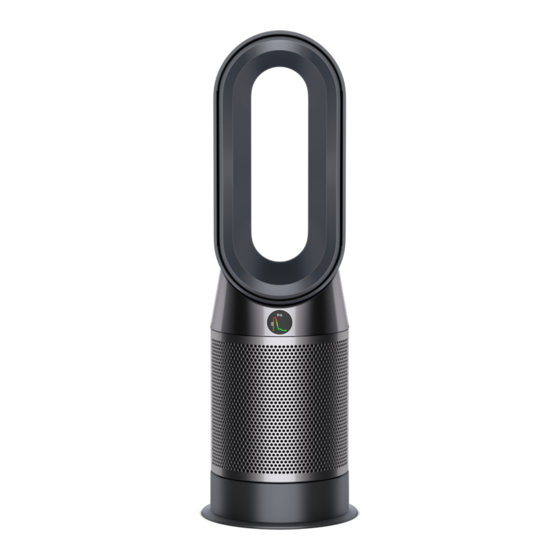
- Pure Hot+Cool HP04
- Operating manual
-
Contents
-
Table of Contents
-
Troubleshooting
-
Bookmarks
Quick Links
Operating manual
操作手册
HP04
03.08.2018 10:00 — C98375_DYS_OPMAN_CN_X527-EN-CN-UPISSUE-OPMAN-98375.indd_15_4c0s
Related Manuals for Dyson Pure Hot+Cool HP04
Summary of Contents for Dyson Pure Hot+Cool HP04
-
Page 1
Operating manual 操作手册 HP04 03.08.2018 10:00 — C98375_DYS_OPMAN_CN_X527-EN-CN-UPISSUE-OPMAN-98375.indd_15_4c0s… -
Page 2
Thank you for choosing to buy a Dyson purifying fan To read your manual in English go to page 3. 感谢您选择购买戴森空气净化风扇 如需阅读简体中文版手册, 请转至第 31 页。 03.08.2018 10:00 — C98375_DYS_OPMAN_CN_X527-EN-CN-UPISSUE-OPMAN-98375.indd_15_4c0s… -
Page 3: Table Of Contents
Contents Getting started Maintenance Registration Changing the PTFE HEPA filters Connecting to the Dyson Link app Changing the carbon filters Important safety instructions Cleaning Assembly Controls Important information Information menu Auto mode Temperature Troubleshooting Oscillation Additional information Airflow Sleep Timer Night mode 03.08.2018 10:00 — C98375_DYS_OPMAN_CN_X527-EN-CN-UPISSUE-OPMAN-98375.indd_15_4c0s…
-
Page 4
Take full control with Download the Dyson Link app the Dyson Link app Download the Dyson Link app from the App store or Android store. Open the app and follow the on-screen instructions to create a new account. Get step-by-step setup and support. -
Page 5: Registration
However, Register with your smartphone Register by phone indispensable legal rights of the final Download the Dyson Link app and Call our dedicated helpline. consumer under applicable national you will be taken through registration CN: 4009 202 808 legislation governing the sale of as part of the set up.
-
Page 6: Connecting To The Dyson Link App
® Apple and the Apple logo are trademarks of If you do not already have the Dyson Link app is enabled on your mobile device and try Apple Inc., registered in the U.S. and other you will need to download it from the App again.
-
Page 7: Important Safety Instructions
IMPORTANT SAFETY WARNING INSTRUCTIONS These warnings apply to the appliance, and also where applicable, to all tools, accessories, BEFORE USING THIS APPLIANCE READ ALL chargers or mains adaptors. INSTRUCTIONS AND CAUTIONARY MARKINGS TO REDUCE THE RISK OF FIRE, ELECTRIC SHOCK, IN THIS MANUAL AND ON THE APPLIANCE OR INJURY: When using an electrical appliance, basic…
-
Page 8
6. This Dyson appliance is not intended for use 11. Do not handle any part of the plug or appliance by persons (including children) with reduced with wet hands. -
Page 9
17. Do not stretch the cable or place the cable under 25. Do not use any cleaning agents or lubricants strain. Keep cable away from heated surfaces. on this appliance. Unplug before cleaning or 18. Do not run cable under carpeting. Do not carrying out any maintenance. -
Page 10
32. This appliance is only to be used with the power supply unit provided with it. READ AND SAVE THESE INSTRUCTIONS THIS DYSON APPLIANCE IS INTENDED FOR HOUSEHOLD USE ONLY. Do not pull on In order to avoid Do not store near… -
Page 11
03.08.2018 10:00 — C98375_DYS_OPMAN_CN_X527-EN-CN-UPISSUE-OPMAN-98375.indd_15_4c0s… -
Page 12: Assembly
Assembly Use both hands to lift the Slide the buttons down on both Take the carbon filters out of the Position the shrouds onto the base appliance out of the box, sides of the shrouds. box and remove the protective and push gently until they click taking care to hold by the packaging.
-
Page 13: Controls
Standby and humidity information, which is Thermostat Airflow speed ON/OFF displayed on the LCD screen and in control the Dyson Link app. Auto mode Cooling mode By default, continuous monitoring is disabled. Once enabled, Airflow Oscillation continuous monitoring is…
-
Page 14: Information Menu
Information menu Scroll through the options to monitor the performance of your appliance. The menu will also allow you to access information about the pollutants in the air and the temperature and humidity levels. When a particular type of pollutant causes air quality to decrease, the symbol for that pollutant will show in the display.
-
Page 15
Indoor air quality — 12 seconds Indoor air quality — 24 hours Particulate matter (PM2.5) Particulate matter (PM10) Monitor the current air quality with a Monitors the air quality with a graph Monitors the presence of Monitors the presence of larger graph showing the last 12 seconds showing 24 hours of data, updated microscopic particles up to… -
Page 16: Auto Mode
Auto mode When Auto mode is selected the on-board sensors will intelligently adjust the settings of the appliance according to the quality of air. The appliance will pause once the sensors detect that the target air quality level has been reached. The sensors will continue to monitor the air quality, switching the appliance back on when air quality…
-
Page 17: Temperature
Temperature Use the thermostat control to set the desired room temperature. The appliance will then automatically manage the temperature until the target has been reached. 1-10 Current room Airflow speed can be chosen temperature manually or set to react automatically. When the appliance is also in Auto mode, airflow speed will be controlled automatically to Target…
-
Page 18: Oscillation
Oscillation Press the Oscillation button to scroll through the options from 0° to 350°. Customise your oscillation settings in the Dyson Link app. 03.08.2018 10:00 — C98375_DYS_OPMAN_CN_X527-EN-CN-UPISSUE-OPMAN-98375.indd_15_4c0s…
-
Page 19: Airflow
Airflow Air will be purified continuously, whether the air is set to flow from the front or the back. Use the Airflow direction button to select either option. 1-10 Press the Airflow speed button to increase and decrease the airflow speed. Heating mode only functions when airflow direction is set to the front.
-
Page 20: Sleep Timer
Sleep Timer The sleep timer will turn your appliance off once the time set has passed. To set the sleep timer, press the timer button repeatedly to cycle through the options. Select the desired length of time. When the sleep timer is activated, press the sleep timer button once to show the remaining time.
-
Page 21: Night Mode
Night mode Night mode will dim the display and the appliance will run more quietly, making it ideal for use while sleeping. If Auto mode has been set, Night mode will reduce airflow speeds to range from 1 to 4. AUTO mode You can manually change the airflow from 1-10.
-
Page 22: Changing The Ptfe Hepa Filters
Changing the PTFE HEPA filters Important: Always unplug the Unplug the appliance from the The shrouds will release with the Empty the PTFE HEPA filters directly mains electricity supply. PTFE HEPA filters attached. into the bin by pushing in both the appliance before changing filters.
-
Page 23
Important clik clik Push the new PTFE HEPA filters into Push the shrouds until they click Plug the appliance in to the mains Press and hold the Night mode back into position in the base. electricity supply and switch on. the shrouds until secure. -
Page 24: Changing The Carbon Filters
Changing the carbon filters Important: Always unplug the Unplug the appliance from the The shrouds will release with the To remove the carbon filters: pull the appliance before changing filters. mains electricity supply. PTFE HEPA filters attached. tabs on both sides of the filters. The remaining filter life is shown in the display and will indicate when Slide the buttons down on both sides…
-
Page 25
Important clik Push the new carbon filters onto the Push the shrouds until they click Plug the appliance in to the mains Press and hold the Oscillation base until secure. back into position in the base. electricity supply and switch on. button on the remote control. -
Page 26: Cleaning
Cleaning To ensure that your appliance works Look for blockages in the air inlet Dust may accumulate on the Do not use detergents or polishes to efficiently, it is important to clean holes on the filter and the small surface of the machine. Wipe clean the appliance.
-
Page 27: Troubleshooting
For further information and support: If the appliance has been used To remove a blockage: If an error code is displayed, first Online: www.dyson.cn/supportcn without a filter in place or the filters try unplugging the appliance and have not been changed when Remove the filter shrouds and look plugging it in again.
-
Page 28: Additional Information
• For your safety this appliance is fitted with automatic cut-out switches that operate if the • The Dyson Link app requires an iOS device with at least iOS version 10* or an Android appliance tips over or overheats. If the switches operate, unplug the appliance and allow it device with at least Android version 5.
-
Page 29
• Reduction in battery discharge time due to battery age or use (where applicable). appliance owner. There are three ways to do this: If you are in any doubt as to what is covered by your guarantee, please contact Dyson. • By email: CN:china.service@dyson.com… -
Page 30
03.08.2018 10:00 — C98375_DYS_OPMAN_CN_X527-EN-CN-UPISSUE-OPMAN-98375.indd_15_4c0s… -
Page 31
目录 开始使用 维护 更换 PTFE HEPA 滤网 注册 连接至 Dyson Link 应用程序 更换活性炭滤网 重要安全信息 清洁 组装 控制 重要信息 信息菜单 自动模式 温度 故障排除 环绕设置 其他信息 气流方向 睡眠定时 夜间模式 03.08.2018 10:00 — C98375_DYS_OPMAN_CN_X527-EN-CN-UPISSUE-OPMAN-98375.indd_15_4c0s… -
Page 32
感谢您选择购买戴森空气净化 暖风扇 借助 Dyson Link 应用 下载 Dyson Link 应用程序 程序进行全面控制 在App store 或 安卓 (Android) 应用商店下载最新的Dyson Link应用程序 打开应用程序, 根据屏幕上的说明新建帐户。 获取分步骤设置指导和支持。 控制空气净化暖风扇运行的方式和 时间。 Available on Android™ stores 通过图像更新监测和记录空气质 支持中心 CN: 4009 202 808 量。 CN: china.service@dyson.com 自动进行软件升级, 保持最新状态。 Apple 和 Apple 徽标是 Apple Inc. 在美国和其他国家/地区的注册商标。… -
Page 33
3种便捷方式登记您的2年保修 登记 登记获取2年保修后,您的戴森产品 自购买之日起将享受2年的产品保修 (含零件及人工,滤网除外),但须 符合保修条款的规定。但是,最终消 费者依据产品销售所适用的国家法规 享有不可撤销的合法权利,此类权利 用智能手机注册 通过电话注册 不受保修条款规定的影响。 下载 Dyson Link 应用程序,在安装 请致电我们的专用服务热线。 在您的铭牌上可以找到序列号,铭牌 CN: 4009 202 808 过程中根据提示完成注册。 位于产品的主机底部。 请记录您的产品序列号,以备日后查用。 通过电子邮件注册 CN: china.service@dyson.com 本图仅供示例之用。 细微之处可能与图形所示略有差异。 03.08.2018 10:00 — C98375_DYS_OPMAN_CN_X527-EN-CN-UPISSUE-OPMAN-98375.indd_15_4c0s… -
Page 34
动设备开启, 连接至 Wifi 网络并启用蓝牙。 启用 Wi-Fi, 请按住本产品上的 如果您在下载应用程序或配对设备上仍存在问 ON/OFF (开/关) 按钮 5 秒。 题, 请联系戴森热线。 如果您还没有 Dyson Link 应用程序, 则需要 从 App Store 或 Android Stores 下载。 如果您还没有帐户, 请打开 Dyson Link 应用程 序并按照说明新建帐户。 Apple 和 Apple 徽标是 Apple Inc. 在美国… -
Page 35
重要的安全说明 4. 诸如家具、 枕头、 床上用品、 纸张、 衣服和窗帘等 可燃物应与本产品的前端保持至少 0.9 米 (3 英 在使用本产品之前, 请阅读本手册中和产品上的所有 尺) 的距离, 并且当本产品通电时应使这些物品 说明及警告提示。 远离本产品的侧面和后面。 使用电器时, 应当始终遵守基本预防措施, 包括以下 5. 三至八岁儿童只可以开关本产品, 但本产品必须 内容: 已放置或安装于预期正常运行位置, 并且有人成 警告 人照看他们, 或者他们获得了关于如何安全使用 本产品的说明并能理解相关危险。 三至八岁儿童 产品和遥控器中均包含磁铁。 不得插入本产品插头、 调节和清洁本产品或执行 1. 强磁场可能会对电子起搏器和心脏除颤器造成 用户维护操作。 注意 — 本产品的某些部件可能会 影响。… -
Page 36
18. 请勿将电源线布置在地毯下面。 请勿在电源线上 10. 仅适合在干燥环境下使用。 请勿在室外或潮湿表 面上使用。 请勿在浴室、 洗衣房或类似的室内空 覆盖小块地毯、 垫子或类似物品。 将电源线布置 在远离人员活动区域, 以免将人绊倒。 间使用。 请勿将本产品放置在可能掉入浴缸或其 19. 为了避免失火, 请勿在任何开口或排气孔堵塞的 他盛水容器中的位置。 请勿在可能使其潮湿或直 接靠近浴缸、 喷头或游泳池的位置使用或存放本 情况下使用。 请清除任何可能影响空气流动的灰 产品。 尘、 棉绒或毛发等。 请勿使任何物体进入进气口 11. 请勿以湿手触摸插头或产品的任何部分。 格栅或排气口, 因为它们可能引起触电或火灾, 12. 本产品内部有高温部件。 请勿在使用或存储汽 或者导致本产品损坏。 20. 请勿在床上等任何松软的表面上使用, 否则可能 油、… -
Page 37
请阅读并妥善保管说明手册 27. 务必通过底座拿起产品, 切勿提拉风环。 28. 在拔下插头前请关闭所有开关。 长期不使用时, 本戴森产品设计仅限居家用途。 从插座上拔下插头。 为避免使人绊倒, 请将电源 线妥善缠绕收起。 29. 请勿在火炉、 壁炉、 炉子或其他高温热源附近使 用。 30. 请勿与空气清新剂或类似产品同时使用, 或在与 其直接相邻的位置使用。 请勿在滤网附近喷洒或 敷涂香水。 请保持精油和化学品远离本产品。 31. 警告: 化学烧伤和窒息危险。 使电池远离儿童。 本产品包含纽扣/硬币型锂电池。 如果新的或废 旧纽扣/硬币型锂电池被误吞或进入体内, 可能会 导致严重的内部烧伤, 并在短至 2 小时内导致死 亡。 请确保电池盖完全安全。 如果电池盖未安全 闭合, 请停止使用产品, 取下电池, 并使其远离儿 童。… -
Page 38
组装 使用双手将产品从箱中提 将护罩上两侧上的按钮向下滑动。 将活性炭滤网从箱中取出, 并去除保 将护罩放置到底座上, 并轻轻推 出, 注意只能握住产品的 护包装。 动, 直到其牢固卡扣到位。 底座。 将两个活性炭滤网附接至护罩。 将遥控器置于产品顶部, 按钮面 请勿提拉风环将产品取出。 朝下。 将护罩和 PTFE HEPA 滤网一起 松开拆下。 插入电源并开机。 03.08.2018 10:00 — C98375_DYS_OPMAN_CN_X527-EN-CN-UPISSUE-OPMAN-98375.indd_15_4c0s… -
Page 39
控制 持续监测 遥控器 启用持续监视后, 设备将收集 空气质量、 温度和湿度信息, 这 待机开/关 信息菜单 些信息将在 LCD 屏幕和 Dyson Link 应用程序中显示。 待机开/关 气流速度 恒温控制 默认情况下, 持续监视已禁用。 启 用后, 持续监视将始终处于活动状 自动模式 凉风扇模式 态。 环绕开/关 气流方向 启用/禁用持续监视: 睡眠定时 夜间模式 按住遥控器上的自动模式按钮 5 秒 可启用该功能。 启用或禁用持续监视 时, LCD 屏幕将会予以指出。… -
Page 40
信息菜单 滚动选项, 监测您产品的性能。 该菜单也可让您了解有关空气中污 染物、 温度以及湿度水平的信息。 当特定类型的污染物导致空气质量 下降时, 该污染物的符号将显示在显 示屏中。 03.08.2018 10:00 — C98375_DYS_OPMAN_CN_X527-EN-CN-UPISSUE-OPMAN-98375.indd_15_4c0s… -
Page 41
室内空气质量 — 12 秒 室内空气质量 — 24 小时 可吸入颗粒物 (PM2.5) 可吸入颗粒物 (PM10) 显示过去12秒空气质量指数。 每15分钟更新数据, 显示24小时空 能监测悬浮在空气中尺寸小于等于 能监测悬浮在空气中尺寸小于等于 2.5微米的可吸入颗粒物含量。 这些 10微米的可吸入颗粒物含量。 这些 气质量指数。 颗粒物包括烟雾、 细菌和部分过敏 颗粒物包括灰尘、 霉菌等。 原等。 挥发性有机化合物 二氧化氮和其他氮氧化物 室内温度 室内湿度 VOC 通常是潜在有害的气味。 这些 这些气体是潜在有害的气体, 通过燃 监测室内温度, 帮助维持舒适的环境。 显示当前温度下室内可能的相对湿 物质存在于清洁产品、 油漆和新家 烧释放到空气中,… -
Page 42
自动模式 如果选择了自动模式, 机器上的传 感器将根据空气质量智能调整产品 的设置。 一旦传感器监测到已达到目标空气 质量水平, 产品就会暂停工作。 传感器将继续监测空气质量, 在空气 质量水平下降时重新开启产品。 03.08.2018 10:00 — C98375_DYS_OPMAN_CN_X527-EN-CN-UPISSUE-OPMAN-98375.indd_15_4c0s… -
Page 43
温度 使用温度控制按钮来设置所需的室 温。 然后本产品将自动管理温度, 直至达 到目标。 1-10 可手动选择气流速度或设置为自动模 当前室温 式。 当本产品也处于自动模式时, 将自 动控制气流速度以同时净化空气和达 到目标温度。 按下凉风按钮将本产品切 目标温度 换为凉风。 您可手动在 1 到 10 之间更改气流速度。 凉风扇模式 03.08.2018 10:00 — C98375_DYS_OPMAN_CN_X527-EN-CN-UPISSUE-OPMAN-98375.indd_15_4c0s… -
Page 44
环绕设置 按下环绕设置按钮以在 0° 到 350° 的选项之间滚动。 使用 Dyson Link 应用程序来自定义 环绕中心和角度。 03.08.2018 10:00 — C98375_DYS_OPMAN_CN_X527-EN-CN-UPISSUE-OPMAN-98375.indd_15_4c0s… -
Page 45
气流方向 无论是设置为向前喷射还是向后扩 散, 都会持续净化空气。 使用气流方 向按钮选择任一选项。 请使用风速调节按钮来调高和降低 风速。 1-10 暖风模式仅在气流方向设置为前方时 工作。 如果气流设置为后方, 本产品 将自动进入冷风模式。 03.08.2018 10:00 — C98375_DYS_OPMAN_CN_X527-EN-CN-UPISSUE-OPMAN-98375.indd_15_4c0s… -
Page 46
睡眠定时 过了设定的时间后, 睡眠定时将关闭 本产品。 要设置睡眠定时器, 请反复按定时器 按钮, 以循环显示可用的选项。 选择 所需的时间长度。 按一下睡眠定时器按钮可显示剩余 时间。 按下按钮两次可取消。 在时间达到零时, 产品将停止净化, 但是会继续监控房间的空气质量。 03.08.2018 10:00 — C98375_DYS_OPMAN_CN_X527-EN-CN-UPISSUE-OPMAN-98375.indd_15_4c0s… -
Page 47
夜间模式 进入夜间模式后, 显示屏将会变暗, 产品将会更安静地运行, 是睡眠时使 用的理想之选。 如果设置了自动模式, 夜间模式将把 气流速度降低至 1 到 4 的范围。 您可手动从 1 到 10 更改气流速度。 AUTO mode 多次按下夜间模式按钮, 滚动计时 器选项。 1-10 Manual 03.08.2018 10:00 — C98375_DYS_OPMAN_CN_X527-EN-CN-UPISSUE-OPMAN-98375.indd_15_4c0s… -
Page 48
更换 PTFE HEPA 滤网 将产品插头从主电源上拔下。 通过按下护罩上的两个紫色锁扣, 重要提示: 在更换滤网之前, 务必拔 将护罩和 PTFE HEPA 滤网一起松开 将 PTFE HEPA 滤网直接清空到垃 下产品插头。 拆下。 滤网剩余的寿命显示在显示屏上, 将 将护罩上两侧上的按钮向下滑动。 圾箱中。 指明何时需要更换不可清洗的 PTFE HEPA 滤网。 请根据当地法规处置用过的滤网 装置。 03.08.2018 10:00 — C98375_DYS_OPMAN_CN_X527-EN-CN-UPISSUE-OPMAN-98375.indd_15_4c0s… -
Page 49
重要 clik clik 推动护罩, 直至它们重新在底座上卡 将产品插头插入主电源并通电。 按住遥控器上的夜间模式按钮。 将新的 PTFE HEPA 滤网推入护罩, 扣到位。 直至到位。 产品上的显示屏将从五开始倒数, 以默认屏幕结束。 PTFE HEPA 滤网 使用寿命将重置, 并且产品准备好 供使用。 03.08.2018 10:00 — C98375_DYS_OPMAN_CN_X527-EN-CN-UPISSUE-OPMAN-98375.indd_15_4c0s… -
Page 50
更换活性炭滤网 重要提示: 在更换滤网之前, 务必拔 将产品插头从主电源上拔下。 要拆下活性炭滤网: 请拉动滤网两侧 将护罩和 PTFE HEPA 滤网一起松开 下产品插头。 的锁扣。 拆下。 滤网剩余的寿命显示在显示屏上, 将 将护罩上两侧上的按钮向下滑动。 指明何时需要更换不可清洗的活性 将活性炭滤网丢弃在垃圾箱中。 炭滤网。 请根据当地法规处置用过的滤网 装置。 03.08.2018 10:00 — C98375_DYS_OPMAN_CN_X527-EN-CN-UPISSUE-OPMAN-98375.indd_15_4c0s… -
Page 51
重要 clik 将新的活性炭滤网推到底座上, 直 推动护罩, 直至它们重新在底座上卡 将产品插头插入主电源并通电。 按住遥控器上的环绕按钮。 扣到位。 至到位。 产品上的显示屏将从五开始倒数, 以 默认屏幕结束。 活性炭滤网使用寿 命将重置, 并且产品准备好供使用。 03.08.2018 10:00 — C98375_DYS_OPMAN_CN_X527-EN-CN-UPISSUE-OPMAN-98375.indd_15_4c0s… -
Page 52
清洁 要确保您的产品有效工作, 定期清洁 检查滤网空气进口和风环内部的小 灰尘可能会积聚在机器表面。 有灰尘 请勿使用洗涤剂或上光剂清洁产 并检查是否有阻塞很重要。 孔中是否有阻塞物。 累积时, 使用干或湿抹布将风环、 滤 品。 网装置或其他零部件擦拭干净。 在清洁之前, 将产品插头从主电源 用软刷清除灰尘和碎屑。 上拔下。 03.08.2018 10:00 — C98375_DYS_OPMAN_CN_X527-EN-CN-UPISSUE-OPMAN-98375.indd_15_4c0s… -
Page 53
故障排除 如需更多信息和支持: 将护罩上两侧上的按钮向下滑动。 去除阻塞物: 如果显示错误代码, 请先尝试拔下产 电子邮件: www.dyson.cn/supportcn 品插头, 然后再插入插头。 电话方式: 拆下滤网护罩并在滤网下方的空气 CN: 4009 202 808 进口处检查是否有阻塞物。 如果错误代码仍然显示, 请联系戴森 帮助热线。 用软刷清除灰尘和碎屑。 03.08.2018 10:00 — C98375_DYS_OPMAN_CN_X527-EN-CN-UPISSUE-OPMAN-98375.indd_15_4c0s… -
Page 54
需重新启动机器, 请按下遥控器或底座上的电源按钮, 或者通过 Dyson Link 应用程序重启。 • 本产品可连接 2.4GHz 或 5GHz 网络, 兼容最先进的路由器。 查看您的路由器说明书, 了解 兼容性。 处置信息 • Dyson Link 应用程序需要 iOS 设备, iOS 版本至少为 10*, 或者是 Android 设备, Android • 戴森产品使用高级别可回收材料制成。 请尽可能进行循环利用。 版本至少为 5。 • 处置电池或者再循环利用电池时, 需遵循当地的法令或规章。 • 您的移动设备必须支持 Bluetooth 4.0 (低功耗蓝牙) 以设置与设备之间的连接。 检查您设备… -
Page 55
TH:service@cmg.co.th TW:service@hlh.com.tw 隐私和个人资料保护 SG:sg.service@dyson.com 在您注册戴森产品或Dyson Link应用程序时, 需要向我们提供基本联系信息, 使我们能支持 PH:dysonservice@whiteplanetinc.com 您的保修。 • 致电戴森客户帮助热线。 • 用智能手机注册下载 Dyson Link 应用程序, 在安装过程中根据提示完成注册。 通过 DYSON LINK 应用程序注册时 如果发生保险损失情况, 这可确定您对戴森产品的所有权, 并且我们也可以在必要时与您联 您需要向我们提供基本联系信息, 方可注册 Dyson Link 应用程序, 让我们能够安全地将您的 系。 产品链接到您的应用程序实例。 • 注册时, 您可以选择是否从我们这里接收通讯。 如果您同意接收戴森的通讯, 我们将向你 2 年有限保修… -
Page 56
有害物质或元素名称及含量标识 Marking for Name & Content of Toxic or Hazardous Substances or elements Hazardous Substances or elements 有害物质或元素 部件名称 Part Name 镉 (Cd) 铅 (Pb) 汞 (Hg) 六价铬 多溴二苯醚 多溴联苯(PBB) (Cr(VI)) (PBDE) Cadmium Lead Mercury Polybrominated Hexavalent Polybrominated biphenyls Chromium diphenyl ethers 外壳, 机身… -
Page 57
03.08.2018 10:00 — C98375_DYS_OPMAN_CN_X527-EN-CN-UPISSUE-OPMAN-98375.indd_15_4c0s… -
Page 58
03.08.2018 10:00 — C98375_DYS_OPMAN_CN_X527-EN-CN-UPISSUE-OPMAN-98375.indd_15_4c0s… -
Page 59
03.08.2018 10:00 — C98375_DYS_OPMAN_CN_X527-EN-CN-UPISSUE-OPMAN-98375.indd_15_4c0s… -
Page 60
03.08.2018 10:00 — C98375_DYS_OPMAN_CN_X527-EN-CN-UPISSUE-OPMAN-98375.indd_15_4c0s…
Перейти к контенту

Русские электронные инструкции по эксплуатации
Постоянно обновляемый большой каталог документации по эксплуатации и использованию современных устройств и оборудования на русском языке. Бесплатное скачивание файлов.
Поиск:
Главная
♥ В закладки
Просмотр инструкции в pdf


Инструкция по эксплуатации воздухоочистителя Dyson HP05 Pure Hot + Cool.
Скачать инструкцию к воздухоочистителю Dyson HP05 Pure Hot + Cool (8,72 МБ)

Воздухоочистители
« Инструкция к воздухоочистителю Tefal Pure Air NanoCaptur PT3040F0
» Инструкция к кухонным весам Lumme LU-1347 Bamboo
Вам также может быть интересно

Инструкция к фену Dyson HD01 Supersonic

Инструкция к воздухоочистителю Dyson BP01 Pure Cool Me Black

Инструкция к пылесосу Dyson DC62 Extra

Инструкция к пылесосу Dyson DC26 Allergy

Инструкция к пылесосу Dyson V7 Motorhead
.jpg)
Инструкция к пылесосу Dyson Big Ball Multifloor Pro (CY 23)

Инструкция к пылесосу Dyson DC37C ErP Allergy

Инструкция к пылесосу Dyson V6 Fluffy
Добавить комментарий
Имя *
Email *
Сайт
Комментарий


Сохранить моё имя, email и адрес сайта в этом браузере для последующих моих комментариев.
- Добавить инструкцию
- Заказать инструкцию
- Политика конфиденциальности

OPERATING MANUAL
MANUEL D’UTILISATION
BEDIENUNGSANLEITUNG
HANDLEIDING
MANUAL DE INSTRUCCIONES
MANUALE D’USO
РУКОВОДСТВО ПО
ЭКСПЛУАТАЦИИ
PRIROČNIK ZA UPORABO
ASSEMBLY
MONTAGE
ZUSAMMENBAU
ASSEMBLAGE
MONTAJE
MONTAGGIO
СБОРКА
SESTAVNI DELI
REGISTER YOUR GUARANTEE TODAY
ENREGISTREZ MAINTENANT VOTRE GARANTIE
REGISTRIEREN SIE AM BESTEN NOCH HEUTE IHRE GARANTIE
REGISTREER UW GARANTIE VANDAAG
REGISTRE LA GARANTÍA HOY MISMO
REGISTRA OGGI STESSO LA TUA GARANZIA
ВЫ МОЖЕТЕ ЗАРЕГИСТРИРОВАТЬ ИЗДЕЛИЕ
REGISTRIRAJTE VAŠO GARANCIJO ŠE DANES
HP00
This product is only suitable for well
insulated spaces or occasional use.
Ce produit doit être utilisé uniquement
dans des espaces bien isolés et de
manière occasionnelle.
Dieses Produkt eignet sich nur für
gut isolierte Räume und nur für den
gelegentlichen Gebrauch.
Dit product is alleen geschikt voor
goed geïsoleerde ruimten of
incidenteel gebruik.
Este producto solo es adecuado
para espacios bien aislados o para
uso ocasional.
Questo prodotto è adatto solo per
spazi perfettamente isolati o per uso
occasionale.
Данное изделие предназначено
только для хорошо изолированных
помещений или для нерегулярного
использования.
Ta izdelek je primeren samo za dobro
izolirane prostore ali občasno uporabo.

Summary of Content for Dyson Pure Hot+Cool Link HP02 Operating Manual PDF
HP02
OPERATING MANUAL INSTRUCCIONES DE SEGURIDAD
See Setting up Dyson Link app Consulte la seccin Cmo instalar la aplicacin Dyson Link
REGISTER TODAY 4 easy ways to register your 2 year parts and labor warranty.
REGISTRE HOY 4 maneras sencillas de registrar su garanta de 2 aos para las piezas y la mano de obra.
2
IMPORTANT SAFETY INSTRUCTIONS BEFORE USING THIS MACHINE READ ALL INSTRUCTIONS AND CAUTIONARY MARKINGS IN THIS MANUAL AND ON THE MACHINE When using an electrical machine, basic precautions should always be followed, including the following:
WARNING THE FAN AND THE REMOTE CONTROL BOTH CONTAIN MAGNETS.
1. Pacemakers and defibrillators may be affected by strong magnetic fields. If you or someone in your household has a pacemaker or defibrillator, avoid placing the remote control in a pocket or near to the device.
2. Credit cards and electronic storage media may also be affected by magnets and should be kept away from the remote control and the top of the machine.
WARNING These warnings apply to the machine, and also where applicable, to all tools, accessories, chargers or mains adaptors. TO REDUCE THE RISK OF FIRE, ELECTRIC SHOCK, OR INJURY:
1. When used in heating mode the machine is hot when in use and for a short period after use. To avoid burns, do not let bare skin touch hot surfaces. When moving the machine hold it by the base, not the air loop amplifier.
2. Keep combustible materials, such as furniture, pillows, bedding, papers, clothes and curtains, at least 0.9m (3 feet) from the front of the machine and keep them away from the sides and rear when the machine is plugged in.
3. Use only as described in this Dyson Operating Manual. Do not carry out any maintenance other than that shown in this manual, or advised by the Dyson Helpline. Any other use not recommended by the manufacturer may cause fire, electric shock, or injury to persons.
4. Ensure machine is fully assembled in line with the instructions before use. Do not dismantle the machine or use without the loop amplifier fitted.
5. Do not allow to be used as a toy. Close attention is necessary when used by or near children. Children of less than 3 years should be kept away unless continuously supervised. Children should be supervised to ensure that they do not play with the machine and remote control.
6. Children aged from 3 years and less than 8 years shall only switch on/off the machine provided that it has been placed or installed in its intended normal operating position and they have been given supervision or instruction concerning use of the machine in a safe way and understand the hazards involved. Children aged from 3 years and less than 8 years shall not plug in, regulate and clean the machine or perform user maintenance. CAUTION Some parts of this machine can become very hot and cause burns. Particular attention has to be given where children and vulnerable people are present.
7. This Dyson machine is not intended for use by persons (including children) with reduced physical, sensory or reasoning capabilities, or lack of experience and knowledge, unless they have been given supervision or instruction concerning use of the machine by a person responsible for their safety.
8. Extreme caution is necessary when any machine is used by or near children or infirm persons and whenever it is left operating and unattended.
9. Suitable for dry locations ONLY. Do not use outdoors or on wet surfaces. Do not use in bathrooms, laundry areas or similar indoor locations. Never locate the machine where it may fall into a bath or other water container. Do not use or store where it may get wet or in the immediate surroundings of a bath, a shower, or a swimming pool.
10. This machine has hot parts inside. Do not use it in areas where petrol, paint, or flammable liquids are used or stored or where their vapors are present. Do not use in conjunction with or directly next to an air freshener or similar products.
11. Do not locate directly below a main electricity supply socket.
12. Always plug directly into a wall socket. Never use with an extension cable as overloading may result in the cable overheating and catching fire.
13. Do not handle any part of the plug or machine with wet hands.
14. Do not use with a damaged cord or plug. If the supply cord is damaged it must be replaced by Dyson, its service agent or similarly qualified persons in order to avoid a hazard.
15. Do not unplug by pulling on the cable. To unplug, grasp the plug, not the cable.
16. Do not stretch the cord or place the cord under strain. Keep cord away from heated surfaces.
3
Do not pull on the cord.
17. Do not run cord under carpeting. Do not cover cord with throw rugs, runners or similar coverings. Do not route cord under furniture or appliances. Arrange cord away from traffic area and where it will not be tripped over.
18. To prevent a possible fire, do not use with any opening or exhaust blocked, and keep free of dust, lint, hair, and anything that may reduce airflow. Do not put any object into the inlet grill or the exhaust opening as this may cause an electric shock or fire, or damage the machine.
19. Do not use on soft surfaces, such as a bed, where openings may become blocked.
20. In order to avoid overheating, do not cover the machine.
21. For the best performance, place on the floor, in the corner of the room, at least 1 meter (3 feet) from any wall and facing into the center of the room.
22. Turn off all controls before unplugging. Always unplug heater when not in use.
23. If there is a loose fit between the plug and the socket or the plug becomes very hot, the socket may need to be replaced. Check with a qualified electrician to replace the socket.
24. WARNING: Chemical Burn and Choking Hazard. Keep batteries away from children. This product contains a lithium button/coin cell battery. If a new or used lithium button/coin cell battery is swallowed or enters the body, it can cause severe internal burns and can lead to death in as little as 2 hours. Always completely secure the battery compartment. If the battery compartment does not close securely, stop using the product, remove the batteries, and keep it away from children. If you think batteries might have been swallowed or placed inside any part of the body, seek immediate medical attention.
25. If the machine is not working as it should, has received a sharp blow, has been dropped, damaged, left outdoors, or dropped into water, do not use and contact the Dyson Helpline.
26. Contact the Dyson Helpline when service or repair is required. Do not disassemble the machine as incorrect reassembly may result in an electric shock or fire.
27. Do not use any cleaning agents or lubricants on this machine. Unplug before cleaning or carrying out any maintenance.
28. Always carry the machine by the base, do not carry it by the loop amplifier.
29. To avoid a tripping hazard wind the cord when not in use.
30. Do not use near furnaces, fireplaces, stoves or other high temperature heat sources.
31. Do not use in conjunction with or directly next to an air freshener or similar products. Do not spray or apply perfumes directly on or near the filter. Keep essential oils and chemicals away from the machine.
32. The machine should not be forcefully turned or oscillated, under any circumstances. This will cause damage to the oscillation mechanism.
33. When removing or replacing the filter, take care to keep your fingers clear between the filter and the purifier base.
IMPORTANT SAFETY FEATURES For your safety this machine is fitted with automatic cut-out switches that operate if it tips over or overheats. If the switches operate, unplug the machine and allow it to cool. Before restarting, check and clear any blockages and ensure the machine is on a solid level surface.
READ AND SAVE THESE INSTRUCTIONS THIS DYSON MACHINE IS INTENDED FOR HOUSEHOLD USE ONLY
In order to avoid overheating and fire hazard, do not cover the machine.
Do not store near heat sources.
Do not carry by the air loop amplifier. The air loop amplifier is not a handle.
Do not use near open flames.
Do not spray scented products such as air freshener or perfume near the filter or the machine.
4
INSTRUCCIONES DE SEGURIDAD IMPORTANTES ANTES DE UTILIZAR ESTA MQUINA, LEA TODAS LAS INSTRUCCIONES Y LA INDICACIONES DE PRECAUCIN QUE VIENEN TANTO EN ESTE MANUAL COMO EN LA MQUINA Cuando se usa un mquina elctrico, deben seguirse las precauciones bsicas para reducir riesgos de incendio, descarga elctrica y lesiones personales, que incluyen lo siguiente:
PELIGRO El ventilador y el control remoto contienen imanes.
1. Los marcapasos y desfibriladores puedan verse afectados por fuertes campos magnticos. Si usted o alguien en su casa tiene un marcapasos o un desfibrilador, evite colocar el control remoto en un bolsillo o cerca del mquina.
2. Es posible que los imanes tambin daen las tarjetas de crdito y los medios de almacenamiento electrnico, por lo que deben mantenerse alejados del control remoto y de la parte superior del mquina.
PELIGRO Estas advertencias se aplican al mquina, y cuando corresponde, a todas las herramientas, accesorios, cargadores y adaptadores de corriente. PARA DISMINUIR EL RIESGO DE PROVOCAR UN INCENDIO, RECIBIR UNA DESCARGA ELCTRICA O LESIONES:
1. En el modo de calefaccin, el equipo se calienta durante el uso y durante un perodo breve de tiempo despus del uso. Para evitar quemaduras, no permita que la piel toque las superficies calientes. Cuando mueva el mquina, sujtelo por la base, no por el bucle amplificador de aire.
2. Cuando el equipo est enchufado, mantenga materiales combustibles, como muebles, almohadas, ropa blanca, papeles, prendas de vestir y cortinas, a por lo menos 0,9 m (3 pies) de distancia del frente del equipo, lejos de los costados y la parte trasera.
3. Utilcela solamente como se describe en este manual de funcionamiento Dyson. No realice ningn otro mantenimiento que no sea el mostrado en este manual, o el recomendado por la lnea de ayuda de servicio al cliente
Dyson. Todo uso no recomendado por el fabricante puede causar incendios, descargas elctricas o lesiones a personas.
4. Antes de utilizar el mquina, asegrese de que est completamente armado segn las instrucciones. No desarme el mquina ni lo utilice sin colocar el bucle amplificador.
5. No permita que se utilice como juguete. Se debe prestar especial atencin cuando el equipo se utilice cerca de nios. Los nios menores de tres aos deberan mantenerse alejados de la mquina a menos que estn contnuamente vigilados. Debe vigilar a los nios, a fin de garantizar que no jueguen con el equipo y el control remoto.
6. Solamente permita que los nios de entre tres y ocho aos enciendan o apaguen el equipo si este ha sido colocado o instalado en la posicin de funcionamiento normal recomendada. Adems, los nios de esta edad deben ser supervisados y recibir las instrucciones correspondiente sobre el uso adecuado el equipo y los peligros que conlleva. No permita que los nios de entre tres y ocho aos enchufen, regulen o limpien el equipo ni realicen actividades de mantenimiento. CUIDADO: Algunas piezas de este producto pueden alcanzar temperaturas muy altas y provocar quemaduras. Preste especial atencin a los nios y a otras personas que pudieran sufrir daos.
7. Este mquina Dyson no est destinada para el uso por parte de personas (incluso nios) con capacidades fsicas, cognitivas o mentales reducidas, o con falta de experiencia y conocimiento, salvo que hubieran recibido supervisin o instrucciones acerca del uso del mquina por parte de una persona responsable por su seguridad.
8. Tenga extrema precaucin si utiliza el calefactor cerca de nios o personas enfermas y siempre que el calefactor est funcionando o sin vigilancia.
9. Adecuado SOLAMENTE para lugares secos. No lo utilice en exteriores ni sobre superficies hmedas. No lo utilice en baos, reas para lavar ropa o lugares interiores similares. Nunca coloque el equipo en lugares desde los que pueda caer en una baera o un contenedor de agua. No lo utilice ni almacene donde pueda mojarse o cerca de una baera, ducha o piscina.
10. El equipo contiene piezas calientes en su interior. No lo utilice en reas en las que se almacena o utiliza petrleo, pintura o lquidos inflamables, o donde se encuentren presentes sus vapores. No lo utilice en combinacin con o directamente cerca de un aromatizador de aire o productos similares.
11. No lo coloque directamente debajo de una toma del suministro de corriente elctrica.
12. Conctelo siempre directamente a la toma de corriente principal. Nunca lo use con una extensin de cable, ya que se puede producir una sobrecarga que sobrecaliente el cable y provocar un incendio.
13. No manipule el enchufe o de la mquina con las manos mojadas.
14. No lo use si el cable o el enchufe estn daados. Si se ha daado el cable de corriente, deber ser reemplazado por Dyson, uno de sus representantes de servicio u otra persona igualmente capacitada a fin de evitar un peligro.
15. No desconecte el mquina tirando del cable. Para desconectar, tome el enchufe y no el cable.
16. No estire el cable ni lo someta a tensin. Mantenga el cable apartado de superficies calientes.
17. No pase el cable por debajo de alfombras. No cubra el cable con tapetes, alfombrillas u otras cubiertas similares. No pase el cable por debajo de muebles o aparatos. Mantenga el cable alejado de las reas transitadas y de lugares donde pueda causar tropiezos.
18. Para evitar la posibilidad de un incendio, no lo utilice si alguna abertura o extractor estn obstruidos; mantngalo sin polvo, pelusa, cabello, y todo lo que pueda reducir el flujo del aire. No coloque ningn objeto en la rejilla de entrada o en la abertura de descarga, porque esto puede producir una descarga elctrica o un incendio, o bien daar el equipo.
19. No lo utilice sobre superficies blandas, como una cama, en donde se puedan obstruir las aberturas.
20. A fin de evitar riesgos de sobrecalentamiento, no cubra el equipo.
21. Para obtener el mejor rendimiento, coloque el equipo en el piso, en un rincn de la habitacin, al menos a 1 m (3 pies) de cualquier pared y con la parte frontal hacia el centro de la habitacin.
22. Apague todos los controles antes de desconectar. Siempre desconecte el calefactor si no lo est usando.
23. No utilice productos de limpieza o lubricantes en el mquina. Desconctelo antes de limpiarlo o realizar tareas de mantenimiento.
24. Si el enchufe no encaja correctamente en la toma de corriente o se sobrecalienta, es posible que deba reemplazarse la toma de corriente. Consulte a un electricista capacitado para reemplazar la toma de corriente.
25. ADVERTENCIA: Peligro de quemadura qumica y atragantamiento. Mantenga las bateras lejos de los nios. Este producto contiene una batera de litio tipo botn/ moneda . Si una batera de litio tipo botn/ moneda se traga o ingresa en el cuerpo, puede causar quemaduras internas graves y conducir a la muerte en menos de 2 horas. Siempre cierre de manera segura y por completo el compartimento de bateras. Si el compartimento de bateras no cierra de manera segura, deje de utilizar el producto, quite las bateras y mantngalas lejos de los nios. Si cree que una batera ha sido tragada o introducida en cualquier parte del cuerpo, busque atencin mdica de inmediato.
26. Si la mquina no funciona como es debido, ha recibido un golpe fuerte o se ha cado, daado, dejado a la intemperie, o sumergido en agua, no lo utilice y comunquese con la lnea de ayuda de servicio al cliente Dyson.
27. No coloque ningn objeto en aberturas o en la rejilla de entrada. No lo use si una abertura est obstruida; mantngalo libre de polvo, pelusa, cabellos y cualquier objeto que pueda debilitar el flujo de aire.
28. Para el traslado, sujete el mquina por la base; nunca por el bucle amplificador.
29. Para evitar un peligro de tropiezo, enrolle el cable cuando no este en uso.
30. No lo use cerca de hornos, chimeneas, estufas u otras fuentes trmicas de alta temperatura.
31. No lo utilice en combinacin o directamente cerca de un aromatizador de aire o de productos similares. No roce ni aplique perfumes directamente sobre el filtro o cerca de l. Mantenga los aceites esenciales y los productos qumicos lejos del mquina.
32. No debe forzar la mquina para que gire ni para que oscile, bajo ninguna circunstancia. Hacerlo daar el mecanismo de oscilacin.
33. Cuando quite o reemplace el filtro, tenga cuidado de mantener los dedos alejados del espacio entre el filtro y la base del purificador.
ASPECTOS IMPORTANTES DE SEGURIDAD Por su seguridad, este equipo cuenta con interruptores de apagado automtico que funcionan si el equipo se cae o sobrecalienta. Si los interruptores comienzan a funcionar, desconecte el equipo y deje que se enfre. Antes de poner nuevamente en funcionamiento el equipo, inspeccione y elimine cualquier obstruccin y compruebe que est colocado sobre una superficie firme y nivelada.
5
6
No jale el cable.
LEA Y GUARDE ESTAS INSTRUCCIONES ESTA MQUINA DYSON ES PARA USO DOMSTICO SOLAMENTE
A fin de evitar riesgos de sobrecalentamiento, no cubra el equipo.
No guarde la mquina cerca de fuentes de calor.
No sujete el aparato del bucle amplificador de aire para transportarlo. El bucle amplificador de aire no es una manija.
No utilice la mquina cerca de una llama.
No roce productos con aromas, como aromatizadores de aire o perfumes, cerca del filtro o del mquina.
7
Remote control
To operate, point the remote control toward the front of the base.
Standby ON/OFF
Airflow speed control
Auto mode
Sleep timer
Focused mode
Oscillation ON/OFF
Diffused mode
Night mode
Thermostat control
Cooling mode
Flashing green = Wi-Fi is ready to connect to your Dyson Link app
Flashing white = Wi-Fi connecting
Solid white = Wi-Fi connected
Off = Wi-Fi disabled
Solid white = cleaning/ air quality target has not been met
Solid green = clean/air quality target has been met
Off = machine is not in auto cleaning mode
Off = machine is not in night mode
Solid red = machine is heating
Solid white = machine is in night mode
Solid white = machine has reached target temperature
Display icons
Setting up Dyson Link app
The machine can be enhanced when connected to the Dyson Link app on your smart device.
Product SSID XXXXX-XXX-XX-XXXXXXXX-XXXX
Product Wi-Fi Password
XXXXXXXX Mac address XX:XX:XX:XX:XX:XX
Select Add a Product from within the app and follow the on screen instructions.
Download the Dyson Link app, available on iOS and Android.
In order to connect the machine, you will need the information on the front of this manual.
Remote control docks magnetically. Attach the remote control to the top of the machine with the buttons facing down.
8
Each time the heating mode is selected, it conducts a short calibration cycle. Airflow will be automatically controlled during this cycle. Once the calibration cycle is complete, it will revert to the selected airflow speed.
Press the blue cooling mode button to enter cooling mode. The power button light will change from red to blue to indicate that you have entered cooling mode. To adjust the airflow speed use the airflow control button or use auto mode for automatic control.
Press the red thermostat control button until the digital display shows the target room temperature. The power button light will change from blue to red to indicate that you have entered heating mode. The heating symbol will be red while heating and will change to white when the target room temperature has been reached. Once the target room temperature has been reached, the machine will stop heating the air. If the room temperature falls below the target temperature, the machine will start to heat again. The red circle surrounding the power button remains on when the product is in heating mode. To adjust the airflow speed use the airflow control button or use auto mode for automatic control.
Room heating to 66F Room heated to 66F or above
Machine is in cooling mode
Machine is in heating mode
Airflow speed control
9
Air quality below target
Air quality below target Below target room
temperature
Air quality below target Target room temperature
met
Air quality target met
Air quality target met Target room temperature
met
Air quality improving
Air quality target met Below target room
temperature
When auto mode is enabled (indicated by an A symbol in the bottom left corner of the display), the on-board sensors will intelligently adjust the speed of the machine according to the air quality.
Auto mode
Auto purification in cooling mode
If the air is clean the A symbol will turn green and the numerical display will switch off. If the air quality worsens the A symbol will turn white and the machine will automatically restart cleaning the room. While cleaning, the numerical display will show the airflow speed.
Selecting auto mode adjusts the airflow according to the air quality in the room.
For additional control the Dyson Link app can be used to further adjust the sensitivity of the machine. A period of 6 days is required after the machine is first used for the sensor to calibrate. During this period the machine may be more sensitive to VOCs (such as odors) than normal.
When auto mode is used while in heating mode, the machine is both purifying and heating the air. The machine will display the target room temperature, not the fan airflow. Once the target room temperature has been reached, the machine will stop heating the air. If the air quality target has not been met, the fan will continue to run in order to keep purifying the air. If the room temperature falls below the target temperature, the machine will start to heat again.
Auto purification in heating mode
10
5 secs
Night mode
If the machine is not in auto mode, the airflow speed will reduce to level 4. When night mode is activated, if it is already below level 4, it will remain the same. This can be manually changed if desired. The display will illuminate briefly, then fade as before. If in auto mode the airflow speed will be reduced automatically.
When night mode is enabled (indicated by an illuminated crescent moon symbol in the bottom right corner of the display), the display will dim and after 5 seconds will fade to off. The crescent moon symbol remains illuminated.
The night mode will dim the display and run quietly, making it ideal for use while sleeping.
Diffused and focused modes
Diffused mode Press the wide angle button to change from a personal directed airflow to a whole room airflow.
Heating and cooling modes work in this mode.
Focused mode Press the narrow angle button to change from a whole room airflow to a personal directed airflow.
Heating and cooling modes work in this mode.
Oscillation and airflow speed control
Airflow speed control To change the airflow speed press the airflow control button. The digital display will show the new fan speed. If in heater mode after 3 seconds it will change back to displaying the target temperature.
Oscillation control To start the machine oscillating, press the oscillation control button. To stop the machine oscillating, press it again. The machine will not oscillate when the control buttons are pressed.
11
5 secs
This machine is hot when in use and for a short period after use. Do not let bare skin touch hot surfaces. If children are present, consider positioning the machine out of their reach.
Unplug from the main power source. If the machine has been in use, leave for 1 to 2 hours before cleaning to allow the machine to cool completely. Dust may accumulate on the surface of the machine. Wipe dust from the loop, filter unit and other parts with a dry or damp cloth when dust accumulates. Do not use detergents or polishes.
Clearing blockages
Caution: hot when in useCleaning
Unplug from the main power source. If the machine has been in use, leave for 1 to 2 hours in order to allow the machine to cool down completely. Look for blockages in the air inlet holes and in the small aperture inside the air loop amplifier. Use a soft brush to remove debris.
To set the sleep timer, select the desired time. When time reaches zero, the machine will go into standby mode. To cancel, increase the time until two dashes appear.
Sleep timer Tilt function
Carefully hold the base and the main body. Tilt the amplifier forward or backward for the required airflow angle.
12
6 sec
1 2 3
4 5 6
7 8 9
click click
10 11 12
13
click click
When your non-washable filter unit needs replacing the machine will display the pattern shown. To replace the non-washable filter unit, follow these steps. If the machine has been in use, leave for 1 to 2 hours before replacing the filter unit to allow the machine to cool down completely. Your Dyson machine is programmed to remind you to replace the filter unit after 12 months based on 12 hours usage a day. Please note your indicator will activate sooner with more use. The indicator is only a guide. Use in heavily polluted environments may require the filter unit to be replaced more regularly. Outside air quality can be checked through the Dyson Link app.
Replacing the filter unit
When disposing of the exhausted filter unit please do so in accordance with local regulations.
13
6 sec
1 2 3
4 5 6
7 8 9
click click
10 11 12
13
click click
A clockwise-rotating loading pattern will be shown on the LED display.
Once the loading pattern is complete, the machine will return to its normal usage.
When you have re-assembled your machine, press and hold the Standby ON/OFF button for 6 seconds on the remote control to reset the filter indicator.
The Dyson Link app will notify you when your non-washable filter needs to be replaced. The filter indicator can also be reset from within the Dyson Link app.
Replacing the filter unit
Clean the hatch every time the filter is replaced. Open the small hatch on the side of the machine. Use a cotton swab to clean inside and remove any debris. This maintains sensor accuracy and ensures the continuing high performance of the machine.
14
10-20 secs
21 secs
If you see a solid E when trying to use the machine, it shows the machine has stopped functioning correctly.
Make sure you have checked the following: The room temperature is above 5C/ 41F. There are no blockages in the inlet grille or loop amplifier outlet. The filter has been correctly assembled and doesnt need to be replaced. The machine is correctly plugged in directly to the wall outlet. If the message still displays, unplug and leave for 10 seconds before turning on again. If the problem persists, please call the Dyson Helpline.
If you see a flashing E when trying to use the machine, it is unable to do what has been requested.
Press and hold the ON/ OFF button on the machine for longer than 20 seconds.
It is possible to remove your network details from the machine.
The Wi-Fi symbol will flash alternately between white and green to indicate that your network details have been removed.
Wi-Fi can be enabled or disabled by pressing and holding the ON/OFF button on the machine for between 10 and 20 seconds.
Wi-Fi disabled Wi-Fi enabled
If Wi-Fi is disabled, the machine will not connect to the Dyson Link app.
If you clear your network settings the machine will not connect to the Dyson Link app.
Flashing green = Wi-Fi is ready to connect to your Dyson Link app
Off = Wi-Fi disabled
Flashing white = Wi-Fi connecting
Solid white = Wi-Fi connected
Enabling or Disabling Wi-Fi
Clearing your Wi-Fi settings
Troubleshooting
15
Control remoto
El control remoto se acopla en forma magntica. Coloque el control remoto en la parte superior del mquina con los botones hacia abajo.
Para utilizar el mquina, apunte el control remoto al frente de la base.
Modo en espera activado/desactivado
Control de velocidad del flujo de aire
Modo automtico
Temporizador
Modo enfocado
Modo de oscilacin activado/desactivado
Modo de difusor
Modo nocturno
Control del termostato
Modo de enfriamiento
Luz verde intermitente = el Wi-Fi ya est conectado con la aplicacin Dyson Link
Luz blanca intermitente = el Wi-Fi est conectndose
Luz blanca slida = el Wi-Fi est conectado
Apagado = el Wi-Fi est desactivado
Blanco slido = el objetivo de limpieza/calidad del aire no se ha cumplido
Luz verde slida = limpio/se cumpli el objetivo de calidad del aire
Apagado = el mquina no est en modo de limpieza automtica
Apagado = el mquina no est en modo nocturno
Roja constante = el mquina est calentando
Luz blanca slida = el mquina est en modo nocturno
Blanca constante = el mquina alcanz la temperatura objetivo
Mostrar iconos
Cmo configurar la aplicacin Dyson Link
El mquina puede ser mejorado al conectarlo con la aplicacin Dyson Link en su equipo inteligente.
Product SSID XXXXX-XXX-XX-XXXXXXXX-XXXX
Product Wi-Fi Password
XXXXXXXX Mac address XX:XX:XX:XX:XX:XX
Seleccione «Add a Product» (Agregar un producto) dentro de la aplicacin y siga las instrucciones en pantalla.
Descargue la aplicacin Dyson Link, disponible en iOS y Android.
Para conectar el mquina, necesitar la informacin que aparece al frente de este manual.
16
Cada vez que se selecciona el modo de calefaccin, se realiza un breve ciclo de calibracin. El flujo de aire se controlar en forma automtica durante este ciclo. Una vez que finalice el ciclo de calibracin, volver a la velocidad del flujo de aire seleccionada.
Presione el botn azul de modo de enfriamiento para pasar al modo de enfriamiento. El color de la luz del botn de encendido cambiar de rojo a azul para indicar que ha pasado al modo de enfriamiento. Para ajustar la velocidad del flujo de aire, utilice el botn de control de flujo de aire, o bien utilice el modo automtico para control automtico.
Presione el botn rojo de control del termostato hasta que el visor digital muestre la temperatura ambiente objetivo. El color de la luz del botn de encendido cambiar de azul a rojo para indicar que ha pasado al modo de calentamiento. El smbolo de calentamiento permanecer rojo mientras est en calentamiento y cambiar a blanco cuando se haya alcanzado la temperatura ambiente objetivo. Una vez que se ha alcanzado la temperatura ambiente objetivo, el mquina dejar de calentar el aire. Si la temperatura ambiente cae por debajo de la temperatura objetivo, el mquina comenzar a calentar de nuevo. El crculo rojo alrededor del botn de encendido permanece encendido cuando el producto est en modo calentador. Para ajustar la velocidad del flujo de aire, utilice el botn de control de flujo de aire, o bien utilice el modo automtico para control automtico.
Ambiente en calentamiento hasta 66F
Ambiente calentado a 66F o ms
El mquina est en modo de enfriamiento
El mquina est en modo de calentamiento.
Modos de calefaccin y enfriamiento
17
Modo automtico
Calidad del aire inferior al objetivo
Calidad del aire inferior al objetivo
Temperatura ambiente debajo de la objetivo
Calidad del aire inferior al objetivo
Se alcanz la temperatura ambiente objetivo
Se cumpli con el objetivo de calidad del aire
Se cumpli con el objetivo de calidad del aire
Se alcanz la temperatura ambiente objetivo
La calidad del aire necesita mejorar
Se cumpli con el objetivo de calidad del aire
Temperatura ambiente debajo de la objetivo
Cuando se activa el modo automtico (indicado por un smbolo A en la esquina inferior izquierda de la pantalla), los sensores de a bordo ajustarn de manera inteligente la velocidad del mquina segn la calidad del aire.
El aparato est en modo de enfriamiento automtico
El mquina est en modo de calentamiento automtico
Si el aire est limpio, el smbolo A se volver verde y la pantalla numrica se apagar. Si la calidad del aire empeora, el smbolo A se volver blanco y el mquina volver a empezar a limpiar la habitacin automticamente. Durante la limpieza, los nmeros en la pantalla indicarn la velocidad del flujo de aire.
La seleccin del modo automtico ajusta el flujo de aire de acuerdo con la calidad de aire de la habitacin.
Para un control adicional, la aplicacin del vnculo Dyson se puede utilizar para realizar ms ajustes a la sensibilidad del mquina. Se requiere un perodo de 6 das despus del primer uso de la mquina para que el sensor se calibre. Durante ese perodo, la mquina puede ser ms sensible que lo normal a los compuestos orgnicos voltiles (VOC) (como los olores).
Cuando se usa el modo automtico mientras el mquina est en modo de calentamiento, el mquina estar purificando y calentando el aire a la vez. El mquina mostrar la temperatura ambiente objetivo, no el flujo de aire del ventilador. Una vez que se haya alcanzado la temperatura ambiente objetivo, el mquina dejar de calentar el aire. Si no se ha alcanzado la calidad de aire objetivo, el ventilador seguir funcionando para continuar con la purificacin del aire. Si la temperatura ambiente cae por debajo de la temperatura objetivo, el mquina comenzar a calentar de nuevo.
18
5 secs
Modo nocturno
Si el mquina no est en modo automtico, la velocidad del flujo de aire se reducir al nivel 4. Cuando se activa el modo nocturno, si ya est por debajo del nivel 4, permanecer as. Esto se puede cambiar manualmente si lo desea. La pantalla se iluminar por un instante y luego se apagar como antes. Si est en modo automtico, la velocidad del flujo de aire se reducir automticamente.
Cuando se activa el modo nocturno (indicado por un smbolo de media luna iluminado en la esquina inferior derecha de la pantalla), la pantalla se atenuar y a los 5 segundos se apagar. El smbolo de la media luna permanece iluminado.
El modo nocturno atenuar la pantalla y har que funcione silenciosamente, lo cual es ideal para usar el mquina mientras se duerme.
Modos enfocado y difuso
Modo de difusor Presione el botn del ngulo amplio para cambiar de un flujo de aire dirigido personal a un flujo de aire para toda la habitacin.
Los modos de calefaccin y enfriamiento funcionan de esa manera.
Modo enfocado Presione el botn del ngulo angosto para cambiar de un flujo de aire para toda la habitacin a un flujo de aire personal.
Los modos de calefaccin y enfriamiento funcionan de esa manera.
Control de la oscilacin y el control del flujo de aire
Control de velocidad del flujo de aire Para cambiar la velocidad del flujo de aire presione el botn del control del flujo de aire. La pantalla digital mostrar la nueva velocidad del ventilador. Si est en modo calentador, despus de trascurrir 2.5 segundos cambiar nuevamente para mostrar la temperatura objetivo.
Control de oscilacin Para que el equipo comience a oscilar, presione el botn de control de oscilacin. Para detener la oscilacin, presione el botn nuevamente. El equipo no oscilar cuando se presionan los botones de control.
19
5 secs
Este mquina se calienta durante el uso y sigue caliente durante un perodo breve despus del uso. No permita que la piel toque las superficies calientes. Si hay nios alrededor, tenga la precaucin de colocar el mquina lejos de su alcance.
Desconctelo del suministro de corriente elctrica. Si el mquina ha estado en uso, djelo por 1 o 2 horas antes de limpiarlo para permitirle que se enfre completamente. Se puede acumular polvo en la superficie del mquina. Cuando se acumule polvo, qutelo del bucle, del filtro de la unidad y de otras partes con un pao seco o hmedo. No use detergentes o pulidores.
Para eliminar bloqueos
Precaucin: se calienta durante el usoLimpieza
Desconctela de la fuente principal de energa. Si la mquina ha estado en uso, djela por 1 o 2 horas para permitirle que se enfre completamente. Busque obstrucciones en los agujeros de la entrada de aire y en la pequea abertura ubicada en el bucle amplificador de aire. Utilice un cepillo suave para eliminar cualquier desecho.
Para configurar el temporizador, seleccione el tiempo deseado. Cuando el tiempo llegue a cero, el mquina pasar al modo en espera. Para cancelar, reduzca el tiempo hasta que aparezcan dos rayas.
Temporizador Funcin de inclinacin
Sujete con cuidado la base y el cuerpo principal. Incline hacia adelante o hacia atrs para obtener el ngulo de flujo del aire que desea.
20
6 sec
1 2 3
4 5 6
7 8 9
click click
10 11 12
13
click click
Cuando la unidad de filtro no lavable debe reemplazarse, el mquina exhibir el patrn que se muestra. Para reemplazar la unidad de filtro no lavable, siga estos pasos. Si el mquina ha estado en uso, djelo por 1 o 2 horas antes de reemplazar la unidad de filtro para permitirle que se enfre completamente. Su mquina Dyson est programado para recordarle que reemplace la unidad de filtro despus de 12 meses sobre la base de un uso de 12 horas por da. Observe que el indicador se activar antes si hay un mayor uso. El indicador es slo una gua. El uso en ambientes altamente contaminados puede requerir que la unidad de filtro se reemplace ms regularmente. La calidad del aire exterior se puede controlar mediante la aplicacin Dyson Link.
Reemplazo de la unidad de filtro
Cuando deseche la unidad de filtro gastada, hgalo segn las regulaciones locales.
21
6 sec
1 2 3
4 5 6
7 8 9
click click
10 11 12
13
click click
Se mostrar en la pantalla LED un patrn de carga que gira en el sentido de las agujas del reloj.
Una vez que se haya completado el patrn de carga, el mquina volver a su uso normal.
Cuando haya vuelto a montar el mquina, mantenga presionado el botn de encendido durante 6 segundos en el control remoto para restablecer el indicador del filtro.
La aplicacin Dyson Link le notificar cuando el filtro no lavable deba reemplazarse. El indicador del filtro tambin se puede restablecer desde la aplicacin Dyson Link.
Reemplazo de la unidad de filtro
Limpie la trampilla cada vez que cambie el filtro. Abra la trampilla pequea al costado del mquina. Use una bola de algodn para limpiar el interior y quitar los desechos. Esto mantiene la exactitud del sensor y asegura un alto desempeo continuo del mquina.
22
10-20 secs
21 secs
Si ve una «E» de color slido mientras trata de usar el mquina, es para indicar que el mquina dej de funcionar correctamente.
Asegrese de haber revisado lo siguiente: La temperatura de la habitacin supera los 5 C/ 41F. No hay obstrucciones en la rejilla de entrada o en la salida del bucle amplificador. El filtro se instal correctamente y no debe ser reemplazado. El mquina est enchufado en forma apropiada y directamente en el tomacorrientes de pared. Si an aparece el mensaje, desenchufe el mquina y espere 10 segundos antes de volver a encenderlo. Si el problema persiste, llame a la lnea directa de Asistencia al cliente de Dyson.
Si ve una «E» intermitente mientras trata de usar el mquina, es porque no puede hacer lo que se le ha solicitado.
Mantenga presionado el botn ON / OFF (Encendido / Apagado) del mquina durante ms de 20 segundos.
Es posible eliminar sus detalles de red del mquina.
El smbolo de Wi-Fi parpadear en forma intermitente entre blanco y verde para indicar que los detalles de la red han sido eliminados.
El Wi-Fi se puede activar o desactivar manteniendo presionado el botn ON / OFF (Encendido / Apagado) del mquina entre 10 y 20 segundos.
El Wi-Fi est desactivado Compatible con Wi-Fi
Si el Wi-Fi est desactivado, el mquina no podr conectarse a la aplicacin Dyson Link.
Si borra sus configuraciones de red, el mquina no se conectar a la aplicacin del vnculo Dyson.
Luz verde intermitente = el Wi-Fi ya est conectado con la aplicacin Dyson Link
Apagado = el Wi-Fi est desactivado
Luz blanca intermitente = el Wi-Fi est conectndose
Luz blanca slida = el Wi-Fi est conectado
Cmo activar o desactivar el Wi-Fi
Cmo restablecer la configuracin del Wi-Fi
Resolucin de problemas
24
USING YOUR DYSON MACHINE PLEASE READ THE IMPORTANT SAFETY INSTRUCTIONS IN THIS DYSON OPERATING MANUAL BEFORE PROCEEDING.
LOOKING AFTER YOUR DYSON MACHINE Do not carry out any maintenance or repair work other than that shown and
described in this Dyson Operating Manual, or advised by the Dyson Helpline. Always disconnect the plug from the main outlet before inspecting for problems.
If the machine will not operate, first check the main outlet has electricity supply and that the plug is properly inserted into the outlet.
OPERATION Ensure machine is fully assembled in line with the instructions before use. Do not
dismantle the machine or use without the loop amplifier fitted. The machine will not operate in heating mode unless the target temperature is
above the room temperature. Each time the heating mode is selected, it conducts a short calibration cycle.
Airflow will be automatically controlled during this cycle. Once the calibration cycle is complete, it will revert to the selected airflow speed.
The machine will not oscillate when the control buttons are pressed. Do not lubricate any part of this machine.
AUTO MODE A period of 6 days is required after the machine is first used for the sensor to
calibrate. During this period the machine may be more sensitive to VOCs (such as odors) than normal.
CONTROL WITHOUT REMOTE The machine can be controlled through your Dyson Link app.
DYSON LINK APP CONNECTIVITY You must have a live Internet connection in order for the Dyson Link app
to work. The machine only connects to 2.4GHz networks, which includes most modern
routers. Check your router documentation for compatibility. Supported Wi-Fi protocols:
IEEE802.11b (Not recommended) IEEE802.11g EEE802.11n (Support only for 2.4GHz) For support with connectivity, please contact the Dyson Helpline at 866-861-
2521.
TILT FUNCTION Carefully hold the base and the main body. Tilt the amplifier forward or
backward for the required airflow angle.
AUTOMATIC CUT-OUT For your safety this machine is fitted with automatic cut-out switches that
operate if the machine tips over or overheats. If the switches operate, unplug the machine and allow it to cool. Before restarting the machine check and clear any blockages and ensure the machine is on a solid level surface.
In heating mode the machine will automatically switch OFF after 9 hours of continuous use and will return to standby mode. To restart the machine, press the power button on either the remote control or the base, or restart via the Dyson Link app.
REPLACEABLE PARTS
BATTERY REPLACEMENT
CAUTION Unscrew the battery compartment on the remote control. Loosen the base and
pull to remove the battery. Do not install backwards or short circuit the batteries. Do not attempt to dismantle or charge the batteries. Keep away from fire. Always replace the screw in the remote control. Follow battery manufacturers’ instructions when installing new batteries (battery
type CR 2032).
NON-WASHABLE FILTER UNIT Your filter unit is non-washable and non-recyclable. To replace your filter unit follow the steps as shown. Failure to replace the filter when prompted may result in changes to product
performance and appearance. A new filter unit can be purchased at www.dyson.com/filter.
DISPOSAL INFORMATION Dispose of or recycle the battery in accordance with local ordinances
or regulations. Keep the used batteries away from children as these can still harm children
if swallowed. Dyson products are made from high grade recyclable materials.
Recycle where possible. Your filter unit is non-washable and non-recyclable. The battery should be removed from the product before disposal. Dispose of the exhausted filter in accordance with local ordinances
or regulations. California: This product includes a separate remote control device with a coin
cell battery. The coin cell battery contains Perchlorates. Special handling may apply. See www.dtsc.ca.gov/hazardouswaste/perchlorate
DYSON CUSTOMER CARE THANK YOU FOR CHOOSING TO BUY A DYSON MACHINE If you have a question about your Dyson machine, call the Dyson Helpline with your serial number and details of where and when you bought the machine. Most questions can be solved over the phone by one of our Dyson Helpline staff. If your Dyson machine needs service, call the Dyson Helpline so we can discuss the available options. If your Dyson machine is under warranty, and it is a covered repair, it will be repaired at no cost. Your serial number can be found on your rating plate which is on the base of the machine.
PLEASE REGISTER AS A DYSON MACHINE OWNER To help us ensure you receive prompt and efficient service, please register as a Dyson appliance owner. There are four ways to do this:
Online at www.dyson.com Telephone the Dyson Helpline, 866-277-9896. Complete the enclosed Warranty Form and mail it to us. Smartphone. Download the Dyson Link app and you will be taken through
registration as part of the set up. This will confirm ownership of your Dyson machine in the event of an insurance loss, and enable us to contact you if necessary.
2 YEAR LIMITED WARRANTY TERMS AND CONDITIONS OF THE DYSON 2 YEAR LIMITED WARRANTY
WHAT IS COVERED Your Dyson machine is warranted against original defects in materials and
workmanship for a period of 2 years from the date of purchase, when used for normal domestic purposes in accordance with the Dyson Operating Manual. Please retain your proof of purchase. If you do not have your proof of purchase, your warranty will start 90 days after the date of manufacture, according to Dysons records. This warranty provides, at no extra cost to you, all labor and parts necessary to ensure your machine is in proper operating condition during the warranty period. The replacement of any part of your machine under warranty will not extend the period of warranty. Any parts which are returned and replaced by Dyson will become the property of Dyson. Please call the Dyson Helpline at 866-277-9896 for more information.
This warranty is only valid if the machine is used in the country in which it was sold.
This limited warranty is subject to the following terms:
WHAT IS NOT COVERED Replacement filters. The machine’s filter is not covered by the warranty. Damage caused by not carrying out the recommended machine maintenance.
Dyson shall not be liable for costs, damages or repairs incurred as a result of, due to, or from:
Purchases of machines from unauthorized dealers. Careless operation or handling, misuse, abuse and/or lack of maintenance or
use not in accordance with the Dyson Operating Manual. Use of the machine other than for normal domestic purposes within the United
States, e.g. for commercial or rental purposes. Use of parts not in accordance with the Dyson Operating Manual. Use of parts and accessories other than those produced or recommended
by Dyson. External sources such as weather, electrical outages or power surges. Repairs or alterations carried out by unauthorized parties or agents. Clearing blockages from your machine. Normal wear and tear (e.g. fuse etc.). Damage as a result of use not in accordance with the rating plate. Additionally, this limited warranty does not apply to any machine that has had
the serial number altered or removed. If there is any doubt as to what is covered by the warranty, please contact Dyson.
25
WARRANTY LIMITATIONS AND EXCLUSIONS Any implied warranties relating to your machine including but not limited to
warranty of merchantability or warranty of fitness for a particular purpose, are limited to the duration of this warranty. This limitation is not allowed by some States and so this limitation may not apply to you.
Your remedy for breach of this warranty is limited to the warranty service described below. Dyson will not be liable for any consequential damages or incidental damages you may incur in connection with your purchase and use of your machine. This limitation is not allowed by some States and so this limitation may not apply to you.
This limited warranty gives you specific legal rights. You may also have other rights which vary by State.
This limited warranty is not transferable.
WARRANTY SERVICE Please fill out and return the Warranty Form, or register online at
www.dyson.com Before service can take place, the terms of the warranty require that you contact
the Dyson Helpline with your model name/number, serial number, date and place of purchase.
Please keep your purchase receipt in a safe place to ensure you have this information.
All work will be coordinated by Dyson or its authorized agents. Any replaced defective parts will become the property of Dyson. Service under this warranty will not extend the period of this warranty. If your fan is not functioning properly, please call the Dyson Helpline at
866-277-9896. Most issues can be rectified over the telephone by our trained Customer Care staff.
IMPORTANT DATA PROTECTION INFORMATION
PRIVACY AND PERSONAL DATA PROTECTION You will need to provide us with basic contact information when you register your Dyson Product or the Dyson Link App;
WHEN REGISTERING YOUR DYSON MACHINE You will need to provide us with basic contact information to register your
product and enable us to support your warranty.
WHEN REGISTERING VIA THE DYSON LINK APP You will need to provide us with basic contact information to register the Dyson Link App; this enables us to securely link your product to your instance of the App.
When you register, you will have the opportunity to choose whether you would like to receive communications from us. If you opt-in to communications from Dyson, we will send you details of special offers and news of our latest innovations. We never sell your information to third parties and only use information that you share with us as defined by our privacy policies which are available on our website.privacy.dyson.com
CONFORMITY INFORMATION This equipment has been tested and found to comply with the limits for a Class B digital device, pursuant to part 15 of the FCC Rules. These limits are designed to provide reasonable protection against harmful interference in a residential installation. This equipment generates, uses and can radiate radio frequency energy and, if not installed and used in accordance with the instructions, may cause harmful interference to radio communications. However, there is no guarantee that interference will not occur in a particular installation. If this equipment does cause harmful interference to radio or television reception, which can be determined by turning the equipment off and on, the user is encouraged to try to correct the interference by one or more of the following measures:
Reorient or relocate the receiving antenna. Increase the separation between the equipment and receiver. Connect the equipment into an outlet on a circuit different from that to which the
receiver is connected. Consult the dealer or an experienced radio/TV technician for help.
This equipment complies with FCC radiation exposure limits set forth for an uncontrolled environment. In order to avoid the possibility of exceeding the FCC radio frequency exposure limits, human proximity to the antenna shall not be less than 20cm during normal operation.
Changes or modifications not expressly approved by the party responsible for compliance could void the user’s authority to operate the equipment.
26
USO DE SU MQUINA DYSON ANTES DE CONTINUAR, SRVASE LEER LAS INSTRUCCIONES DE SEGURIDAD IMPORTANTES DE ESTE MANUAL DE FUNCIONAMIENTO DYSON.
CMO CUIDAR SU MQUINA DYSON No realice ningn tipo de mantenimiento o reparaciones que no sean las
indicadas y descritas en este Manual de Funcionamiento Dyson o que se le sugiera en el servicio de Atencin al Cliente de Dyson.
Antes de revisar el mquina para detectar cualquier problema, desconecte el enchufe de la red elctrica. Si el mquina no funciona, verifique primero que la toma de corriente de la red elctrica tenga suministro y que el enchufe est colocado correctamente en la toma de corriente.
FUNCIONAMIENTO Antes de utilizar el mquina, asegrese de que est completamente armado
segn las instrucciones. No desarme el mquina ni lo utilice sin colocar el bucle amplificador.
El equipo no funcionar a menos que la temperatura objetivo sea superior a la temperatura ambiente.
Cada vez que se selecciona el modo de calefaccin, se realiza un breve ciclo de calibracin. El flujo de aire se controlar en forma automtica durante este ciclo. Una vez que finalice el ciclo de calibracin, volver a la velocidad del flujo de aire seleccionada.
El equipo no oscilar si se presionan los botones de control. No lubrique ninguna parte de este equipo.
MODO AUTOMTICO Se requiere un perodo de 6 das despus del primer uso de la mquina para
que el sensor se calibre. Durante ese perodo, la mquina puede ser ms sensible que lo normal a los compuestos orgnicos voltiles (VOC) (como los olores).
SIN CONTROL REMOTO El mquina puede ser controlado mediante la aplicacin Dyson Link.
CONECTIVIDAD DE LA APLICACIN DYSON LINK Debe tener una conexin funcional a Internet para que funcione la aplicacin
Dyson Link. El mquina se conecta nicamente a redes de 2.4GHz, que incluyen la mayora
de los routers modernos. Revise la documentacin de su router para determinar si es compatible. Protocolos Wi-Fi compatibles:
IEEE802.11b (No se recomienda) IEEE802.11g EEE802.11n (Compatible nicamente para 2.4GHz) Para soporte sobre conectividad, comunquese con la Lnea de Ayuda de Dyson
llamando al 866-861-2521. 866-861-2521.
FUNCIN DE INCLINACIN Sujete con cuidado la base y el cuerpo principal. Incline hacia adelante o hacia
atrs para obtener el ngulo de flujo del aire que desea.
DESCONEXIN AUTOMTICA Por su seguridad, este equipo cuenta con interruptores de apagado automtico
que funcionan si el equipo se cae o sobrecalienta. Si los interruptores comienzan a funcionar, desconecte el equipo y deje que se enfre. Antes de poner nuevamente en funcionamiento el equipo, inspeccione y elimine cualquier obstruccin y compruebe que est colocado sobre una superficie firme y nivelada.
Cuando el equipo est en modo de calefaccin, se apagar automticamente despus de funcionar durante 9 horas seguidas y se colocar en modo de espera. Para reiniciar el equipo, presione el botn de encendido en el control remoto o en la base, o reinicie el equipo usando la aplicacin Dyson Link.
PIEZAS REEMPLAZABLES
REEMPLAZO DE BATERA
PRECAUCIN: Desatornille el compartimento de la batera del control remoto. Desajuste la
base y tire para quitar la batera. No instale al revs ni cortocircuitos las bateras. No intente desmontar o cargar las bateras. Mantenga alejado del fuego. Reemplace siempre los tornillo en el control remoto. Siga las instrucciones del fabricante de las bateras al instalar nuevas bateras
(batera tipo CR 2032).
UNIDAD DE FILTRO NO LAVABLE La unidad de filtro no es lavable ni reciclable. Para reemplazar la unidad de filtro, siga los pasos segn se muestra. Failure to replace the filter when prompted may result in changes to product
performance and appearance. Puede comprar una unidad de filtro nueva en www.dyson.com/filter.
INFORMACIN DE ELIMINACIN DE RESIDUOS Deseche o recicle las bateras de conformidad con las ordenanzas o
regulaciones locales. Mantenga las bateras usadas lejos de los nios porque an pueden causar
dao si se tragan. Los productos Dyson estn hechos a partir de materiales reciclables de alta
calidad. Recclelo siempre que sea posible. La unidad de filtro no es lavable ni reciclable. Antes de desechar el producto, debe quitarle las bateras. Deseche el filtro gastado de acuerdo a ordenanzas o regulaciones locales. California: Este producto contiene un control remoto separado con una batera
de clula de moneda. La bateria de clula de moneda contiene Perchlorates. Manejo especial puede aplicar. Vea www.dtsc.ca.gov/hazardouswaste/ perchlorate
SERVICIO DE ATENCIN AL CLIENTE DYSON GRACIAS POR ELEGIR COMPRAR UNA MQUINA DYSON Si tiene alguna duda acerca de su mquina Dyson, llame al servicio de Atencin al Cliente Dyson con el nmero de serie e informacin de cundo y dnde compr la mquina. Si tiene ms preguntas, puede consultar por telfono a algn miembro de Atencin al Cliente. Si su mquina Dyson necesita reparacin llame al Servicio de Atencin al Cliente Dyson para poder analizar las opciones disponibles. Si su mquina tiene garanta y la reparacin necesaria est incluida dentro de esa garanta, se reparar sin costo alguno. Su nmero de serie se encuentra en la placa de especificaciones situada en la base del mquina.
REGSTRESE COMO PROPIETARIO DE UNA MQUINA DYSON Para ayudarnos a asegurarle que reciba un servicio rpido y eficaz, por favor regstrese como propietario de una mquina Dyson. Hay 4 maneras de hacerlo:
En lnea en www.dyson.com Llamando por telfono a la Lnea de ayuda de Dyson, 866-277-9896. Enviando por correo el formulario de garanta que se anexa, dirigido a
nuestra direccin. Telfono Inteligente. Descargue la aplicacin del vnculo Dyson y se lo guiar
por la registracin como parte de la configuracin. Esto confirmar que la mquina Dyson es de su propiedad en caso de que ocurra una prdida cubierta por el seguro, y nos permitir contactarle con usted si fuese necesario.
2 AOS DE GARANTA LIMITADA TRMINOS Y CONDICIONES DE LA GARANT A LIMITADA DE 2 AOS DE DYSON
QU EST CUBIERTO Su mquina Dyson est garantizado contra defectos originales de materiales
o mano de obra por un perodo de 2 aos a partir de la fecha de compra, cuando se utilice para fines domsticos normales y de acuerdo con el Manual de Instrucciones de Dyson. Conserve su factura de compra. Si no tiene la factura de compra, la validez de la garanta empezar a contar desde los 90 das posteriores a la fecha de fabricacin, segn los registros de Dyson. Esta garanta proporciona, sin costo para usted, toda la mano de obra y piezas para poner su mquina en perfectas condiciones de funcionamiento durante el plazo de garanta. El reemplazo de cualquier pieza de la mquina con garanta no extiende el perodo de la garanta. Todas las piezas que se reemplacen o se devuelvan a Dyson se convertirn en propiedad de Dyson. Comunquese con la Lnea Directa de Asistencia al Cliente de Dyson al 866-277-9896 para obtener ms informacin.
Esta garanta solo tendr validez si la mquina se utiliza en el pas en el que se realiz la venta.
Esta garanta est sujeta a los siguientes trminos:
QU NO EST CUBIERTO Filtros de reemplazo. Los filtros de la mquina no estn cubiertos por
la garanta. Dao causado por no llevar a cabo el mantenimiento recomendado de
la mquina. Dyson no ser responsable de los costos, daos o reparaciones originados como resultado de o debido a lo siguiente:
Compras de mquinas de un proveedor no autorizado. El funcionamiento o manejo descuidado, uso indebido y/o falta de
mantenimiento o el uso de forma contraria al Manual de Instrucciones de Dyson.
El uso de la mquina contrario a los usos domsticos normales dentro de los Estados Unidos de Amrica, por ejemplo, para el uso comercial o alquiler.
El uso de piezas que no estn contempladas en el Manual de Instrucciones de Dyson.
El uso de piezas y accesorios que no sean los producidos o recomendados por Dyson.
Fuentes externas como el clima, las interrupciones elctricas o las sobrecargas de energa.
Reparaciones o alteraciones llevadas a cabo por partes o agentes no autorizados.
Eliminacin de obstrucciones en el aparato. Desgaste y deterioro normal (p. ej. el fusible, etc.). Dao como resultado de un uso que contravenga las indicaciones de la placa
de especificaciones. Adems, esta garanta limitada no se aplica a ningn mquina cuyo nmero de
serie se haya alterado o quitado. Si hay alguna duda sobre la cobertura de la garanta, comunquese con Dyson.
27
LIMITACIONES Y EXCLUSIONES DE LA GARANTA Cualquier garanta implcita relacionada con su mquina, incluyendo pero sin
limitarse a una garanta de comerciabilidad o garanta de idoneidad para un propsito en particular, se limita a la duracin de esta garanta. Esta limitacin no est permitida por algunos estados, por lo que esta limitacin puede no aplicarse a usted.
El recurso por el incumplimiento de esta garanta se limita al servicio de garanta que se describe a continuacin. Dyson no es responsable por ningn dao indirecto o dao inherente en el que pueda incurrir en conexion con la adquisicin y uso de su mquina. Esta limitacin no est permitida por algunos estados y, por lo tanto, podra no aplicarse en su caso.
Esta garanta le otorga derechos legales especficos. Usted podra tembien otros derechos los cuales varan de acuerdo al estado.
Esta garanta limitada no es transferible.
SERVICIO DE GARANTA Por favor complete y devuelva el formulario de registro del producto, o
regstrese en lnea en www.dyson.com Antes de llevar a cabo el servicio, los trminos de la garanta limitada requieren
que usted se ponga en contacto con el servicio de Atencin al Cliente Dyson con el nombre o nmero de su modelo, el nmero de serie, as como el lugar y la fecha de compra.
Por favor mantenga la factura de compra en un sitio seguro para asegurarse de tener esta informacin.
Todo trabajo ser coordinado por Dyson o sus agentes autorizados. Cualquier pieza defectuosa que se reponga es propiedad de Dyson. El servicio que ampara esta garanta no ampla el perodo de la misma. Si su ventilador no funciona correctamente, comunquese a la lnea de ayuda
de Dyson al 866-277-9896. Nuestro personal de Atencin al cliente podr rectificar telefnicamente la mayora de los problemas.
INFORMACIN IMPORTANTE PARA LA PROTECCIN DE DATOS
PRIVACIDAD Y PROTECCIN DE DATOS PERSONALES Cuando registre su producto Dyson o la aplicacin Dyson Link, deber suministrarnos informacin bsica de contacto. Cuando registre su producto Dyson:
Deber suministrarnos informacin bsica de contacto para registrar su producto y para que podamos respaldar su garanta.
CUANDO SE REGISTRE A TRAVS DE LA APLICACIN DYSON LINK Deber suministrarnos informacin bsica de contacto para registrar la aplicacin Dyson Link. Esto nos permite vincular su producto de manera segura con su instancia de la aplicacin.
Cuando se registre, tendr la posibilidad de elegir si quiere recibir comunicaciones de nosotros. Si acepta recibir comunicaciones de Dyson, le enviaremos detalles de ofertas especiales y noticias sobre nuestras ms recientes innovaciones. Nunca venderemos su informacin a terceros. Usaremos la informacin que comparta con nosotros nicamente de la manera que se define en nuestras polticas de privacidad, que estn disponibles en nuestro sitio web privacy.dyson.com
INFORMACIN DE CONFORMIDAD Se han realizado pruebas en este equipo que han permitido determinar que cumple con los lmites establecidos para los dispositivos de Clase B, en base al artculo 15 de las Normas FCC. Estos lmites estn diseados para brindar una proteccin razonable contra interferencias dainas en instalaciones residenciales. Este equipo genera, utiliza y puede irradiar energa de radiofrecuencia y, si no se instala y utiliza segn las instrucciones, puede causar interferencia daina en las comunicaciones radiales. Sin embargo, no existe garanta alguna de que no se produzca interferencia en una instalacin en particular. Si este equipo causa interferencias dainas en la recepcin de una radio o un televisor (que se puede determinar mediante el encendido y el apagado del equipo), se recomienda que el usuario trate de corregir la interferencia mediante la aplicacin de una o ms de las siguientes medidas:
Cambie la orientacin o la ubicacin de la antena receptora. Aumente la distancia entre el equipo y el receptor. Conecte el equipo a una toma de corriente que se encuentre en un circuito
distinto al que est conectado el receptor. Solicite ayuda al proveedor o a un tcnico de radio o TV con experiencia.
Este equipo respeta los lmites de exposicin a la radiacin de radiofrecuencia de la FCC establecidos para un entorno no controlado. Para evitar la posibilidad de exceder los lmites de exposicin a radiofrecuencia de la FCC, la proximidad humana a la antena no debera ser menor de 20 cm durante su funcionamiento normal.
Los cambios o modificaciones no aprobados por el grupo responsable de las reglas de conformidad pueden invalidar la autoridad del usuario en la operacin del mquina.
Note your serial number for future reference. Anote su nmero de serie para futuras consultas.
This illustration is for example purposes only. Esta figura es nicamente para mostrar un ejemplo.
Thank you for choosing to buy a Dyson machine After registering your free 2 year warranty, your Dyson machine will be covered for parts and labor (excluding filters) for 2 years from the date of purchase, subject to the terms of the warranty. If you have any questions about your Dyson machine, call the Dyson Helpline with your serial number and details of where/when you bought the machine. Most questions can be solved over the phone by one of our trained Dyson Helpline staff. Call 866-277-9896 for general machine questions or 866-861-2521 for questions on using the Dyson Link app. Your serial number can be found on your rating plate which is on the base of the machine. Visit www.dyson.com/support for online help, support videos, general tips and useful information about Dyson. Gracias por elegir comprar una mquina Dyson Despus de registrar la garanta gratuita de 2 aos, su equipo Dyson tendr cobertura de repuestos y mano de obra (excluyendo filtros) por 2 aos a partir de la fecha de compra, segn los trminos de la garanta. Si tiene alguna duda acerca de su producto Dyson, llame a la Lnea directa de asistencia al cliente de Dyson con el nmero de serie e informacin de cundo y dnde compr el equipo. La mayora de las dudas pueden resolverse por telfono con la ayuda de un miembro de nuestro personal capacitado de la Lnea directa de asistencia al cliente. Llame al 866-277-9896 para preguntas generales sobre la mquina o al 866-861-2521 para preguntas sobre cmo utilizar la aplicacin Dyson Link. Su nmero de serie se encuentra en la placa de especificaciones situada en la base del mquina. Como alternativa, visite www.dyson.com/support para obtener ayuda, consejos generales e informacin til en lnea sobre Dyson.
JN.84466 PN.307417-02-03 07.12.16
WARRANTY FORM CONTINUED CONTINUACIN DEL FORMULARIO DE GARANTA
THANK YOU FOR YOUR TIME GRACIAS POR DEDICARNOS SU TIEMPO
1. Do you own any other air movement products? Check all that apply.
Air conditioner Ceiling fan Pedestal fan Table fan Tower fan Floor fan Humidifier Air purifier Fan heater Dehumidifier None of the above Other, please specify
2. Why did you choose to buy a Dyson fan? Please select up to 5 of the following choices below.
Frustration with existing fan Latest fan technology Dyson brand reputation Smooth, powerful airflow Previous experience of Dyson Safety Features oscillation, touch-tilt Easy to clean Price/special offer Store staff recommendation Aesthetics Friend/family recommendation Other
3. Where did you first hear about Dyson fans?
From friends and family Saw it on the internet From a TV/magazine advertisement Email from Dyson Saw it in a store/catalog News item or article Recommended by salesperson
4. Do you own any other Dyson products?
Upright vacuum Canister vacuum Handheld vacuum Airblade hand dryer
1. Posee algn otro producto de movimiento de aire? Seleccione todos los que apliquen.
Aire acondicionado Ventilador de techo Ventilador de pedestal Ventilador de mesa Ventilador tipo torre Ventilador de piso Humidificador Purificador de aire Ventilador de aire caliente Deshumidificador Ninguno de los anteriores Otro, favor de especificar
2. Por qu eligi comprar un ventilador Dyson? Seleccione por favor hasta 5 de lo siguiente opciones de abajo.
Frustracin por el ventilador que ya tena Tecnologa de ventilacin ms nueva Prestigio de la marca Dyson Flujo uniforme y potente Experiencia anterior con Dyson Seguridad Funciones: oscilacin, inclinacin con un toque Fcil de limpiar Precio, oferta especial Recomendacin del personal de la tienda Apariencia esttica Recomendacin de amigos o familiares Otro
3. Dnde se enter por primera vez de los ventiladores Dyson?
Por amigos y familiares Lo vi en Internet Por un anuncio en televisin/revista Correo electrnico de Dyson Lo vi en el catlogo de una tienda Noticias o articulo de noticias Recomendacin de un vendedor
4. Posee otro aparato Dyson?
Aspiradora vertical Aspiradora tipo canasta Aspiradora porttil Secador de manos Airblade
Please take a few moments to answer our questions. They will help us develop new products for the future.
Tmese unos instantes para responder a nuestras preguntas. Esto nos ayudar a desarrollar nuevos productos en el futuro.
MAIL Complete and return the form in the envelope supplied.
POR CORREO Complete este formulario y envelo.
Title | Tratamiento
Last name | Apellido
First name | Nombre
Telephone | Telfono
email | email
Store of purchase | Tienda de compra
Zip Code | Cdigo postal
Address | Direccin
Date of purchase | Fecha de compra / /
Serial number | Nmero de srie
From time to time, wed like to send you emails about new Dyson technology and services or get your opinion about your purchase. If youd like us to keep in touch, please check this box.
Ocasionalmente, nos gustara enviarle correos electrnicos con informacin sobre los nuevos servicios y tecnologas de Dyson o para saber su opinin sobre su compra. Si desea que nos mantengamos en contacto, seleccione esta casilla.
SMARTPHONE Download the Dyson Link app and you will be taken through registration as part of the set up.
TELFONO INTELIGENTE Descargue la aplicacin del vnculo Dyson y se lo guiar por la registracin como parte de la configuracin.
PHONE Dyson Helpline: 1-855-533- 1098 (Mon-Fri 8am to 8pm CST
Manualsnet FAQs
If you want to find out how the Pure Hot+Cool Link Dyson works, you can view and download the Dyson Pure Hot+Cool Link HP02 Operating Manual on the Manualsnet website.
Yes, we have the Operating Manual for Dyson Pure Hot+Cool Link as well as other Dyson manuals. All you need to do is to use our search bar and find the user manual that you are looking for.
The Operating Manual should include all the details that are needed to use a Dyson Pure Hot+Cool Link. Full manuals and user guide PDFs can be downloaded from Manualsnet.com.
The best way to navigate the Dyson Pure Hot+Cool Link HP02 Operating Manual is by checking the Table of Contents at the top of the page where available. This allows you to navigate a manual by jumping to the section you are looking for.
This Dyson Pure Hot+Cool Link HP02 Operating Manual consists of sections like Table of Contents, to name a few. For easier navigation, use the Table of Contents in the upper left corner.
You can download Dyson Pure Hot+Cool Link HP02 Operating Manual free of charge simply by clicking the “download” button in the upper right corner of any manuals page. This feature allows you to download any manual in a couple of seconds and is generally in PDF format. You can also save a manual for later by adding it to your saved documents in the user profile.
To be able to print Dyson Pure Hot+Cool Link HP02 Operating Manual, simply download the document to your computer. Once downloaded, open the PDF file and print the Dyson Pure Hot+Cool Link HP02 Operating Manual as you would any other document. This can usually be achieved by clicking on “File” and then “Print” from the menu bar.
-
Contents
-
Table of Contents
-
Bookmarks
-
ENGLISH, page 44
-
РУССКИЙ, страница 35
-
FRANÇAIS, page 48
-
ESPAÑOL, página 60
-
DEUTSCH, seite 7
-
ITALIANO, pagina 14
-
DUTCH, pagina 56
-
PORTUGUÊS, página 33
-
SVENSKA, sida 38
-
POLSKI, strona 30
-
DANSK, side 19
-
SUOMI, sivu 21
-
ČEŠTINA, strana 17
-
NORSK, side 28
-
ΕΛΛΗΝΙΚΆ, σελίδα 23
-
MAGYAR, oldal 26
-
TÜRKÇE, sayfa 96
-
SLOVENŠČINA, stran 40
Quick Links
OPERATING MANUAL
MANUEL D’UTILISATION
BEDIENUNGSANLEITUNG
HANDLEIDING
MANUAL DE INSTRUCCIONES
MANUALE D’USO
РУКОВОДСТВО ПО
ЭКСПЛУАТАЦИИ
PRIROČNIK ZA UPORABO
ASSEMBLY
MONTAGE
ZUSAMMENBAU
ASSEMBLAGE
MONTAJE
MONTAGGIO
СБОРКА
SESTAVNI DELI
This product is only suitable for well
insulated spaces or occasional use.
Ce produit doit être utilisé uniquement
dans des espaces bien isolés et de
manière occasionnelle.
Dieses Produkt eignet sich nur für
gut isolierte Räume und nur für den
gelegentlichen Gebrauch.
Dit product is alleen geschikt voor
goed geïsoleerde ruimten of
incidenteel gebruik.
Este producto solo es adecuado
para espacios bien aislados o para
uso ocasional.
Questo prodotto è adatto solo per
spazi perfettamente isolati o per uso
occasionale.
Данное изделие предназначено
только для хорошо изолированных
помещений или для нерегулярного
использования.
Ta izdelek je primeren samo za dobro
izolirane prostore ali občasno uporabo.
REGISTER
YOUR GUARANTEE TODAY
ENREGISTREZ
MAINTENANT VOTRE GARANTIE
REGISTRIEREN
SIE AM BESTEN NOCH HEUTE IHRE GARANTIE
REGISTREER
UW GARANTIE VANDAAG
HP00
REGISTRE
LA GARANTÍA HOY MISMO
REGISTRA
OGGI STESSO LA TUA GARANZIA
ВЫ
МОЖЕТЕ ЗАРЕГИСТРИРОВАТЬ ИЗДЕЛИЕ
REGISTRIRAJTE
VAŠO GARANCIJO ŠE DANES