

DSC PC-585 Прибор приемно-контрольный — Инструкция по программированию и эксплуатации в формате doc. Руководства по установке, настройке и эксплуатации оборудования.
Дата добавления: 24.03.2011
Размер файла: 1016.5Kb
Формат файла: doc
Просмотров: 10415
Загрузок: 2283
Дополнительная информация
Панель контрольная DSC PC-585 система для охраны имущества и жизни представляет собой идеальное сочетание беспроводной и проводной технологии. DSC PC-585 может используется для промышленных или жилых помещений.
Технические данные DSC PC-585
Панель контрольная DSC PC-585
4 входные зоны для подключения охранных или пожарных извещателей
2 программируемых выхода: 12 В, 300 мА ;12 В, 50 мА
1 неотключаемый выход встроенного источника питания 12 В, 550 мА
1 выход для подключения сигнальных устройств 12 В, 700 мА
Встроенный цифровой коммуникатор
Буфер на 128 событий
Возможность ведения протокола событий с выводом на принтер: модуль интерфейса RS-232 PC-5400 (приобретается дополнительно)
Возможность увеличения числа входных зон до 32(требуется пульт с отображением до 32 зон): модуль приемника беспроводных извещателей серии Marquis PC-5132-RS (приобретается дополнительно)
37 кодов доступа, из них
1 с правами администратора системы
2 с правами дополнительного администратора системы
2 кода принуждения (Duress Code)
1 код доступа к настройке системы
Управление работой с помощью пультов:
PC-1555RK (входит в комплект поставки)
LCD-5500 (приобретается дополнительно)
Отзывы и комментарии к материалу «DSC PC-585 Прибор приемно-контрольный — Инструкция по программированию и эксплуатации».
- Manuals
- Brands
- DSC Manuals
- Security System
- New Classic PC585
Manuals and User Guides for DSC New Classic PC585. We have 6 DSC New Classic PC585 manuals available for free PDF download: Installation Manual, User Manual, Instruction Manual
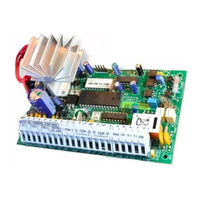
DSC New Classic PC585 Installation Manual (48 pages)
Brand: DSC
|
Category: Security System
|
Size: 0.93 MB
Table of Contents
-
Out of Warranty Repairs
2
-
Table of Contents
3
-
PC585 Control Panel Wiring Diagram
4
-
Section 1: System Introduction
5
-
Specifications
5
-
Additional Devices
6
-
Out of the Box
6
-
-
Section 2: Getting Started
7
-
Installation Steps
7
-
Terminal Descriptions
7
-
Keybus Operation and Wiring
8
-
Current Ratings — Modules and Accessories
8
-
Keypad Assignment
8
-
Supervision
9
-
Removing Modules
9
-
Zone Wiring
9
-
Fire Zone Wiring
10
-
LINKS Zone Wiring
10
-
Keypad Zones
10
-
-
Section 3: Keypad Commands
12
-
Arming and Disarming
12
-
Auto Bypass — Stay Arming
12
-
Automatic Arming
12
-
Commands
12
-
Function Keys
15
-
Features Available for the LCD5500Z
15
-
-
Section 4: How to Program
16
-
Installer’s Programming
16
-
Programming Decimal Data
16
-
Programming HEX Data
16
-
Programming Toggle Option Sections
17
-
Viewing Programming
17
-
-
Section 5: Program Descriptions
18
-
Programming Security Codes
18
-
Zone Programming
18
-
Zone Attributes
19
-
Assigning Keypad Zones
20
-
Communicator — Dialing
20
-
Communicator — Account Numbers
20
-
Communicator — Telephone Numbers
20
-
Communicator — Reporting Codes
21
-
Communicator — Reporting Formats
22
-
Downloading
23
-
PGM Output Options
24
-
PGM Output Attributes
25
-
Telephone Line Monitor (TLM)
26
-
Siren
26
-
Test Transmission
26
-
Transmission Delay
26
-
Bell
26
-
Fire, Auxiliary and Panic Keys
27
-
Arming/Disarming Options
27
-
Entry/Exit Delay Options
27
-
Swinger Shutdown
28
-
Event Buffer
28
-
Keypad Lockout Options
28
-
Keypad Blanking
28
-
Keypad Backlighting
28
-
Loop Response
28
-
Keypad Tampers
28
-
LINKS1000 Cellular Communicator
29
-
Additional System Modules
29
-
Clock Adjust
29
-
Timebase
30
-
Resetting Factory Defaults
30
-
Installer’s Lockout
30
-
Walk Test (Installer)
30
-
-
Programming Worksheets
31
-
For the Record
31
-
Keypad Programming
32
-
Basic Programming
32
-
Advanced System Programming
35
-
Communicator Programming
37
-
Downloading Options
42
-
International Programming
43
-
Module Programming
43
-
Special Installer Functions
43
-
-
Appendix A: Reporting Codes
44
-
Appendix B: Programming LCD Keypads
46
-
PC585 V2.1 Module Compatibility
48
Advertisement
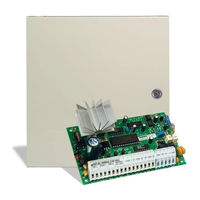
DSC New Classic PC585 Installation Manual (52 pages)
Software Version 2.3 / DLS-1 v6.7 and up
Brand: DSC
|
Category: Security System
|
Size: 1.35 MB
Table of Contents
-
Installation Manual
1
-
Limited Warranty
2
-
Table of Contents
3
-
Wiring Diagram
4
-
Section 1: System Introduction
5
-
Specifications
5
-
Additional Devices
6
-
Out of the Box
6
-
-
Section 2: Getting Started
7
-
Installation Steps
7
-
Terminal Descriptions
7
-
Keybus Operation and Wiring
8
-
Current Ratings — Modules and Accessories
8
-
Keypad Assignment
8
-
Supervision
9
-
Removing Modules
9
-
Zone Wiring
9
-
Fire Zone Wiring
10
-
LINKS Zone Wiring
10
-
Keypad Zones
10
-
-
Section 3: Keypad Commands
12
-
Arming and Disarming
12
-
Auto Bypass — Stay Arming
12
-
Automatic Arming
12
-
Commands
12
-
Function Keys
15
-
Features Available for the LCD5500Z
16
-
-
Section 4: How to Program
17
-
Installer’s Programming
17
-
Programming Decimal Data
17
-
Programming HEX Data
17
-
Programming Toggle Option Sections
18
-
Viewing Programming
18
-
-
Section 5: Program Descriptions
19
-
Programming Security Codes
19
-
Zone Programming
19
-
Zone Attributes
20
-
Assigning Keypad Zones
21
-
Communicator — Dialing
21
-
Communicator — Account Numbers
21
-
Communicator — Telephone Numbers
21
-
Communicator — Reporting Codes
22
-
Communicator — Reporting Formats
23
-
Downloading
24
-
PGM Output Options
25
-
PGM Output Attributes
26
-
Telephone Line Monitor (TLM)
27
-
Bell
27
-
Test Transmission
27
-
Transmission Delay
27
-
Fire, Auxiliary and Panic Keys
27
-
Arming/Disarming Options
28
-
Entry/Exit Delay Options
28
-
Swinger Shutdown
29
-
Event Buffer
29
-
Keypad Lockout Options
29
-
Keypad Blanking
29
-
Keypad Backlighting
29
-
Loop Response
29
-
Keypad Tampers
30
-
LINKS1000 Cellular Communicator
30
-
Additional System Modules
30
-
Clock Adjust
30
-
Timebase
31
-
Resetting Factory Defaults
31
-
Installer’s Lockout
31
-
Walk Test (Installer)
31
-
-
Section 6: Programming Worksheets
32
-
Appendix A: Reporting Codes
47
-
Appendix B: Programming LCD Keypads
49
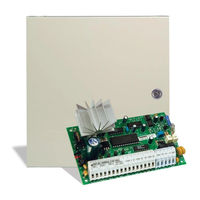
DSC New Classic PC585 Instruction Manual (21 pages)
Brand: DSC
|
Category: Security System
|
Size: 0.68 MB
Table of Contents
-
Note to Installers
2
-
System Failures
2
-
Warning Please Read Carefully
2
-
Smoke Detectors
2
-
Motion Detectors
2
-
Power Failure
2
-
Telephone Lines
2
-
Component Failure
2
-
System Users
2
-
About Your Security System
3
-
General System Operation
3
-
System Information
4
-
Access Codes
5
-
Arming the System
5
-
Alternate Arming Methods
6
-
Disarming the System
7
-
If an Alarm Sounds
8
-
Resetting the System
8
-
Function Keys
8
-
Programming Security Codes
8
-
Zone Bypassing
12
-
Viewing Trouble Conditions
13
-
Setting the System Date and Time
14
-
Testing Your System
14
-
Door Chime Feature
15
-
Keypad Options
15
-
Downloading Enable
16
-
Fire Alarm Operation
16
-
Household Fire Safety Audit
16
-
Fire Escape Planning
17
-
Maintenance
17
-
Avoiding False Alarms
18
-
Limited Warranty
19
-
Out of Warranty Repairs
19
Advertisement
DSC New Classic PC585 User Manual (24 pages)
Brand: DSC
|
Category: Security System
|
Size: 1.31 MB
Table of Contents
-
User Manual
1
-
Table of Contents
3
-
About Your Security System
5
-
General System Operation
5
-
System Information
6
-
Access Codes
7
-
Powerseries System Keypads
8
-
Keypad Display Symbols
9
-
Emergency Keys
10
-
Arming the System
11
-
Alternate Arming Methods
11
-
Disarming the System
12
-
If an Alarm Sounds
13
-
Function Keys
14
-
Programming Security Codes
14
-
Zone Bypassing
15
-
User Function Commands
16
-
Trouble Conditions
17
-
Setting the System Date and Time
18
-
Testing Your System
18
-
Door Chime Feature
19
-
Keypad Options
19
-
Fire Alarm Operation
20
-
Household Fire Safety Audit
21
-
Fire Escape Planning
21
-
Please Read Carefully
23
-
Motion Detectors
23
-
Power Failure
23
-
Telephone Lines
23
-
Component Failure
23
-

DSC New Classic PC585 Instruction Manual (21 pages)
Brand: DSC
|
Category: Security System
|
Size: 0.76 MB
Table of Contents
-
Note to Installers
2
-
System Failures
2
-
Smoke Detectors
2
-
Motion Detectors
2
-
Power Failure
2
-
Telephone Lines
2
-
Component Failure
2
-
System Users
2
-
About Your Security System
3
-
General System Operation
3
-
System Information
4
-
Access Codes
6
-
Arming the System
6
-
Alternate Arming Methods
7
-
Disarming the System
8
-
Programming Security Codes
9
-
If an Alarm Sounds
9
-
Function Keys
9
-
Viewing Trouble Conditions
13
-
Zone Bypassing
13
-
Setting the System Date and Time
14
-
Testing Your System
15
-
Door Chime Feature
15
-
Keypad Options
16
-
Downloading Enable
16
-
Fire Alarm Operation
16
-
Household Fire Safety Audit
17
-
Fire Escape Planning
18
-
Maintenance
18
-
Limited Warranty
19

DSC New Classic PC585 Instruction Manual (21 pages)
Digital Security Control User Manual
Brand: DSC
|
Category: Security System
|
Size: 0.7 MB
Table of Contents
-
Please Read Carefully
2
-
Note to Installers
2
-
System Failures
2
-
About Your Security System
3
-
General System Operation
3
-
System Information
4
-
Access Codes
5
-
Arming the System
5
-
Alternate Arming Methods
6
-
Disarming the System
7
-
If an Alarm Sounds
8
-
Resetting the System
8
-
Function Keys
8
-
Programming Security Codes
8
-
Zone Bypassing
12
-
Viewing Trouble Conditions
13
-
Setting the System Date and Time
14
-
Testing Your System
14
-
Door Chime Feature
15
-
Keypad Options
15
-
Downloading Enable
16
-
Fire Alarm Operation
16
-
Household Fire Safety Audit
16
-
Fire Escape Planning
17
-
Maintenance
17
-
Avoiding False Alarms
18
-
Limited Warranty
19
Advertisement
Related Products
-
DSC PC580 — V2.3
-
DSC Classic PC580
-
Dsc PC5OO
-
DSC PC560
-
DSC PC5502Z2
-
DSC PC500RK
-
DSC PC51O2-433NA
-
DSC PC5100
-
DSC PC5O15
-
DSC PC5108L
DSC Categories
Security System
Security Sensors
Keypad
Control Panel

Cell Phone
More DSC Manuals
- Home
- Инструкции
- Охранные сигнализации
- DSC
- PC585
DSC PC585 инструкция
Язык: Русский
Размер : 597.4 Kb
Формат файла: pdf
Добавлен: 02.05.2015
Руководство пользователя
Охранные сигнализации DSC
Похожие записи
DSC PC585 — Инструкция по монтажу
Охранные сигнализации
Отзывы по оборудованию и комментарии к материалу
Кто вы? человек робот