
,QVWDOOLQJDQG2SHUDWLQJ,QVWUXFWLRQV
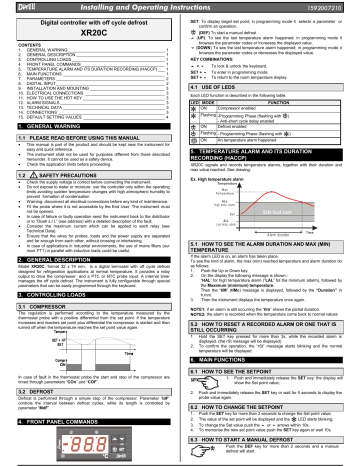
Digital controller with off cycle defrost
XR20C
CONTENTS
1.
GENERAL WARNING___________________________________________ 1
2.
GENERAL DESCRIPTION _______________________________________ 1
3.
CONTROLLING LOADS _________________________________________ 1
4.
FRONT PANEL COMMANDS_____________________________________ 1
5.
TEMPERATURE ALARM AND ITS DURATION RECORDING (HACCP) ___ 1
6.
MAIN FUNCTIONS _____________________________________________ 1
7.
Parameters ________________________________________________ 2
8.
Digital Input________________________________________________ 2
9.
11. HOW TO USE THE HOT KEY ____________________________________ 3
14. CONNECTIONS _______________________________________________ 3
1. GENERAL WARNING
1.1 PLEASE READ BEFORE USING THIS MANUAL
•
This manual is part of the product and should be kept near the instrument for
easy and quick reference.
•
The instrument shall not be used for purposes different from those described
hereunder. It cannot be used as a safety device.
•
Check the application limits before proceeding.
1.2
SAFETY PRECAUTIONS
•
Check the supply voltage is correct before connecting the instrument.
•
Do not expose to water or moisture: use the controller only within the operating
limits avoiding sudden temperature changes with high atmospheric humidity to
prevent formation of condensation
•
Warning: disconnect all electrical connections before any kind of maintenance.
•
Fit the probe where it is not accessible by the End User. The instrument must
not be opened.
•
In case of failure or faulty operation send the instrument back to the distributor
or to «Dixell s.r.l.» (see address) with a detailed description of the fault.
•
Consider the maximum current which can be applied to each relay (see
Technical Data).
•
Ensure that the wires for probes, loads and the power supply are separated
and far enough from each other, without crossing or intertwining.
•
In case of applications in industrial environments, the use of mains filters (our
mod. FT1) in parallel with inductive loads could be useful.
2. GENERAL DESCRIPTION
Model XR20C, format 32 x 74 mm, is a digital termostat with off cycle defrost
designed for refrigeration applications at normal temperature. It provides a relay
output to drive the compressor and a PTC or NTC probe input. A internal timer
manages the off cycle defrost. The instrument is fully configurable through special
parameters that can be easily programmed through the keyboard.
3. CONTROLLING LOADS
3.1 COMPRESSOR
The regulation is performed according to the temperature measured by the
thermostat probe with a positive differential from the set point: if the temperature
increases and reaches set point plus differential the compressor is started and then
turned off when the temperature reaches the set point value again.
In case of fault in the thermostat probe the start and stop of the compressor are
timed through parameters «COn» and «COF».
3.2 DEFROST
Defrost is performed through a simple stop of the compressor. Parameter «IdF»
controls the interval between defrost cycles, while its length is controlled by
parameter «MdF».
4. FRONT PANEL COMMANDS
SET: To display target set point; in programming mode it selects a parameter or
confirm an operation.
(DEF) To start a manual defrost
(UP): To see the last temperature alarm happened; in programming mode it
& &
browses the parameter codes or increases the displayed value.
(DOWN) To see the last temperature alarm happened; in programming mode it
browses the parameter codes or decreases the displayed value.
KEY COMBINATIONS:
& &
+
To lock & unlock the keyboard.
& &
SET +
To enter in programming mode.
SET +
To return to the room temperature display.
4.1 USE OF LEDS
Each LED function is described in the following table.
LED MODE
ON
Compressor enabled
Flashing -Programming Phase (flashing with
— Anti-short cycle delay enabled
ON
Defrost enabled
Flashing — Programming Phase (flashing with
ON
An temperature alarm happened
5. TEMPERATURE ALARM AND ITS DURATION
RECORDING (HACCP)
XR20C signals and records temperature alarms, together with their duration and
max value reached. See drawing:
Ex. High temperature alarm
Tem pera ture
M ax
Tem p erature
A Lu
H igh te mp. alarm
S et
A LL
Low te mp . alarm
5.1 HOW TO SEE THE ALARM DURATION AND MAX (MIN)
TEMPERATURE
If the alarm LED is on, an alarm has taken place.
To see the kind of alarm, the max (min) reached temperature and alarm duration do
as follows:
1.
Push the Up or Down key.
2.
On the display the following message is shown::
«HAL» for high temperature alarm («LAL» fot the minimum allarm), followed by
the Maximum (minimum) temperature.
Then the «tiM» (tiMe) message is displayed, followed by the «Duration» in
h.mm.
3.
Then the instrument displays the temperature once again.
NOTE1: if an alarm is still occurring the «tim» shows the partial duration.
NOTE2: the alarm is recorded when the temperature come back to normal values
5.2 HOW TO RESET A RECORDED ALARM OR ONE THAT IS
STILL OCCURRING
1.
Hold the SET key pressed for more than 3s, while the recorded alarm is
displayed. (the rSt message will be displayed)
2.
To confirm the operation, the «rSt» message starts blinking and the normal
temperature will be displayed.
6. MAIN FUNCTIONS
6.1 HOW TO SEE THE SETPOINT
1.
Push and immediately release the SET key: the display will
show the Set point value;
2.
Push and immediately release the SET key or wait for 5 seconds to display the
probe value again.
6.2 HOW TO CHANGE THE SETPOINT
1.
Push the SET key for more than 2 seconds to change the Set point value;
2.
The value of the set point will be displayed and the
3.
To change the Set value push the
4.
To memorise the new set point value push the SET key again or wait 10s.
6.3 HOW TO START A MANUAL DEFROST
Push the DEF key for more than 2 seconds and a manual
defrost will start.
FUNCTION
)
)
Safe food zone
Tim e
Alarm duration
LED starts blinking;
& &
or
arrows within 10s.
Модель XR20C контроллер с простейшим циклом оттайки, сконструированный для применения в холодильной области при нормальной температуре. Прибор обеспечен реле выхода, для того, чтобы управлять компрессором, и входом, для датчиков РТС или NТС. Внутренний таймер организует простейший цикл оттайки. Прибор полностью программируется через параметры при помощи клавиатуры.
Документация
| Корпус | передняя панель 32×74 мм; глубина 60 мм |
| Монтаж | панель монтируется в отверстие 71×29 мм |
| Защита передней панели | IP65 |
| Соединения | Провода клеммного блока Ј 2,5 мм2, с винтовым креплением |
| Энерго потребление | 12Vac/dc, ±10% на вы(бор 230, 110, ± 10%, 50/60Hz) |
| Энерго поглащение | 3VA max |
| Дисплей | 3 цифры, красные LED, 14,2 мм высота |
| Входы | 1 PTC или NTC датчики |
| Реле выхода | компрессор SPDT реле 8(3) A, 250Vac или SPST реле 20(8)A; 250Vac |
| Блок памяти | данные сохраняются даже при отсутсвии питания (EEPROM) |
| Рабочая температура | 0 — 60 °C |
| Температура хранения | -30 — 85 °C |
| Относительная влажность | 20 — 85% (отсутствие какого-либо конденсата) |
| Диапазон измерения и регуляции | PTC датчик: -50ч150°C (-58ч302°F) NTC датчик: -40ч110°C (-58ч230°F) |
| Разрешающая способность | 0,1 °C или 1°C или 1 °F (на выбор) |
| Точность (окруж.темпер. 25°C) | ±0,7 °C ±1 цифра |
Разрешающая способность
— Hy Дифференциал: (0,1 ч 25,5°C / 1ч255 °F) Дифференциал вмешательства для контр.точки.Компрессор ВКЛ, при Set Point Плюс Differential (Hy). Компрессор ВЫКЛ, при достижении температурой значения контр.точки.
— LS Миним. Контр.точка: (- 50°CчSET / — 58°FчSET): Устанавливает минимальное возможное значение для контр.точки.
— US Максим. Контр.точка: (SETч 150°C / SETч302°F): Устанавливает максимальное возможное значение для контр.точки.
— Ot Калибровка термостата: (-12.0ч12.0°C; -120ч120°F) позволяет установить возможно-допустимое отклонение от реального значения датчика.
— OdS Задержка действий при старте: (0ч255min) Эта функция срабатывает только при первоначальном старте прибора и предотвращает какие-либо действия на период времени, установленном в параметрах.
— AC Противоцикличная задержка: (0ч50 min) минимальный интервал между остановкой и последующим запуском компрессора.
— CCt Время работы компрессора во время полного цикла: (0.0ч24.0h; res. 10min) Позволяет установить продолжительность полного цикла:компрессор работает без перерыва в течении CCt времени. Можно использовать, например, когда камера заполнена новым продуктом.
— COn Время работы компрессора при неисправном датчике: (0ч255 min) время, в течении которого компрессор работает при неисправном датчике термостата. При COn=0 компрессор всегда ВЫКЛ.
— COF Компрессор ВЫКЛ при неисправном датчике: (0ч255 min) время, в течении которого компрессор всегда ВЫКЛ в случае неисправного датчика термостата. При COF=0 компрессор всегда работает. CH Вид действия: CL = охлаждение; Ht = нагрев.
Дисплей
— CF Единица измерения температуры: °C = Цельсий; °F = Фаренгейт.
— rES Разрешающая способность (для °C): (in = 1°C; dE = 0.1 °C) позволяет появление на дисплее десятичной точки.
Оттайка
— IdF Интервал между циклами оттайки: (1ч120h) Определяет период времени между началом двух циклов оттайки.
— MdF Продолжительность оттайки: (0ч255min) Устанавливает продолжительность цикла .
— dFd Показ значения температуры во время оттайки: (rt = реальная температура; it = температура во время начала оттайки; SEt = контрольная точка; dEF = “dEF” метка)
— dAd MAX задержка показа данных после оттайки: (0ч255min). Устанавливает max время между концом оттайки и показом реального значения комнатной температуры.
Сигналы тревоги
— ALC Конфигурация температурного сигнала тревоги: (Ab; rE) Ab= абсолютная температура: аварийное значение температуры задается ALL или ALU. rE = аварийное значение температуры относительно контр.точки. Температурный
сигнал тревоги срабатывает, когда температура превышает значения “SET+ALU” или “SET-ALL” .
— ALU Сигнал тревоги по MAX температуре: (ALLч150°C; ALL ч302°F) при достижении температурой этого значения срабатывает сигнал тревоги, после времени задержки “ALd” .
— ALL Сигнал тревоги по Min температуре : (-50.0°C ч ALU; -58°F ч ALU) при достижении температурой этого значения срабатывает сигнал тревоги, после времени задержки “ALd” .
— ALd Время задержки температурного сигнала тревоги: (0ч255 min) временной интервал между моментом опредиления
аварийной ситуации и срабатыванием сигнала тревоги.
— dAO Исключение температурного сигнала тревоги при запуске: (от 0.0 мин до 23.5ч) временной интервал между моментом опредиления аварийной ситуации после включения прибора и срабатыванием сигнала.
Цифровой вход (только для моделей с цифровым входом)
— i1P Полярность цифрового входа: oP: цифровой вход срабатывает по открытому контакту; CL: цифровой вход срабатывает по закрытому контакту.
— i1F Конфигурация цифрового входа: EAL = внешний сигнал тревоги: “EA” появляется следующее сообщение; bAL = серийный сигнал тревоги: “CA” ” появляется следующее сообщение и выход отключен; dEF = активизирование цикла оттайки; AUS = не выбирайте.
— did Задержка сигнала тревоги цифрового входа: (0ё255 min) временной интервал между моментом опредиления аварийной ситуации (i1F= EAL or i1F = bAL) и срабатыванием сигнала тревоги.
Другое
— PbC Выбор датчика: (Ptc=PTC датчик; ntc=NTC датчик). Это позволяет выбрать тип датчика.
,QVWDOOLQJDQG2SHUDWLQJ,QVWUXFWLRQV
Digital controller with off cycle defrost
SET: To display target set point; in programming mode it selects a parameter or
confirm an operation.
XR20C
' (UP): To see the last temperature alarm happened; in programming mode it
browses the parameter codes or increases the displayed value.
& (DOWN) To see the last temperature alarm happened; in programming mode it
CONTENTS
1. GENERAL WARNING___________________________________________
2. GENERAL DESCRIPTION _______________________________________
3. CONTROLLING LOADS _________________________________________
4. FRONT PANEL COMMANDS_____________________________________
5. TEMPERATURE ALARM AND ITS DURATION RECORDING (HACCP) ___
6. MAIN FUNCTIONS _____________________________________________
7. PARAMETERS ________________________________________________
8. DIGITAL INPUT________________________________________________
9. INSTALLATION AND MOUNTING _________________________________
10. ELECTRICAL CONNECTIONS ___________________________________
11. HOW TO USE THE HOT KEY ____________________________________
12. ALARM SIGNALS ______________________________________________
13. TECHNICAL DATA _____________________________________________
14. CONNECTIONS _______________________________________________
15. DEFAULT SETTING VALUES ____________________________________
(DEF) To start a manual defrost
1
1
1
1
1
1
2
2
3
3
3
3
3
3
4
browses the parameter codes or decreases the displayed value.
KEY COMBINATIONS:
' +&
SET + &
SET + '
To lock & unlock the keyboard.
To enter in programming mode.
To return to the room temperature display.
4.1 USE OF LEDS
Each LED function is described in the following table.
LED MODE
ON
Compressor enabled
FUNCTION
1. GENERAL WARNING
Flashing -Programming Phase (flashing with
- Anti-short cycle delay enabled
ON
Defrost enabled
1.1 PLEASE READ BEFORE USING THIS MANUAL
Flashing - Programming Phase (flashing with
ON
An temperature alarm happened
•
•
•
1.2
•
•
•
•
•
•
•
•
This manual is part of the product and should be kept near the instrument for
easy and quick reference.
The instrument shall not be used for purposes different from those described
hereunder. It cannot be used as a safety device.
Check the application limits before proceeding.
SAFETY PRECAUTIONS
Check the supply voltage is correct before connecting the instrument.
Do not expose to water or moisture: use the controller only within the operating
limits avoiding sudden temperature changes with high atmospheric humidity to
prevent formation of condensation
Warning: disconnect all electrical connections before any kind of maintenance.
Fit the probe where it is not accessible by the End User. The instrument must
not be opened.
In case of failure or faulty operation send the instrument back to the distributor
or to “Dixell s.r.l.” (see address) with a detailed description of the fault.
Consider the maximum current which can be applied to each relay (see
Technical Data).
Ensure that the wires for probes, loads and the power supply are separated
and far enough from each other, without crossing or intertwining.
In case of applications in industrial environments, the use of mains filters (our
mod. FT1) in parallel with inductive loads could be useful.
2. GENERAL DESCRIPTION
Model XR20C, format 32 x 74 mm, is a digital termostat with off cycle defrost
designed for refrigeration applications at normal temperature. It provides a relay
output to drive the compressor and a PTC or NTC probe input. A internal timer
manages the off cycle defrost. The instrument is fully configurable through special
parameters that can be easily programmed through the keyboard.
3. CONTROLLING LOADS
3.1 COMPRESSOR
The regulation is performed according to the temperature measured by the
thermostat probe with a positive differential from the set point: if the temperature
increases and reaches set point plus differential the compressor is started and then
turned off when the temperature reaches the set point value again.
)
)
5. TEMPERATURE ALARM AND ITS DURATION
RECORDING (HACCP)
XR20C signals and records temperature alarms, together with their duration and
max value reached. See drawing:
Ex. High temperature alarm
Tem pera ture
M ax
Tem p erature
;
A Lu
H igh te mp. alarm
S et
;
;
Safe food zone
A LL
Low te mp . alarm
Alarm duration
Tim e
5.1 HOW TO SEE THE ALARM DURATION AND MAX (MIN)
TEMPERATURE
If the alarm LED is on, an alarm has taken place.
To see the kind of alarm, the max (min) reached temperature and alarm duration do
as follows:
1.
Push the Up or Down key.
2.
On the display the following message is shown::
“HAL” for high temperature alarm (“LAL” fot the minimum allarm), followed by
the Maximum (minimum) temperature.
Then the “tiM” (tiMe) message is displayed, followed by the “Duration” in
h.mm.
3.
Then the instrument displays the temperature once again.
NOTE1: if an alarm is still occurring the “tim” shows the partial duration.
NOTE2: the alarm is recorded when the temperature come back to normal values
5.2 HOW TO RESET A RECORDED ALARM OR ONE THAT IS
STILL OCCURRING
1.
2.
Hold the SET key pressed for more than 3s, while the recorded alarm is
displayed. (the rSt message will be displayed)
To confirm the operation, the “rSt” message starts blinking and the normal
temperature will be displayed.
6. MAIN FUNCTIONS
6.1 HOW TO SEE THE SETPOINT
In case of fault in the thermostat probe the start and stop of the compressor are
timed through parameters “COn” and “COF”.
1.
Push and immediately release the SET key: the display will
show the Set point value;
3.2 DEFROST
2.
Defrost is performed through a simple stop of the compressor. Parameter “IdF”
controls the interval between defrost cycles, while its length is controlled by
parameter “MdF”.
6.2 HOW TO CHANGE THE SETPOINT
4. FRONT PANEL COMMANDS
1.
2.
3.
4.
Push and immediately release the SET key or wait for 5 seconds to display the
probe value again.
Push the SET key for more than 2 seconds to change the Set point value;
LED starts blinking;
The value of the set point will be displayed and the
arrows within 10s.
or
To change the Set value push the
To memorise the new set point value push the SET key again or wait 10s.
' &
6.3 HOW TO START A MANUAL DEFROST
Push the DEF key for more than 2 seconds and a manual
defrost will start.
,QVWDOOLQJDQG2SHUDWLQJ,QVWUXFWLRQV
6.4 HOW TO CHANGE A PARAMETER VALUE
To change the parameter’s value operate as follows:
1. Enter the Programming mode by pressing the Set and
DOWN key for 3s (
and
start blinking).
2. Select the required parameter.
3. Press the “SET” key to display its value (now only the
LED is blinking).
4. Use “UP” or “DOWN” to change its value.
5. Press “SET” to store the new value and move to the following parameter.
To exit: Press SET + UP or wait 15s without pressing a key.
NOTE: the set value is stored even when the procedure is exited by waiting the
time-out to expire.
6.5 THE HIDDEN MENU
The hidden menu Includes all the parameters of the instrument.
6.5.1
HOW TO ENTER THE HIDDEN MENU
1. Enter the Programming mode by pressing the Set +
key
for 3s (LED 1 and
start blinking).
2. When a parameter is displayed keep pressed the Set+
for more than 7s. The Pr2 label will be displayed
immediately followed from the HY parameter.
NOW YOU ARE IN THE HIDDEN MENU.
3. Select the required parameter.
4. Press the “SET” key to display its value (Now only the
LED is blinking).
5. Use
or
to change its value.
6. Press “SET” to store the new value and move to the following parameter.
or wait 15s without pressing a key.
To exit: Press SET +
NOTE: the set value is stored even when the procedure is exited by waiting the
time-out to expire.
&
&
' &
'
6.5.2 HOW TO MOVE A PARAMETER FROM THE HIDDEN MENU TO THE
FIRST LEVEL AND VICEVERSA.
Each parameter present in the HIDDEN MENU can be removed or put into “THE
FIRST LEVEL” (user level) by pressing “SET + ”.
In HIDDEN MENU when a parameter is present in First Level the decimal point is
on.
&
6.6 HOW TO LOCK THE KEYBOARD
1.
2.
3.
'
&
Keep pressed for more than 3 s the
and
keys.
The “POF” message will be displayed and the keyboard will be locked. At this
point it will be possible only to see the set point or the MAX o Min temperature
stored
If a key is pressed more than 3s the “POF” message will be displayed.
6.7 TO UNLOCK THE KEYBOARD
Keep pressed together for more than 3s the
will be displayed.
' and & keys, till the “Pon” message
6.8 THE CONTINUOUS CYCLE
When defrost is not in progress, it can be activated by holding
the “ ” key pressed for about 3 seconds.
'
The compressor operates in continuous mode for the time set through the “CCt”
parameter. The cycle can be terminated before the end of the set time using the
same activation key “ ” for 3 seconds.
'
7. PARAMETERS
NOTE: the parameters preceded by dots are in the Hidden Menu.
REGULATION
Hy Differential: (0,1 ÷ 25,5°C / 1÷255 °F) Intervention differential for set point.
Compressor Cut IN is Set Point Plus Differential (Hy). Compressor Cut OUT is
when the temperature reaches the set point.
LS Minimum set point: (- 50°C÷SET/-58°F÷SET): Sets the minimum
•
acceptable value for the set point.
•
US Maximum set point: (SET÷110°C/ SET÷230°F). Set the maximum
acceptable value for set point.
Ot Thermostat probe calibration: (-12.0÷12.0°C;
-120÷120°F) allows to adjust possible offset of the thermostat probe.
OdS Outputs activation delay at start up: (0÷255min) This function is
•
enabled at the initial start up of the instrument and inhibits any output activation
for the period of time set in the parameter.
AC Anti-short cycle delay: (0÷50 min) minimum interval between the compressor
stop and the following restart.
CCt Compressor ON time during continuous cycle: (0.0÷24.0h; res. 10min)
•
Allows to set the length of the continuous cycle: compressor stays on without
interruption for the CCt time. Can be used, for instance, when the room is filled
with new products.
•
COn Compressor ON time with faulty probe: (0÷255 min) time during which
the compressor is active in case of faulty thermostat probe. With COn=0
compressor is always OFF.
•
COF Compressor OFF time with faulty probe: (0÷255 min) time during which
the compressor is OFF in case of faulty thermostat probe. With COF=0
compressor is always active.
CH Type of action: CL = cooling; Ht = heating.
DISPLAY
•
CF Temperature measurement unit:
°C=Celsius; °F=Fahrenheit. WARNING: When the measurement unit is
changed the SET point and the values of the parameters Hy, LS, US, Ot, ALU
and ALL have to be checked and modified if necessary).
rES Resolution (for °C): (in = 1°C; dE = 0.1 °C) allows decimal point display.
DEFROST
IdF Interval between defrost cycles: (0÷120h) Determines the time interval
between the beginning of two defrost cycles.
MdF (Maximum) length for defrost: (0÷255min) When P2P = n, (not evaporator
probe: timed defrost) it sets the defrost duration, when P2P = y (defrost end
based on temperature) it sets the maximum length for defrost.
dFd Temperature displayed during defrost: (rt = real temperature; it =
•
temperature at defrost start; SEt = set point; dEF = “dEF” label)
•
dAd MAX display delay after defrost: (0÷255min). Sets the maximum time
between the end of defrost and the restarting of the real room temperature
display.
ALARMS
•
ALC Temperature alarms configuration: (Ab; rE)
Ab= absolute temperature: alarm temperature is given by the ALL or ALU
values. rE = temperature alarms are referred to the set point. Temperature
alarm is enabled when the temperature exceeds the “SET+ALU” or “SET-ALL”
values.
ALU
MAXIMUM temperature alarm: (SET÷110°C; SET÷230°F) when this
temperature is reached the alarm is enabled, after the “ALd” delay time.
ALL Minimum temperature alarm: (-50.0 ÷ SET°C;
-58÷230°F when this temperature is reached the alarm is enabled, after the
“ALd” delay time.
ALd Temperature alarm delay: (0÷255 min) time interval between the
•
detection of an alarm condition and alarm signalling.
•
dAO Exclusion of temperature alarm at startup: (from 0.0 min to 23.5h) time
interval between the detection of the temperature alarm condition after
instrument power on and alarm signalling.
DIGITAL INPUT
i1P Digital input polarity: oP: the digital input is activated by opening the contact;
CL: the digital input is activated by closing the contact.
i1F Digital input configuration:
EAL = external alarm: “EA” message is displayed; bAL = serious alarm “CA”
message is displayed. PAL = pressure switch alarm, “CA” message is
displayed; dor = door switch function; dEF = activation of a defrost cycle; LHt
=not enabled; Htr = kind of action inversion (cooling – heating).
did: (0÷255 min)
with i1F= EAL or i1F = bAL digital input alarm delay: delay between the
detection of the external alarm condition and its signalling.
with i1F= dor: door open signalling delay
with i1F = PAL: time for pressure switch function: time interval to calculate
the number of the pressure switch activation.
nPS Pressure switch number: (0 ÷15) Number of activation of the pressure
switch, during the “did” interval, before signalling the alarm event (I2F= PAL).
If the nPS activation in the did time is reached, switch off and on the
instrument to restart normal regulation.
odc Compressor status when open door: no, Fan = normal; CPr, F_C =
•
Compressor OFF
OTHER
PbC Type of probe: it allows to set the kind of probe used by the instrument: PbC
= PBC probe, ntC = NTC probe.
•
rEL Software release for internal use.
•
Ptb Parameter table code: readable only.
8. DIGITAL INPUT
The free contact digital input is programmable in five different configurations by the
“i1F” parameter.
8.1 DOOR SWITCH INPUT (i1F = dor)
It signals the door status and the corresponding relay output status through the
“odc” parameter:
no, Fan = normal (any change);
CPr, F_C = Compressor OFF;
Since the door is opened, after the delay time set through parameter “did”, the door
alarm is enabled, the display shows the message “dA” and the regulation restarts.
The alarm stops as soon as the external digital input is disabled again. With the
door open, the high and low temperature alarms are disabled.
8.2 GENERIC ALARM (i1F = EAL)
As soon as the digital input is activated the unit will wait for “did” time delay before
signalling the “EAL” alarm message. The outputs status don’t change. The alarm
stops just after the digital input is de-activated.
8.3 SERIOUS ALARM MODE (i1F = bAL)
When the digital input is activated, the unit will wait for “did” delay before signalling
the “CA” alarm message. The relay outputs are switched OFF. The alarm will stop
as soon as the digital input is de-activated.
8.4 PRESSURE SWITCH (i1F = PAL)
If during the interval time set by “did” parameter, the pressure switch has reached
the number of activation of the “nPS” parameter, the “CA” pressure alarm message
will be displayed. The compressor and the regulation are stopped. When the digital
input is ON the compressor is always OFF.
,QVWDOOLQJDQG2SHUDWLQJ,QVWUXFWLRQV
If the nPS activation in the did time is reached, switch off and on the
instrument to restart normal regulation.
8.5 START DEFROST (i1F = dFr)
It starts a defrost if there are the right conditions. After the defrost is finished, the
normal regulation will restart only if the digital input is disabled otherwise the
instrument will wait until the “MdF” safety time is expired.
8.6 INVERSION OF THE KIND OF ACTION: HEATINGCOOLING (i1F = Htr)
This function allows to invert the regulation of the controller: from cooling to heating
and viceversa.
12. ALARM SIGNALS
Message
Cause
“P1”
Room probe failure
“HA”
“LA”
“dA”
“EA”
“CA”
“CA”
Maximum temperature alarm
Minimum temperature alarm
Door open
External alarm
Serious external alarm (i1F=bAL)
Pressure switch alarm (i1F=PAL)
12.1 ALARM RECOVERY
Probe alarm “P1” starts some seconds after the fault in the related probe; it
automatically stops some seconds after the probe restarts normal operation. Check
connections before replacing the probe.
Temperature alarms “HA” and “LA” automatically stop as soon as the thermostat
temperature returns to normal values and when defrost starts.
Alarms “EA” and “CA” (with i1F=bAL) recover as soon as the digital input is
disabled.
Alarm “CA” (with i1F=PAL) recovers only by switching off and on the instrument.
8.7 DIGITAL INPUTS POLARITY
The digital input polarity depends on the “i1P” parameter.
i1P=CL: the input is activated by closing the contact.
i1P=OP: the input is activated by opening the contact
9. INSTALLATION AND MOUNTING
Instrument XR20C shall be mounted on vertical panel,
in a 29x71 mm hole, and fixed using the special
bracket supplied.
To obtain an IP65 protection grade use the front
panel rubber gasket (mod. RG-C) as shown in figure.
13. TECHNICAL DATA
The temperature range allowed for correct operation is 0÷60 °C. Avoid places
subject to strong vibrations, corrosive gases, excessive dirt or humidity. The same
recommendations apply to probes. Let air circulate by the cooling holes.
10. ELECTRICAL CONNECTIONS
The instrument is provided with screw terminal block to connect cables with a cross
section up to 2,5 mm2. Before connecting cables make sure the power supply
complies with the instrument’s requirements. Separate the probe cables from the
power supply cables, from the outputs and the power connections. Do not exceed
the maximum current allowed on each relay, in case of heavier loads use a suitable
external relay.
10.1 PROBE CONNECTION
The probes shall be mounted with the bulb upwards to prevent damages due to
casual liquid infiltration. It is recommended to place the thermostat probe away from
air streams to correctly measure the average room temperature. Place the defrost
termination probe among the evaporator fins in the coldest place, where most ice is
formed, far from heaters or from the warmest place during defrost, to prevent
premature defrost termination.
Housing: self extinguishing ABS.
Case: XR20C frontal 32x74 mm; depth 60mm;
Mounting: XR20C panel mounting in a 71x29mm panel cut-out
Protection: IP20.
Frontal protection: IP65 with frontal gasket RG-C (optional).
2
Connections: Screw terminal block ≤ 2,5 mm wiring.
Power supply: according to the model: 12Vac/dc, ±10%; 24Vac/dc, ±10%; 230Vac
±10%, 50/60Hz, 110Vac ±10%, 50/60Hz
Power absorption: 3VA max
Display: 3 digits, red LED, 14,2 mm high.
Inputs: 1 NTC or PTC probe.
Digital input: free contact
Relay outputs
compressor: SPDT relay 8(3) A, 250Vac or
SPST relay 20(8)A; 250Vac
Data storing: on the non-volatile memory (EEPROM).
Kind of action: 1B; Pollution grade: normal; Software class: A.
Operating temperature: 0÷60 °C.
Storage temperature: -30÷85 °C.
Relative humidity: 20÷85% (no condensing)
Measuring and regulation range:
NTC probe: -40÷110°C (-40÷230°F)
PTC probe: -50÷150°C (-58÷302°F)
Resolution: 0,1 °C or 1°C or 1 °F (selectable).
Accuracy (ambient temp. 25°C): ±0,7 °C ±1 digit
14. CONNECTIONS
14.1 XR20C: 8A COMPRESSOR
8(3)A250V
11. HOW TO USE THE HOT KEY
11.1 HOW TO PROGRAM A HOT KEY FROM THE
INSTRUMENT (UPLOAD)
1.
2.
3.
4.
Outputs
Compressor output according
to par. “Con” and “COF”
Outputs unchanged.
Outputs unchanged.
Regulation restarts
Output unchanged.
All outputs OFF.
All outputs OFF
Room
Program one controller with the front keypad.
When the controller is ON, insert the “Hot key” and push
key; the "uPL"
message appears followed a by flashing “End”
Push “SET” key and the End will stop flashing.
Turn OFF the instrument remove the “Hot Key”, then turn it ON again.
'
NOTE: the “Err” message is displayed for failed programming. In this case push
again
key if you want to restart the upload again or remove the “Hot key” to abort
the operation.
Comp
Hot Key
N.C .
Line
12Vac/dc supply: connect to the terminals 7 and 8.
24Vac/dc supply: connect to the terminals 7 and 8.
120Vac supply: connect to the terminals 7 and 8.
'
14.2 XR20C: 20A COMPRESSOR
1.
2.
3.
4.
5.
Room
11.2 HOW TO PROGRAM AN INSTRUMENT USING A HOT KEY
(DOWNLOAD)
Turn OFF the instrument.
Insert a programmed “Hot Key” into the 5 PIN receptacle and then turn
the Controller ON.
Automatically the parameter list of the “Hot Key” is downloaded into the
Controller memory, the “doL” message is blinking followed a by flashing
“End”.
After 10 seconds the instrument will restart working with the new parameters.
Remove the “Hot Key”..
NOTE the message “Err” is displayed for failed programming. In this case turn the
unit off and then on if you want to restart the download again or remove the “Hot
key” to abort the operation.
20(8)A250V
Hot Key
Comp
Line
12Vac/dc supply: connect to the terminals 7 and 8.
24Vac/dc supply: connect to the terminals 7 and 8.
120Vac supply: connect to the terminals 7 and 8.
,QVWDOOLQJDQG2SHUDWLQJ,QVWUXFWLRQV
15. DEFAULT SETTING VALUES
Label
Set
Hy
LS
US
Ot
OdS
AC
CCt
COn
COF
CH
CF
rES
IdF
MdF
dFd
dAd
ALc
Name
Set point
Differential
Minimum set point
Maximum set point
Thermostat probe calibration
Outputs delay at start up
Anti-short cycle delay
Continuos cycle duration
Compressor ON time with faulty
probe
Compressor OFF time with faulty
probe
Kind of action
Temperature measurement unit
Resolution
Interval between defrost cycles
(Maximum) length for defrost
Displaying during defrost
MAX display delay after defrost
Temperat. alarms configuration
MAXIMUM temperature alarm
Minimum temperature alarm
Temperature alarm delay
Delay of temperature alarm at
start up
i1P Digital input polarity
i1F Digital input configuration
ALU
ALL
ALd
dAO
did Digital input alarm delay
Nps Number of activation of pressure
switch
odc Compressor status with open
door:
PbC Kind of probe
rEL Software release
Ptb Map code
Range
LS÷US
0,1÷25.5°C/ 1÷ 255°F
-50°C÷SET/-58°F÷SET
SET÷110°C/ SET ÷ 230°F
-12÷12°C /-120÷120°F
0÷255 min
0 ÷ 50 min
0.0÷24.0h
0 ÷ 255 min
°C/°F
3.0/37
2.0/4
-40,0/-40
110/230
0.0
0
1
0 ÷ 255 min
30
CL=cooling; Ht= heating
°C ÷ °F
CL
°C/°F
dE/8
20
it
30
Ab
in=integer; dE= dec.point
1 ÷ 120 ore
0 ÷ 255 min
rt, it, SEt, DEF
0 ÷ 255 min
rE= related to set;
Ab = absolute
Set÷110.0°C; Set÷230°F
-50.0°C÷Set/ -58°F÷Set
0 ÷ 255 min
0 ÷ 23h e 50’
oP=opening;CL=closing
EAL=extern. alarm; bAL=lock
regulation; PAL=press. switch;
dor=door switch; dEF=defrost;
LHt=disabled; Htr= cooling heating
0÷255min
0 ÷15
no, Fan = normal;
CPr; F_C = Compr. OFF;
Ptc; ntc
---
0.0
15
110/230
-50/-58
15
1.3
cL
EAL
5
15
no
ntc/Ptc
4.0
-
Hidden parameters
Weiss Instruments, Inc.
905 Waverly Avenue
Holtsville, New York 11742
Dixell s.r.l. Z.I. Via dell’Industria, 27
32010 Pieve
d’Alpago (BL) ITALY
www.weissinstruments.com
tel. +39 - 0437 - 98 33 - fax +39 - 0437 - 98 93 13
(PDLO GL[HOO#GL[HOOFRP
KWWSZZZGL[HOOFRP
Phone:
631 207 1200
- Fax: 631 207 0900
Controller :DIXELL-XR20C
Parameter setting code:D20-001M
Parameter setting sheet for Entree Refrigerator
CODE
PARAMETER
SET
Set
Main Set point
34
Hy
Differential(hysteresis)
4
LS
Lower limit of main set point
28
US
Upper limit of main set point
50
Ot
Offset
-1
P2P
Evaporator probe presence
Y
OE
Evaporator probe calibration
0
Ods
Outputs delay at start up
0
AC
Minimum time interval between the disactivation and successive activation
on compressor
5
CCt
Continuous cycle duration
0
Con
Compressor on-time during by probe failure
10
COF
Compressor off-time during by probe failure
10
CF
Unit of measure
℉
rES
Resolution
dE
Lod
Probe displayed
P1
Edf
Defrost termination setting
Pb
dtE
Defrost-end temperature
41
IdF
Time interval between defrost cycle
6
MdF
Max defrost cycle time
20
dFd
Displaying during defrost
SEt
dAF
Defrost delay after fast freezing
0
dAd
Real temperature display delay at defrost end
30
ALC
Temperature alarms configuration
rE
ALU
Max temperature alarm differential
50
ALL
Minimum temperature alarm differential
20
ALd
Minimum or minimum temperature alarm delay
60
dAO
Delay of temperature alarm at start up
1
i1P
Digital input polarity
CL
i1F
Digital input configuration
dor
did
Digital input alarm delay
15
NPS
Number of activation of pressure switch
15
Odc
Compressor and fan status when open door
no
Pbc
Kind of probe
ntc
dP1
Room probe display
--
dP2
Evaporator probe display
--
rEL
Software release
--
Ptb
Map code
--
,QVWDOOLQJDQG2SHUDWLQJ,QVWUXFWLRQV
Digital controller with off cycle defrost
XR20C
CONTENTS
1. GENERAL WARNING___________________________________________ 1
2. GENERAL DESCRIPTION _______________________________________ 1
3. CONTROLLING LOADS _________________________________________ 1
4. FRONT PANEL COMMANDS_____________________________________ 1
5. TEMPERATURE ALARM AND ITS DURATION RECORDING (HACCP) ___ 1
6. MAIN FUNCTIONS _____________________________________________ 1
7. PARAMETERS ________________________________________________ 2
8. DIGITAL INPUT________________________________________________ 2
9. INSTALLATION AND MOUNTING _________________________________ 3
10. ELECTRICAL CONNECTIONS ___________________________________ 3
11. HOW TO USE THE HOT KEY ____________________________________ 3
12. ALARM SIGNALS ______________________________________________ 3
13. TECHNICAL DATA _____________________________________________ 3
14. CONNECTIONS _______________________________________________ 3
15. DEFAULT SETTING VALUES ____________________________________ 4
1. GENERAL WARNING
1.1 PLEASE READ BEFORE USING THIS MANUAL
• This manual is part of the product and should be kept near the instrument for
easy and quick reference.
• The instrument shall not be used for purposes different from those described
hereunder. It cannot be used as a safety device.
• Check the application limits before proceeding.
1.2
SAFETY PRECAUTIONS
• Check the supply voltage is correct before connecting the instrument.
• Do not expose to water or moisture: use the controller only within the operating
limits avoiding sudden temperature changes with high atmospheric humidity to
prevent formation of condensation
• Warning: disconnect all electrical connections before any kind of maintenance.
• Fit the probe where it is not accessible by the End User. The instrument must
not be opened.
• In case of failure or faulty operation send the instrument back to the distributor
or to “Dixell s.r.l.” (see address) with a detailed description of the fault.
• Consider the maximum current which can be applied to each relay (see
Technical Data).
• Ensure that the wires for probes, loads and the power supply are separated
and far enough from each other, without crossing or intertwining.
• In case of applications in industrial environments, the use of mains filters (our
mod. FT1) in parallel with inductive loads could be useful.
2. GENERAL DESCRIPTION
Model
XR20C
, format 32 x 74 mm, is a digital termostat with off cycle defrost
designed for refrigeration applications at normal temperature. It provides a relay
output to drive the compressor and a PTC or NTC probe input. A internal timer
manages the off cycle defrost. The instrument is fully configurable through special
parameters that can be easily programmed through the keyboard.
3. CONTROLLING LOADS
3.1 COMPRESSOR
The regulation is performed according to the temperature measured by the
thermostat probe with a positive differential from the set point: if the temperature
increases and reaches set point plus differential the compressor is started and then
turned off when the temperature reaches the set point value again.
In case of fault in the thermostat probe the start and stop of the compressor are
timed through parameters “
COn
” and “
COF
”.
3.2 DEFROST
Defrost is performed through a simple stop of the compressor. Parameter “
IdF
”
controls the interval between defrost cycles, while its length is controlled by
parameter “
MdF
”.
4. FRONT PANEL COMMANDS
SET
: To display target set point; in programming mode it selects a parameter or
confirm an operation.
(DEF)
To start a manual defrost
(UP): To see the last temperature alarm happened; in programming mode it
browses the parameter codes or increases the displayed value.
(DOWN) To see the last temperature alarm happened; in programming mode it
browses the parameter codes or decreases the displayed value.
KEY COMBINATIONS:
+
To lock & unlock the keyboard.
SET +
To enter in programming mode.
SET +
To return to the room temperature display.
4.1 USE OF LEDS
Each LED function is described in the following table.
LED MODE FUNCTION
ON Compressor enabled
Flashing
-Programming Phase (flashing with
)
— Anti-short cycle delay enabled
ON Defrost enabled
Flashing
— Programming Phase (flashing with
)
ON An temperature alarm happened
5. TEMPERATURE ALARM AND ITS DURATION
RECORDING (HACCP)
XR20C signals and records temperature alarms, together with their duration and
max value reached. See drawing:
Ex. High temperature alarm
Set
ALu
High temp. alarm
Time
Temperature
ALL
Low temp. alarm
5.1 HOW TO SEE THE ALARM DURATION AND MAX (MIN)
TEMPERATURE
If the alarm LED is on, an alarm has taken place.
To see the kind of alarm, the max (min) reached temperature and alarm duration do
as follows:
1. Push the Up or Down key.
2. On the display the following message is shown::
“
HAL
” for high temperature alarm (“
LAL
” fot the minimum allarm), followed by
the
Maximum (minimum) temperature.
Then the “
tiM
” (
tiM
e) message is displayed, followed by the
“Duration”
in
h.mm.
3. Then the instrument displays the temperature once again.
NOTE1:
if an alarm is still occurring the “
tim
” shows the partial duration.
NOTE2:
the alarm is recorded when the temperature come back to normal values
5.2 HOW TO RESET A RECORDED ALARM OR ONE THAT IS
STILL OCCURRING
1. Hold the SET key pressed for more than 3s, while the recorded alarm is
displayed. (the rSt message will be displayed)
2. To confirm the operation, the “rSt” message starts blinking and the normal
temperature will be displayed.
6. MAIN FUNCTIONS
6.1 HOW TO SEE THE SETPOINT
1. Push and immediately release the
SET
key: the display will
show the Set point value;
2. Push and immediately release the
SET
key or wait for 5 seconds to display the
probe value again.
6.2 HOW TO CHANGE THE SETPOINT
1. Push the
SET
key for more than 2 seconds to change the Set point value;
2. The value of the set point will be displayed and the
LED starts blinking;
3. To change the Set value push the
or
arrows within 10s.
4. To memorise the new set point value push the
SET
key again or wait 10s.
6.3 HOW TO START A MANUAL DEFROST
Push the
DEF
key for more than 2 seconds and a manual
defrost will start.