
-
Contents
-
Table of Contents
-
Bookmarks
Quick Links
CC 9060 Smart
Index
®
2
2
2
4
4
6
9
13
17
18
18
18
18
20
20
22
32
34
34
Related Manuals for BURY CC 9060 Smart
Summary of Contents for BURY CC 9060 Smart
-
Page 1: Table Of Contents
CC 9060 Smart Index Introductory information 1. General 2. Security guidelines Installation of the hands-free car kit 3. Scope of supply 4. Positioning and mounting 5. Connections on the electronics box 6. Installation of the loudspeaker switch box AC 5120 7.
-
Page 2: Introductory Information
Congratulation on purchasing a BURY hands-free car kit. You have cho- sen a high quality product that is extremely easy to use. All aspects of BURY production through to sales and service are subject to strict qua- lity management according to DIN EN ISO 9001. All BURY hands-free car kits meet CE and e1 security standards.
-
Page 3
Faults Do not commission the device if you detect or assume a defect. In this case, contact a Bury specialised dealer or our hotline. Improper repair efforts can be dangerous for you. Therefore, only skilled personnel may perform inspections. -
Page 4: Installation Of The Hands-Free Car Kit
Installation of the hands-free car kit 3. Scope of supply 150 cm…
-
Page 5
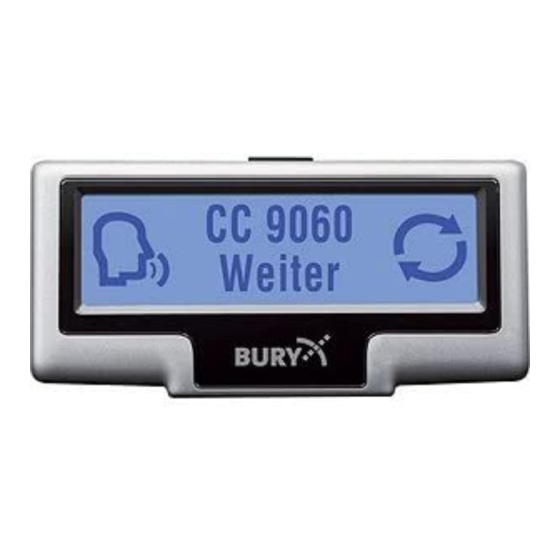
The hands-free car kit (HFCK) is supplied with different combinations of components, depending on the sales regions (countries). The operating manual refers to all versions. Description of the components: 1) Electronics box 2) Monitor and installation pad 3) Fixing screws for electronics box, rider, adhesive pad, cleaning cloth 4) Microphone 5) Installation and Operating manual on CD… -
Page 6: Positioning And Mounting
Installation of the hands-free car kit 4. Positioning and mounting Step 1: First of all, please choose the most convenient position for the monitor and the installation pad in your vehicle by attaching the monitor / hook- and-loop fastener to the pad and checking different positions in the vehicle.
-
Page 7
Example of installation:… -
Page 8
Installation of the hands-free car kit Step 2: Depending on the vehicle type and its equipment (e.g. airbags), it is reasonable to install the microphone either at the A-pillar, at the sun shield or at the roof interior. For details about the equipment features please refer to the vehicle documents. -
Page 9: Connections On The Electronics Box
5. Connections on the electronics box With the combinations of the product versions, different electronic bo- xes can be used. These differ in terms of the arrangement and number of the connections and in terms of their dimensions. Box 1 is eventual- ly going to be completely replaced by Box 2.
-
Page 10
3 – Connection for additional accessories At this connection you can, for instance, connect a special 3 key remo- te control from the BURY accessories. Please ask one of our specialist retailers or contact our hotline for further information. -
Page 11
4 — Voice output of the hands-free car kit Version 1: Refer to separate chapter: Installation of the audio switch box AC 5120 Version 2: Connect the external loudspeaker here if you do not want to or are not able to make use of the vehicle’s own sound system. When installing the loudspeaker, make sure it is positioned the correct distance from the microphone. -
Page 12
8 — Internal loudspeaker switch box The cable provided serves the purpose of transferring the voice output to one of the loudspeakers in the car. In the best case scenario, this speaker should be on the passenger side of the vehicle in order to pro- vide sufficient distance from the microphone and to prevent possible echoes from occurring. -
Page 13: Installation Of The Loudspeaker Switch Box Ac 5120
If your car radio doesn‘t have this function, then the signals will be suppressed by the speaker switch box. You can use the AC 5120 through the connections that your BURY hands free car kit offers, which guarantee voltage supply via molex plugs and also have a speaker output.
-
Page 14
Installation of the hands-free car kit Now disconnect the (a) and/or the (b) loudspeaker connector from the speaker socket on the radio at the back. Connect this connector with the suitable socket (3) on the AC 5120. Now con- nect the plug (4) with the radio. Depending on the switcher position (5), the voice of your conversation partner will be fed back through either the front right speaker, the front left speaker, or through both of the front lou- dspeakers. -
Page 15
Different connections of the ISO plug on the radio The layout of the pins on the ISO plug used in a car depends on the type of car. Before using the switch box, you should make sure that the connections are correct in order to prevent possible damage to the device. -
Page 16
Installation of the hands-free car kit In the operating manual of the radio device, you can find the pin assignment for the “mute” signal. This signal can occur on one of three cables marked with “mute1”, “mute2”, or “mute3”. mute 1 mute (yellow) mute 2 radio device… -
Page 17: Installation Instructions For The Fuses
7. Installation instructions for the fuses If you install the hands-free kit without the AC 5120 switch box then the power supply must be secured with a fuse in the way described below. Please cut through the red, the black and the blue cable by means of a wire cutter or scissors. Now insert the two endings of the red cable resulting from the cut into one of the binders, then close it.
-
Page 18: Operating Guidelines
Operating guidelines 8. Using the hands-free car kit for the first time After power supply of the hands free car kit (HFCK) is sucessful con- nected, the HFCK is activated when you have started the vehicle. After this, you have to select the menu language if several are available for you to select.
-
Page 19
and activated voice recognition for instance, the HFCK will start the voice control system automatically. The HFCK signals that it is ready to receive a command by emitting an acoustic signal. If you aren’t sure of the right command to use, then simply state „HELP / WHAT CAN I SAY“. -
Page 20: Handling Via Touch Screen
Operating guidelines 11. Handling via Touch screen The display is divided up into several zones. In almost all of the menus you can find symbols on the left and the right with which you are able to initialise functions directly or browse through in the menu. In the centre of the display you nearly always find two lines of text with menu items which you can also select by pressing them briefly.
-
Page 21
If it is not possible to establish a connection, please check and update the software release (firmware) of your mobile phone or of the HFCK. You will find an overview dealing with this subject on the Internet at www.bury.com. Note: In the internet you can find an overview with a large number of mobile telephones which have been tested with this hands-free car kit. -
Page 22: Menu Navigation
Operating guidelines 13. Menu navigation Here you will find all menus which are necessary for the operation and configuration of the system. These can be selected through the touch screen or using voice control. You are also able to select additional frequently used commands via voice control which otherwise first appear later in the menu tree.
-
Page 23
numbers of the actual telephone number (wait a moment so that the HFCK can repeat the entry). When you have entered the last number block of the telephone number, you can check the complete telephone number once again with the voice command „PLAYBACK“. Here are some more commands: The complete entry will be deleted, Delete all… -
Page 24
Operating guidelines Here you can search for entries through a letter field. Read out the first Fast search letters of the first name and surname (depending on the sort sequence) which you want to find. The first entries with this letter will then be displayed. -
Page 25: Call Lists
In all the HFCK can store 150 voice commands. This voice command (voice tag) is valid for all numbers which are allocated to this name. A corresponding inquiry follows about which of these numbers you want to call. Note: In order to make voice recognition easier for the HFCK, please do not use voice commands for your voice commands (voice tags) which are also used by the HFCK.
-
Page 26
Operating guidelines If you activate the music function via the touch screen, an inter- face appears in the display with which you can change the volu- me level and either play back, stop or skip music tracks. The following functions are available for playing and are shown on the display: | … -
Page 27: Voice Dial
Settings In this menu point, you can configure the HFCK through five further Settings submenus. Bluetooth Bluetooth In the Phone list, the telephones are listed which have already been ® successfully connected with the HFCK via Bluetooth . The list is able to hold a maximum of ten telephones.
-
Page 28
Operating guidelines The HFCK works in general independent from the speaker, that means Speaker it can immediately be operated without a ‚voice training‘. Then user adaptation training is only needed if you speak a strong dialect. The HFCK reads twenty terms aloud to you which you have to repeat so that the system can ‚get used to‘… -
Page 29
The volume level for the voice feedback and the selected ring tone can be set in an additional sub menu. Volume Available as voice commands are „LOUDER“, „LESS“, „MAXIMUM“, Speech „MINIMUM“ and „ACCEPT“. Rington Display Display This menu point makes it possible for you to adjust the display in a range of different ways. -
Page 30
Operating guidelines Device In the Call answering menu item, you can make the settings concer- Device ning the answering of calls, the menu languages, the telephone book options, for the system itself, and for the willingness to answer calls. With the call answering function you can specify as to whether you Call answering want to answer an incoming call manually via the touchscreen, by voice command, or automatically. -
Page 31
HFCK under Version info. If a new System item of firmware should become available for the HFCK, then under the menu item Software update and using the BURY Update Suite, you are able to update the HFCK. Version Info… -
Page 32: Accepting, Making, Ending Calls
Bedienungsanleitung 14. Accepting, making, ending calls You will be alerted of an incoming call via the voice output and the ring tone. Your vehicle‘s sound system will switch onto mute. If the caller sends their telephone number with the call, this will be shown in the display unless the number is saved in your phone.
-
Page 33
If you receive another call during an active telephone call, this will be indicated to you both acoustically and visually. If you press down brief- ly in the centre of the HFCK’s display, a sub menu will appear. You can then switch over to the private mode, and you are able to accept or decline a second call on your mobile phone, stop a conversation or ini- tialise functions such as conference calling. -
Page 34: Further Information
Further Information 15. Service In case of general or technical queries, suggestions and comments, please do not hesitate to contact our team at any time: BURY GmbH & Co. KG Robert-Koch-Straße 1-7 32584 Löhne Hotline: +49(0)180 5 — 842 468*…
-
Page 35
Federal Communications Commission (FCC) Compliance Statement — United States This device complies with part 15 of the FCC Rules. Operation is subject to the following two conditions: 1 This device may not cause harmful interference, and 2 the device must accept any interference received, including interfe- rence that may cause undesired operation.
Если у вас отсутствует техническая возможность для скачивания Инструкция по эксплуатации для THB Bury Bluetooth Hands-Free Car Kit CC 9060
вы можете прочесть документ прямо на нашем сайте или
Скачать THB Bury Bluetooth Hands-Free Car Kit CC 9060 Инструкция по эксплуатации

- 1
- 2
- 3
- 4
- 5
- 6
- 7
- 8
- 9
- 10
- 11
- 12
- 13
- 14
- 15
- 16
- 17
Инструкции для прочих THB Bury GPS-приемники
Инструкции для прочих THB Bury
Хорошее руководство по эксплуатации
Законодательство обязывает продавца передать покупателю, вместе с товаром, руководство по эксплуатации THB Bury CC 9060. Отсутствие инструкции либо неправильная информация, переданная потребителю, составляют основание для рекламации в связи с несоответствием устройства с договором. В законодательстве допускается предоставлении руководства в другой, чем бумажная форме, что, в последнее время, часто используется, предоставляя графическую или электронную форму инструкции THB Bury CC 9060 или обучающее видео для пользователей. Условием остается четкая и понятная форма.
Что такое руководство?
Слово происходит от латинского «instructio», тоесть привести в порядок. Следовательно в инструкции THB Bury CC 9060 можно найти описание этапов поведения. Цель инструкции заключается в облегчении запуска, использования оборудования либо выполнения определенной деятельности. Инструкция является набором информации о предмете/услуге, подсказкой.
К сожалению немного пользователей находит время для чтения инструкций THB Bury CC 9060, и хорошая инструкция позволяет не только узнать ряд дополнительных функций приобретенного устройства, но и позволяет избежать возникновения большинства поломок.
Из чего должно состоять идеальное руководство по эксплуатации?
Прежде всего в инструкции THB Bury CC 9060 должна находится:
— информация относительно технических данных устройства THB Bury CC 9060
— название производителя и год производства оборудования THB Bury CC 9060
— правила обслуживания, настройки и ухода за оборудованием THB Bury CC 9060
— знаки безопасности и сертификаты, подтверждающие соответствие стандартам
Почему мы не читаем инструкций?
Как правило из-за нехватки времени и уверенности в отдельных функциональностях приобретенных устройств. К сожалению само подсоединение и запуск THB Bury CC 9060 это слишком мало. Инструкция заключает ряд отдельных указаний, касающихся функциональности, принципов безопасности, способов ухода (даже то, какие средства стоит использовать), возможных поломок THB Bury CC 9060 и способов решения проблем, возникающих во время использования. И наконец то, в инструкции можно найти адресные данные сайта THB Bury, в случае отсутствия эффективности предлагаемых решений. Сейчас очень большой популярностью пользуются инструкции в форме интересных анимаций или видео материалов, которое лучше, чем брошюра воспринимаются пользователем. Такой вид инструкции позволяет пользователю просмотреть весь фильм, не пропуская спецификацию и сложные технические описания THB Bury CC 9060, как это часто бывает в случае бумажной версии.
Почему стоит читать инструкции?
Прежде всего здесь мы найдем ответы касательно конструкции, возможностей устройства THB Bury CC 9060, использования отдельных аксессуаров и ряд информации, позволяющей вполне использовать все функции и упрощения.
После удачной покупки оборудования/устройства стоит посвятить несколько минут для ознакомления с каждой частью инструкции THB Bury CC 9060. Сейчас их старательно готовят или переводят, чтобы они были не только понятными для пользователя, но и чтобы выполняли свою основную информационно-поддерживающую функцию.
Краткое содержание страницы № 1
FREISPRECHB EIN LUR EI TC O HO TT UH N G H A/N H DA SN -F DR SE -F ER C EA ER C K AIRT KIT
CC 9060
GB
Operating manual
Краткое содержание страницы № 2
CC 9060 Index Introductory information 2 1. General 2 2. Security guidelines 2 Installation of the hands-free car kit 4 3. Scope of supply CC 9060 4 4. Positioning and mounting 5 5. Connecting the Electronic box 8 6. Installation instructions for the fuses 9 7. Installation instructions switching box AC 5120 10 Operating guidelines 14 8. Initial operation of the hands free set 14 ® 9. Establishing a Bluetooth connection 14 10. Handling possibilities 15 11. The display 15 12a. Accepti
Краткое содержание страницы № 3
2 Introductory information 3 Position, volume 1. General Install the components of the device in the vehicle so that your field of vision is not impaired and the components are not mounted in the im- Dear customer, pact zone of the passenger compartment or in the airbag inflation zo- nes. The removal of coverings (with and without airbags) or compon- Congratulation on purchasing a BURY hands-free car kit. You have cho- ents of the dashboard requires – in some cases – special tools and sen a h
Краткое содержание страницы № 4
4 I In ns st ta al ll la at ti io on n o of f t th he e h ha an nd ds s- -f fr re ee e c ca ar r k ki it t 5 Description of the components: 3. Scope of supply CC 9060 1) Electronics box 2) Mounting pad 3) Display 4) Hook-and-loop fastener 5) Fixing screws for electronics box 6) Microphone with cable 7) Loudspeaker switching box AC 5120 4. Positioning and mounting Step 1: First of all, please choose the most convenient position for the monitor and the installation pad in your vehi
Краткое содержание страницы № 5
6 Installation of the hands-free car kit 7 Example of installation 1: Step 2: Depending on the vehicle type and its equipment (e.g. airbags), it is reasonable to install the microphone either at the A-pillar, at the sun 1 2 3 4 shield or at the roof interior. For details about the equipment features please refer to the vehicle documents. Please also observe the notes on distances to other components and to the driver / speaker, as specified in the installation manual. Step 3: Please lay the
Краткое содержание страницы № 6
8 Installation of the hands-free car kit 9 5. Connecting the Electronic box 6. Installation instructions for the fuses Please connect the switch box AC 5120 to the electricity supply of the radio and connect the Molex plug with the electronic box (see chapter: If you install the CC 9060 without the switchbox AC 5120 please stick to the following instructions Connection of the loud speaker switch box AC 5120). regarding the power supply safety. Now connect the microphone (connection 5) and
Краткое содержание страницы № 7
10 Installation of the hands-free car kit 11 After checking that all the cable lengths are sufficient, decide where you are able to attach the Audio 7. Installation instructions switching box AC 5120 switchbox. Now secure the Audio switchbox so that it isn’t able to flap about and/or rattle against other parts of your vehicle. Now connect the audio switchbox plug (1) to the hands-free car kit. (The other, smaller box is used by the audio switchbox plug for the microphone.) Now connect the wh
Краткое содержание страницы № 8
12 Installation of the hands-free car kit 13 The two ‘Phone-In’ cables are marked accordingly and must be plugged into the appropriate con- Configuration II nections on the radio (blue, green or yellow). In this regard, please refer to the instructions If the assignment of pin 7 of the ISO plug is connected to the ignition, and pin 4 is connected to the concerning the connection configuration of your car radio in your car radio handbook. In lots of DC power supply, the connection of the cables
Краткое содержание страницы № 9
14 Operating guidelines 15 Note: 8. Initial operation of the hands free set The telephone book on your mobile phone is generally synchronised by the hands-free car kit at regular intervals. After power supply of the hands free Kit (HFK) is sucessful connected, For the duration of this short moment, the voice control will the HFK is activated when you have started the vehicle. After that you not be available to you and you will receive a corresponding have to select the user language. mes
Краткое содержание страницы № 10
16 Operating guidelines 17 12a. Accepting, making, ending calls 12b. Transferring Calls In order to inform the driver of an incoming call, in the display a tele- Introduction phone symbol is shown. At the same time the name and telephone Transferring calls is to be understood as being the acceptance number of the caller (if available) will be shown. The audio system is of a call during a telephone call and alternating between two switched to mute and the ring tone is broadcast through the
Краткое содержание страницы № 11
18 Operating guidelines 19 12c. Conference Mode 13. Voice Dial Introduction Introduction The hands-free car kit provides you with the possibility of mer- ging up to seven conversations to create a conference. This With the help of the voice control, the telephone system can be means that all participants can talk to each other at the same operated through spoken commands. This section explains the es- time. sential functions which can be accessed through the voice cont
Краткое содержание страницы № 12
20 Operating guidelines 21 14. Voice dial commands 16. Dial number The HFK can be operated through the following voice commands. The Dial number voice commands are divided into different menus and some commands are only available in certain menus. It makes sense to divide telephone numbers in short number blocks of With an active HFK, say `HELP´ if you are not sure which commands 3-4 digits and to say them this way. are available: the HFK will then name all possible commands. After the
Краткое содержание страницы № 13
22 Operating guidelines 23 Under `DETAILS´ you will find if necessary all telephone numbers 17. Phonebook listed under this entry Details Press and release the button for the voice control shortly and use the Depending on the settings in the mobile telephone, you will be shown Phonebook voice command `PHONEBOOK´. by the HFK either the SIM card contacts or the telephone contacts or both. Since your phonebook is scanned with the first coupling of your mobile If the SIM card contacts in the m
Краткое содержание страницы № 14
24 Operating guidelines 25 18. Redial 22. Settings The number which was last selected can be selected once again In this menu point, you can configure the HFK through five further Settings Redial submenus. 19. Call list 22.1 Bluetooth Bluetooth Here in a chronologic sequence all calls are listed which have been Dialled calls made, missed or accepted. Here among other things you can determine if the HFK should auto- ® You can have the telephone number read to you and if you want call matically m
Краткое содержание страницы № 15
26 Operating guidelines 27 The HFK works in general independent from the speaker, that means it Speaker 22.4 Display can immediately be operated without a `Voice training´. Then user adaptation training is only needed if you speak a strong dialect. The HFK reads This menu point makes it possible for you to adjust the display in diver- Display twenty terms aloud to you which you have to repeat so that the system se manners. can “get used to” your voice. `SLEEP MODE´ Sleep mode Here you will
Краткое содержание страницы № 16
28 Operating guidelines Further Information 29 22.5 Device 24. Service Device In case of general or technical queries, suggestions and comments, please do not hesitate to contact our team at any time: In this sub menue you can choose, if incoming Call answering on calls should be accepted automatically, manually or via voice. BURY GmbH & Co. KG Robert-Koch-Straße 1-7 The following user languages are available: English, German, French, 32584 Löhne Language Italian, Spanish, Portuguese and Dutch
Скачать
FREISPRECHEINRICHTUNG / HANDS-FREE CAR KIT
CC 9060
Operating manual
BLUETOOTH HANDS-FREE CAR KIT
GB